Team management
Everyone who can sign in to this account, and what each of them can reach. Seats are metered against your plan.
Adding a member
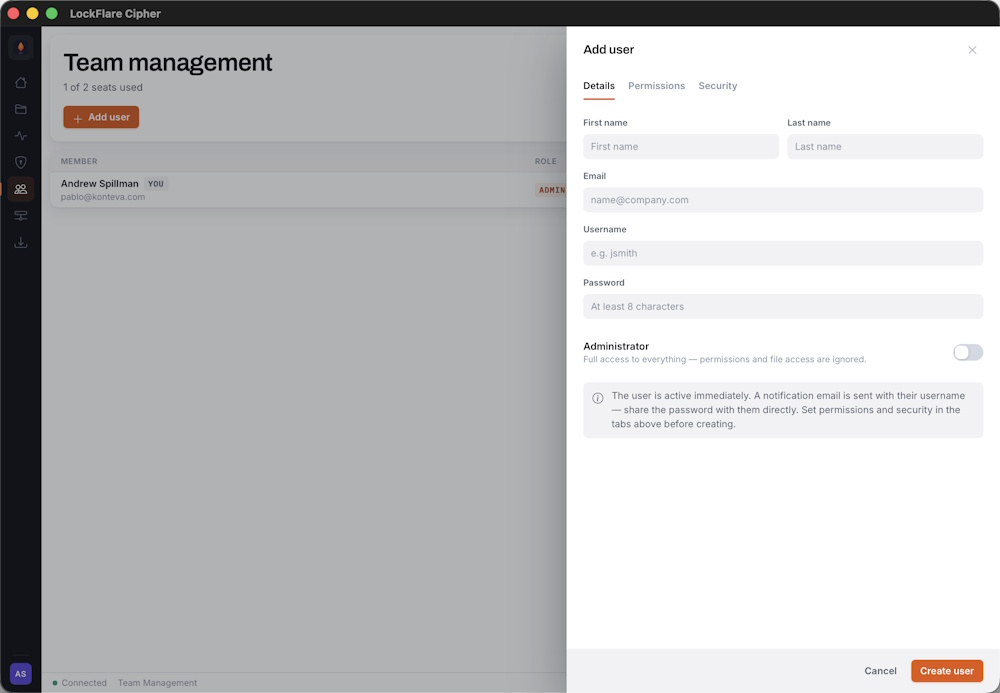
Name, email and username. They can sign in immediately — you set what they can reach before that matters.
New members are prompted to set up two-factor on first sign-in, the same as any account. There is no way to opt a member out of it.
Permissions
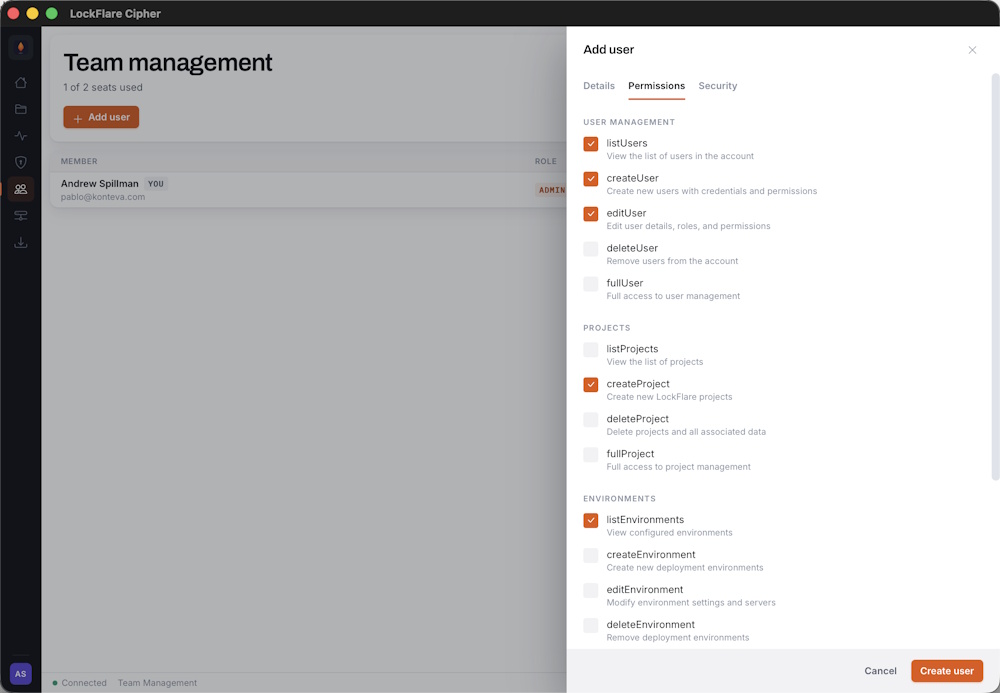
Permissions are per area. Grant only what the person needs.
Permissions gate both the interface and the API. A member without project-create permission does not see Push, Delete or the source-configuration controls — and the server rejects those calls independently, so hiding a button is never the only thing standing between someone and an action.
| Area | Covers |
|---|---|
| Projects | Listing, creating, editing and deleting projects; pushing and promoting builds. |
| Environments | Creating environments, registering servers, resetting. |
| Users | Adding members, changing permissions, removing accounts. |
| Settings | Account configuration and licensing. |
| Full admin | Everything, including Enclave and account termination. |
Login restrictions
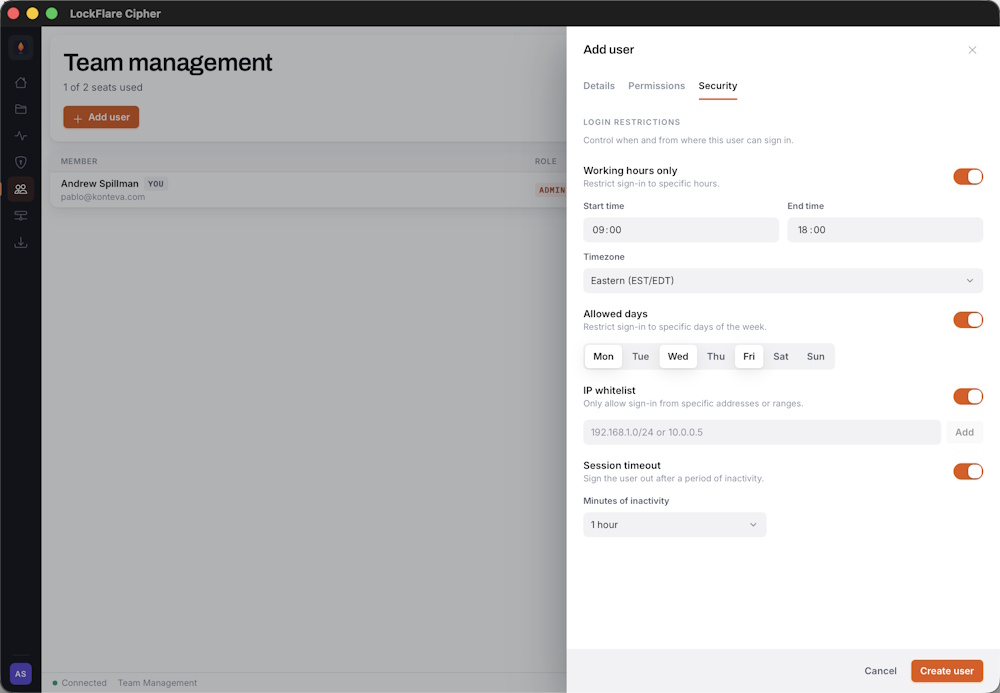
Restrict a member to specific addresses or times, on top of their permissions.
Useful for contractors who should only reach the account during an engagement, or for accounts that should only be used from an office network. Restrictions are evaluated at sign-in and are independent of what the member is allowed to do once inside.
Seats
Each member consumes a seat. At the ceiling, Add user hands off to your LockFlare account to add more — and points out that removing a member frees a seat immediately, which is often the faster fix.
Disabling instead of removing
A disabled member cannot sign in, and existing sessions are rejected mid-flight rather than surviving until they expire. Their history stays in the activity log. Removing them frees the seat; disabling them does not.