LockFlare

Running the house behind the door.

Security keeps the door shut. System Setup is everything after it: who has an account and what is wrong with it, which groups actually mean root, the certificates, whether the box really stays patched, who did what, what systemd runs, how close the disks are, and what the box's names resolve to. Eight screens on one frame — a band that says the state, tabs, findings worst first, and a row that opens into the thing's own page.

Adding a user on a server in LockFlare Lens: identity, the login, the key, and the sudo rule, as one card
Onboarding as one card — and the line to hand over when it is done.

Eight screens, one frame

Users, Groups, Certificates, Auto-updates, Audit, Services, Storage, Network. Each reads the box twice — the plain table, and the deep reading that judges it — so what you get is not a listing but a verdict with the fix on the row.

Users

Every account read as root: who can get in and how, who becomes root and by which rule, whose password runs out, who has not been seen in months.

Groups

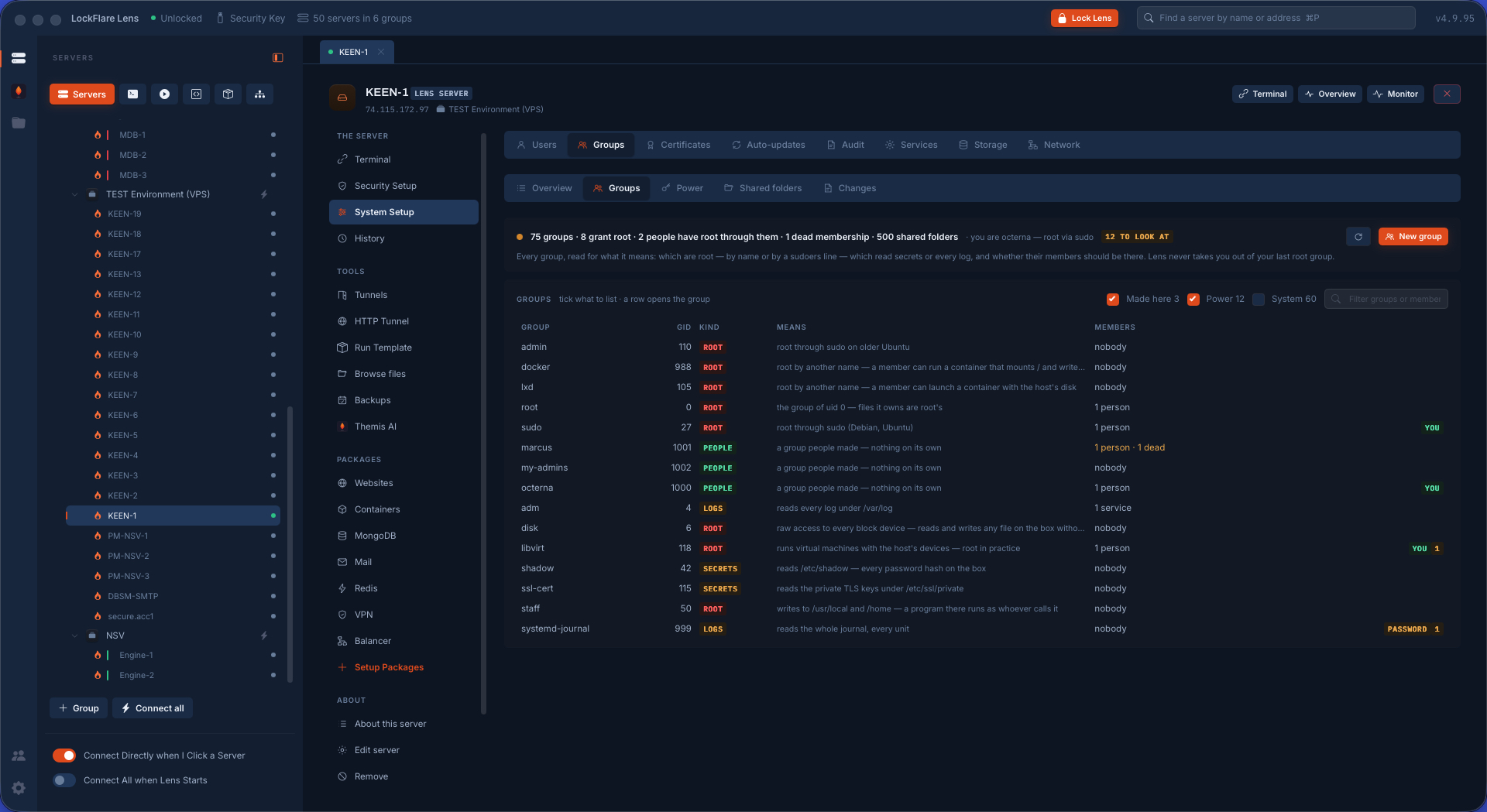
Not who is in what, but what each group means: docker is root by another name, adm reads every log, shadow reads the hashes.

Certificates

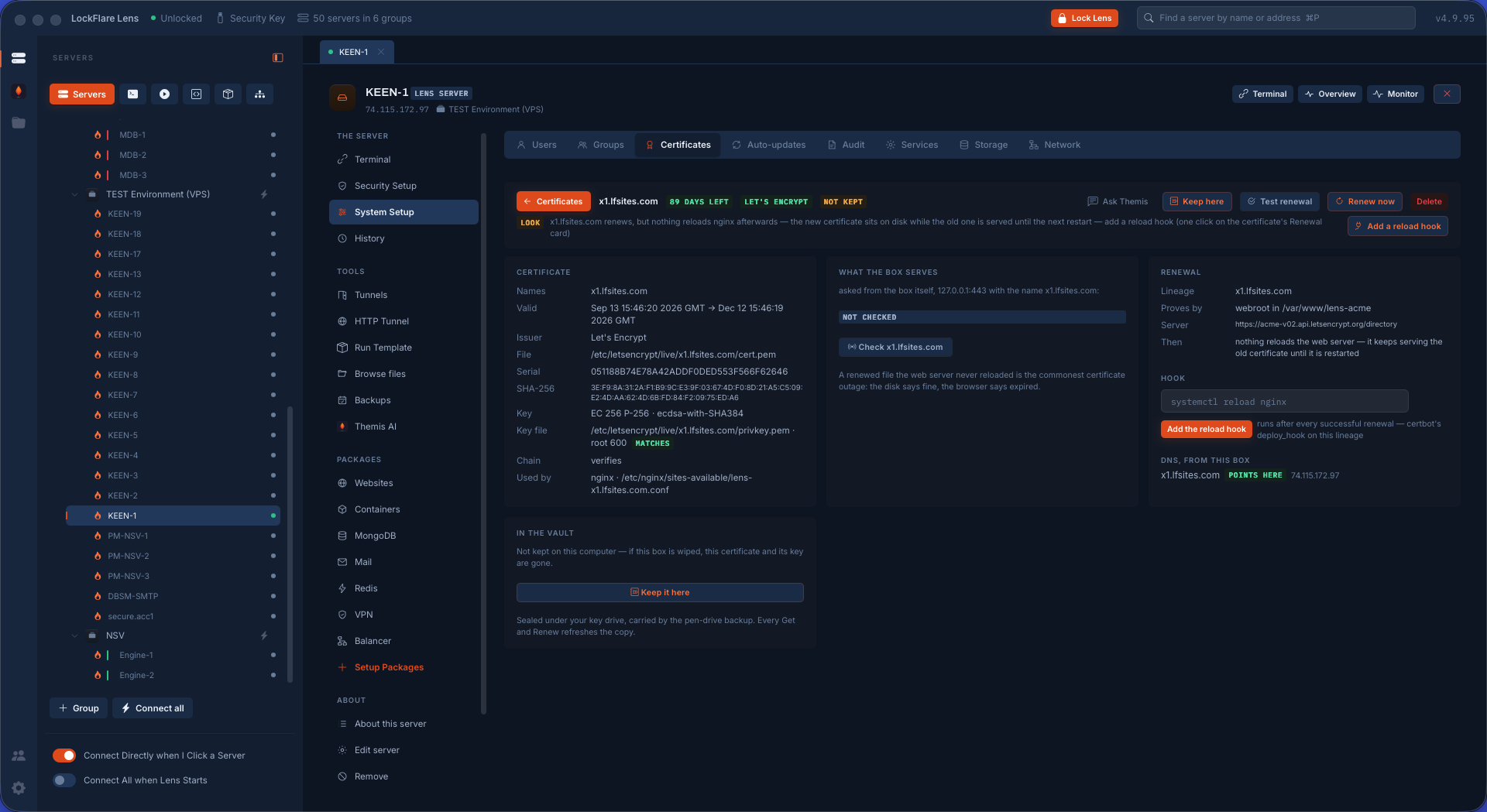
What the box actually serves, whether renewal will really fire, and a vault on your computer so a wiped box is a put back.

Auto-updates

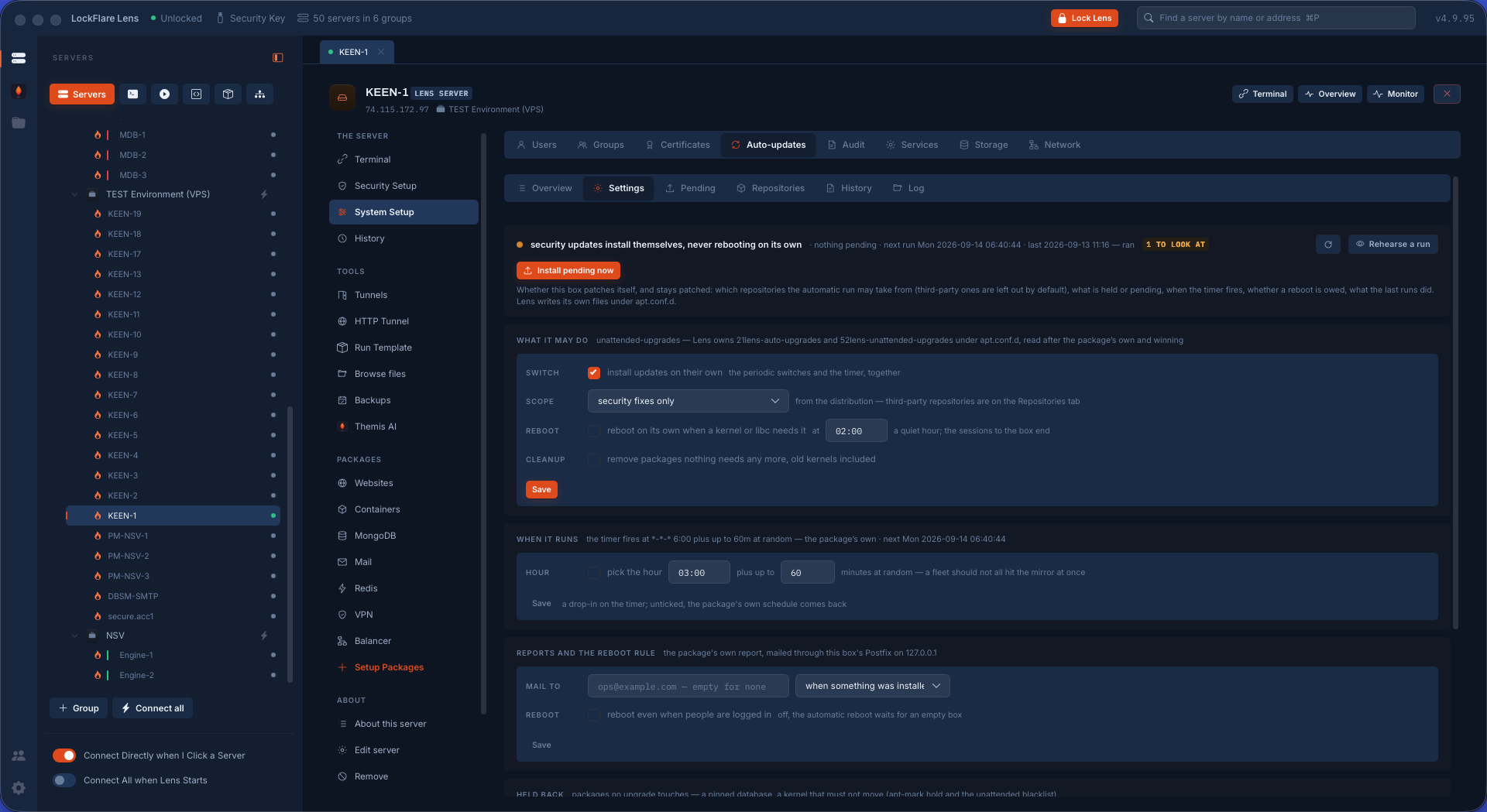
Not "is it on" but "does it stay patched": which repositories it may take from, what is held back, what is owed.

Audit

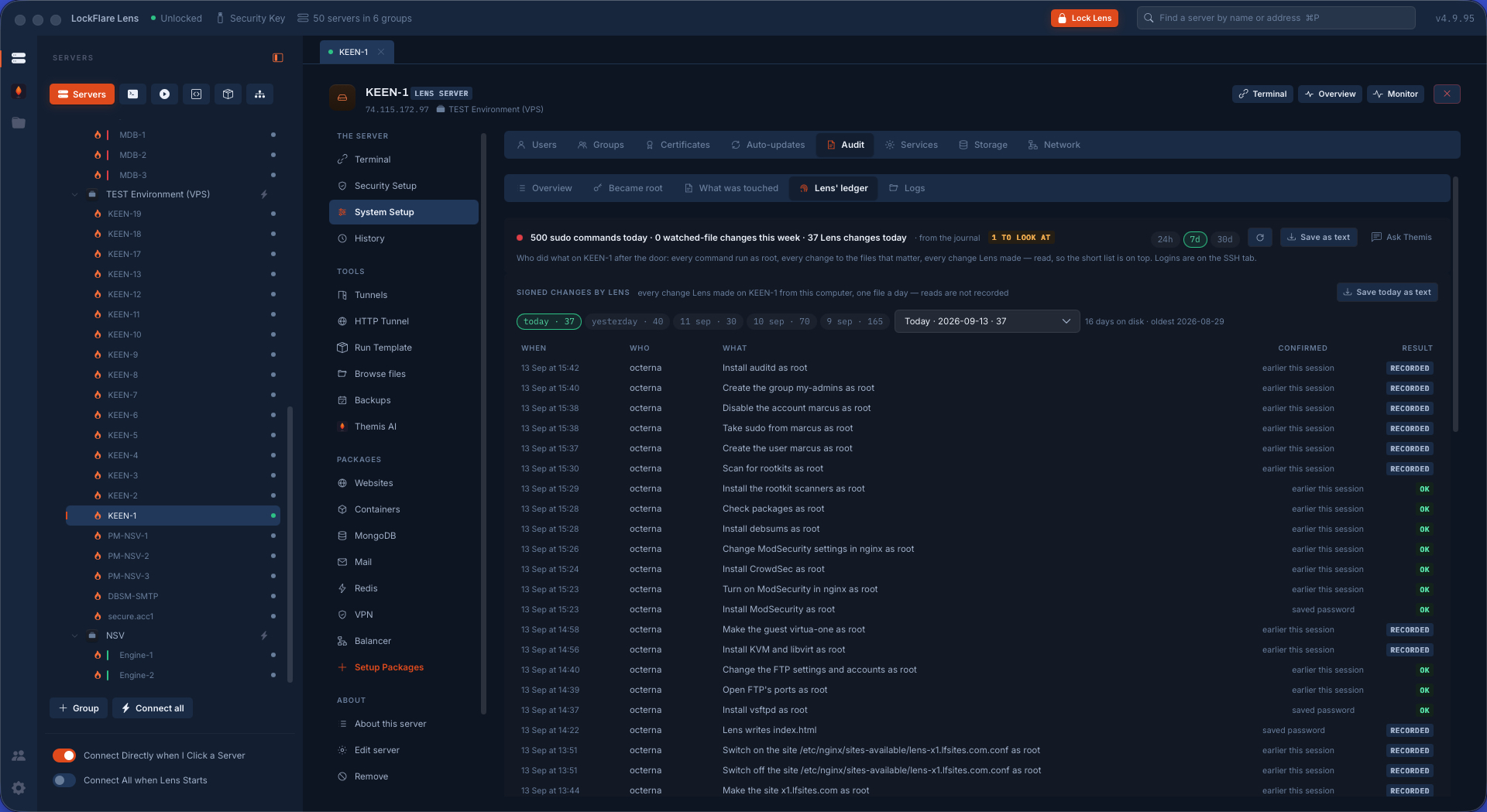
Who became root and what they ran; which files were touched, by whom; and Lens's own signed ledger.

Services

Failed first, then running, then enabled-but-stopped. A unit's file, drop-in, hardening and exposure — and a new unit written with the preview as the point.

Storage

How close each disk is, what is taking the room, and what can be given back without losing anything.

Network

What the box is called, what it answers on, and what its names actually resolve to — from the box and from here.

Users: every account, read as root

Two readings feed this screen — the table of names, uids, shells and keys, and the deep one: lifetime dates, the exact rule that grants root, the state of every home, who is stale — and the findings are judged from both. A second uid 0. An empty password. A locked account whose keys still work. A sudoers file visudo refuses. A home that belongs to somebody else. Nothing wrong is also a finding, and the screen says so plainly.

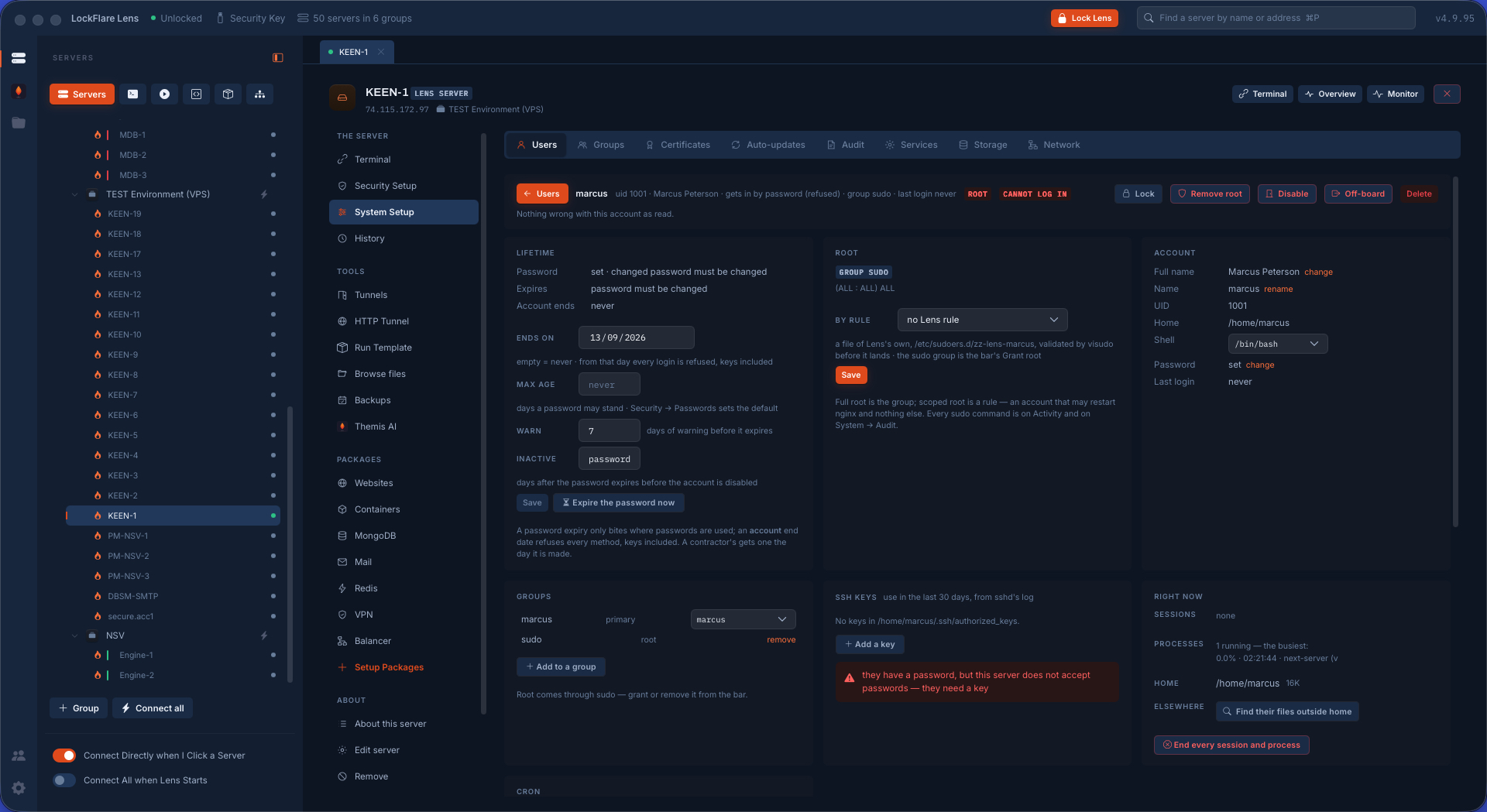
Overview, People, System accounts, Root, Changes, Backups. A row opens into the account's own page: its lifetime, how it gets in, how far its root reaches, its groups, what it is running right now, its cron, its activity over a window. Adding somebody is one card — identity, the login, a key of theirs or one made here, the sudo rule — ending with the line you hand over. Off-boarding is a flow in order, with what the account owns counted before anything is deleted. Two things are off limits here and refused again in Go: yourself, and root.
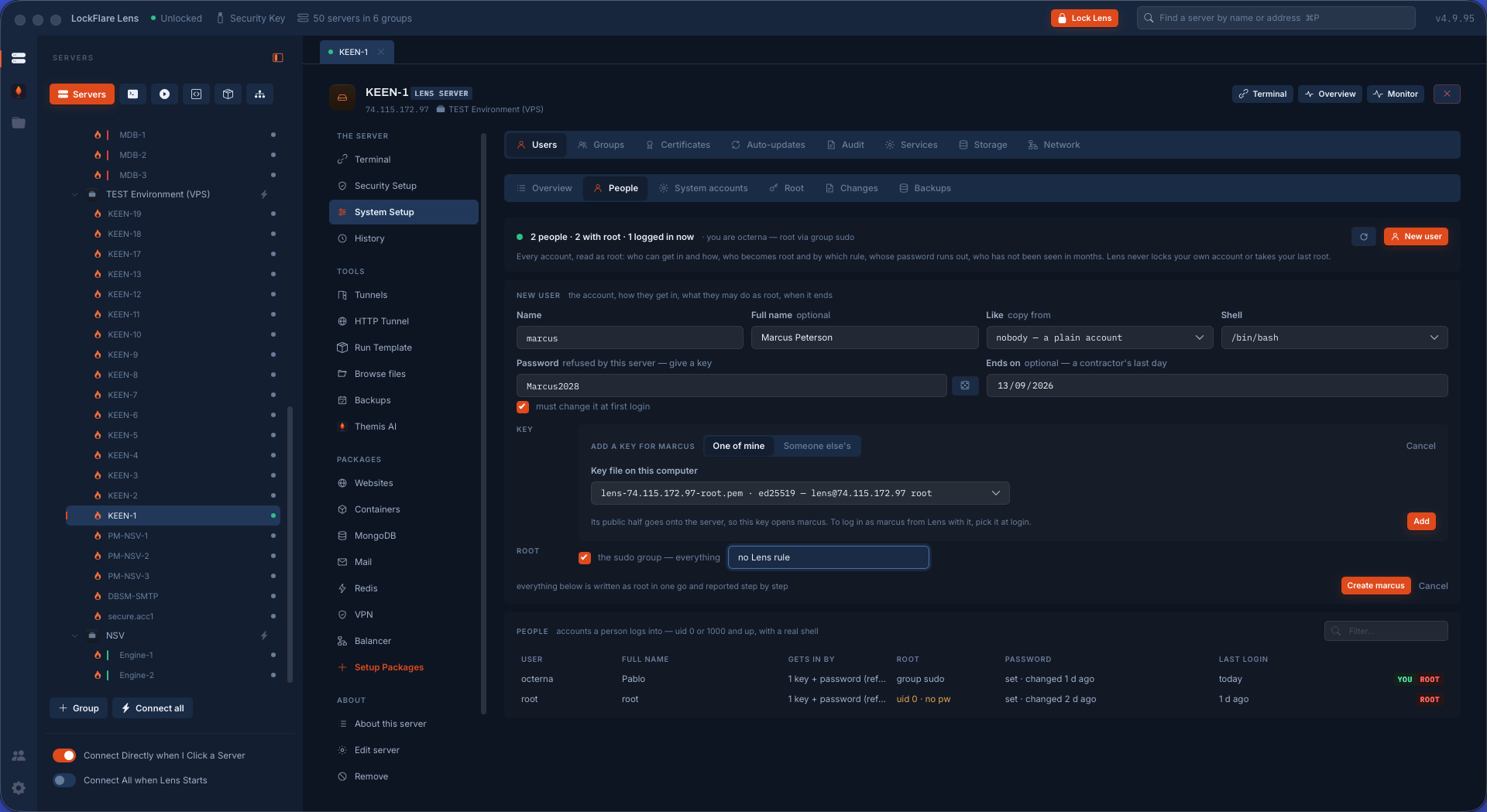
Adding a user in LockFlare Lens: identity, login, key and the sudo rule as one card
Onboarding: one card, one handover line.
An account's own page in LockFlare Lens: its lifetime, how it gets in, how far its root reaches, its groups and its activity
An account opened: how it gets in, how far its root goes, what it has been doing.

Groups: what a group actually means

getent group already says who is in what. The question nobody answers is whether they should be: docker is root by another name, adm reads every log, shadow reads the hashes, and a %group line in sudoers turns a group nobody looks at into root. A member locked a year ago is still in wheel. A name in a members list belongs to nobody at all.

Overview, Groups, Power — the ones that grant something real — Shared folders, Changes. A row opens the group's own page. Several members added at once; a folder shared to a group with the setgid walk done on ask; root scoped to a group by a Lens-owned rule; delete with what the group owns counted first. The one line you cannot cross, here and in Go: your own root.

Groups in LockFlare Lens: each group with what it means, the power groups called out, and who is in them
The power groups called out for what they grant, not just listed.

Certificates: the parts that go wrong quietly

Anyone can read an expiry date. This screen reads the things that actually break a site at 3 am: whether the box serves what is on disk, whether anything reloads the web server after a renewal, whether the name still points here, whether the key matches the certificate, whether the chain verifies.

Obtain a real one from Let's Encrypt over HTTP, or over DNS through a provider plugin or a guided TXT record with Lens's own hook — both good for wildcards and for boxes closed on 80. Request one from a CA with the key and CSR made on the box, and install the answer beside the key later. Import a PEM or a PFX. Self-sign for a box nobody outside reaches. Renewal runs as a job you watch, and a finished obtain or renew copies into the vault at once, so the vault is never older than the box.

The vault keeps every certificate and key on your computer, sealed under the key drive and carried by the encrypted backup. A wiped box, or a lineage deleted by accident, is a put back — not a new request to Let's Encrypt against a rate limit.

Certificates in LockFlare Lens: what the box serves, renewal, the chain, and the vault on this computer
Not the expiry date: whether the renewal will actually work when it fires.

Auto-updates: not "is it on", but "does it stay patched"

The switch is the easy part. This screen answers the rest: which repositories the automatic run may take from — a third-party repo, Docker or a database, is left out by default and ages for years without anyone noticing — what is held back and why, what is pending right now with its source, when the timer really fires, whether a reboot or a service restart is owed since the last upgrade, whether the package lists even refresh, whether dpkg is stuck half-configured, and what the last runs actually did.

Settings, Pending, Repositories, History, Log; a one-shot reboot, an undo, the changelog, snaps and leftovers. Lens owns its own files in apt.conf.d and a timer drop-in; the package's own files are never edited.

Automatic updates in LockFlare Lens: which repositories the run may take from, what is held back, what is pending, and when the timer fires
The repositories the automatic run may take from — and the ones aging quietly outside it.

Audit: who did what, on three records

Who logged in lives on the SSH screen. This tool starts after the door. Became root is every command run through sudo, read from the journal, because the question after "who logged in" is "and then what did they run" — each with a verdict: a root shell, a sensitive file, a download piped to a shell, a permissions change, an account change, or routine. The short list on top is the point.

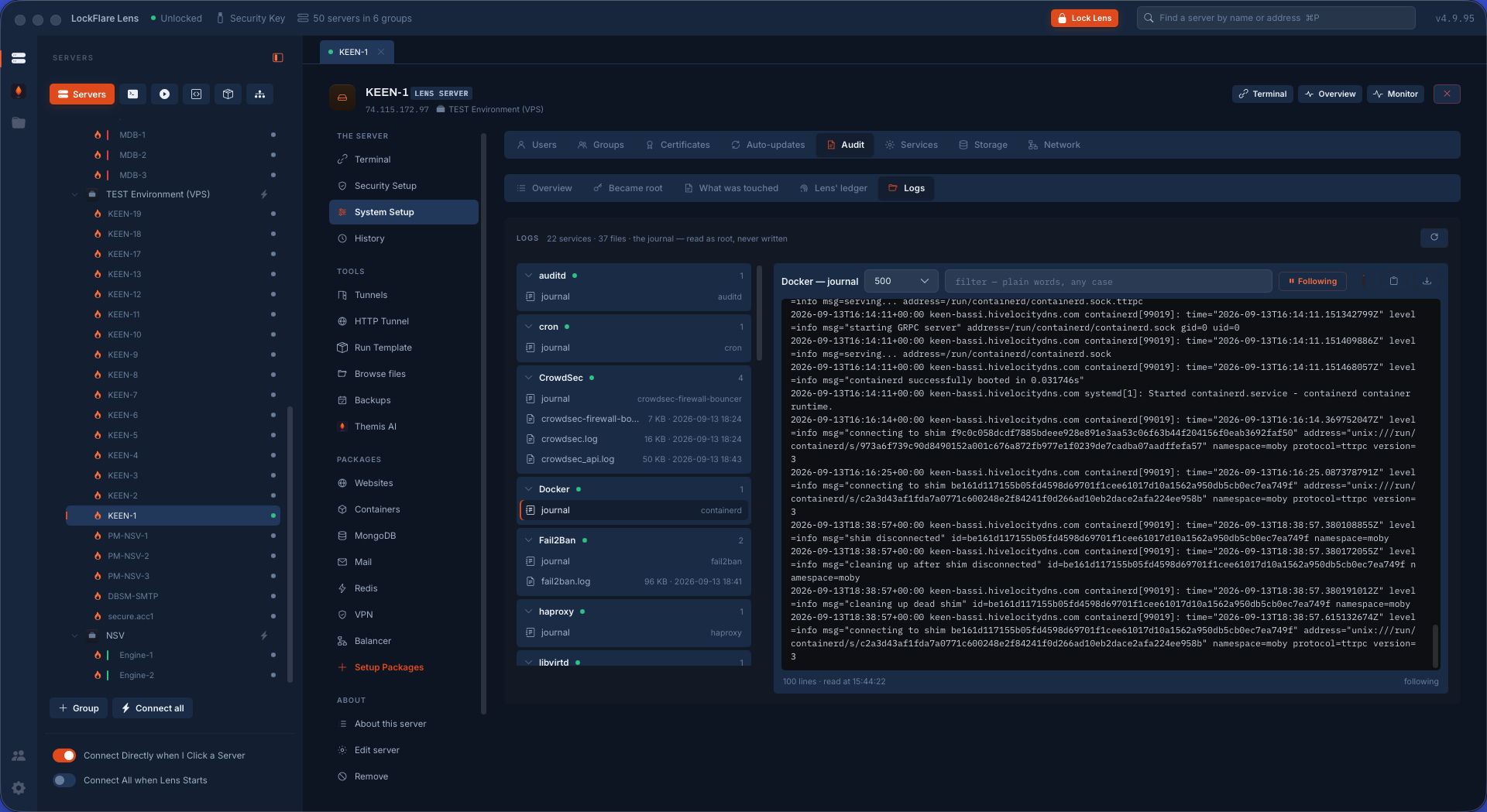
What was touched is auditd, the kernel's own recorder, watching the files that matter — passwd, shadow, sudoers, sshd's config, the firewall, nginx, the certificates — and naming who changed them even when it was not Lens, plus every program run inside a root shell, and auditd's own health with the verbs that fix it. Lens' ledger is every signed change Lens itself made on this box, one file a day. And any log on the server can be opened and followed live, by service or by file.

Lens's ledger on a server: every signed change Lens made here, one file a day
Lens's own ledger: every change it made here, signed, on the box.
Any log on the server opened in LockFlare Lens and followed in real time
Any log on the box, followed live.

Services: failed first, and the three verbs

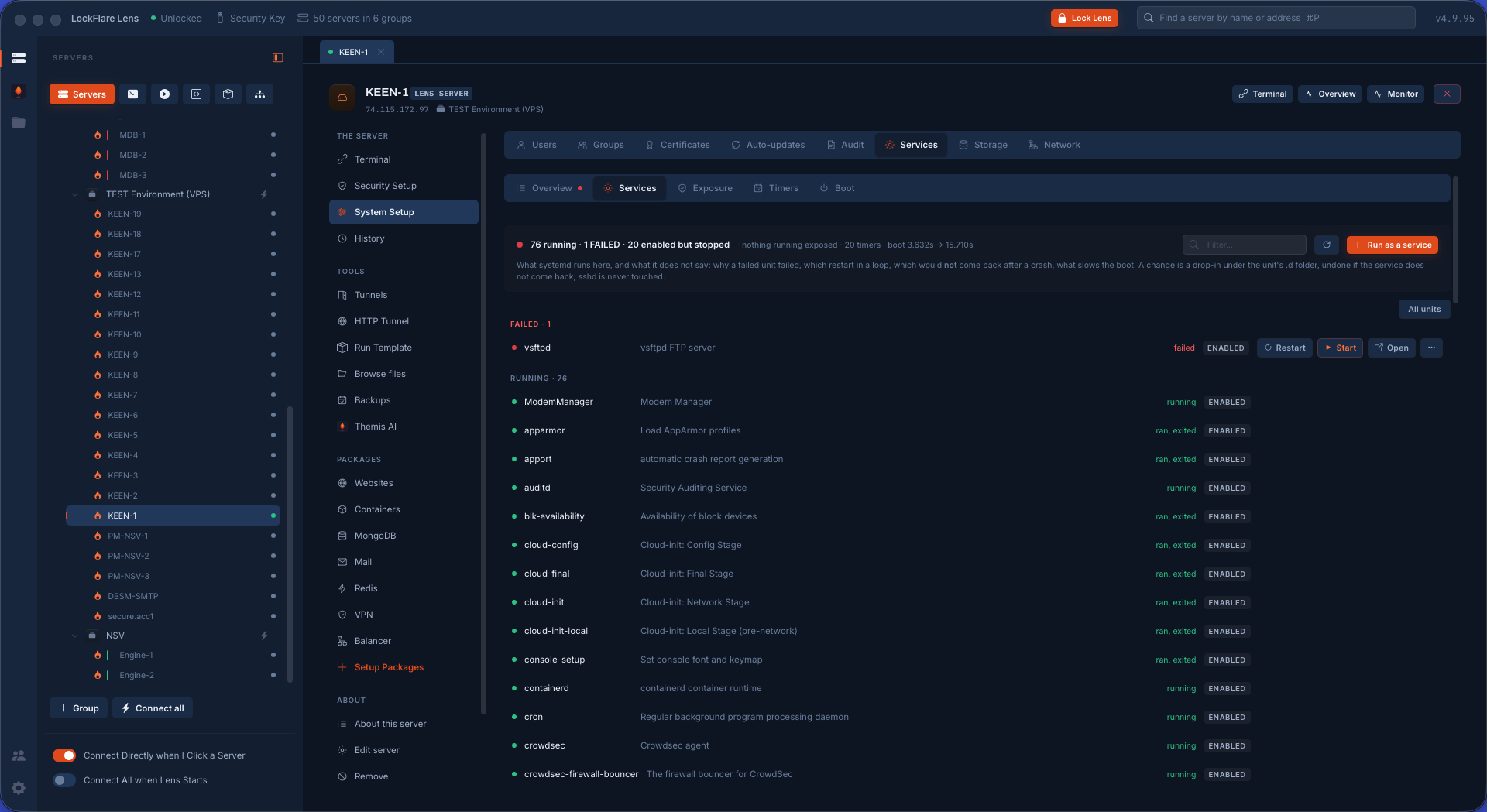
What systemd runs on this box, in the order you care about: failed first — that is what you came to see — then running, then enabled-but-stopped, then everything else folded away. A row opens to the unit's status and the last lines of its journal, which is where "why" lives. Start, Stop and Restart go through the same root path everything else does. Exposure, Timers and Boot are their own tabs.

A unit's page shows the file, its drop-in, its capabilities, its hardening and what it exposes — and Run this as a service writes a new unit with the preview as the point: nobody should sign a unit file they have not read. One service is protected from every verb on this screen, under any of its names: sshd. This window exists because of it.

Services in LockFlare Lens: failed first, then running, with the three verbs and a new unit written from a form
Failed first, then running — and a new unit written with the file shown before it is saved.

Storage: a full disk is how most servers die

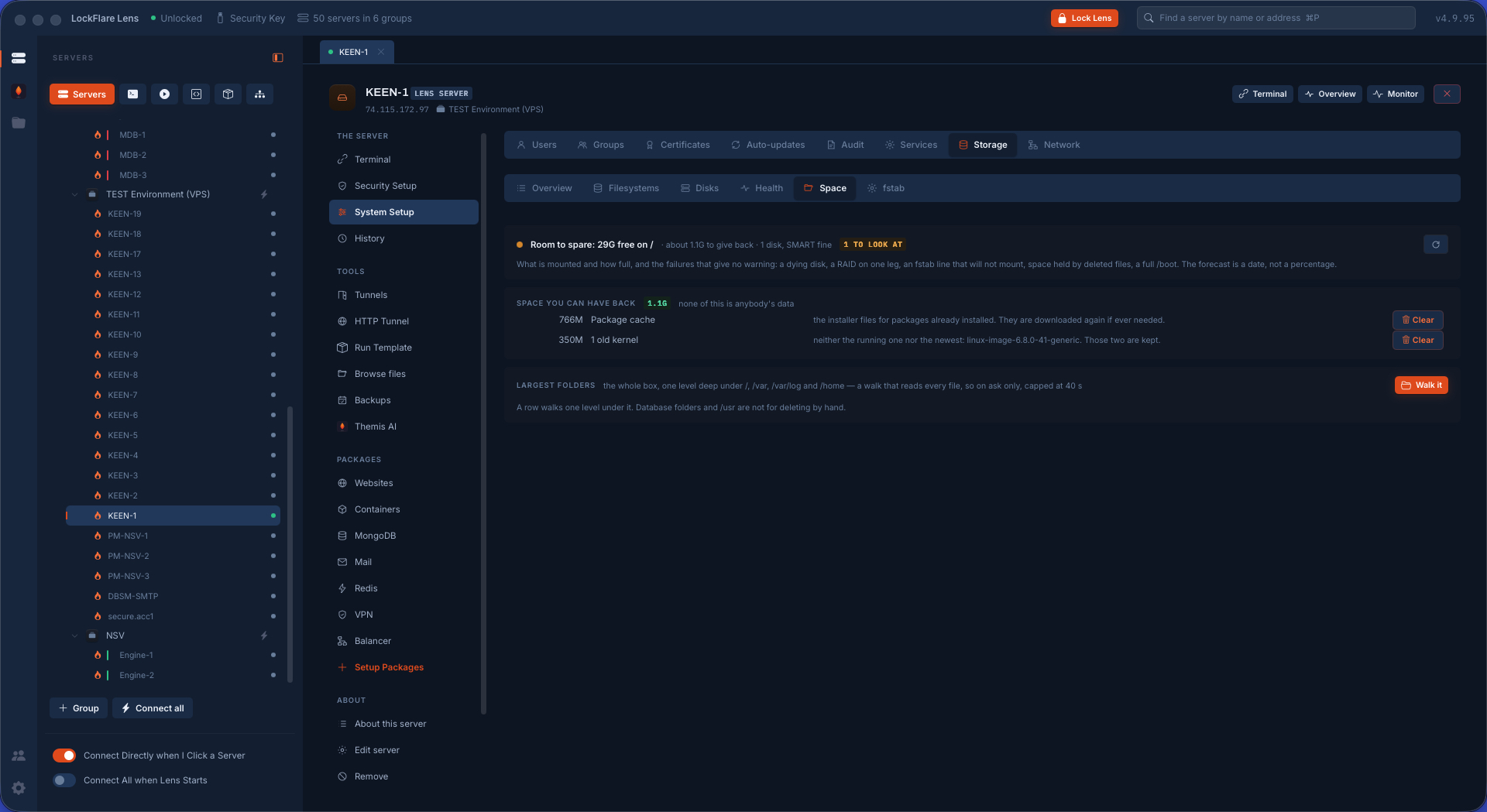
Nothing crashes; everything just stops. So this screen says how close each disk is, what is taking the room, and what can be given back without losing anything — each reclaim action saying afterwards what the disk looks like now.

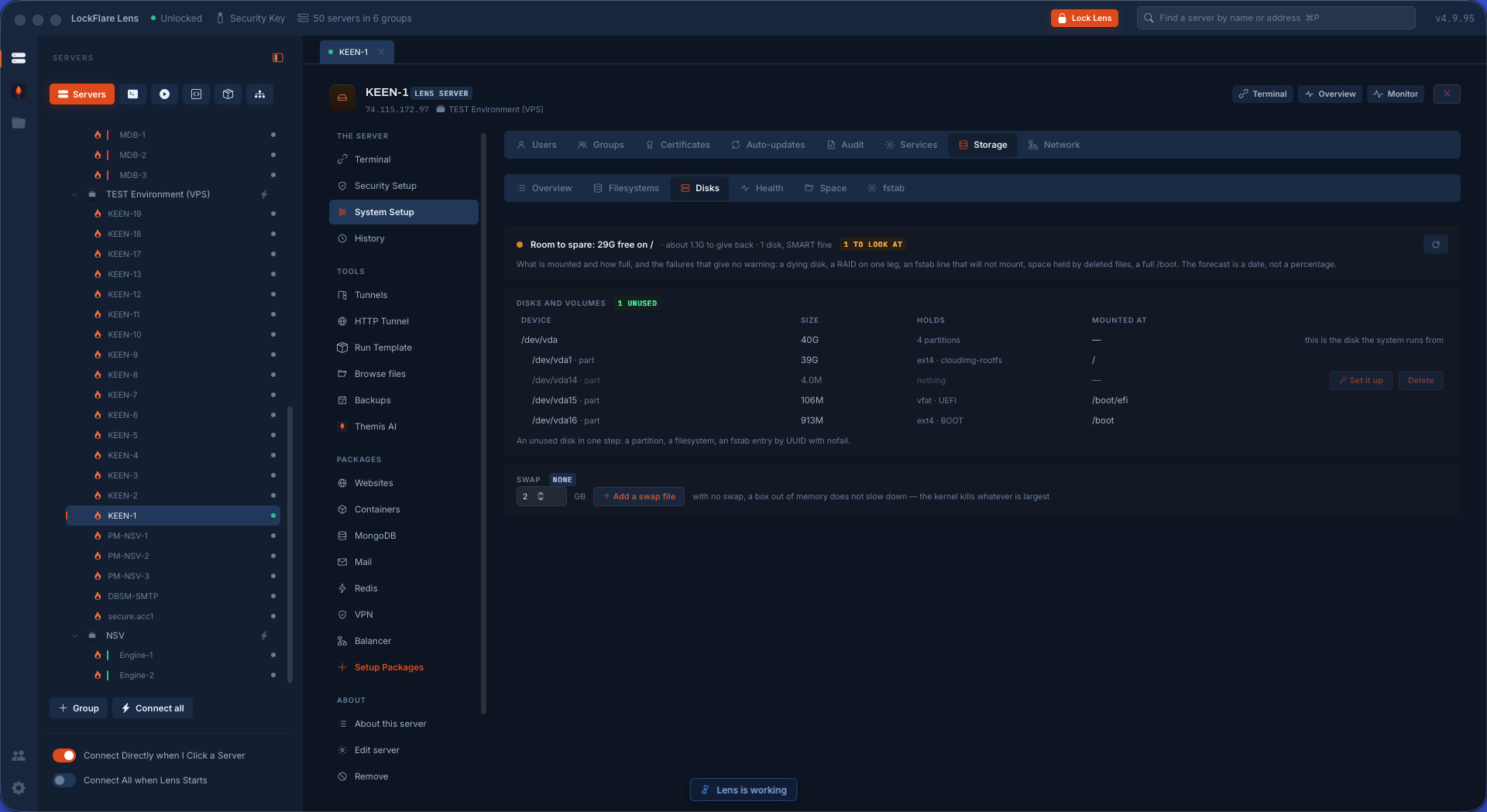
Then the work reading a disk was only half of: an attached volume that needs to become a folder, a volume grown at the provider that the filesystem has not noticed, an LVM volume with room beside it, a box with no swap. LVM earns its extra layer for one reason — a filesystem stops being tied to a disk, so when room runs out you add a disk to the group and grow the volume live, with nothing copied and nothing unmounted. Filesystems, Disks, Health (SMART), Space, fstab. Preparing a disk is the one destructive thing here, and it says so twice.

Storage in LockFlare Lens: the disks as they physically are, preparing a volume, LVM, swap and fstab
The disks as they physically are: a volume made into a folder, LVM grown live, swap added.
Space in LockFlare Lens: what is taking the room and what can be given back, each action saying what the disk looks like after
What is taking the room, and what can be given back without losing anything.

Network: the third reason a site will not load

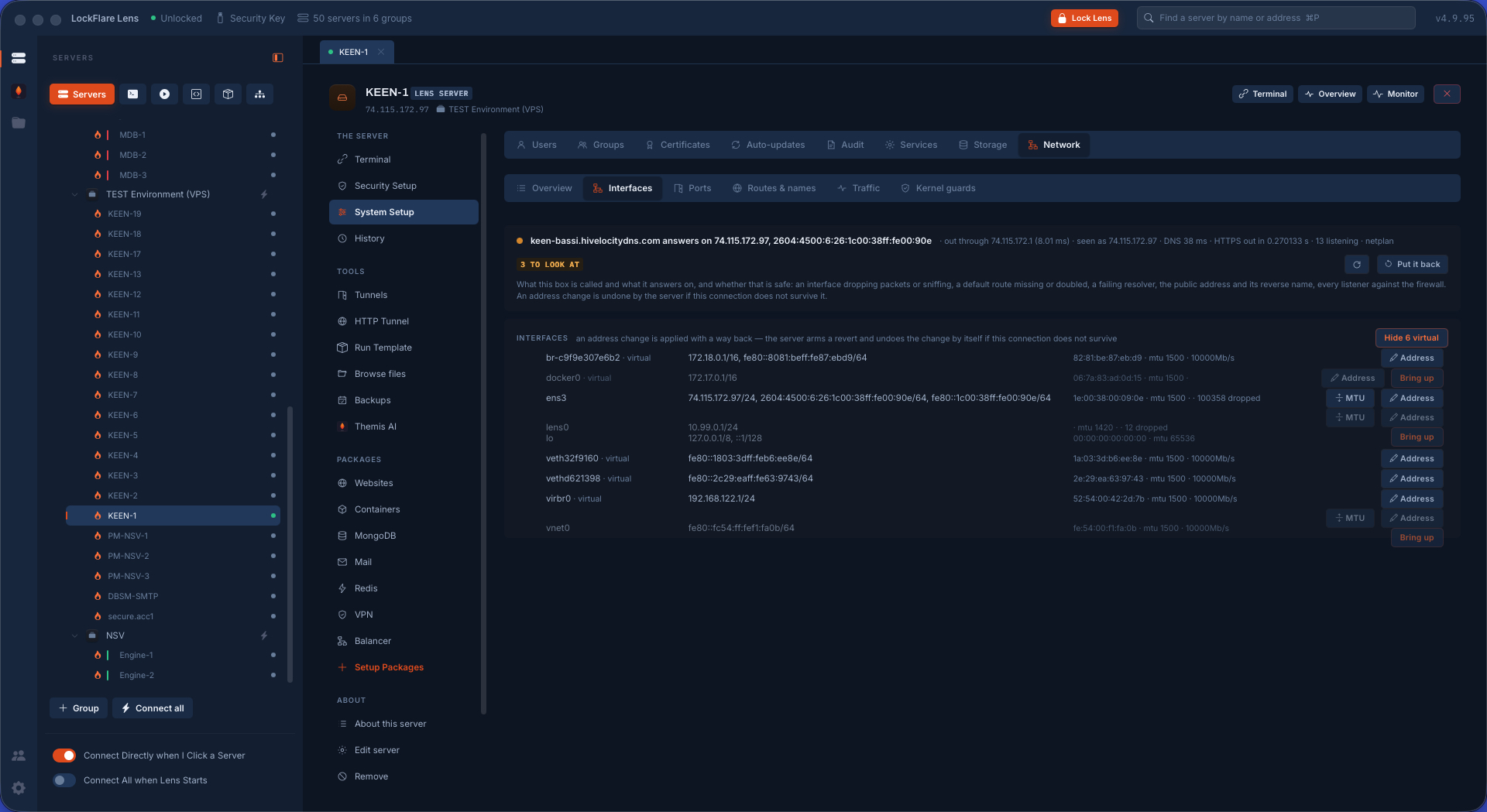
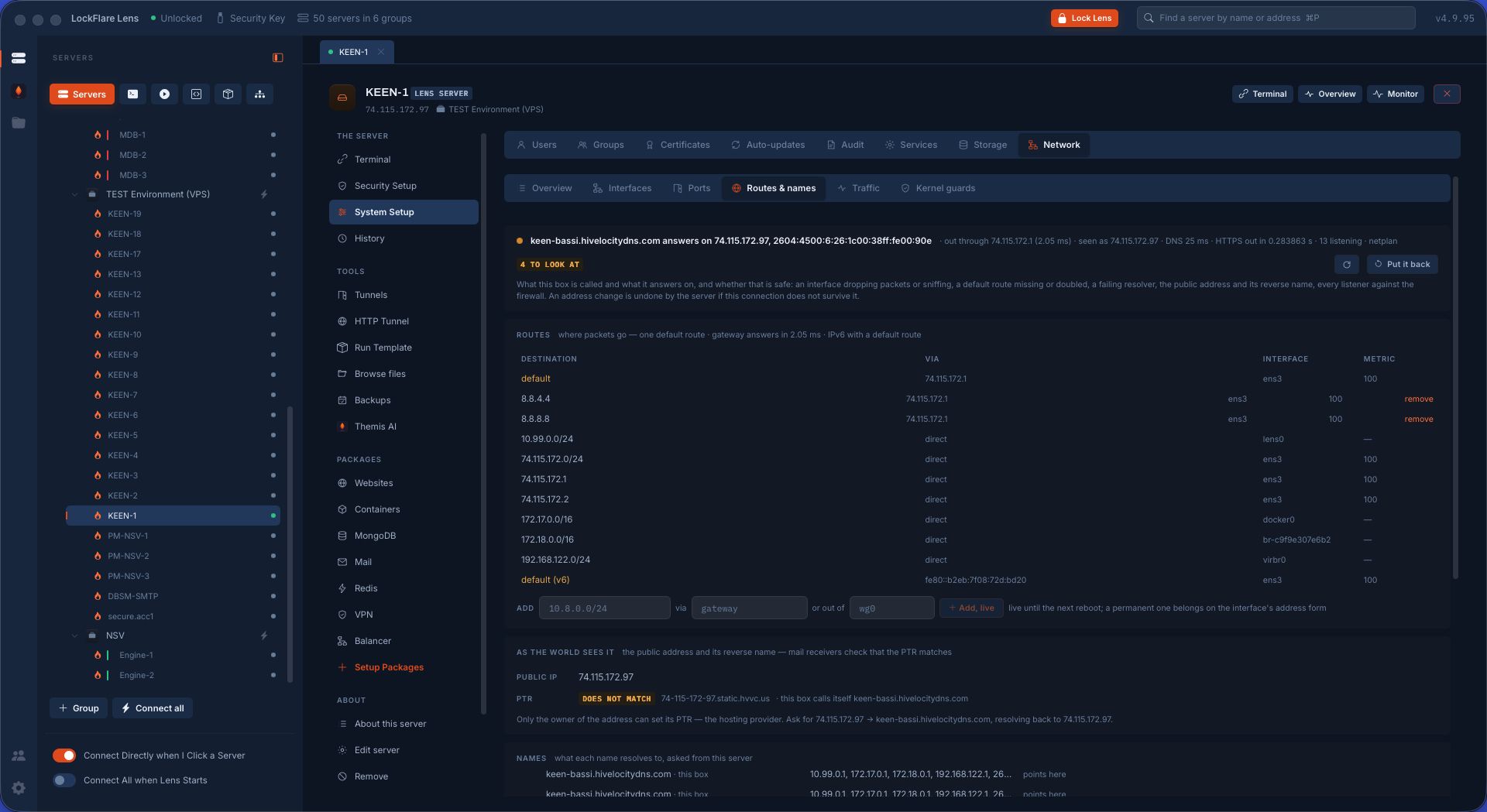
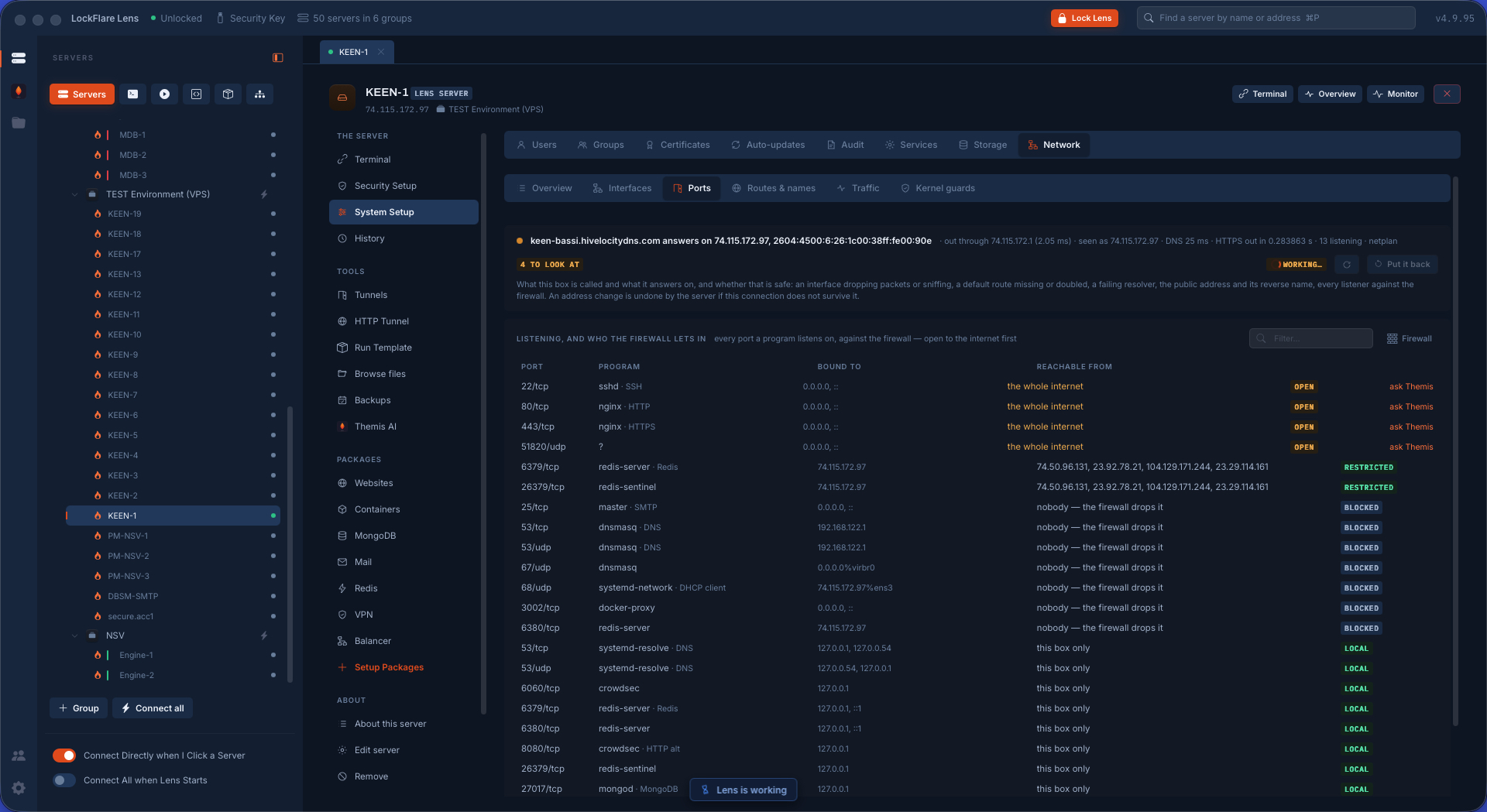
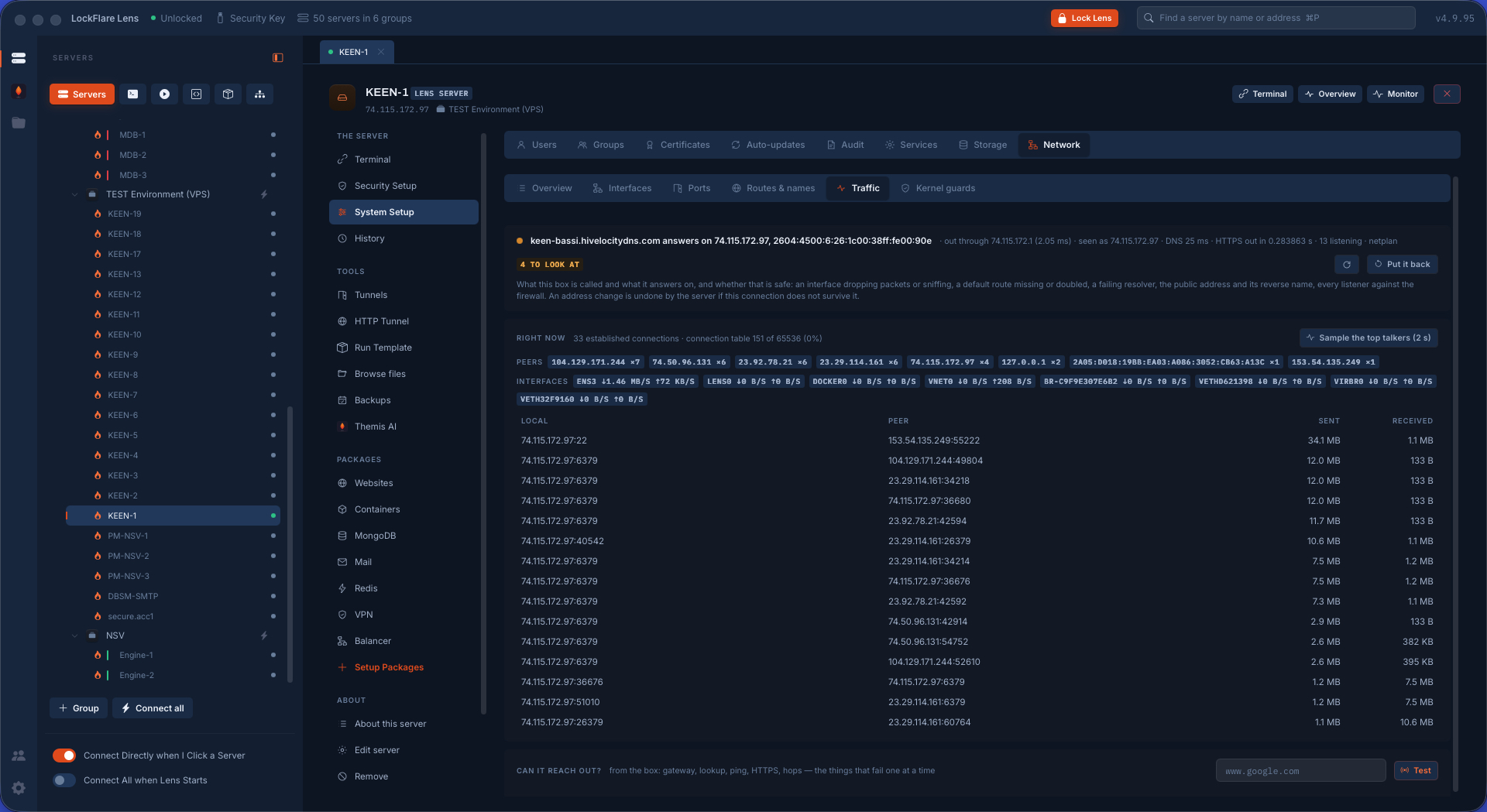
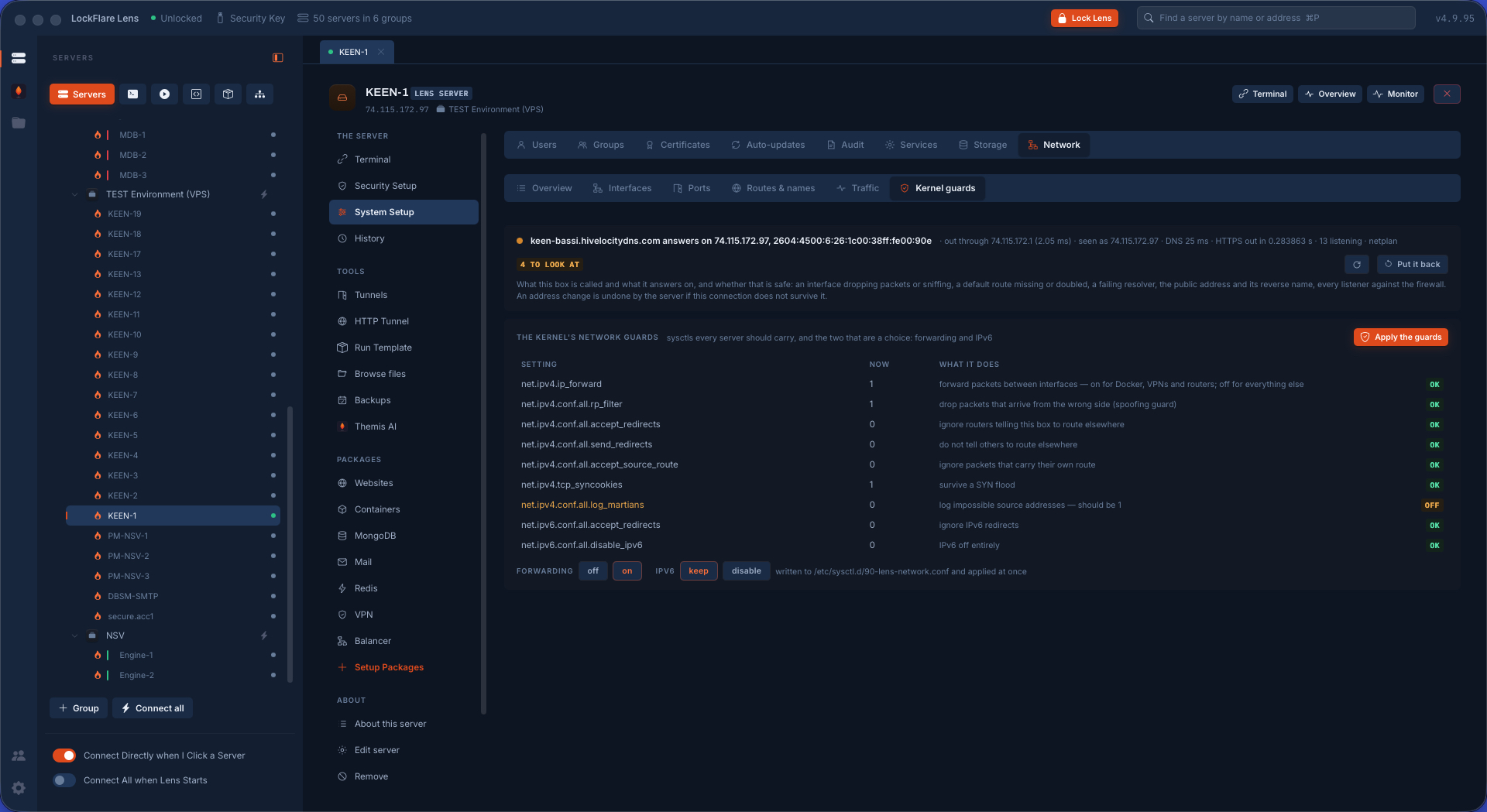
A site that will not load is nearly always the service, the firewall, or the name. Lens can already see the first two — this screen is the third: what the box is called, what addresses it answers on, its routes, its ports, its traffic, the kernel's guards, /etc/hosts, and what its names actually resolve to, asked from the box and from your computer side by side.

Changing an address is the one change that can take away the means of undoing it, so the server arms a revert before anything is touched: if Lens can still reach the box afterwards it disarms it, and if it cannot, the box puts the old settings back by itself. Nobody drives to a data centre.

Network interfaces in LockFlare Lens: what the box is called and the addresses it answers on
Interfaces and addresses — changed behind an armed revert.
Routes and names in LockFlare Lens: what the box's names resolve to, from the box and from this computer
Routes and names: what they resolve to on the box, and here.
Ports in LockFlare Lens: everything listening on the box and what holds each one
What is listening, and what holds it.
Network traffic in LockFlare Lens, read from the box's own counters
Traffic, from the box's own counters.
The kernel's network guards in LockFlare Lens: the switches against spoofing, redirects and floods
The kernel's guards, on the same page as the addresses they protect.

The door itself is next to this

Firewall, Fail2Ban, SSH hardening, the WAF, integrity and the kernel — the security half of the same rail.

Security setup