LockFlare

From nothing to a server on your map.

There is no account to log into and no cloud to sign up for, so the first ten minutes look different from what you are used to. Here is every screen, in the order you will meet it: the account, the key drive, and the first server. Nothing below is a mock-up — it is the real flow, start to finish.

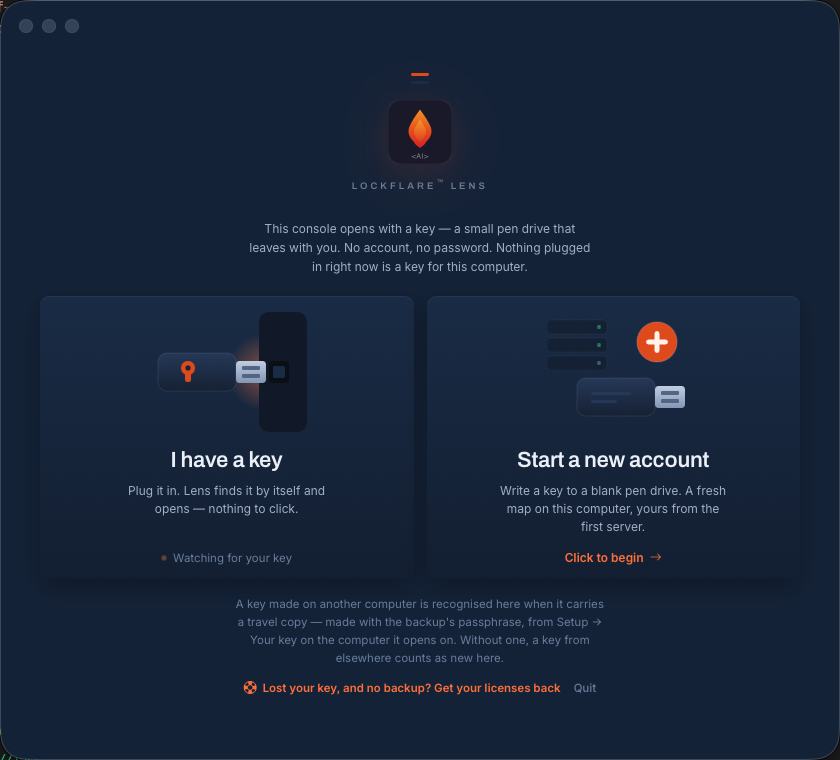
The LockFlare Lens door: two ways in — plug in a key you already have, or start a new account and write one to a blank pen drive
The door. Two ways in, and neither of them is a password.

Three things happen, in this order

About ten minutes in total, most of it waiting for a download. You will need a blank USB stick — anything small enough to keep in a pocket — and the SSH login of one server you want to manage.

1 · The account

One form on lockflare.com, no card. It gives you a product activation key: a long signed string that is your account. It arrives by email too.

2 · The key drive

Lens writes an encrypted key onto your pen drive, bound to that computer, and asks for Touch ID once. From then on the stick is how you get in.

3 · The first server

Add a box. A console needs nothing at all; a Lens-managed server takes a licence — one of your ten free ones, issued on the spot.

1 · The account, and the key that is your account

Open Lens for the first time and it offers two doors: plug in a key you already have, or start a new account. Choose the second and it asks for a product activation key — and tells you where to get one, because getting it happens in your browser, not in the app.

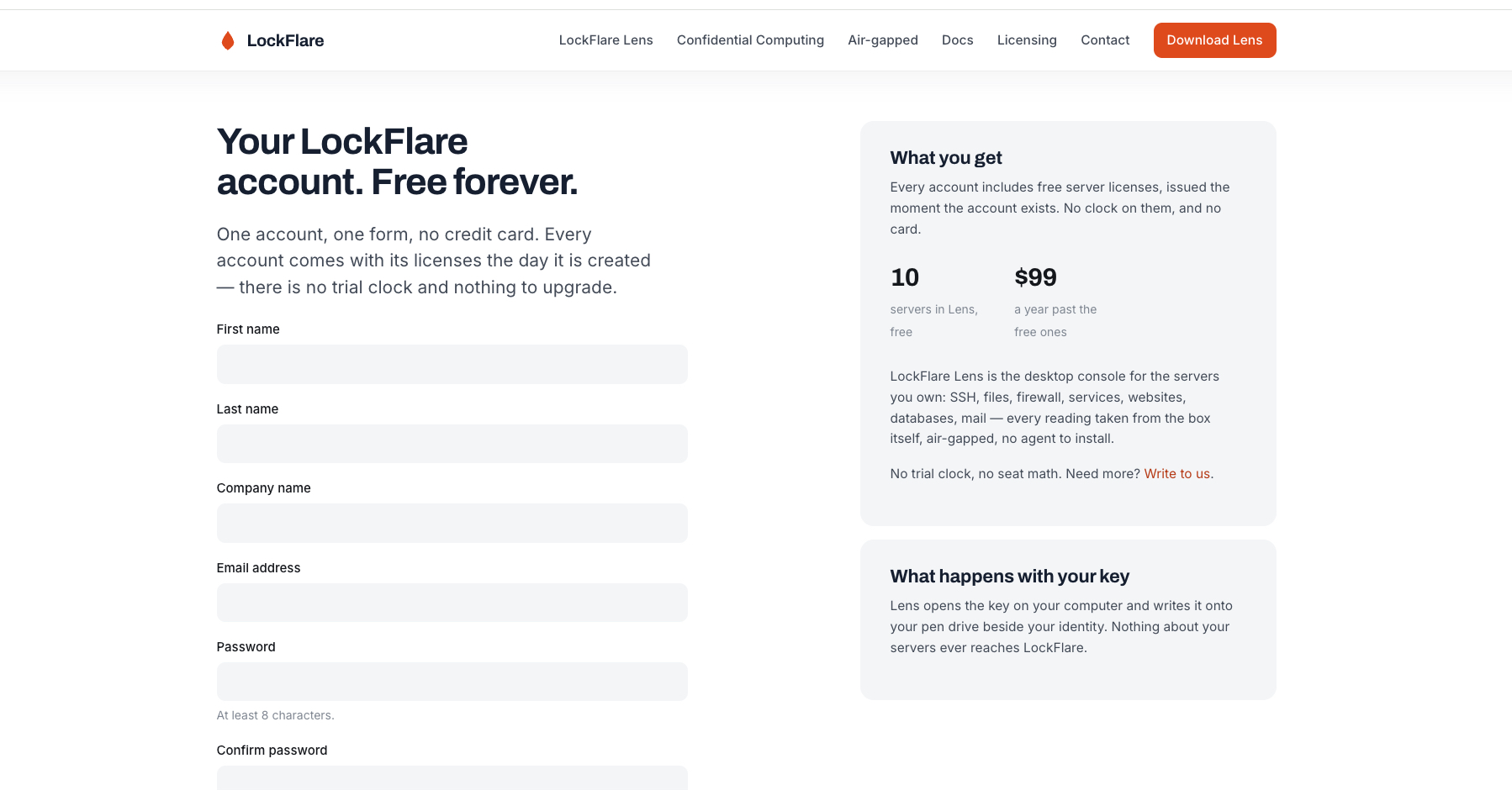
The form on lockflare.com is one page and no credit card. What comes back is the key itself, shown once on the page and mailed to you as well. Copy it, paste it into Lens, and press Check. That check happens on your computer: Lens opens the string with the public half it ships with and verifies LockFlare's signature locally. Nothing is sent anywhere, which is why it works with the network unplugged.
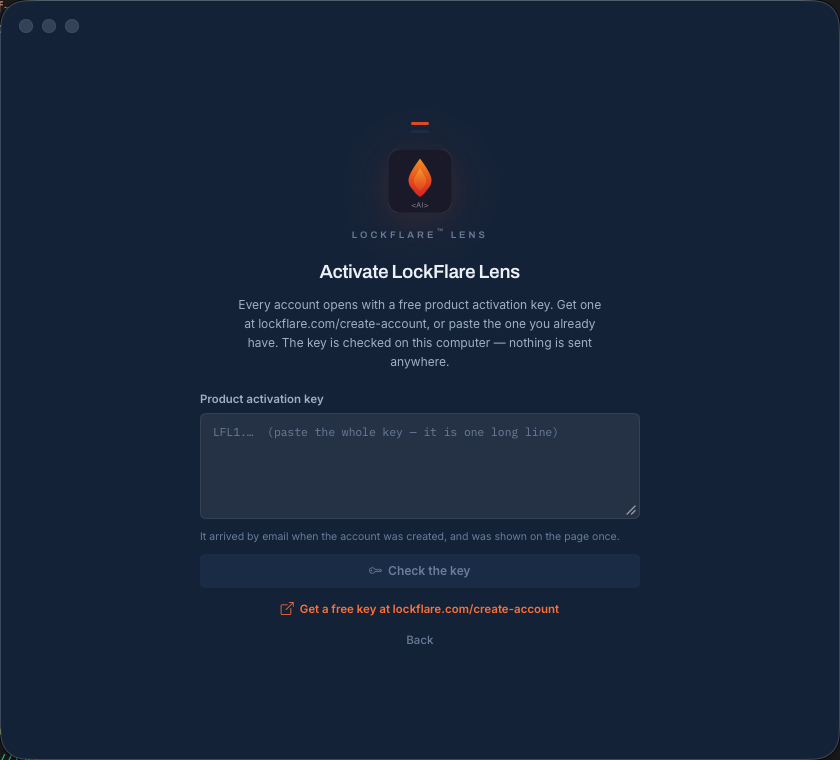
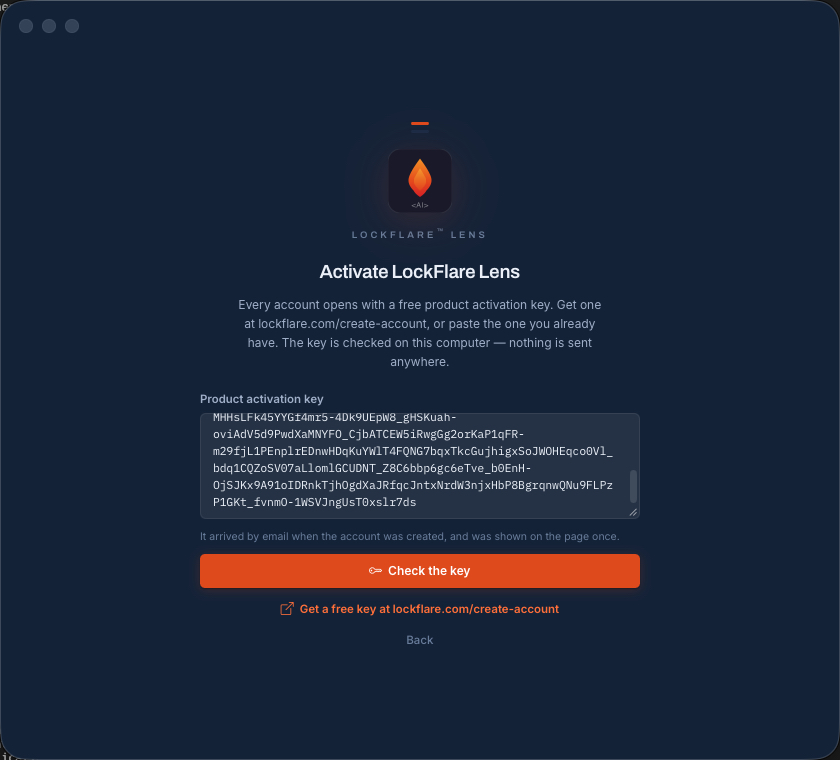
Activate LockFlare Lens: paste the product activation key, or follow the link to get one free
Paste a key, or take the link to get one.
The create-account form on lockflare.com: one page, no credit card, ten servers free
One form, no card. Ten Lens-managed servers, free forever.
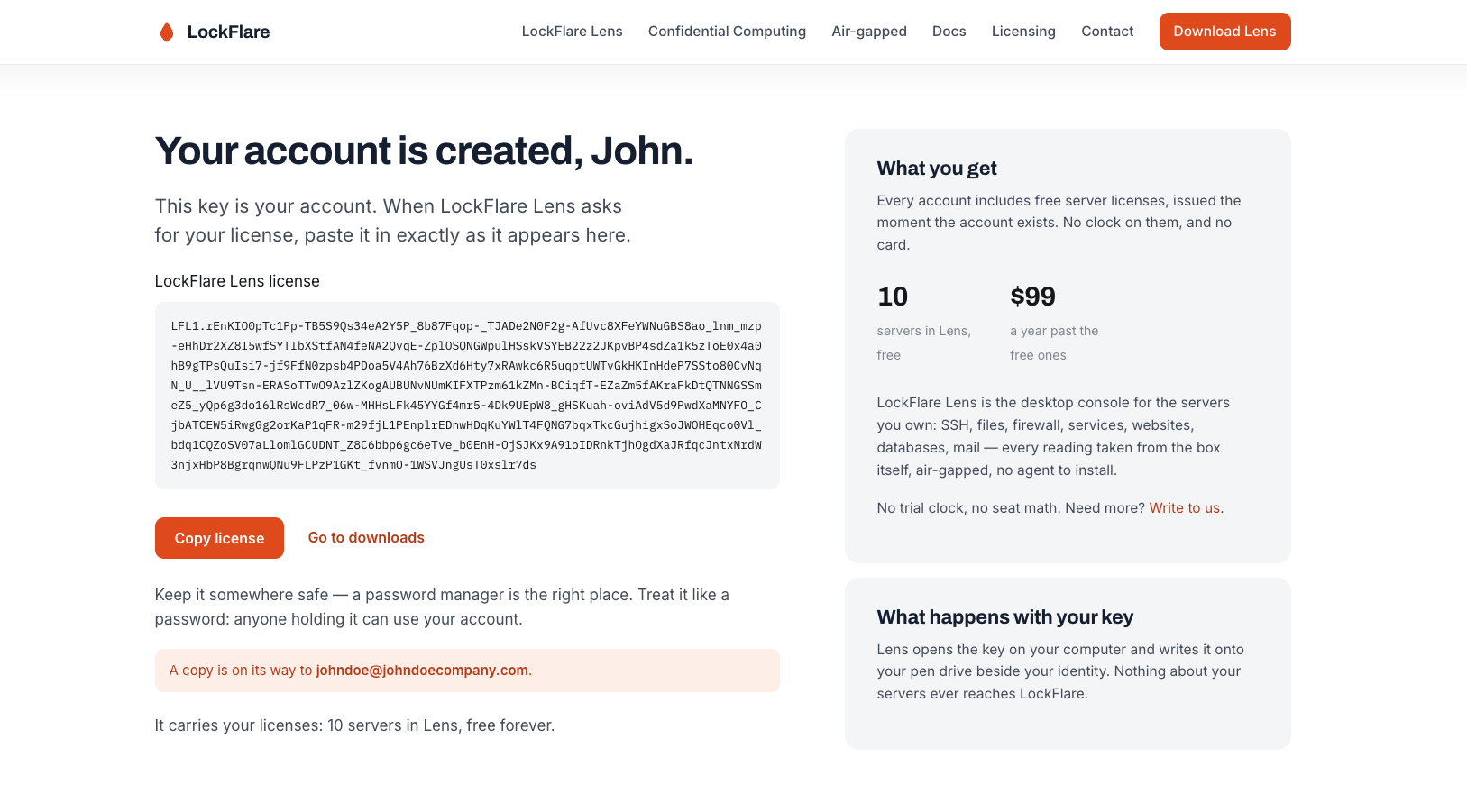
The account licence shown on the page and sent by email
Shown once here, and mailed to you as well.
The activation key pasted into LockFlare Lens and checked on this computer
Pasted, and checked here — the signature is the proof, and nobody is asked.

2 · The pen drive becomes your identity

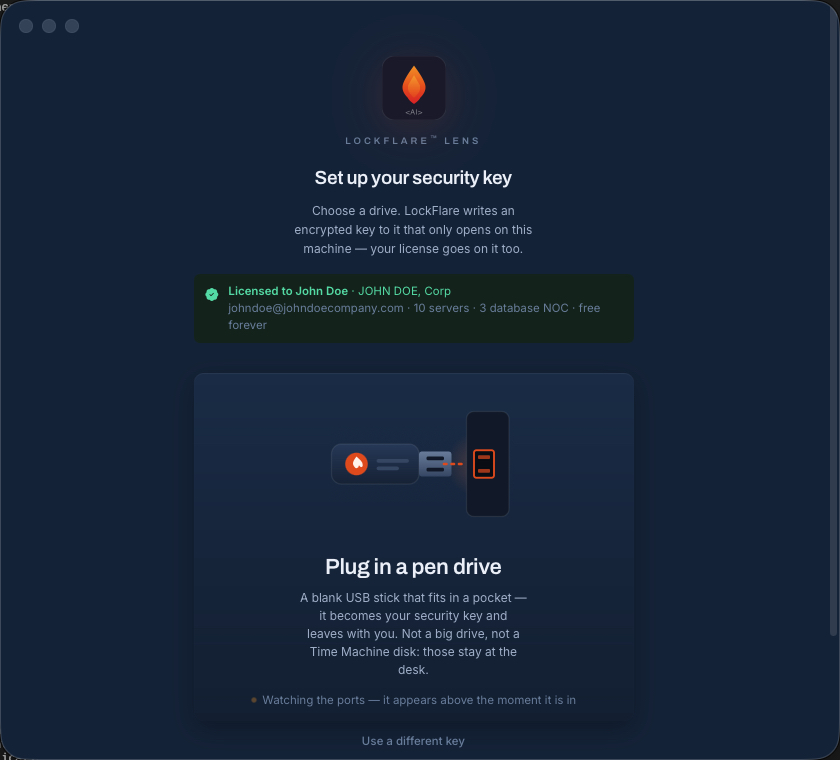
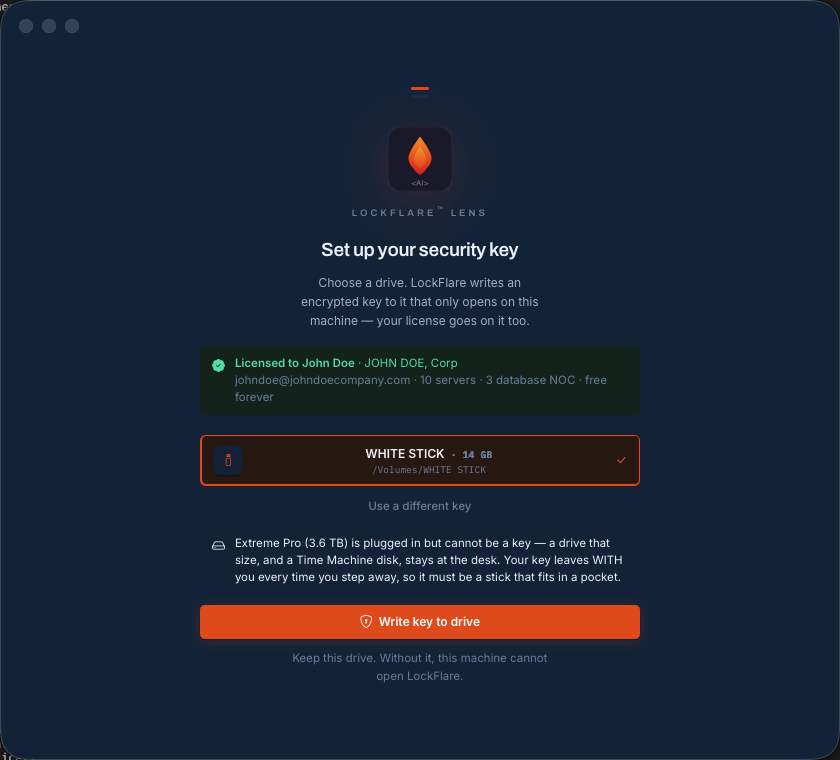
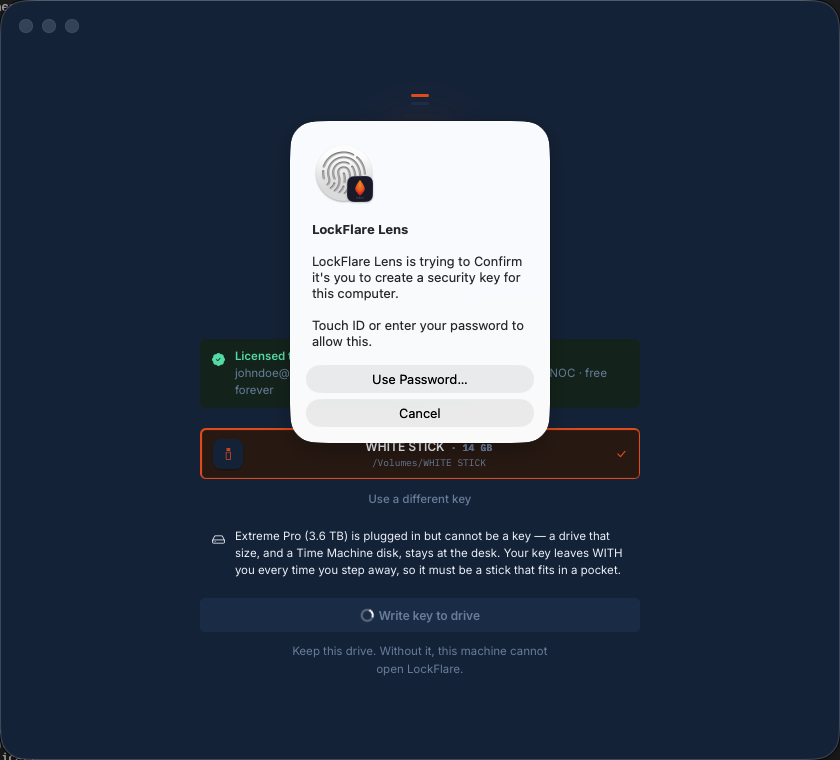
Now Lens asks for a drive. Any blank USB stick small enough to leave in a pocket — it refuses anything over 128 GB and it refuses a Time Machine disk, because a drive nobody would carry is not a second factor. The screen names the account it is about to write: who it is licensed to, the email, how many servers.

Press write and Lens puts an encrypted key onto the stick whose private half only decrypts under this computer's fingerprint. Your licence goes on it too. Then Touch ID, once — and that is the whole enrolment. No password was created, because there isn't one.

Set up your security key: plug in a blank pen drive, with the licensed account named above it
A blank stick. The account it will carry is named above it.
Writing the encrypted key to the pen drive in LockFlare Lens
Written: an encrypted key that only opens on this machine.
Touch ID asked once after the key is written
Touch ID, once. Key first, biometric second — that is the whole door.

3 · The first server

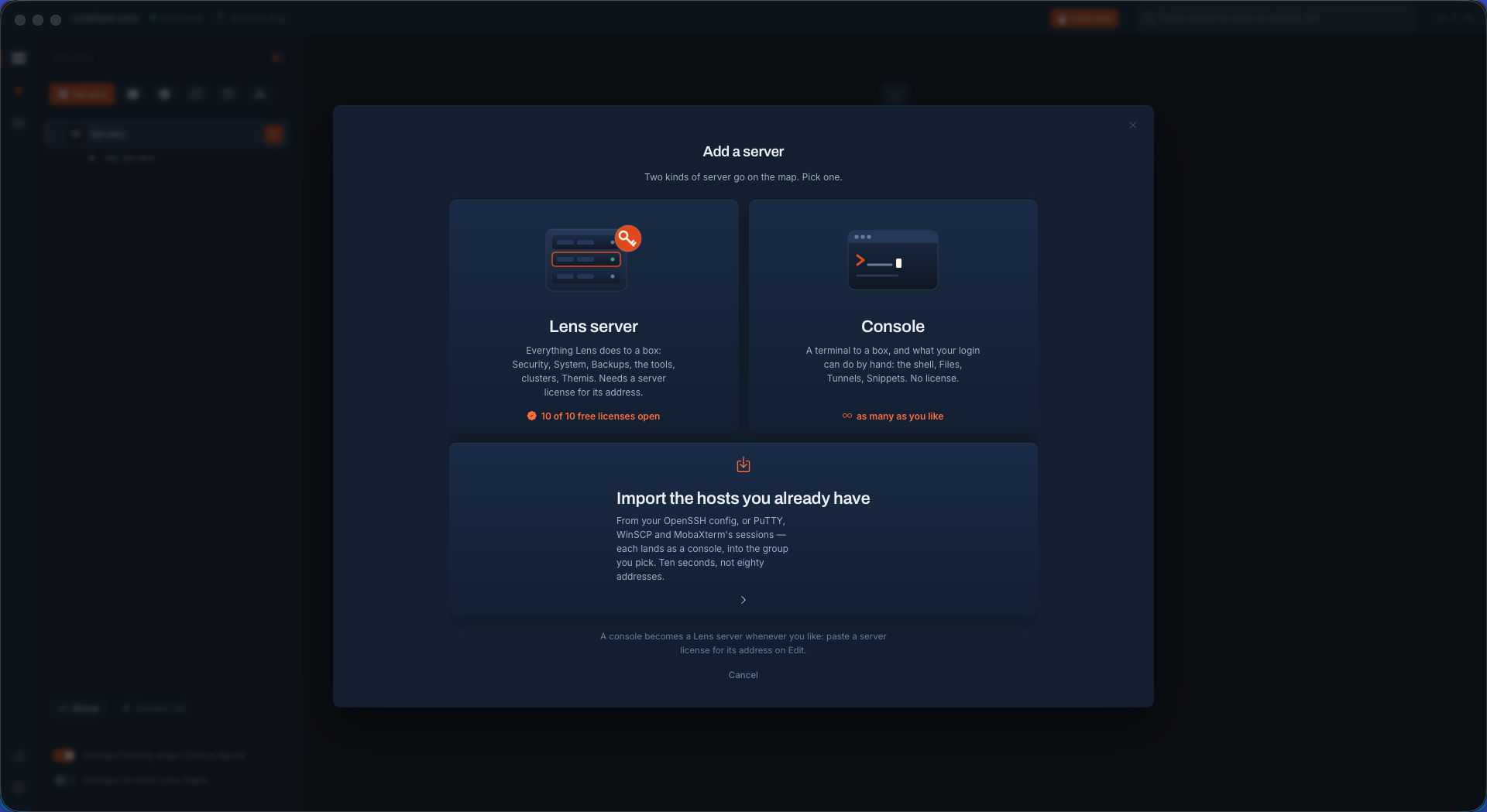
You are in, on an empty map. Add a server and Lens asks which kind. A console is a box Lens is a terminal to — shell, files, tunnels, history — and needs no licence at all, so if you only want the terminal you can stop reading here and add as many as you like. A Lens server gets everything Lens does to a box as root, and that needs a licence for its address.

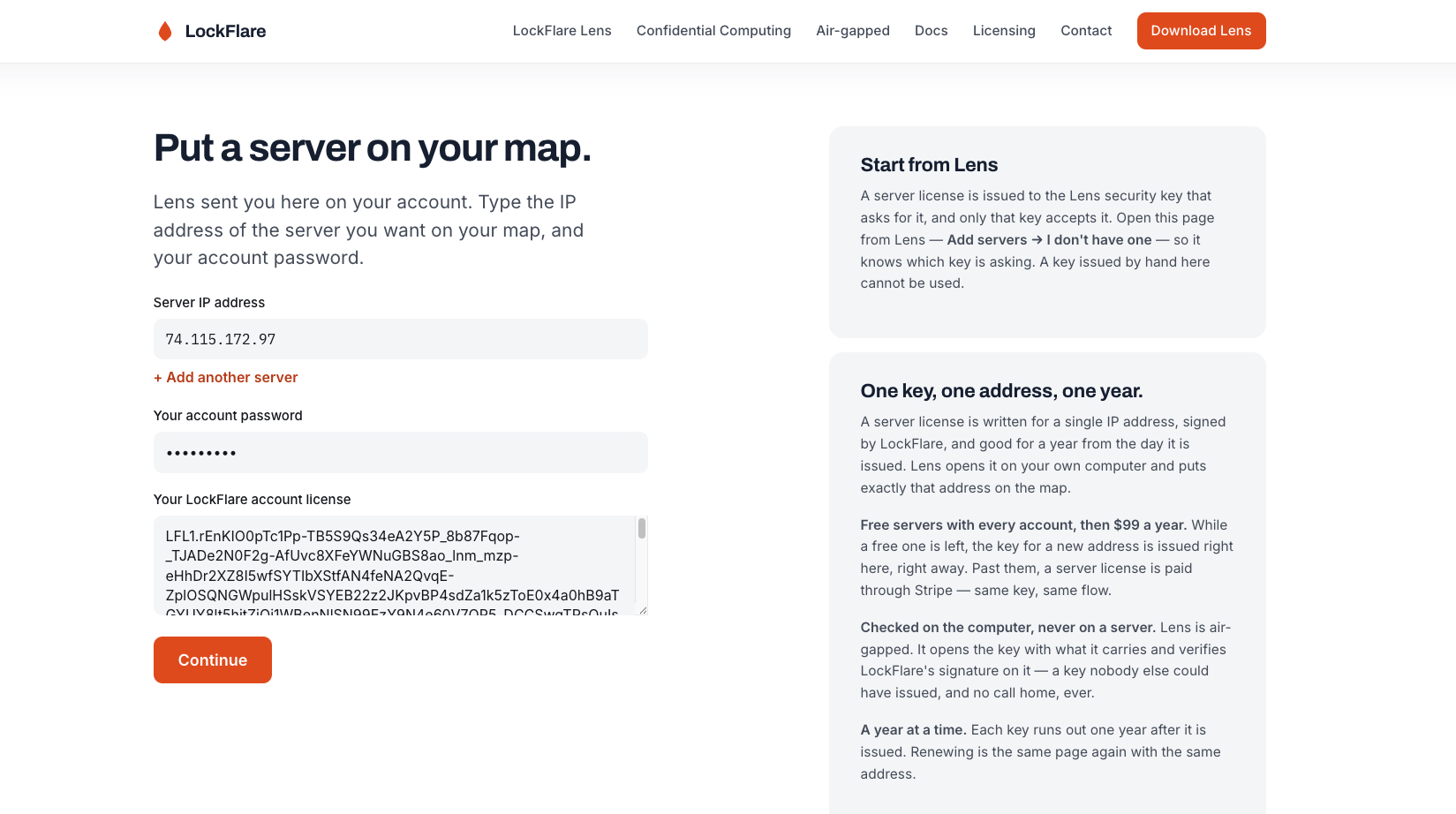
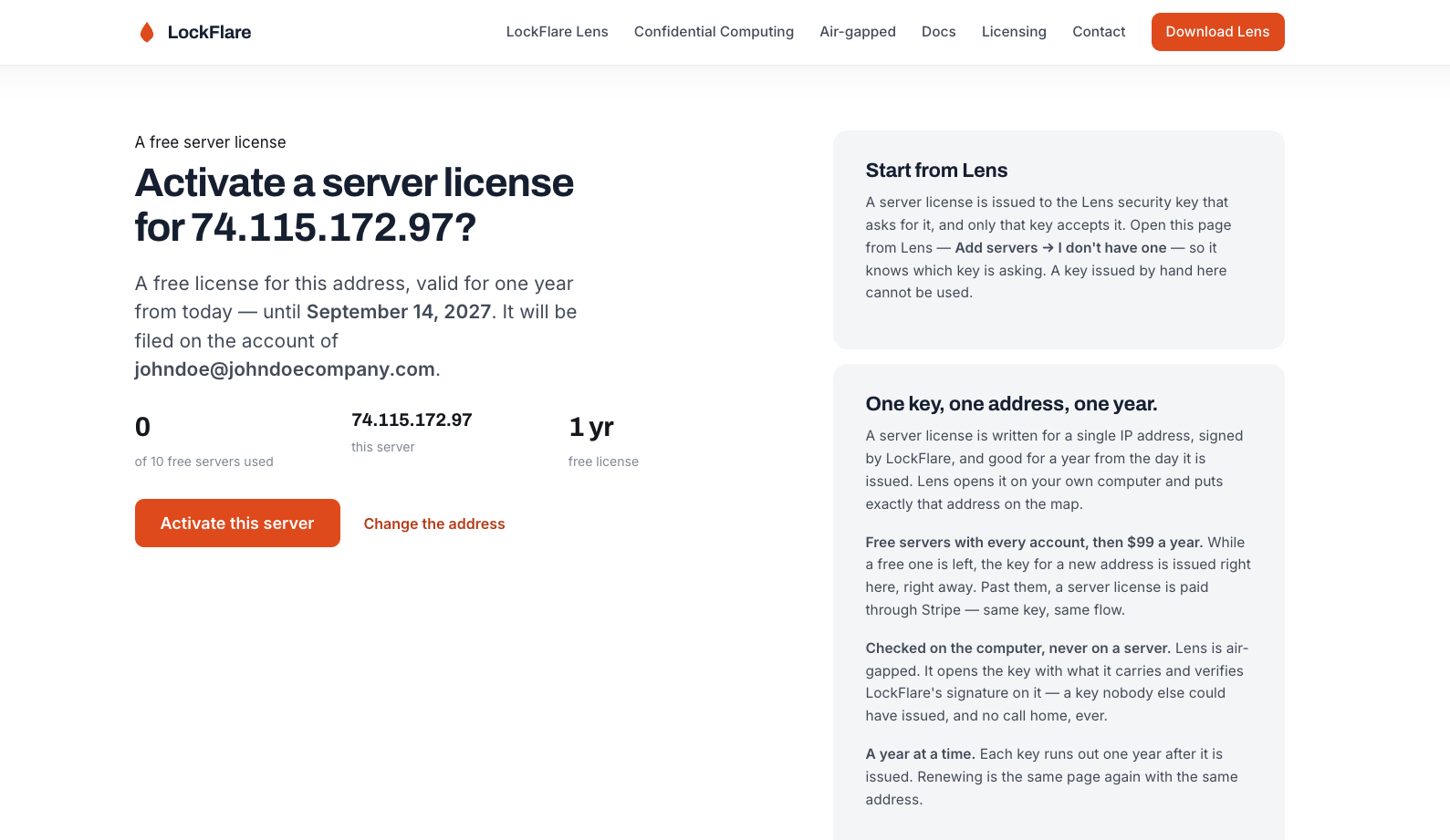
No licence yet? Press "I don't have one" and Lens opens the licence page in your browser, with the account already filled in so the page knows which key is asking. Type the server's IP address and your account password, confirm, and the key is issued on the spot — one of your ten free ones, no card, nothing to wait for.

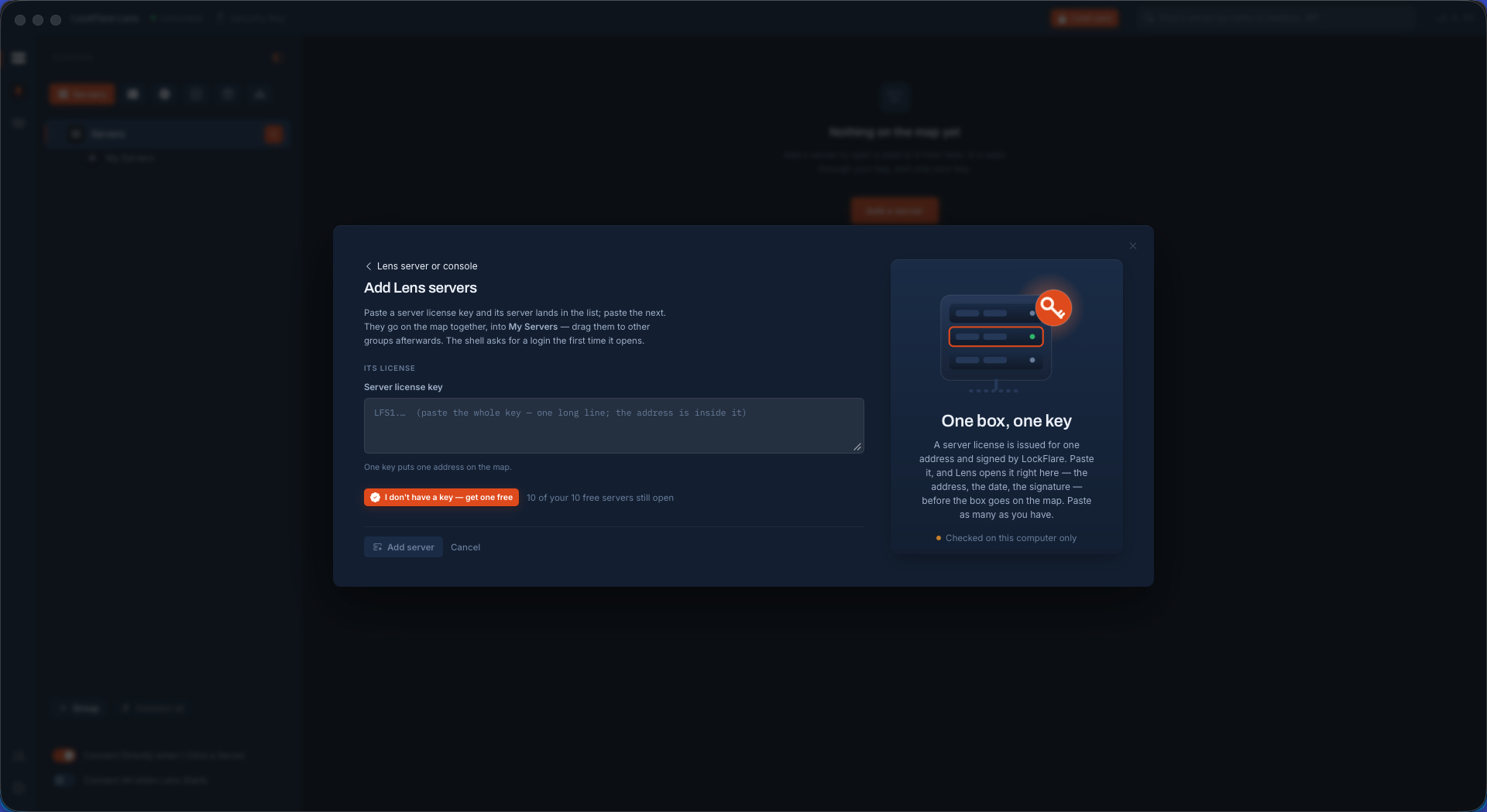
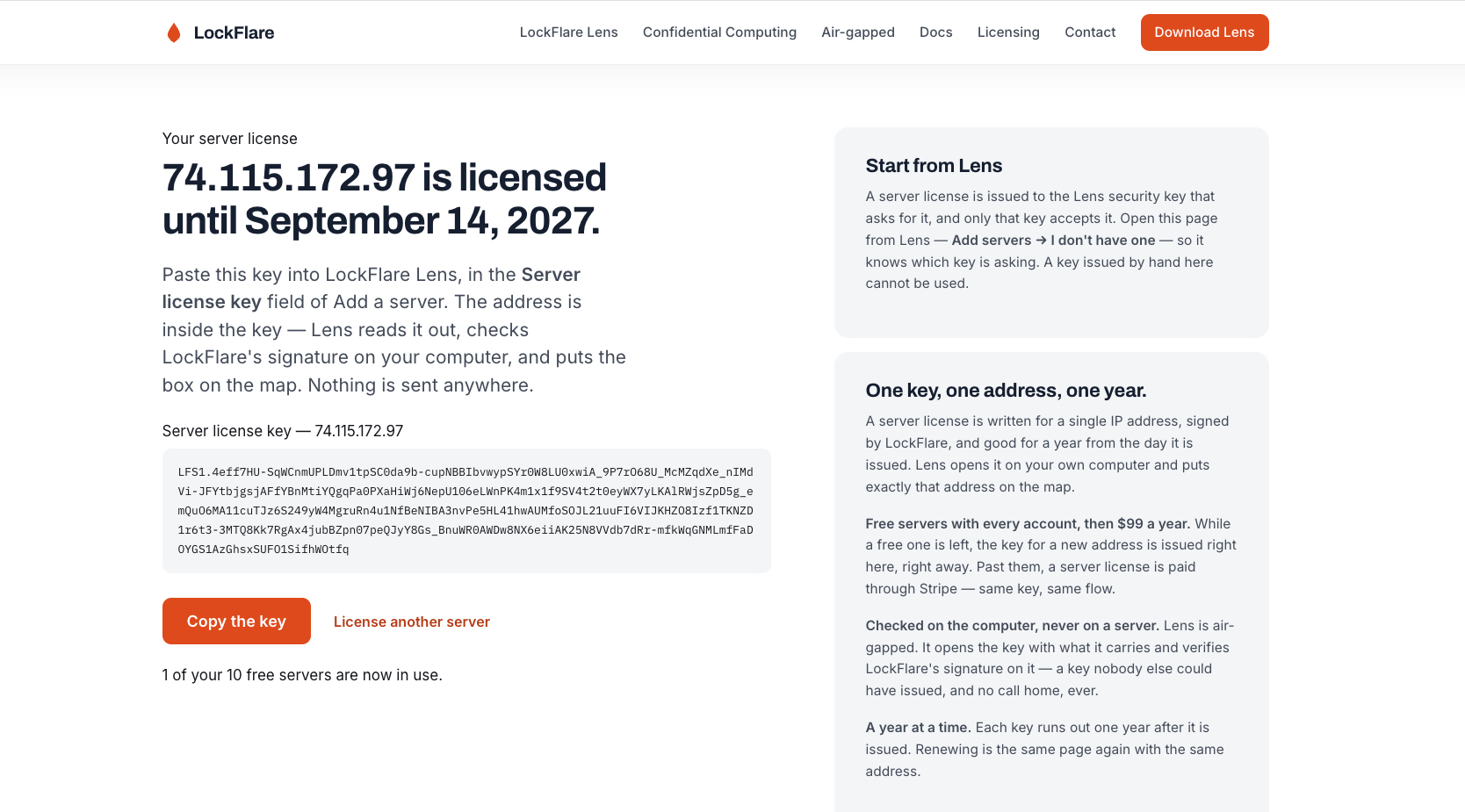
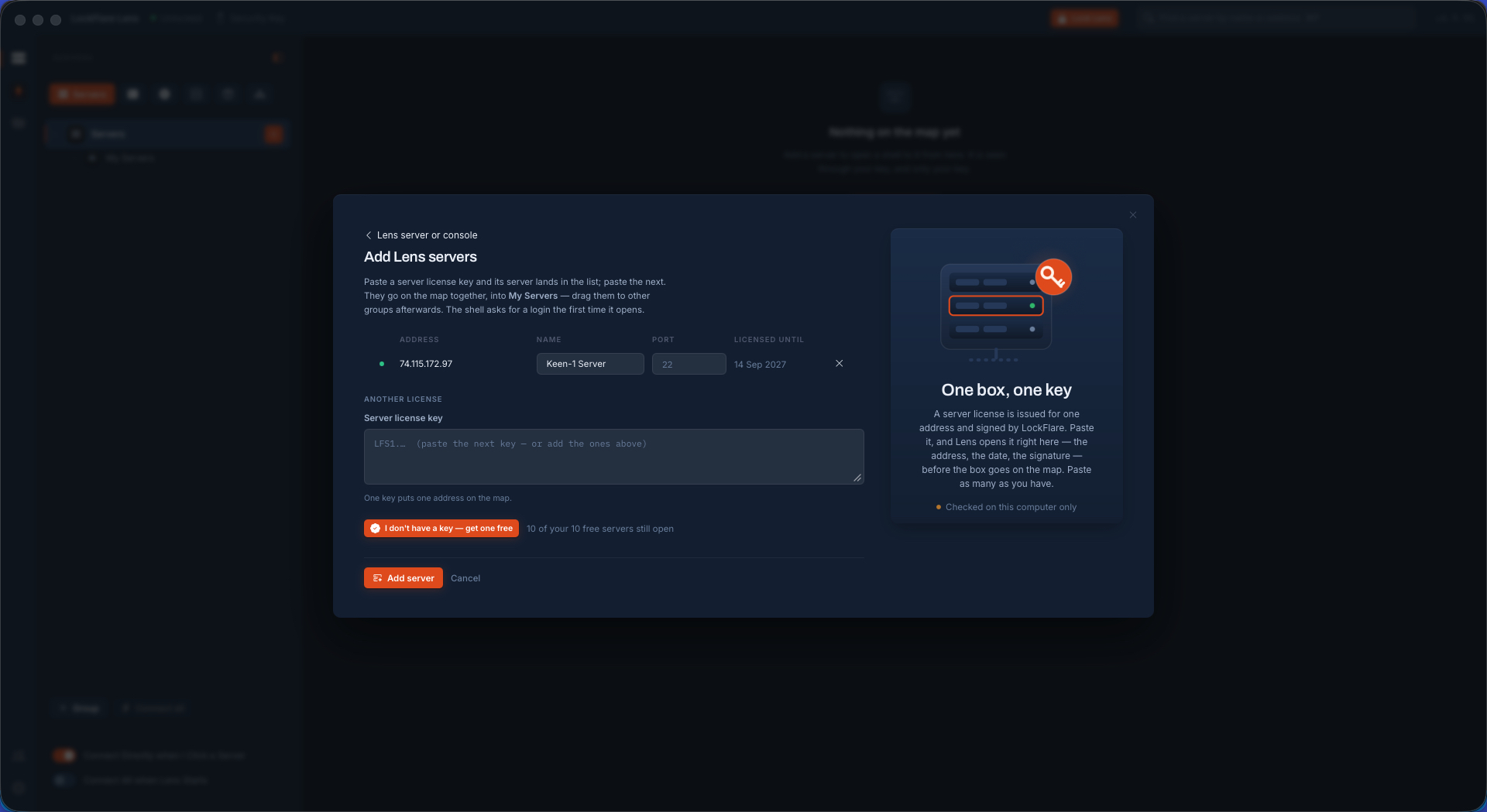
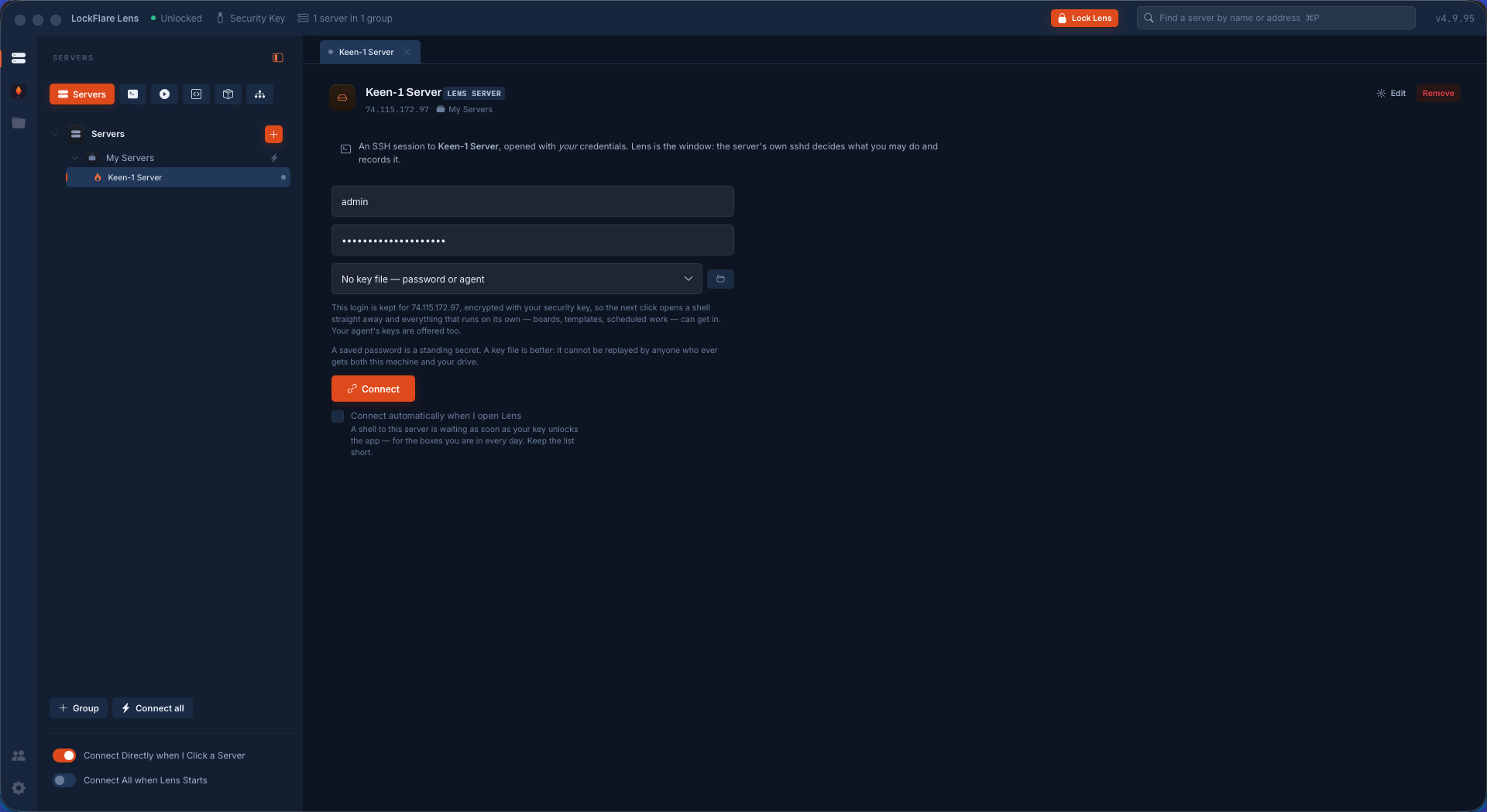
Copy it, paste it back into Lens, and the address comes out of the key itself. The server lands on the map. Click it, give it the SSH login you already use, and you are on the box.

Add a server in LockFlare Lens: a Lens-managed server or a console
Two kinds. A console needs nothing; a Lens server needs a licence.
No licence yet: the button that opens the licence page with the account filled in
No licence yet — this opens the page that issues one.
The licence page: the server's IP address and the account password
The address and your account password. Nothing about the server itself.
Confirming the server licence before it is issued
Confirmed: one of the free ten, valid for a year.
The server licence key, ready to copy
The key, with the address signed inside it.
The server licence pasted into LockFlare Lens
Pasted back. Lens reads the address out of the key — you never type it twice.
The server on the LockFlare Lens map, ready to open
On the map. Click it and give it the SSH login you already use.
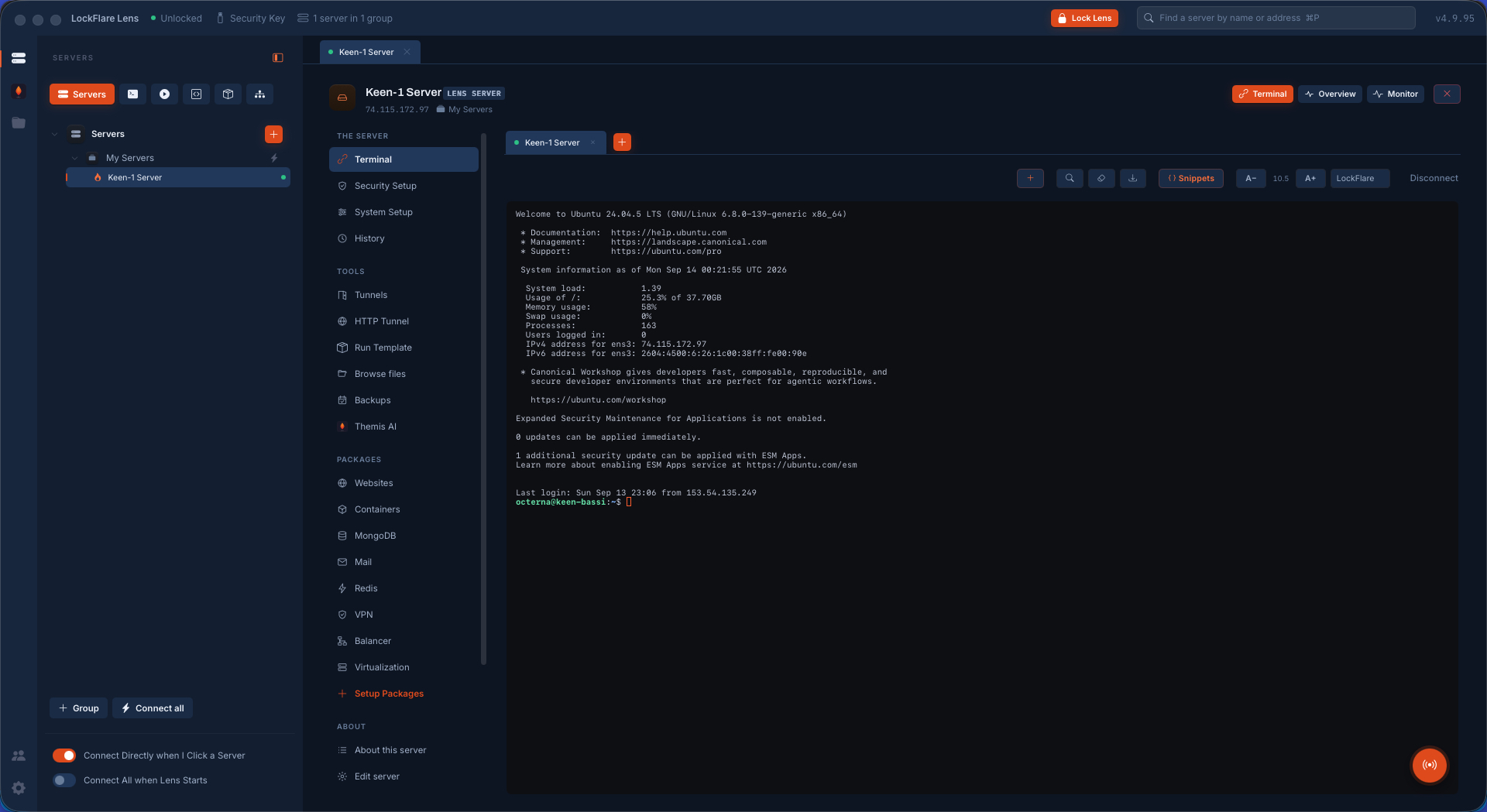
Connected: a shell on the server with the whole Lens rail beside it
In — with Security Setup, System Setup, the packages and Themis on the rail beside the shell.

Do these two things next

Five minutes now, and the worst day later is an inconvenience instead of a disaster.

Turn on the encrypted backup

Setup → Encrypted backup on my key. It writes the whole map, the saved logins, the certificate vault and your snippets onto the drive, sealed twice. We have never held a copy of any of it, so this is the copy.

The key drive

Make a travel copy or a duplicate

A travel copy lets the same identity open on a second computer. A duplicate drive is a twin for the drawer. Either one means a lost stick is an annoyance, not the end of your map.

How they work

Then go and look around

Security Setup will tell you how exposed that box is before you change anything. Or import your whole SSH config as consoles and have the fleet on screen in a minute.

Everything Lens does

Questions people ask at this point

What if I lose the pen drive?

Your licences come back: recovery asks for the account email, its password and the address of one licensed server, mails you a code, and returns everything as one bundle. Your map and saved logins come back only from your own backup — which is why the section above exists.

Can I use Lens on two computers?

Yes, with a travel copy of the key — the same identity, so every server licence still holds. Or give a colleague their own key drive; seats are unlimited and nobody counts them.

Do I have to license every server?

No. Consoles — terminal, files, tunnels, history — are unlimited and free. Only what Lens does to a box as root is licensed, and ten of those are free forever.

Does any of this reach LockFlare?

Two things ever do: the email on your account and the addresses you license, so the licence can be reissued. Nothing else, ever. How that works.

Ten minutes, one pen drive

Download Lens, create the account, and put your first server on the map.

Download Lens