LockFlare

The terminal is free. All of it, on as many servers as you have.

Add any box you can SSH into as a console and Lens is a full terminal to it — tabs, split panes, broadcast, history, recordings, tunnels, files, snippets — with no licence, no count and no end date. Unlimited servers, unlimited seats. The licensed part is what Lens does to a box as root; being a terminal to it never was.

LockFlare Lens as a terminal: the server tree on the left and four shells split across one page, each with its server's colour band
Four shells on one page, the tree on the left, nothing installed on any of them.

What "free" means here, exactly

No trial, no feature gate, no seat maths. These are the terms, and they do not change when you have thirty servers instead of three.

Unlimited servers

A console — a box Lens is a terminal to — needs no licence and does not count against anything. Import eighty hosts from your SSH config and open all of them.

Unlimited seats

We licence servers, never people. Put Lens on every computer your team uses; nobody at LockFlare counts seats, because nobody at LockFlare can see them.

The whole terminal

Splits, broadcast, history, recordings, tunnels, the file manager, snippets, the local shell. Nothing here is held back for a paid tier.

Your keys stay yours

Lens makes no SSH key and holds none. It logs in with what you already use — a password, a key file, or the agent — and remembers only what you tell it to.

Nothing on the box

A console has nothing installed on it, nothing listening for Lens, and no folder written. Close the app and the server does not know it existed.

Licensed only for root work

Security setup, system setup, backups, the packages, the databases, the clusters — that is what a server licence buys. Every account gets 10 of those free forever too.

A real terminal, not a web console

Your credentials, your sshd, your logs. Host keys are never auto-accepted — the confirmation is the only thing between a session and a machine in the middle. Pages of shells, up to four split on one page, and a shell on your own computer beside them; splitting or resizing never reconnects the session underneath.

A dropped link does not end the pane: on a lost connection Lens redials by itself, up to twenty times, and on a server you keep alive with tmux the reconnect lands in the same shell with the command still running. Mark a server to record every session as an asciicast — output only, so a password typed at a prompt is never in the file — or to run with no history hooks at all.
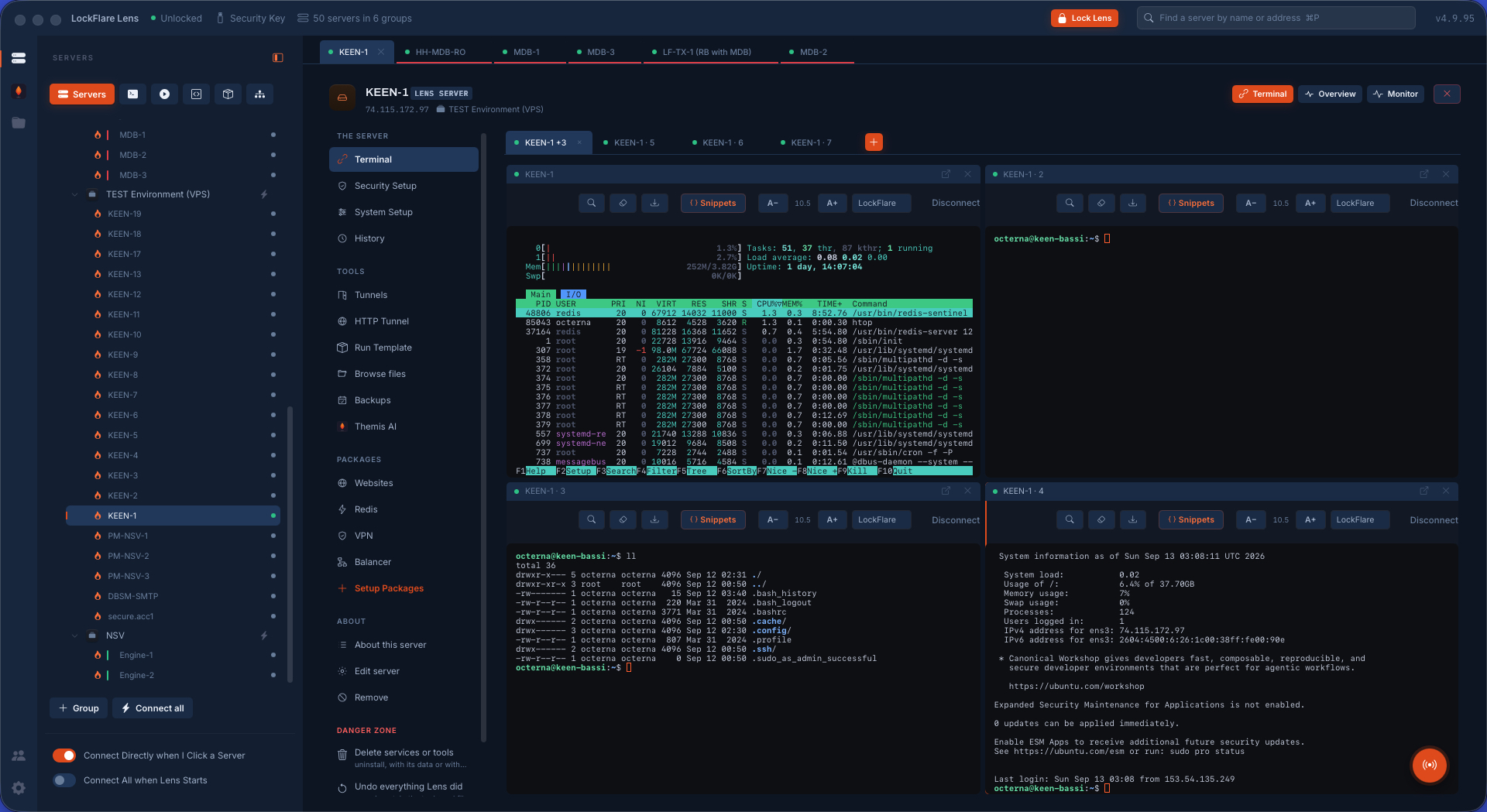
Split terminals in LockFlare Lens, each with the colour band of its server
Colour bands on the row, the tab, the head and the pane's edge — so nobody types into the wrong box.

One keyboard, every shell

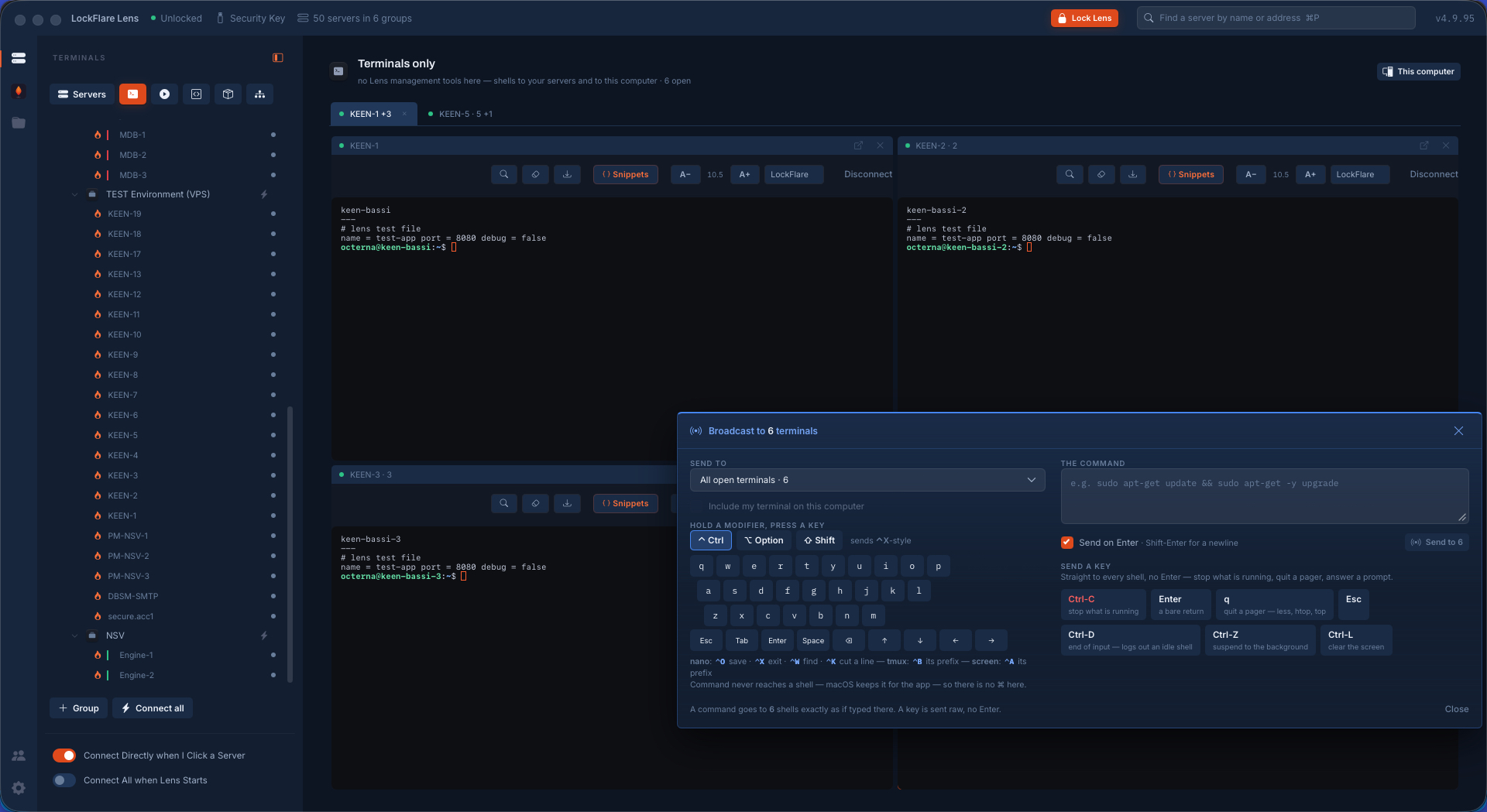
Broadcast sends a command into every open shell as if you had typed it there, or a raw key with no Enter — Ctrl-C, q, Esc, Tab, the arrows — which is the only way to drive a program that is already running. Quit htop on ten boxes. Answer the same yes-or-no prompt on six. Save and exit an editor on all of them at once.

It is free like everything else on this page, and it works on consoles as happily as on licensed servers.

Six terminals in LockFlare Lens each showing a different hostname and the same file, after one broadcast command
Six machines, one keystroke apart. The whole broadcast walk.

And the things around it

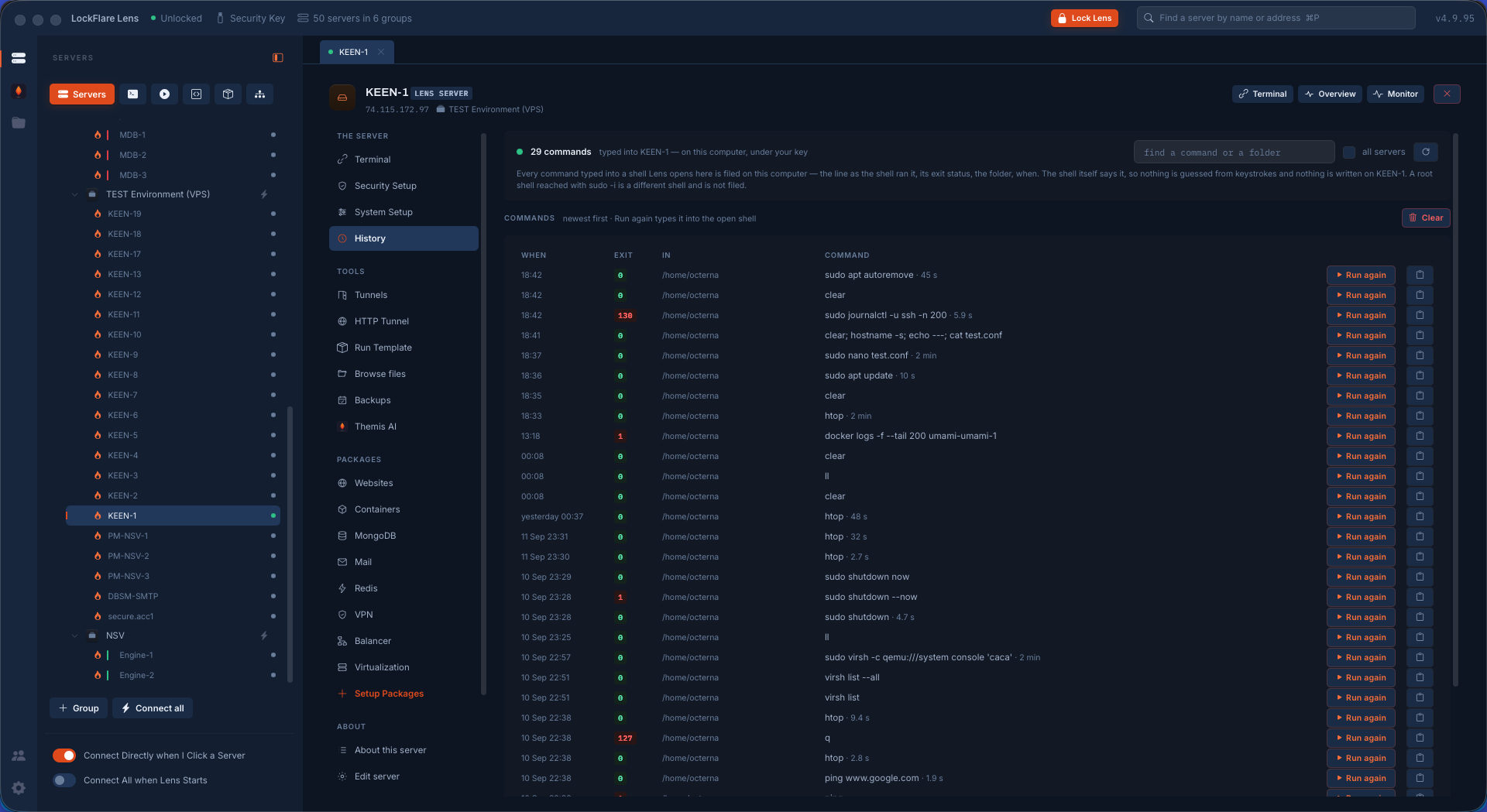
History files every command you type per server — the line as the shell ran it, its exit status, the folder, when and how long — searchable, with Run again to type it back. The shell reports it, so nothing is guessed from keystrokes and nothing is written on the box.

Tunnels ride the login you already have: local, remote and SOCKS forwards, started when the shell comes up, and an HTTP tunnel that makes your browser leave the internet from that server. Files is a manager over the same session with an editor that keeps mode and owner on save. Snippets are the commands worth a name, on every terminal's own bar.

All of it on a console. None of it licensed.

Command history in LockFlare Lens with exit codes, folders, timings and Run again
Every command, with its exit status and how long it took.

Start with the servers you already have

Import your SSH config, open every box, and decide later which of them you want Lens to manage as root.

Download Lens