LockFlare

A website is a thing, not a config file.

nginx or Apache installed from the hub, and from then on a site is what you would call a site: a domain, a folder, whether it answers, the certificate it presents and for how long, its own logs and its own backups. One form makes it, one job writes it, and Lens never rewrites a site it did not make.

Lens creating a site: the job card with each step in its own words — the folder, the owner, the server block, the certificate, the reload
A site being made: one job, each step in its own words, the reload last.

New site, one form

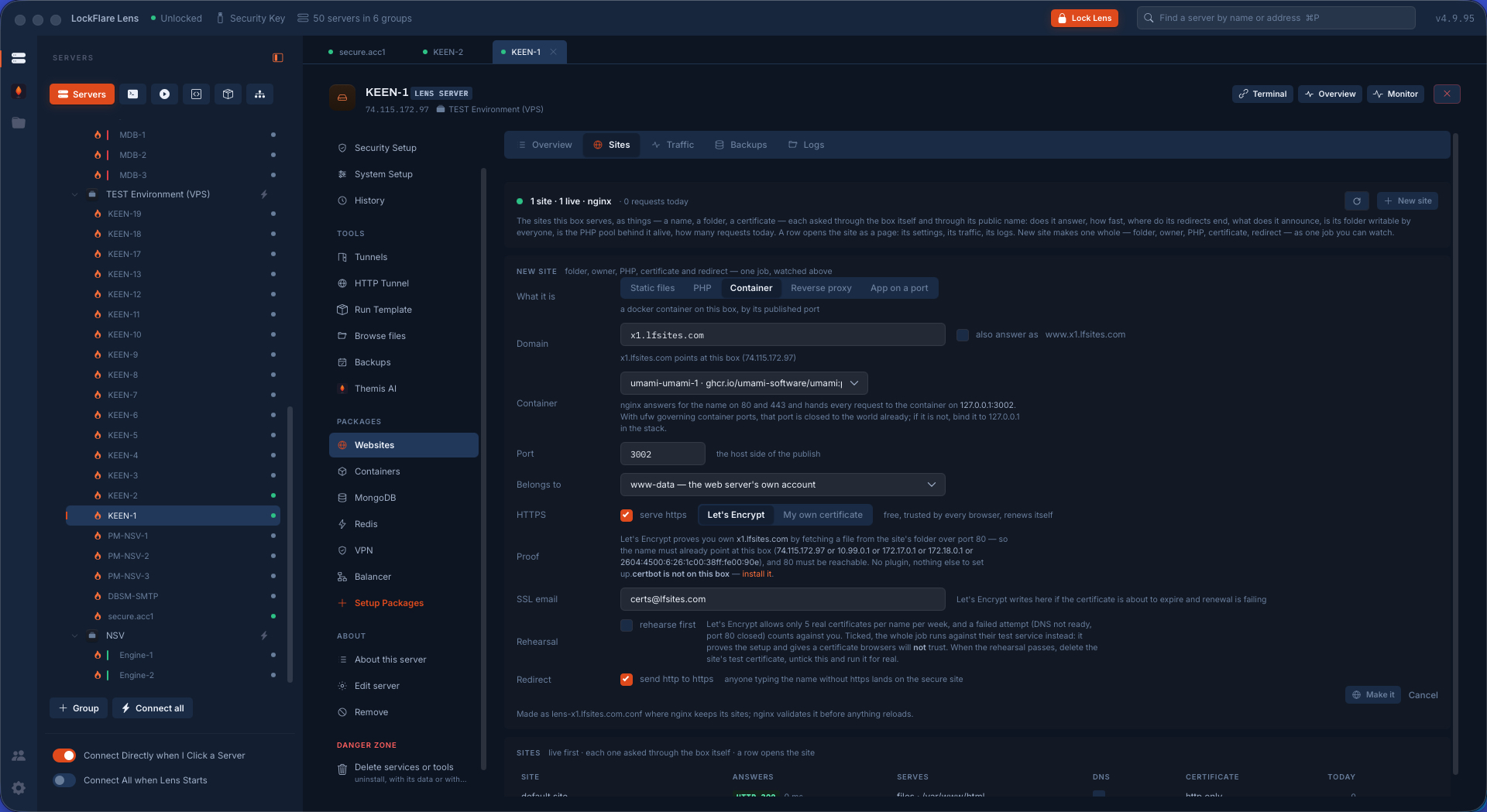
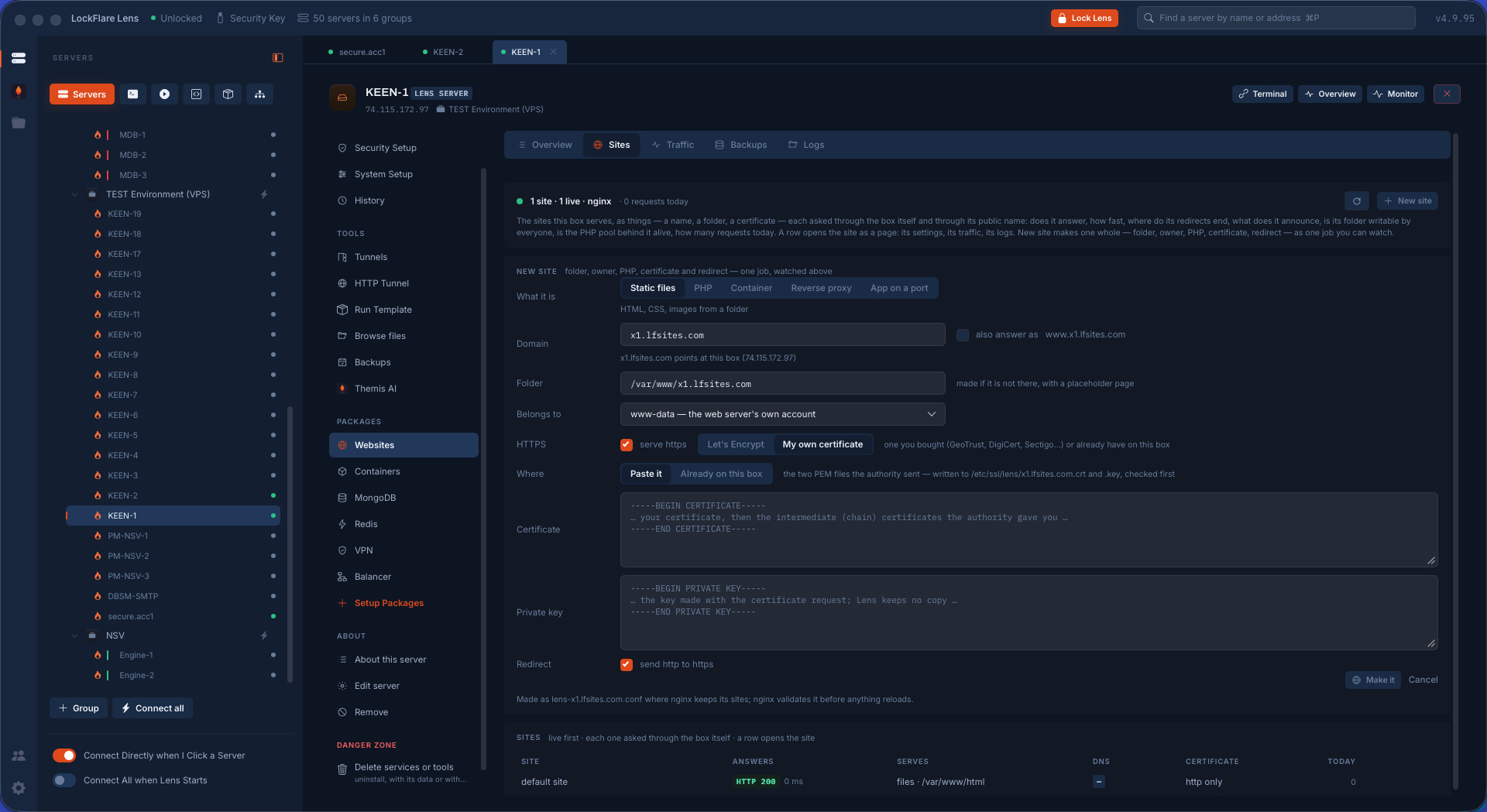
Static files, a PHP pool, a container, a reverse proxy, or an app on a port — pick what the site is, give it a domain, a folder and an owner, and say where HTTPS comes from: a certificate already on the box, Let's Encrypt through the acme folder every Lens site serves on port 80, or your own certificate and key pasted in. The form is one control a row; nothing on it needs a crystal ball.
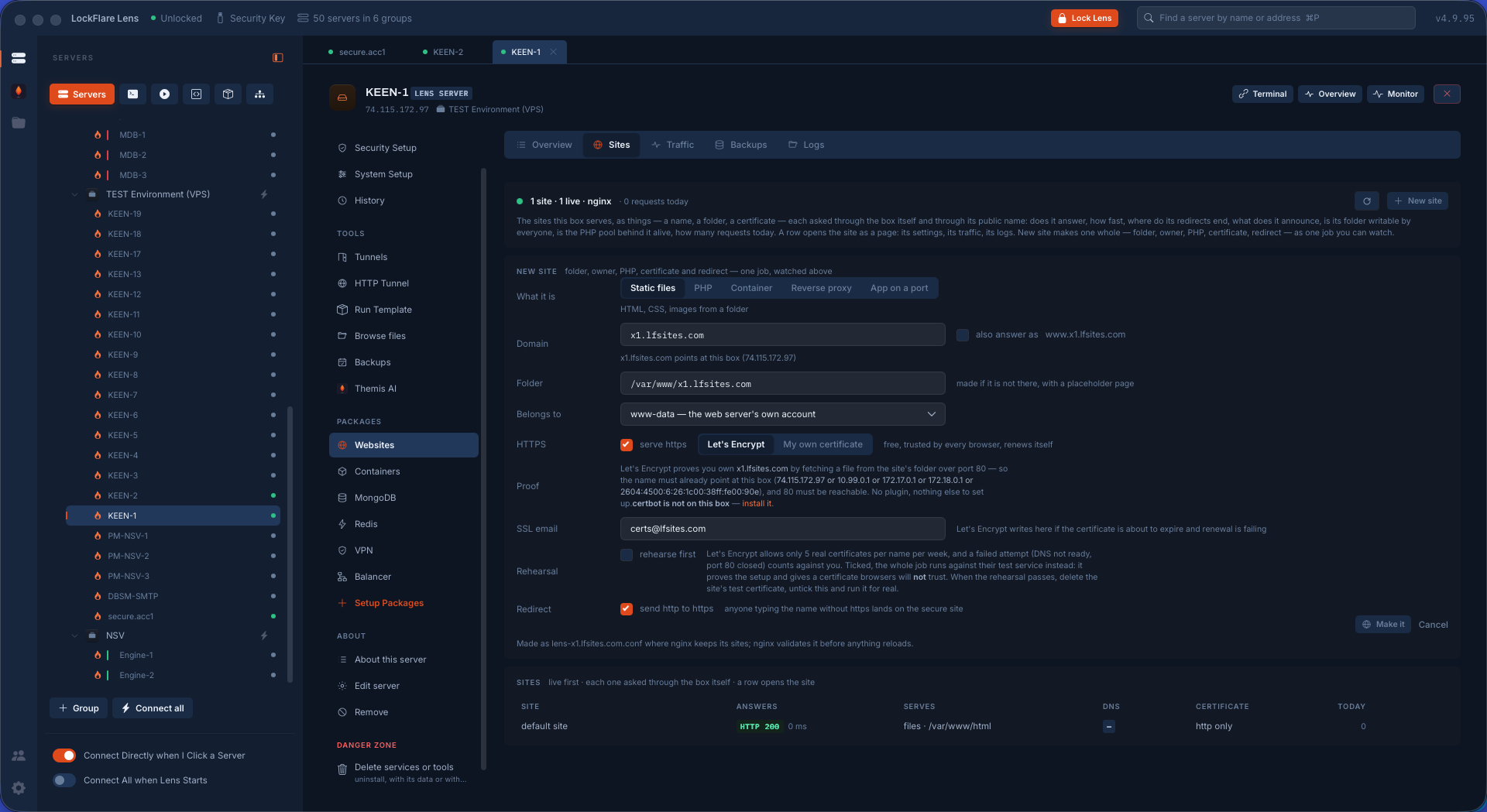
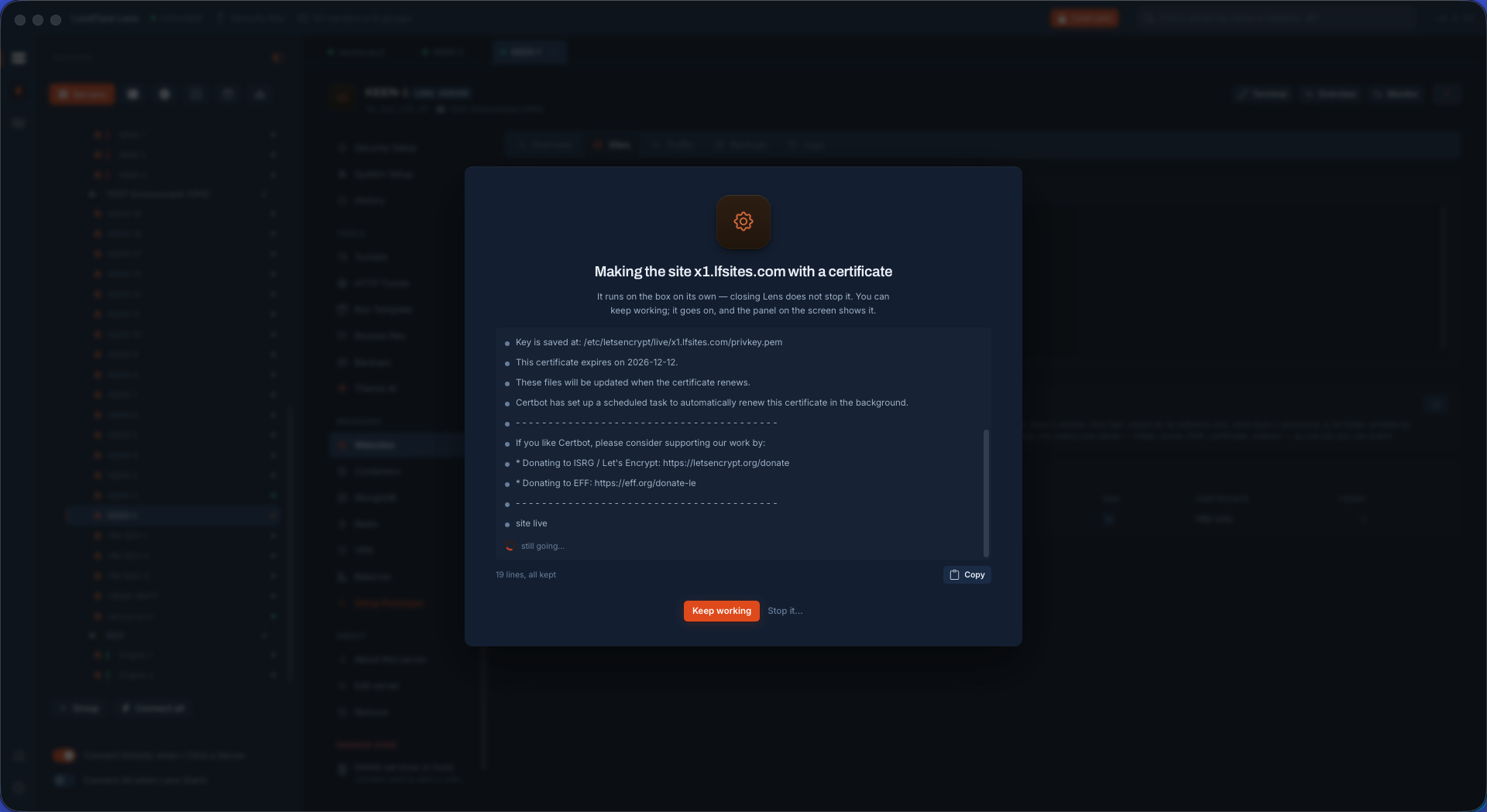
Adding a site in Lens with the certificate obtained from Let's Encrypt automatically
HTTPS from Let's Encrypt, obtained as part of the same job.
Adding a site in Lens with your own certificate and key imported
Or your own certificate and key, pasted once and kept in the vault.
Adding a site in Lens that fronts a container on the box
A site that fronts a container: the port picked from what Docker publishes.

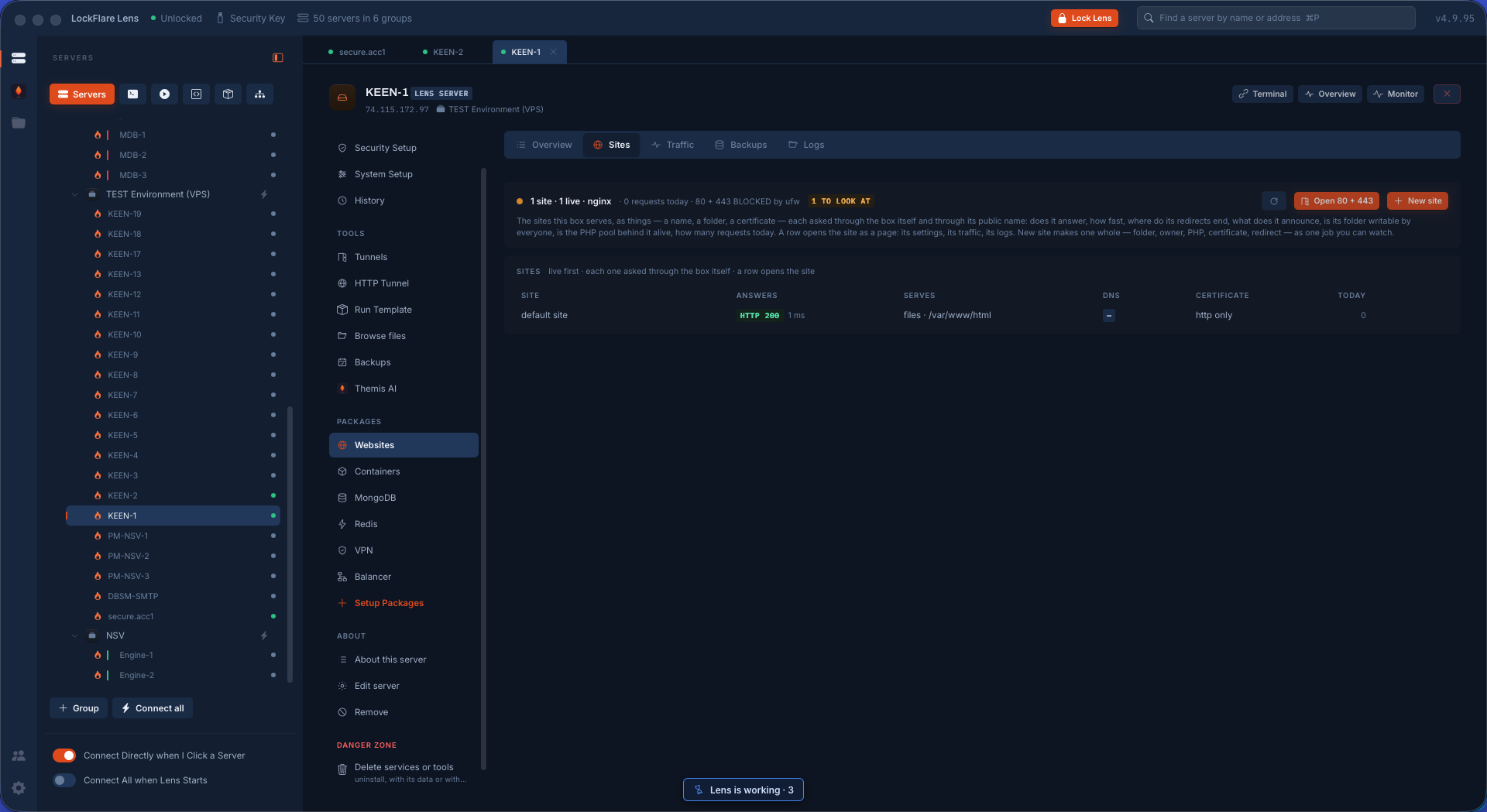
Lens asks before it opens the door

A site nobody can reach is not a site, so the job checks the firewall's word on 80 and 443 before it writes anything — and asks. Say yes and the ports are opened through the same guarded change the Firewall screen makes; say no and the site is written for the box only. Then the job itself: the folder and its owner, the server block, the certificate, the web server's own test of the file, and the reload, each step on the card as it happens.

Lens asking whether to open ports 80 and 443 on the firewall before creating the site
80 and 443 are closed on this box. Open them? Your call, before anything is written.
The job creating the site, step by step
The job, step by step, the web server's own test before the reload.

Names, redirects, protection

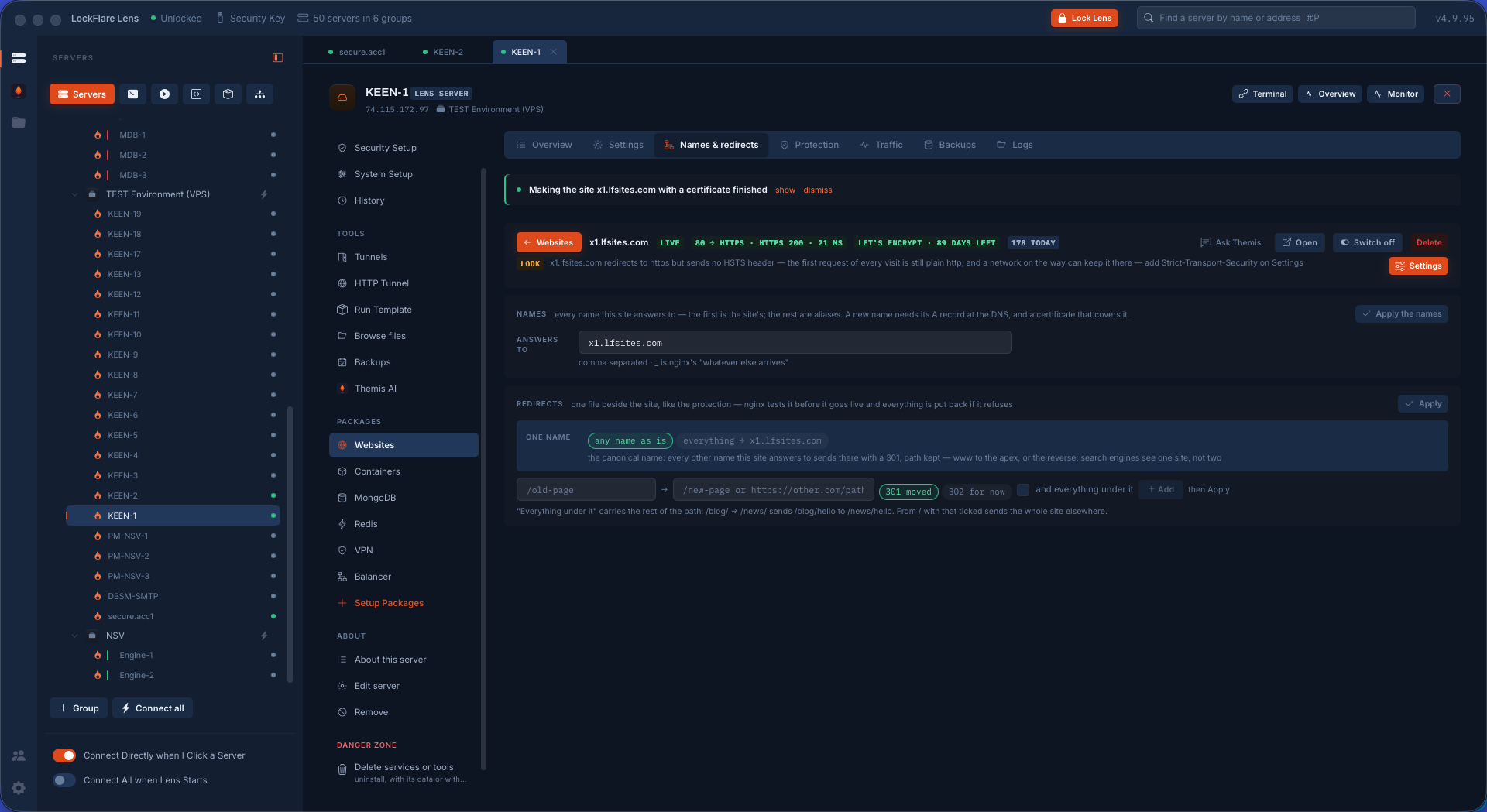
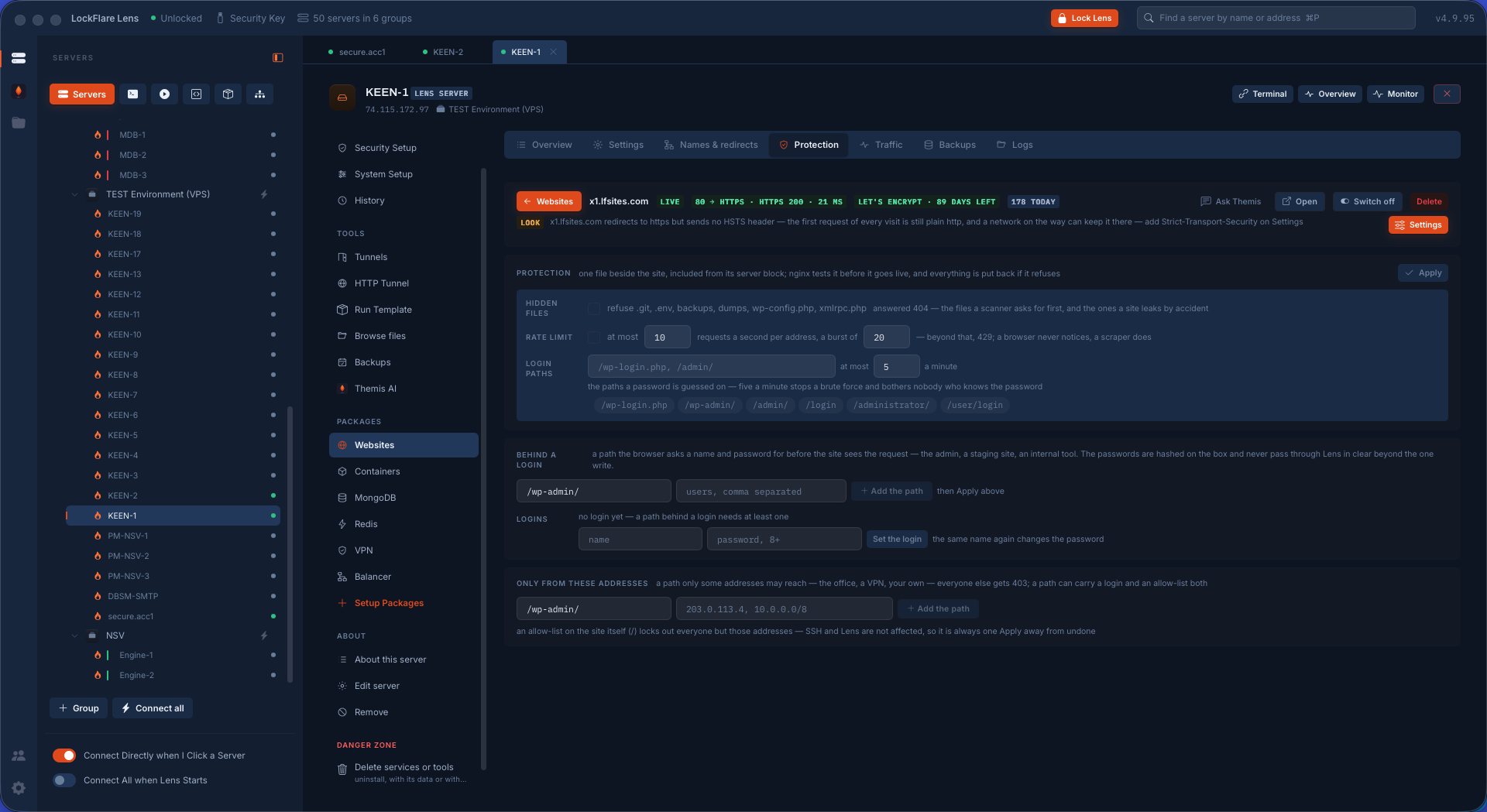
The names a site answers to and where each one sends people — www to the apex, the old domain to the new, http to https — as rows, written into the site's own file and reloaded when you say. Protection is one transaction: the protect file, the rate-limit zones, the include line added once, the server's own test, and everything put back if any step fails, so a half-applied protection never exists.

A site's names and redirects in Lens: the domains it answers to and where each one sends people
Names and redirects as rows: www, the old domain, http to https.
Setting up protection for a site in Lens: rate limits, the zones, the include, applied as one transaction
Protection as one transaction — all of it, or none of it.

Traffic, read from the site's own log

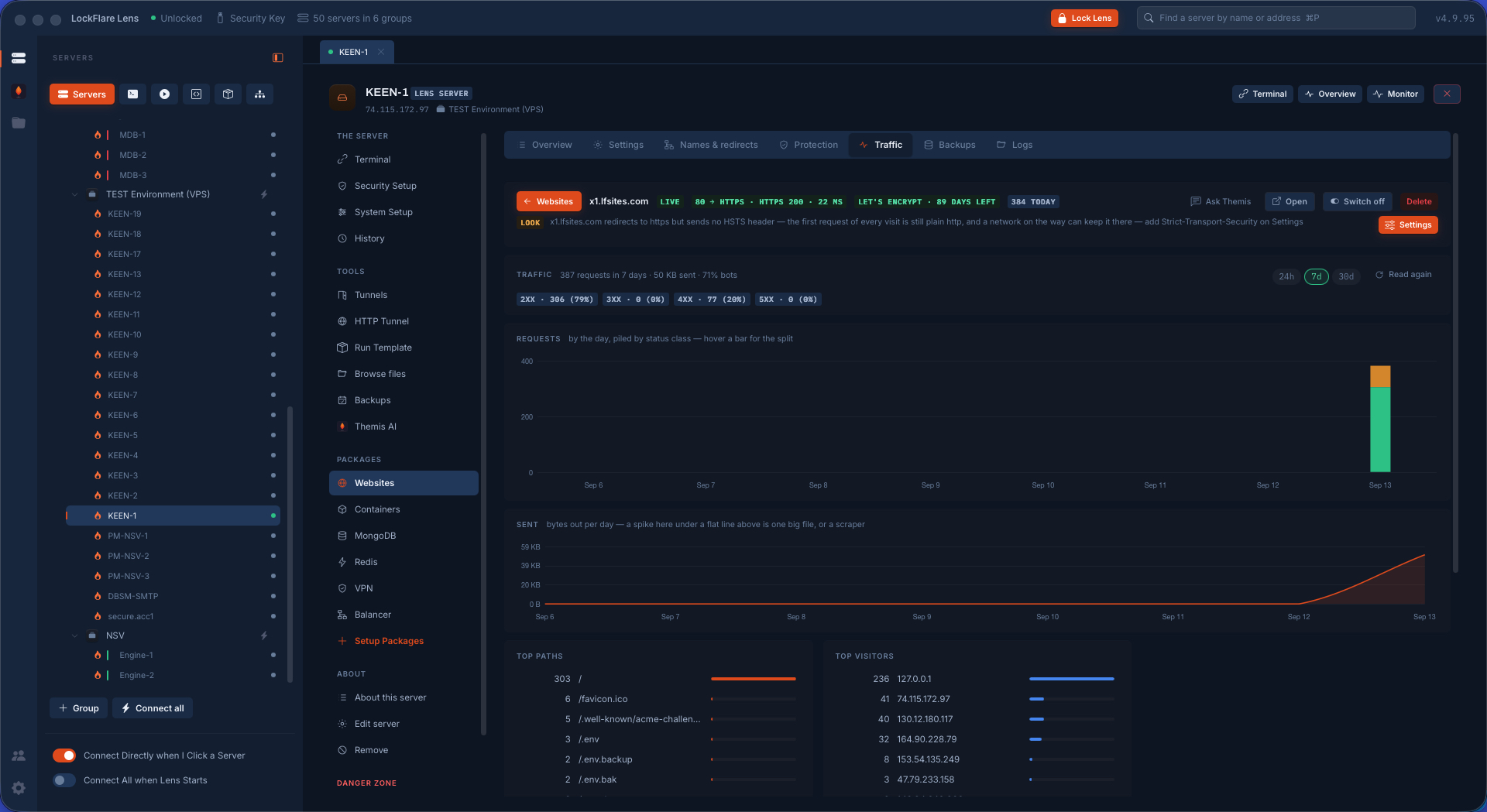
No analytics script, no third party, nothing added to the pages: the site's traffic is read from its own access log on the box. Requests by day, piled by status class; bytes out, where a spike under a flat line is one big file or a scraper; the top paths and the top visitors; and what share of it all is bots. The screen below tells its own story — three of the top six paths are /.env, /.env.backup and /.env.bak, which is the internet knocking, and the 4xx they got is the answer. The head of the page carries the site's live state — HTTPS 200 in 22 ms, Let's Encrypt with 89 days left, 384 requests today — and a finding worth a look: it redirects to https but sends no HSTS header, with Settings one click away.

A site's traffic in Lens read from its own log: requests by day piled by status class, bytes sent, top paths, top visitors, bot share, and a finding about the missing HSTS header
Traffic from the site's own log: 387 requests in seven days, 71% bots, the scrapers visible by name in the top paths.

The site's files, edited where they are

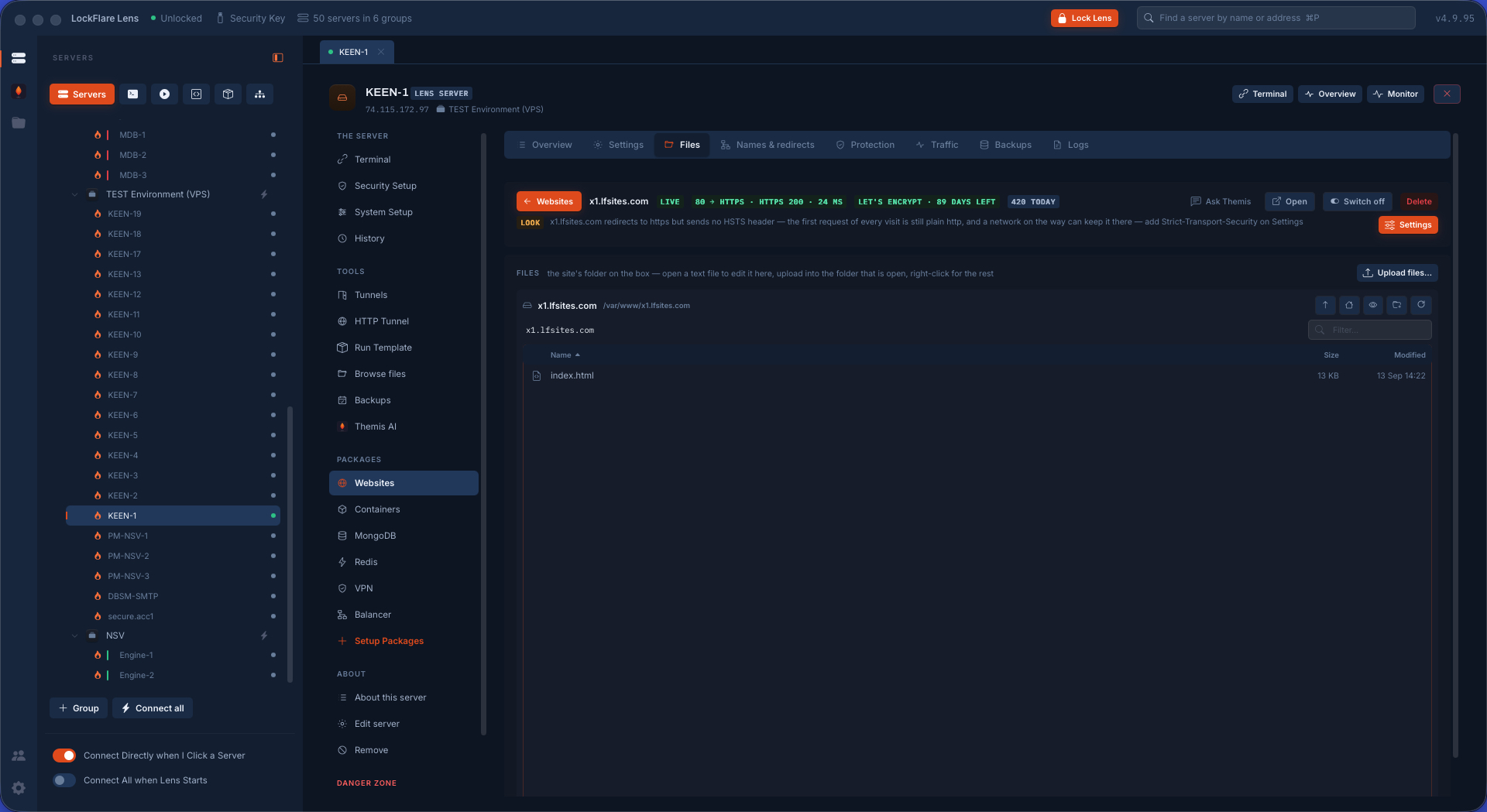
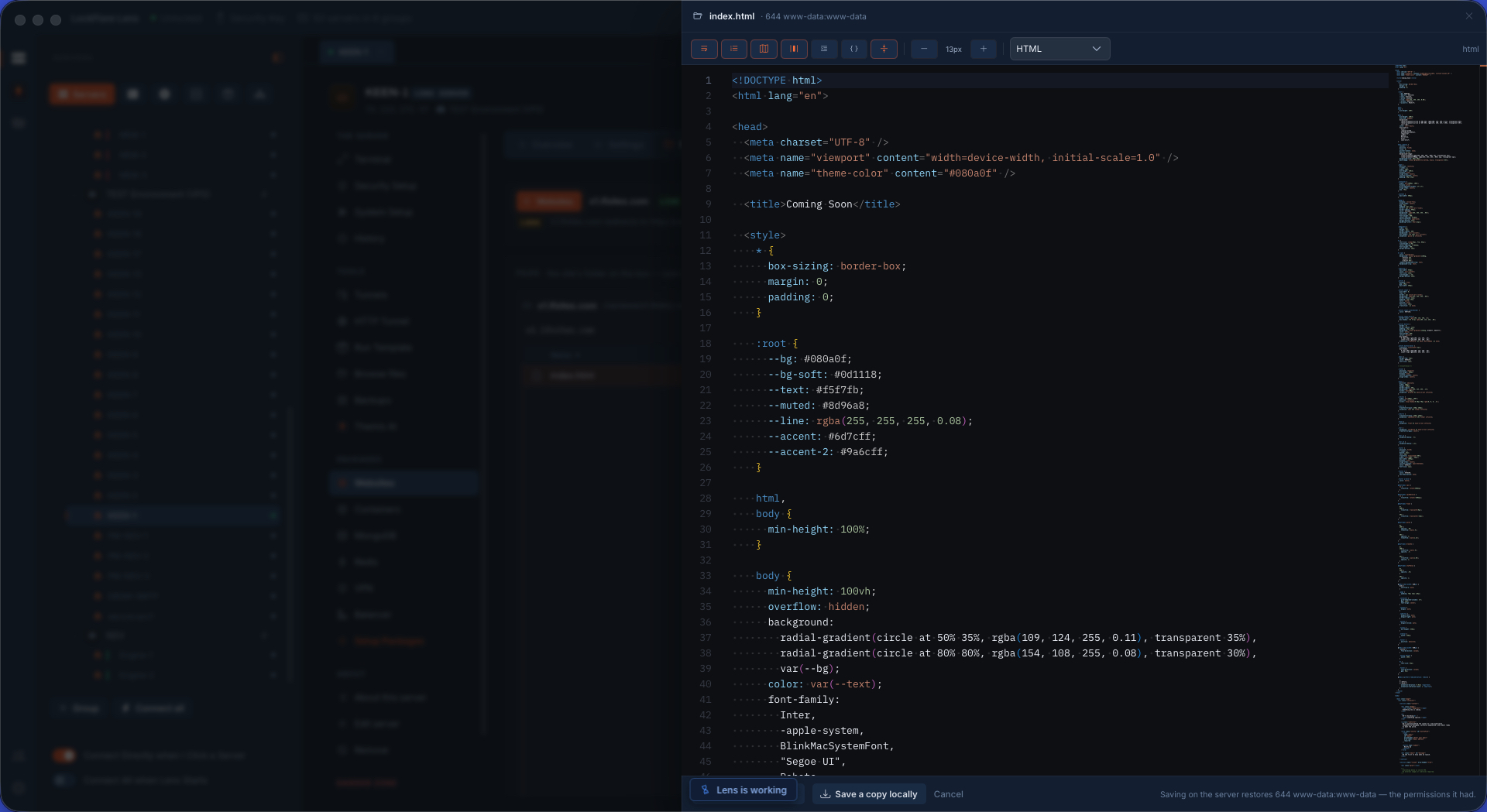
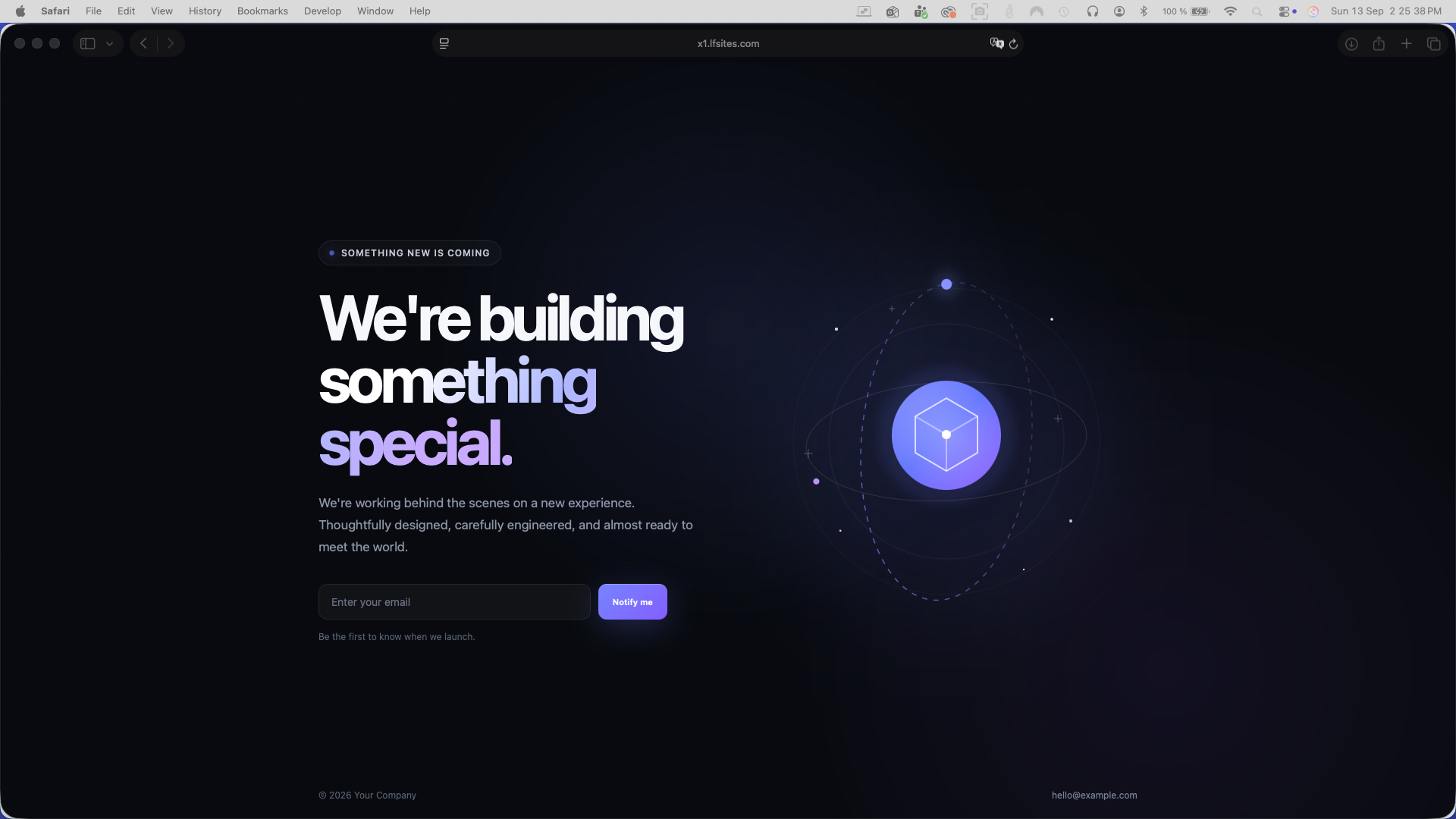
You never need FTP for a site again. The Files tab is the site's folder and nothing above it: browse it, upload from your computer, download, delete, permissions, extract an archive — all over the SSH login Lens already has, nothing installed on the far side. A text file opens in the editor beside the pane; save writes the bytes back with the mode and owner the file had, and the change is live on the next request. The three screens are one edit, start to finish: the folder, the code, the page.

A site's files in Lens: the site's folder browsed, with upload, download, delete, permissions and edit — no FTP
The site's folder: upload, download, delete, permissions, edit. No FTP, nothing installed.
A site's file open in the code editor inside Lens, edited straight on the server
The file in the editor, straight on the server; save keeps its mode and owner.
The page in a browser, showing the edit made in Lens
The page, a second later.

The site's own logs, live

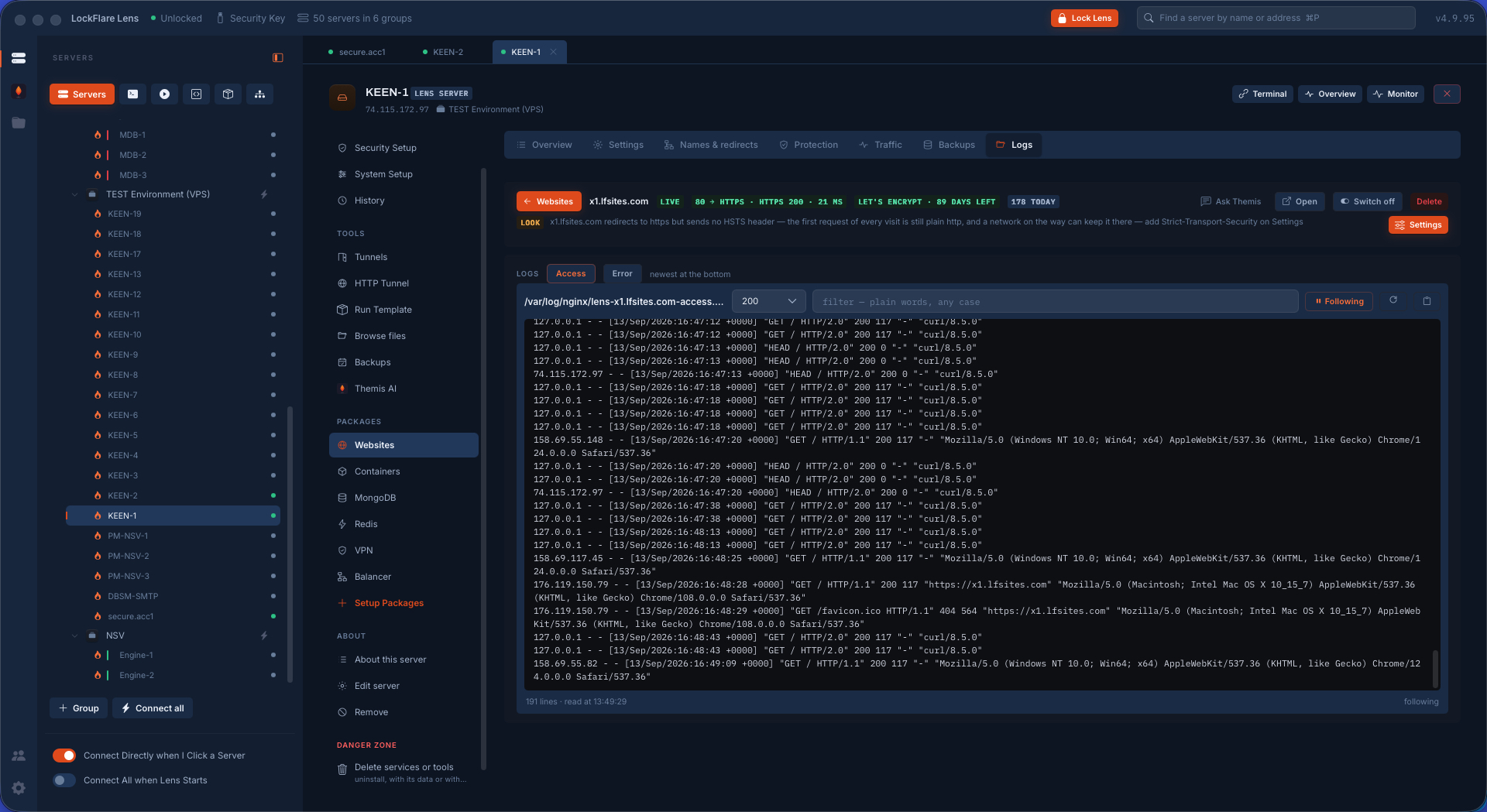
Every site has its own access and error logs, and Lens reads them as the site's, not the server's: the lines as they arrive, following live, filterable, with the request that is failing right now on screen while you fix it.

A site's logs in Lens following in real time
The site's logs, following live.

Backed up on a schedule, switched off without losing anything

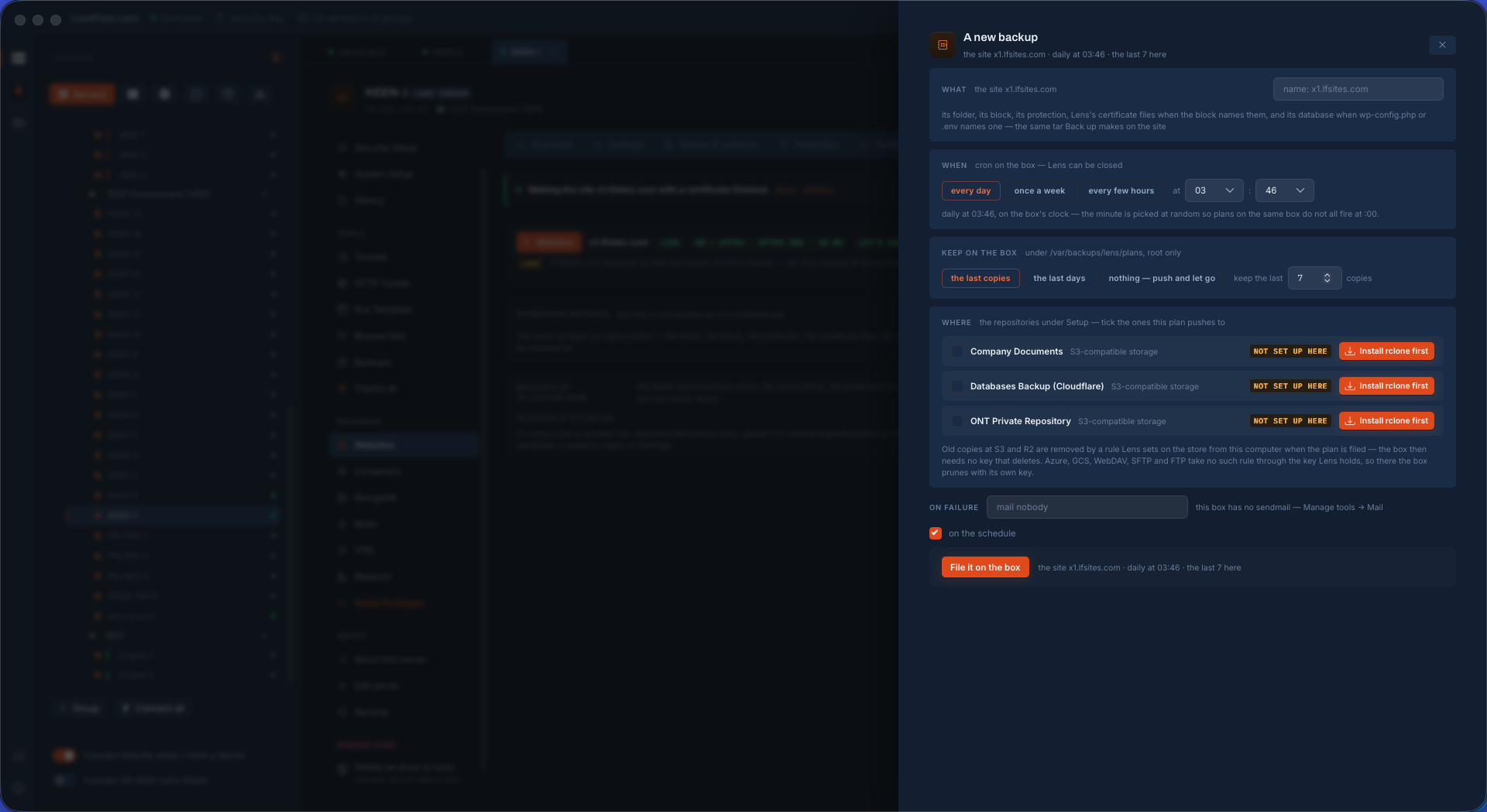
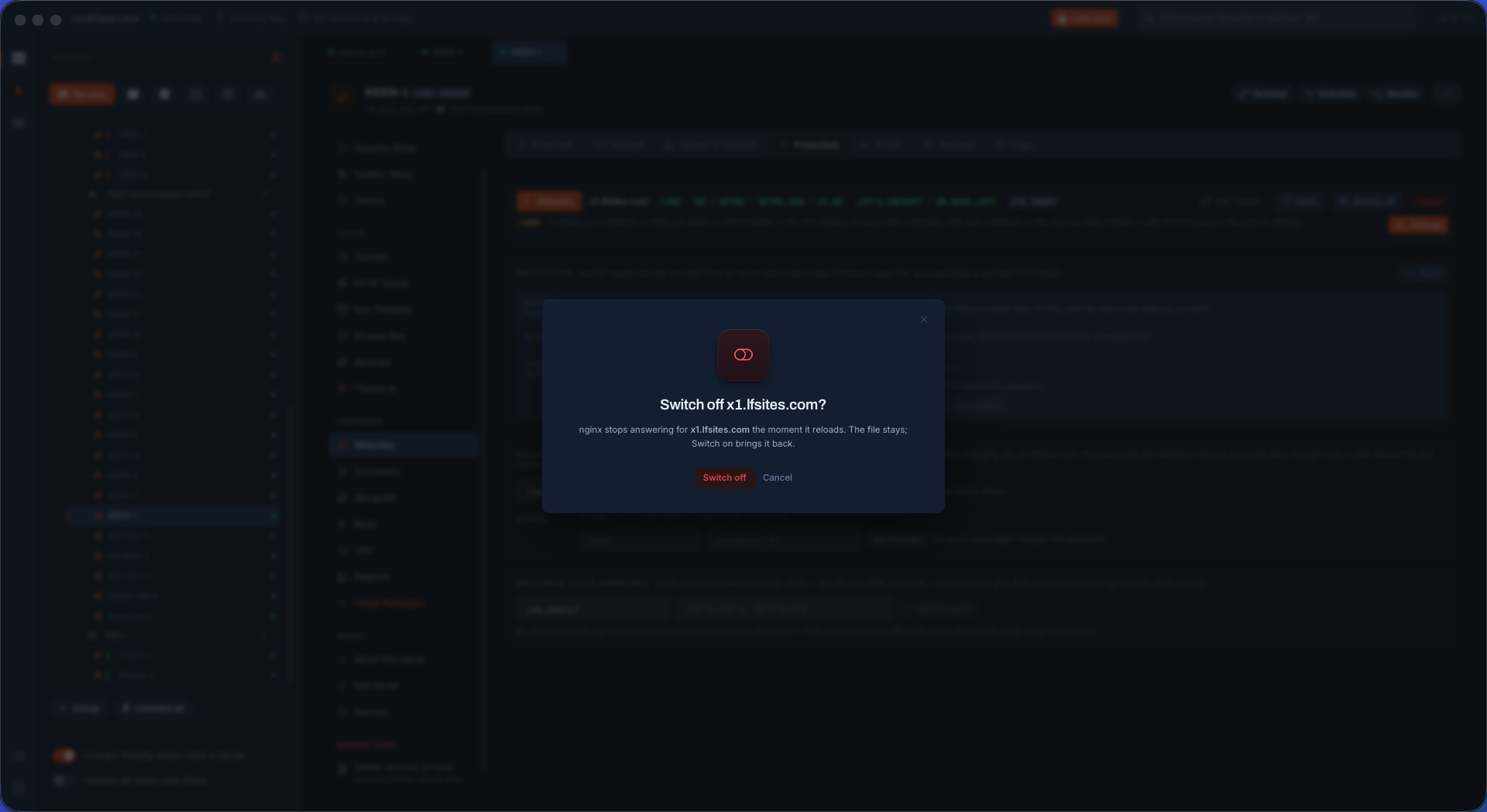
A site's backup is a plan on the box like any other — the folder and the server block, when, how many to keep, and where: a repository described once under Setup, Azure, S3 and its houses, or another server on the map — encrypted before the push to a key only your pen drive holds, run by cron with nothing from this computer. And a site can be switched off: it stops answering, its files, certificate and logs stay exactly where they are, and one switch brings it back.

Scheduling a site's backup in Lens to a repository — Azure, AWS or another server
A site's backup on a schedule, to Azure, S3 or another server, encrypted to your key.
Switching a site off in Lens: it stops answering, everything stays
Off, not gone: files, certificate and logs stay; one switch brings it back.

The web server is one card on the hub

Install nginx or Apache, and the Websites tool appears in the rail the moment the daemon runs.

Web, mail, containers, VPN and more