LockFlare

How exposed is this box? Read it, then fix it on the same row.

Eleven screens, each a state band that says the verdict in one line, tabs, and findings worst first with the fix beside each. Lens installs the tools a hardened box needs — and asks before every one, because installing takes minutes and changes the server. Nothing here is a draft: a switch flips on click, a rule saves with its Save, a ban is a ban.

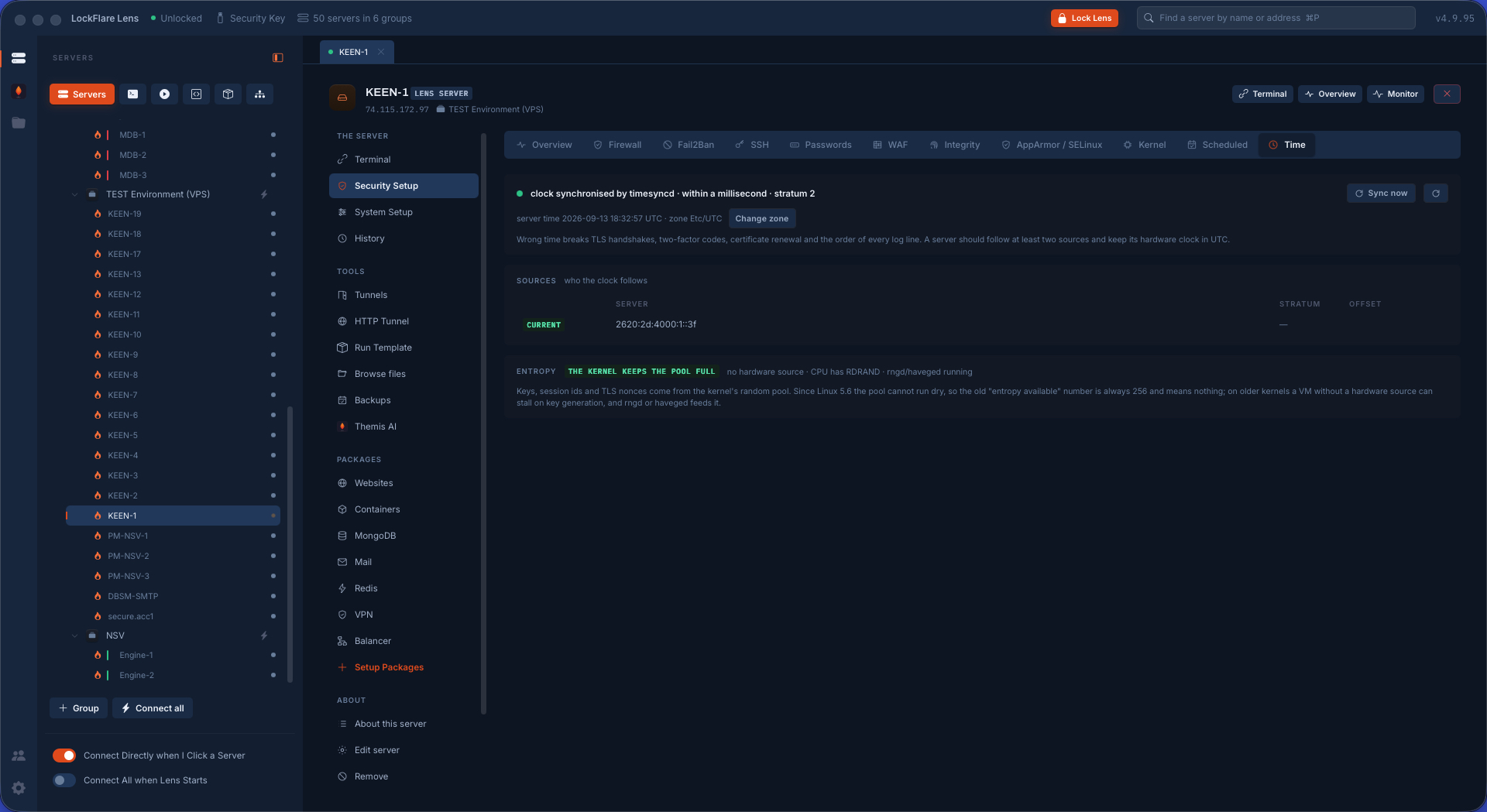
Security Setup Overview in LockFlare Lens: a card per area — firewall, Fail2Ban, SSH, passwords, WAF, integrity, MAC, kernel, scheduled, time — each with its live state
One pass over the box: a card per area, each carrying the live state of its own tool.

What Lens hardens, and with what

Every tool below is the standard one for the job, installed from the distribution's own repository, configured through a file Lens owns, and removable. Lens writes no security software of its own; it makes the ones the industry already trusts readable and reachable from one screen.

The perimeter

ufw or firewalld, with iptables and nftables read and judged. Fail2Ban for the doors that get knocked on. OpenSSH itself, hardened through a drop-in and proven by a fresh login.

The web

ModSecurity with the OWASP Core Rule Set inside nginx or Apache, and CrowdSec with its firewall bouncer at the door, banning by behaviour and by shared reputation.

The box itself

debsums or rpm -V, AIDE, rkhunter and chkrootkit for integrity; AppArmor or SELinux for confinement; libpam-pwquality and faillock for passwords; sysctl for the kernel; chrony or systemd-timesyncd for the clock and rng-tools for entropy.

The firewall, and who may reach SSH

ufw or firewalld, whichever the box runs, with iptables and nftables read and judged behind them. Eight tabs: the verdict, what is reachable — every listening port judged against the rules, so a service open to the world is a finding and not a guess — the rules themselves folded so a v4 rule and its v6 twin are one line, what is open to the world by name, who may reach SSH, the defaults in words, who is knocking (refused connections folded by address), and the log.

One dialog covers a preset, a new rule, or the SSH question, and it asks it the way a person asks it: to whom. Allow and deny rows, denies written before allows, a preview of what will be written. And one invariant that cannot be argued with: the SSH port is allowed before the firewall is ever turned on, its rule cannot be removed while it is the only cover, and a rule that would deny your own address is refused — on screen, and again in Go before anything is written.
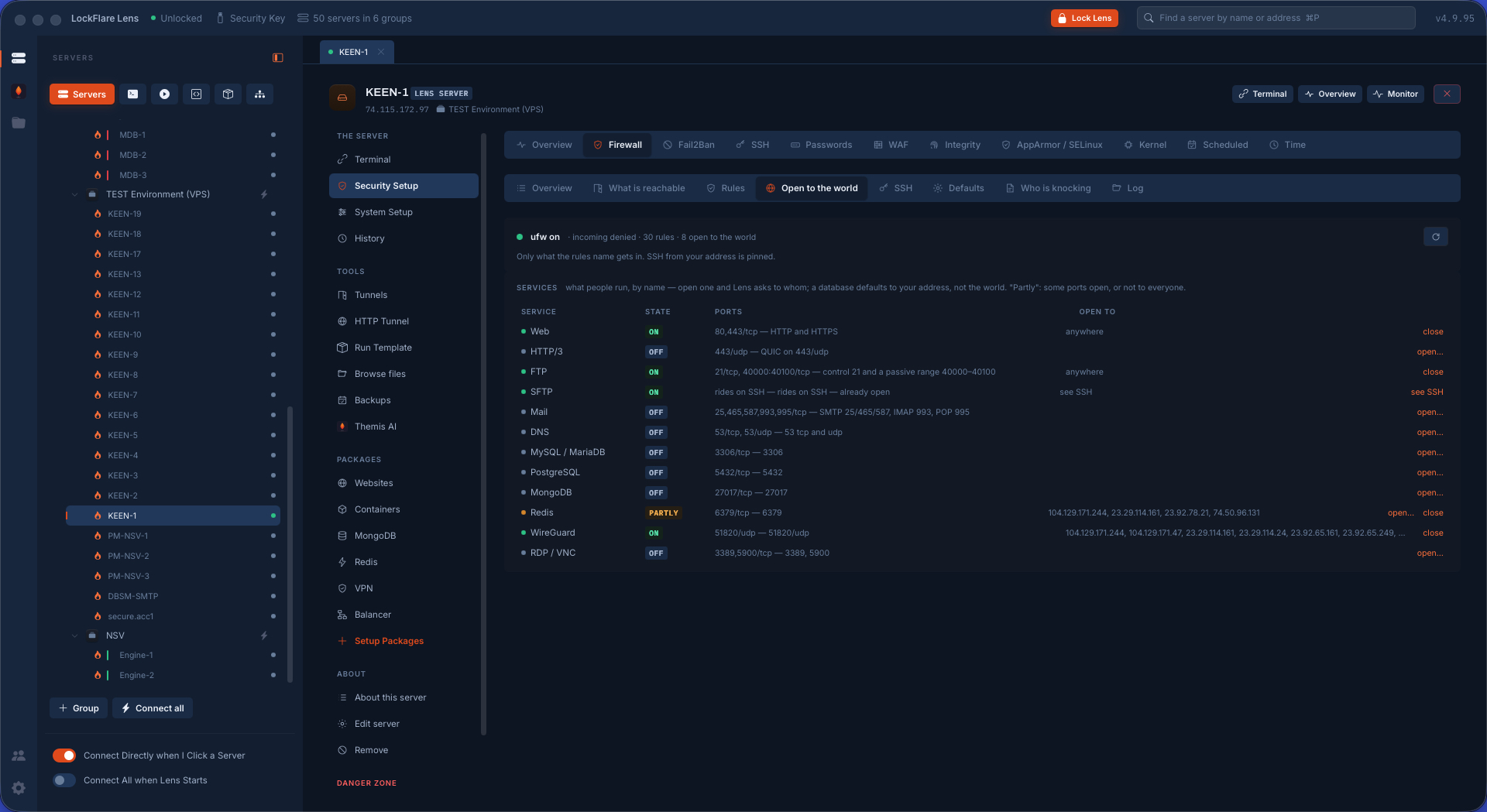
The firewall in LockFlare Lens: on, its defaults explained, every rule folded with its v6 twin, and who may reach SSH
The rules as they are — and the one rule nobody, including you, can remove by accident.

SSH hardening, kept only when it is proven

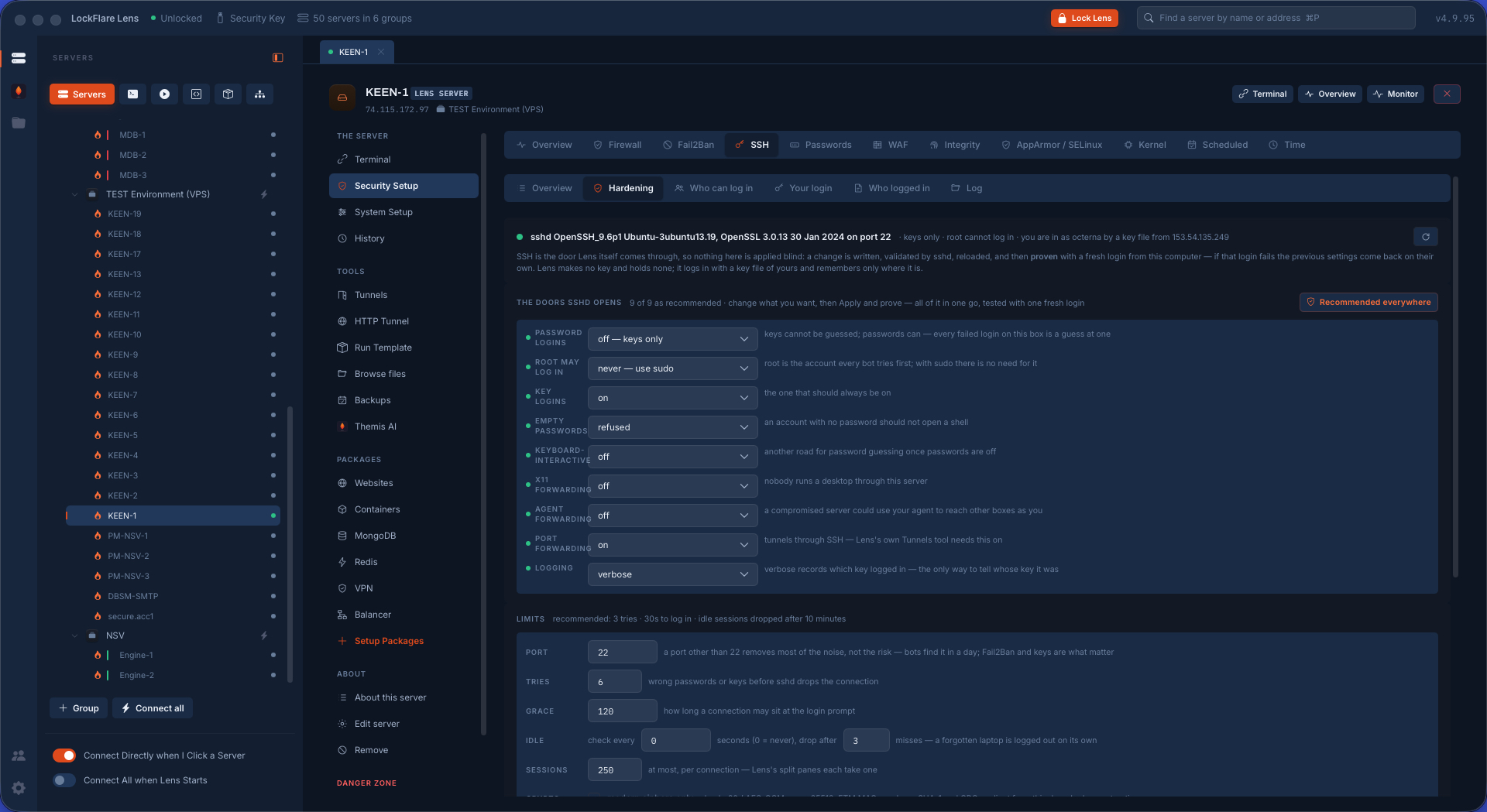
sshd is the one door Lens itself comes through, so every change to it can lock you out — which is why this screen works differently from every other. Hardening is a batch: Lens writes its drop-in at /etc/ssh/sshd_config.d/00-lens.conf, sshd validates the file, sshd reloads, and then Lens opens a fresh login from your computer on the port now in force. If that login fails, the previous file comes back by itself and the screen says: reverted.

Two refusals come with it. Root login cannot be turned off unless somebody else can get in and become root. Password logins cannot go off until your key alone has proven a fresh login. Beyond the batch: who can log in reads every account's door — keys, password, AllowUsers, AllowGroups; your login switches Lens's own session to one of your keys already on the box; who logged in folds the sshd log by address with the keys named by fingerprint. Lens makes no key and holds none of yours.

SSH hardening in LockFlare Lens: the settings applied as one batch and kept only after a fresh login from this computer succeeds
Written, validated, reloaded, then proven with a new login — or put back.

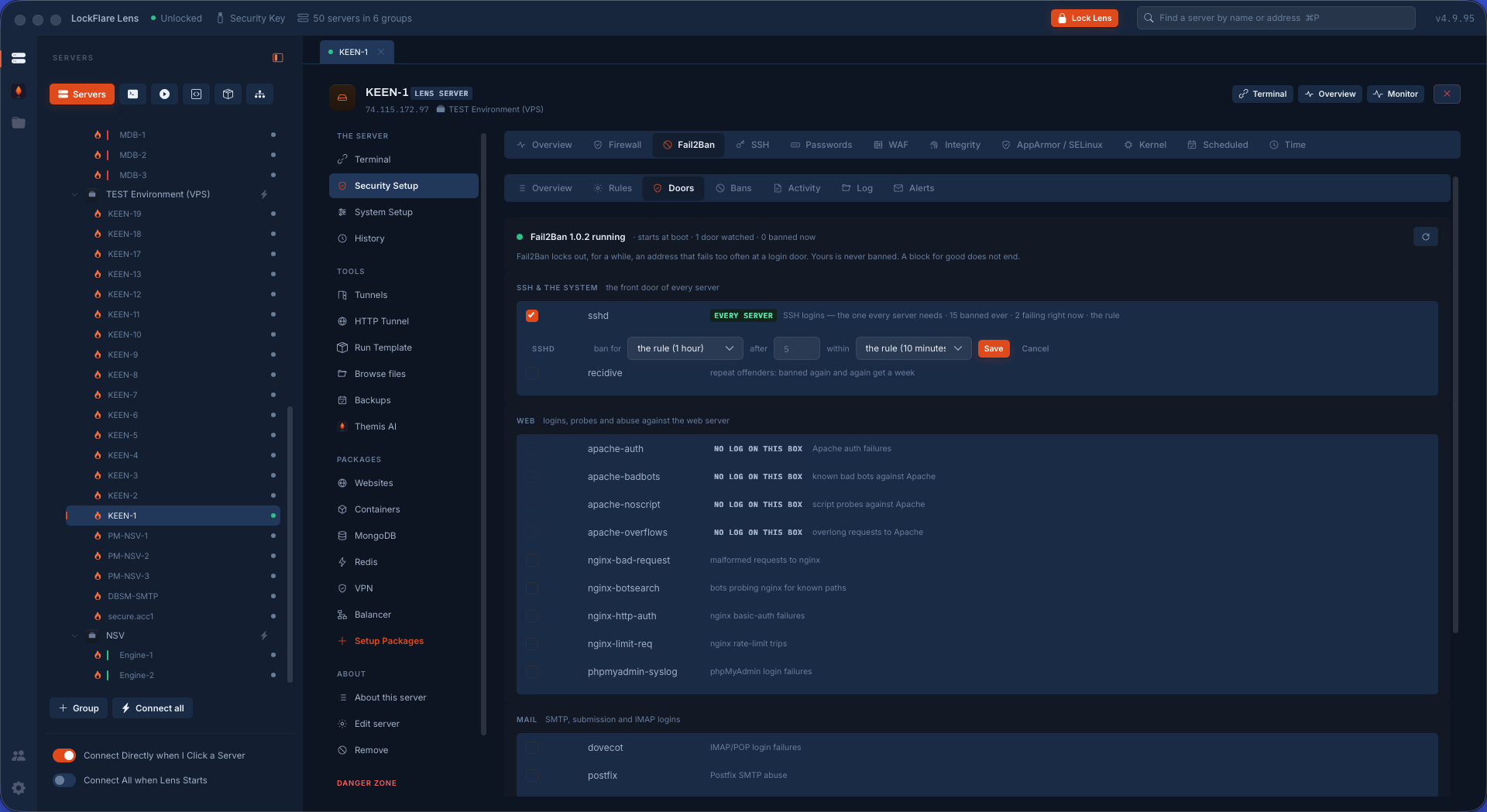
Fail2Ban: the doors, and who is banned right now

Fail2Ban as doors rather than as jails: SSH, the web logins, mail, FTP, the databases — each switched on with a click, each reading the log that box actually writes. The rule in words: how many tries, in how long, banned for how long, per door or for all of them. Who is banned right now and why, who is never banned, who is refused for good, the activity folded over a window, the log, and an alert by mail through the box's own Postfix when a ban happens.

Lens owns exactly one file here, /etc/fail2ban/jail.d/zz-lens.local, read last so it wins; the package's own files and anything you wrote by hand are never touched.

Fail2Ban in LockFlare Lens: the doors it watches, the rule in words, and who is banned right now
The doors that are watched, and the addresses sitting in a ban this minute.

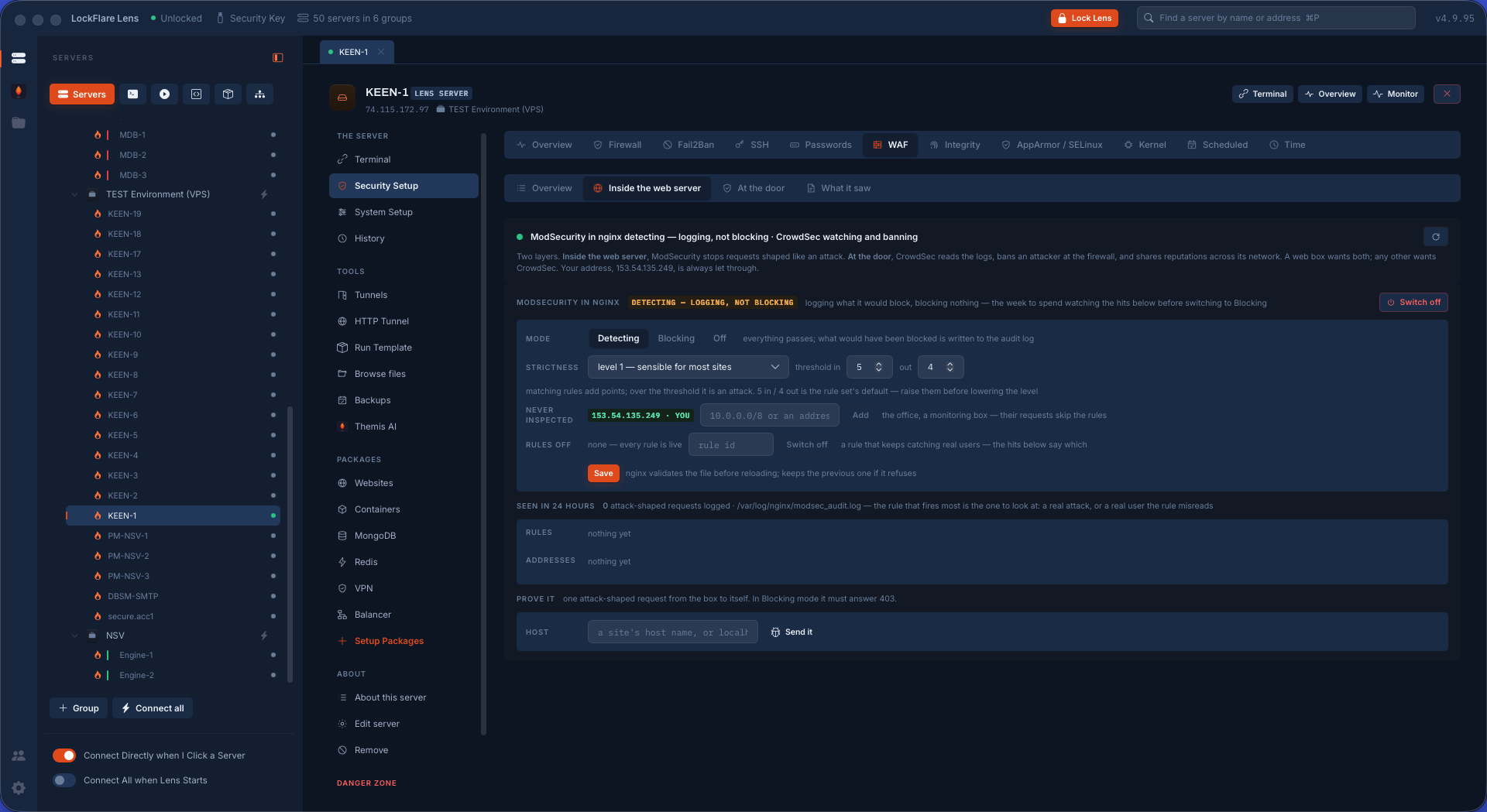
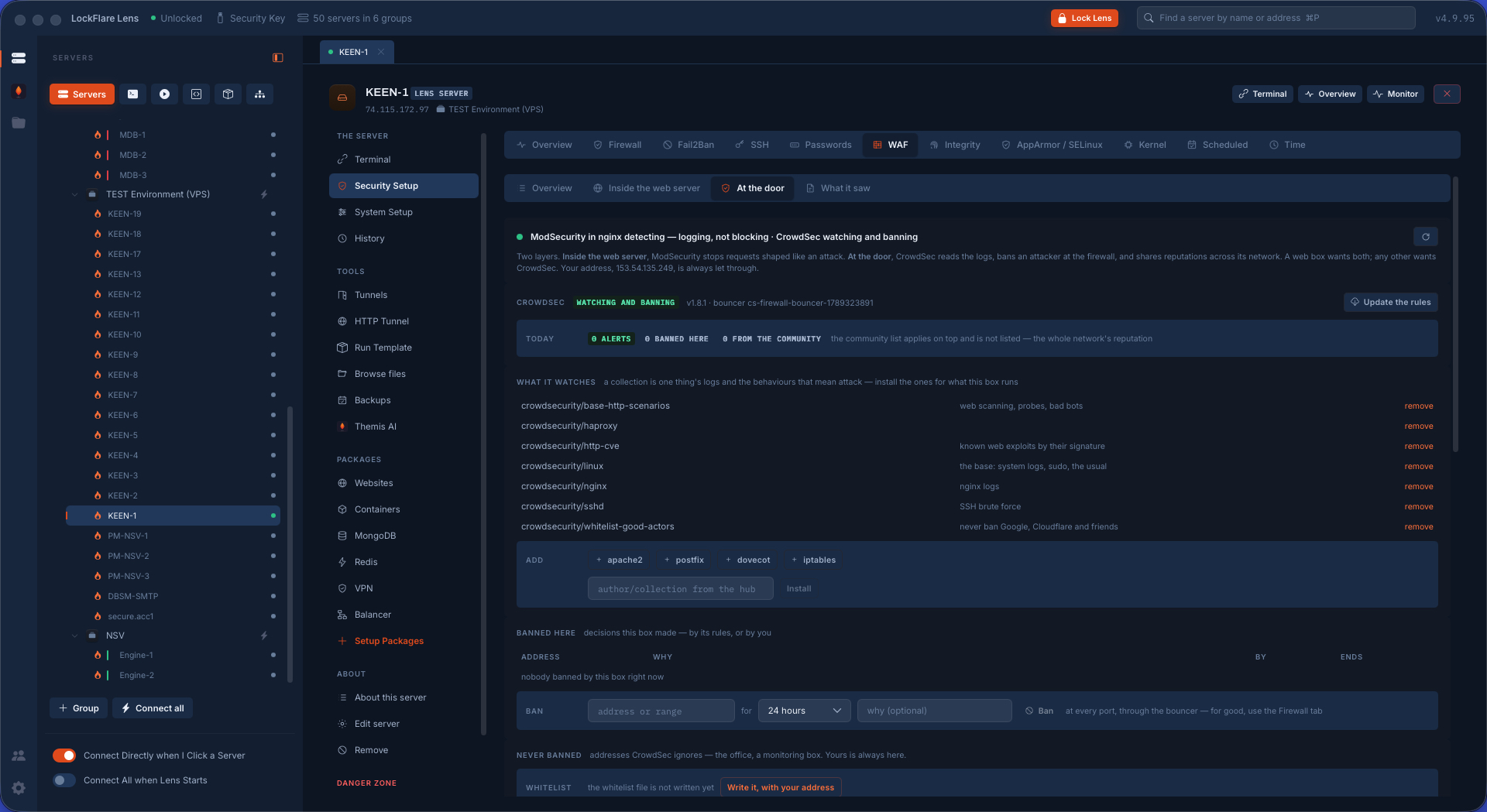
The web application firewall: two layers, not two options

Inside the web server, ModSecurity with the OWASP Core Rule Set — libnginx-mod-http-modsecurity or libapache2-mod-security2 with modsecurity-crs — reads every request and stops the ones shaped like an attack: an injection, a traversal, a scanner, before the site sees them. One form per engine: the paranoia level, the anomaly thresholds, and whether it is detecting or blocking.

At the door, CrowdSec with its firewall bouncer reads the logs, recognises an attacker by behaviour, and bans the address at the firewall for every port — not only the one it knocked on — and shares reputations, so an address that hit someone else this morning is already banned here. Three levers, because those are the three a person actually pulls: what it reads (a log file, a container's output, a unit's journal, each a file Lens owns in acquis.d), alerts by mail, and scenarios switched between watching and banning.

A box that serves the web wants both; a box that does not still wants CrowdSec. Your own address is allowed in one and whitelisted in the other, and neither can be told to block it.

ModSecurity with the OWASP Core Rule Set in LockFlare Lens: the paranoia level and anomaly thresholds, one form per web server
Inside the web server: ModSecurity and the Core Rule Set, one form per engine.
CrowdSec in LockFlare Lens: what it reads, its scenarios, and the addresses banned at the firewall
At the door: CrowdSec, banning by behaviour and by shared reputation.

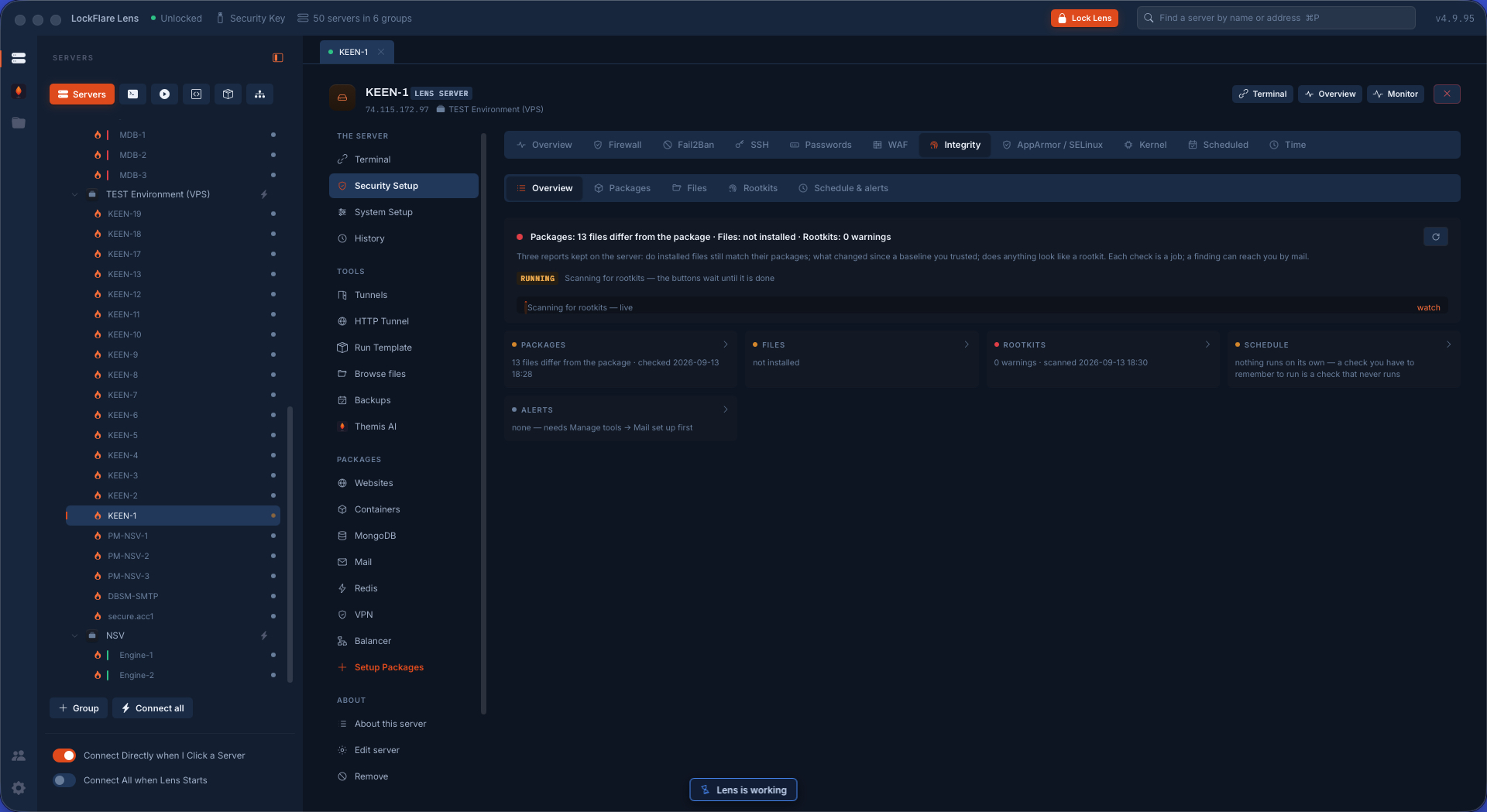
Integrity and rootkits: three checks, three reports

Nothing on a box tells you it has been changed. These three do, and Lens installs and runs each of them as a job you watch, saving its report on the server so what you see is the last result at any time.

Packages against what the distribution shippeddebsums on Debian and Ubuntu, rpm -V on Rocky and Alma: every file that came from a package, compared with the checksum the package carries. A changed binary in /usr/bin shows up here and nowhere else.

Files against a baselineAIDE: installed, initialised into a baseline of the filesystem, then checked against it whenever you ask. What was added, what changed, what disappeared, explained in words rather than as a hash diff.

Rootkitsrkhunter and chkrootkit, both, because they look for different things: known signatures, hidden processes, wrong permissions on system binaries, suspicious kernel modules. Warnings Lens recognises carry their meaning and, where one is a known false positive on that distribution, a one-click "this one is known".

Then the part that makes it real: a schedule of systemd timers Lens owns — AIDE at an hour you pick, the rootkit scan on a day and hour, the package check on another — and a mail through the box's own Postfix when something changed since last time. The two "accept the current state" actions get a sentence before you press them, not after, because they are the only things on this screen that can hide an intruder.

Integrity and rootkits in LockFlare Lens: the package check, the AIDE baseline and the rootkit scan, each with its last report and the schedule
debsums or rpm -V, AIDE, rkhunter and chkrootkit — installed, run, scheduled, and mailed when something moves.

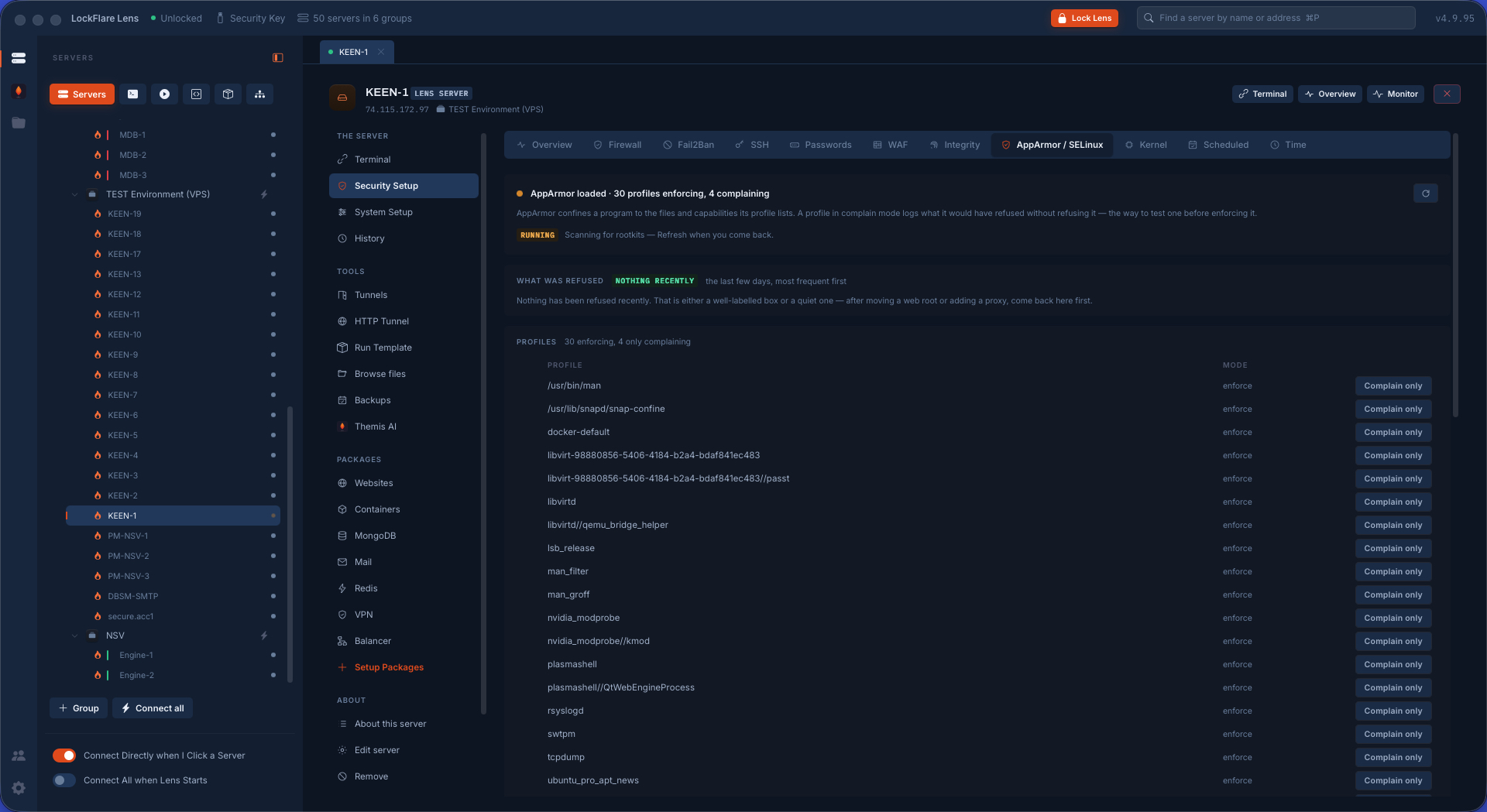
AppArmor and SELinux: the kernel's second opinion

Permissions say who owns a file. Mandatory access control says what a program may do at all — so a web server that is compromised still cannot read /etc/shadow, because the kernel refuses regardless of who it thinks it is.

The screen's real job is the denials, and it leads with them: a refusal is far more often a wrong label than an attack, and Lens says which is which, with the fix when it knows it from the meaning. Then the state — AppArmor's profiles in enforce or complain, SELinux's mode, its booleans and its file labelling — and, last, what is listening on this box with nothing confining it at all.

AppArmor and SELinux in LockFlare Lens: the denials first, then the profiles and what is unconfined
The denials first, each one read for what it actually is.

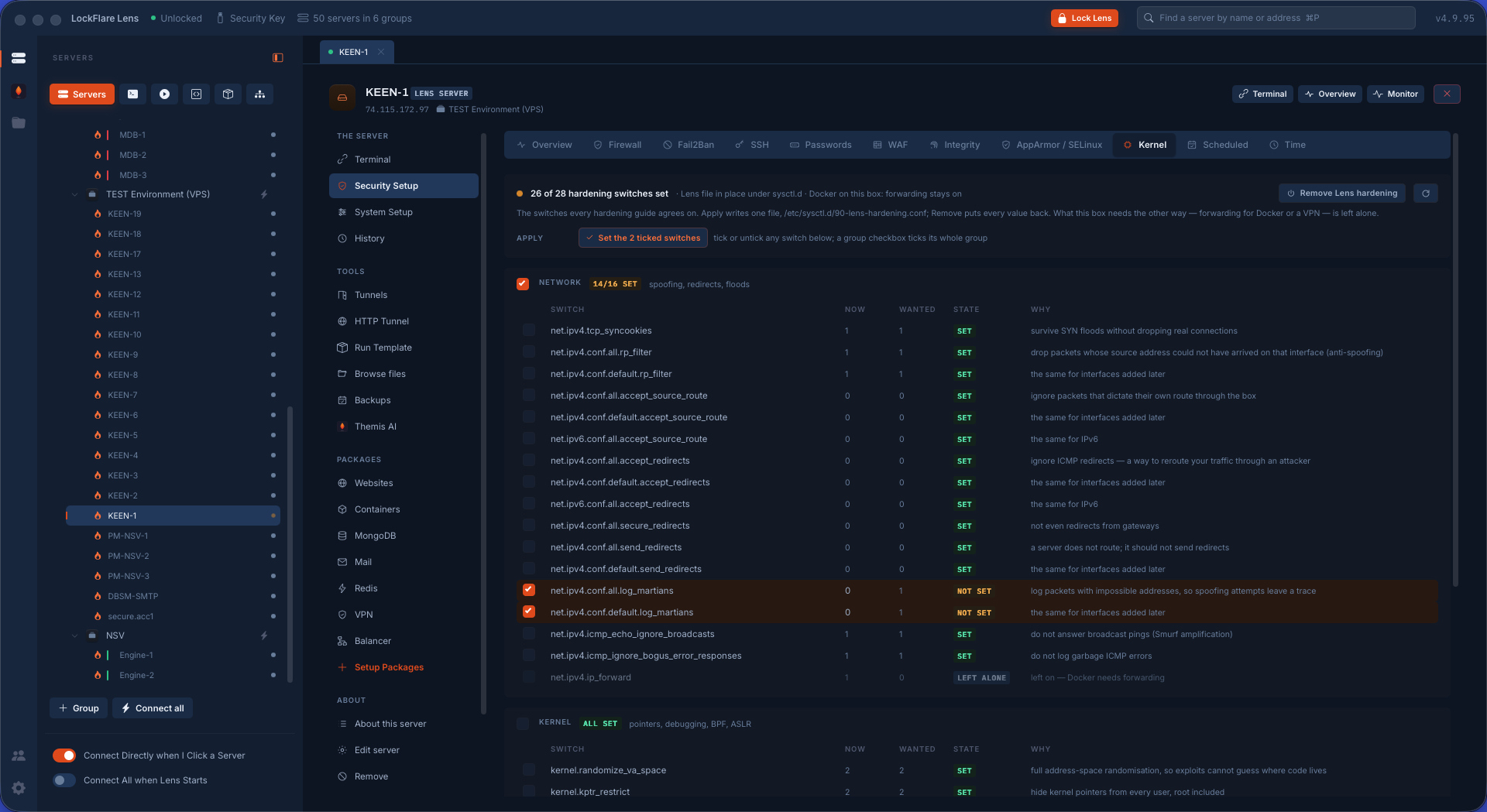
The kernel switches, and the box put back exactly as it was

The standard sysctl hardening, grouped the way it is reasoned about: Network — spoofing, redirects, floods; Kernel — pointer exposure, debugging, BPF, ASLR; Filesystem — hard and symbolic links, FIFOs, core dumps. Each switch is read as it is right now, said in words, and set through one file Lens owns, /etc/sysctl.d/90-lens-hardening.conf, live and at boot in the same action.

Every switch that can be written and is not yet right is ticked by default, so hardening a fresh box is one press. And every value Lens changes is remembered as it was, so Remove does not mean "set it to what a blog said": it puts the box back exactly as it was before Lens touched it.

Kernel hardening in LockFlare Lens: the sysctl switches grouped as network, kernel and filesystem, set live and at boot
Read as they are, set live and at boot, remembered so Remove is a real undo.

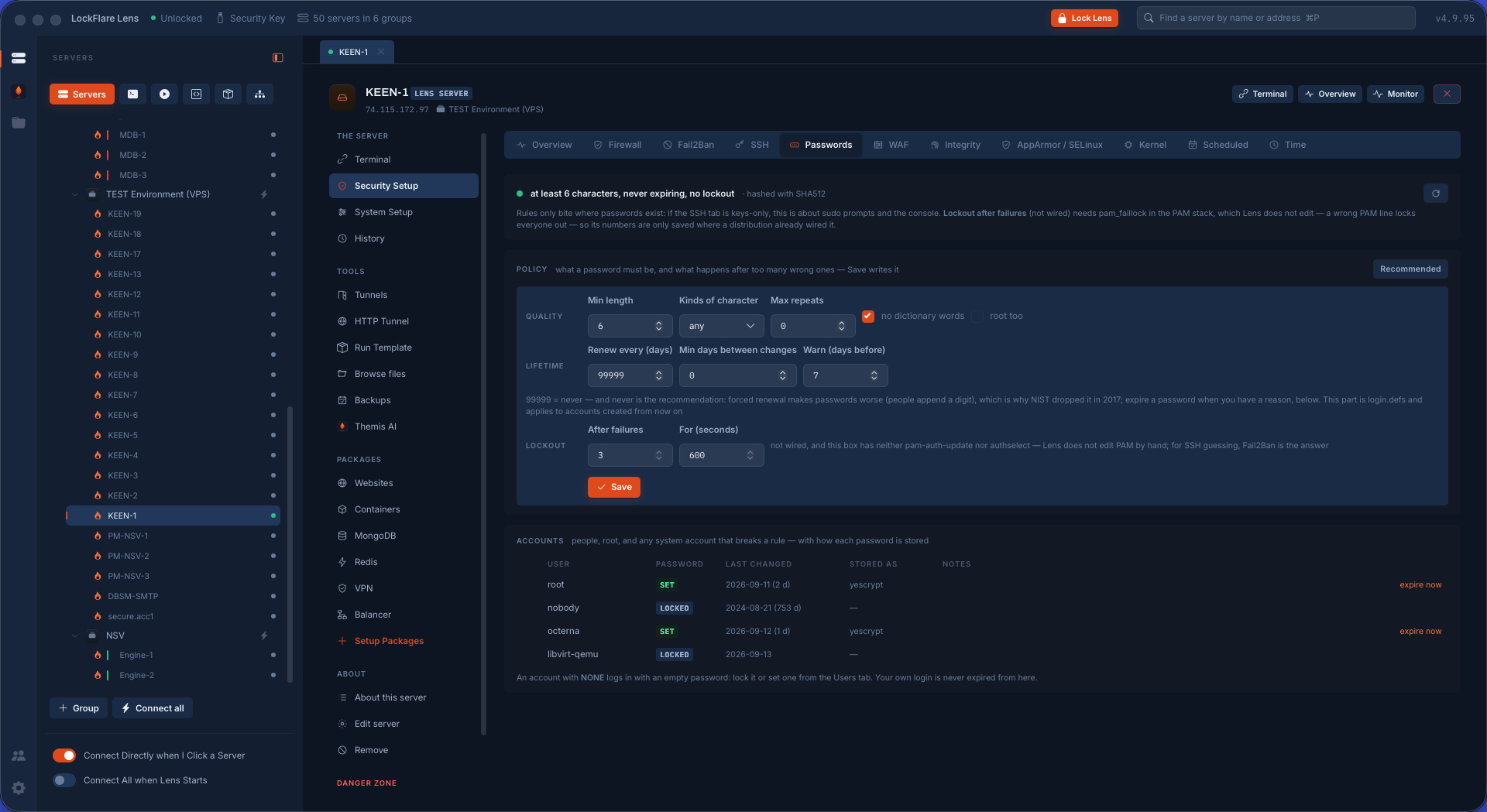
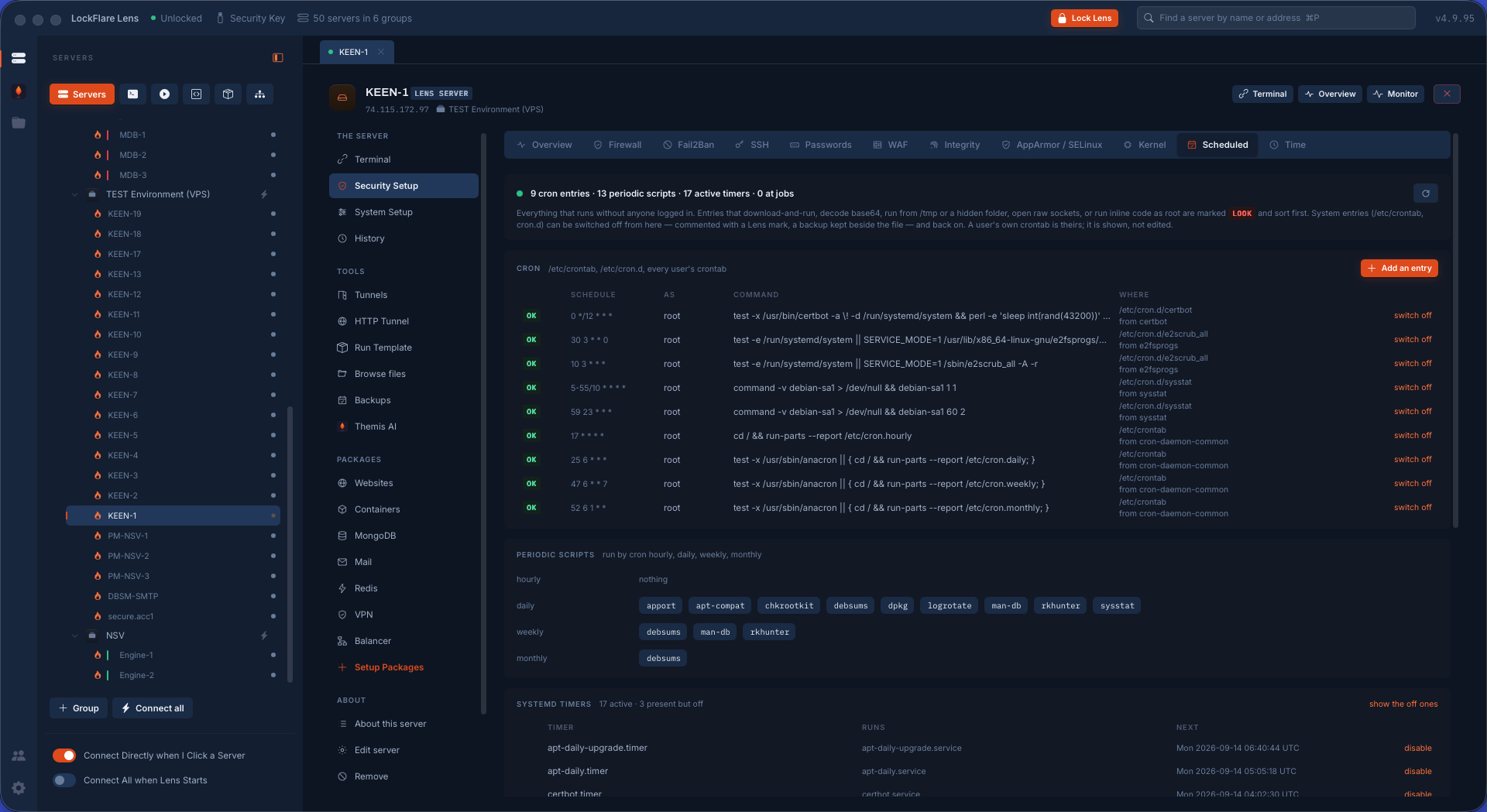
Password rules, scheduled tasks, the clock

Passwords. What a password must be, how long it lives, and what happens after too many wrong ones — through libpam-pwquality, faillock and login.defs — and, beside the policy, which accounts on this box break it right now. Installing the policy packages asks first and says what they do.

Scheduled tasks. Everything the box runs on its own: cron in all of its places, systemd timers, at jobs, with who runs each one and from where. Persistence is where an intruder lives after the first day, so the shapes it takes are called out by name; this is the list a responder asks for first. Your own entries go in /etc/cron.d/lens, the one file here Lens writes and removes lines from.

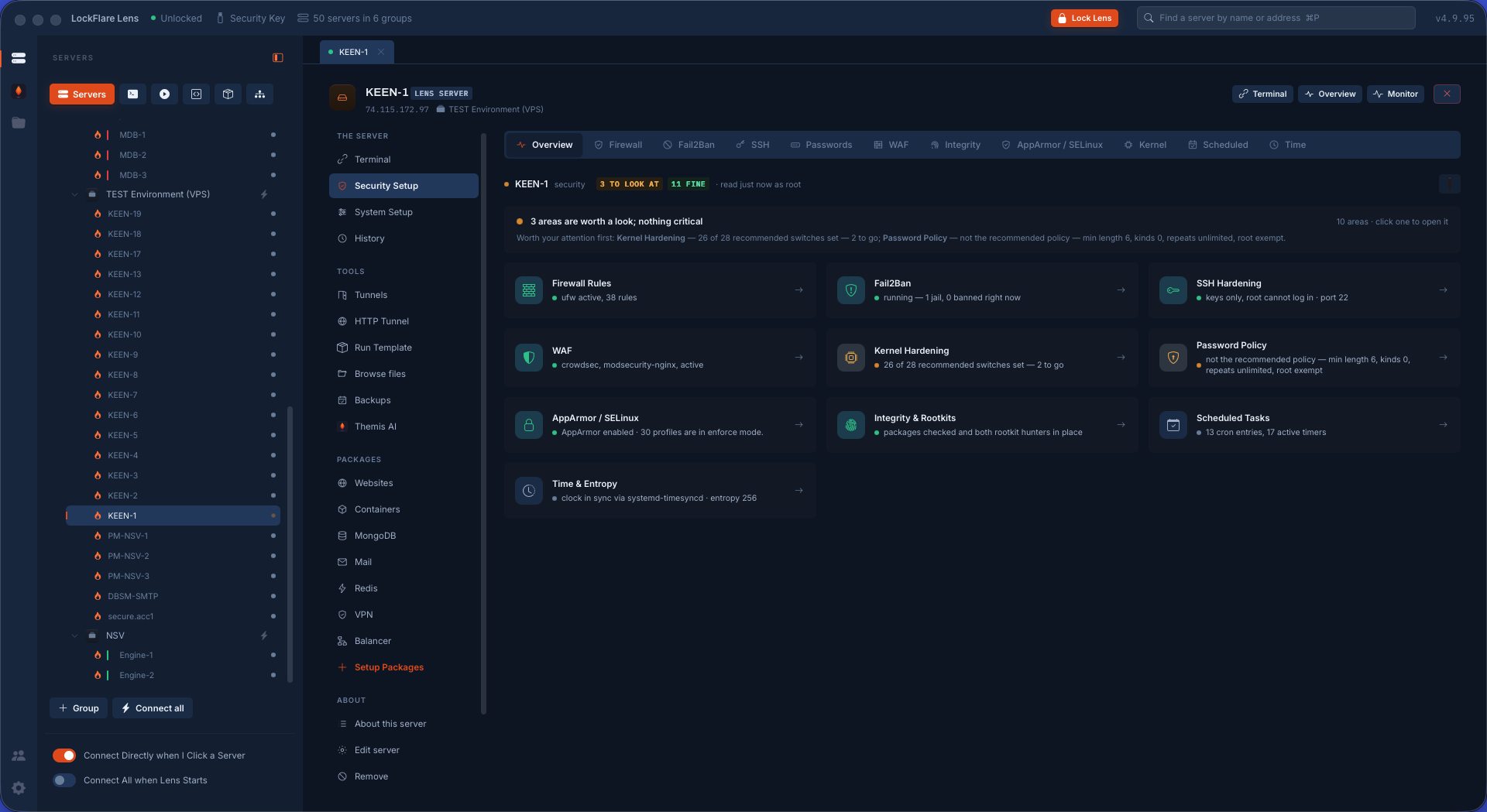
Time and entropy. Is the clock right and who keeps it so — chrony, systemd-timesyncd or ntpd, whichever the box runs — because an hour of drift breaks certificates, one-time codes and every log correlation you will ever do. And whether the box has a real source of randomness, with rng-tools where it does not.

Password rules in LockFlare Lens: what a password must be, how long it lives, lockout after failures, and which accounts break the rules
The policy, and the accounts that break it right now.
Scheduled tasks in LockFlare Lens: cron in all its places, systemd timers and at jobs, with who runs each
Everything the box runs on its own, and who runs it.
Time and entropy in LockFlare Lens: whether the clock is right, who keeps it so, and whether the box has a real source of randomness
The clock, its source, and the box's entropy.

And behind the door, the house

Security keeps the door shut. The other half of the rail runs the box day to day — and two of its screens are security work by another name.

Audit

Every sudo command from the journal with a verdict, auditd naming who touched passwd, sudoers, sshd or the certificates even when it was not Lens, and Lens's own signed ledger.

Audit

Certificates

Not the expiry date: whether the box serves what is on disk, whether anything reloads the web server after a renewal, whether the chain verifies — and a vault on your computer.

Certificates

Users, groups, updates, services, storage, network

Accounts judged rather than listed, groups read for what they grant, patching that actually stays applied, units, disks and names.

Server management

What hardening a box costs you here

Nothing installed for Lens

Every package on this page is one the industry already uses, installed from the distribution's own repository, asked for first, and removable. There is no Lens agent, no Lens daemon and no Lens port among them.

One file per tool, and it is named

Lens's firewall rules, its Fail2Ban jail, its sysctl file, its sshd drop-in, its acquisition files, its timers: each is one file with Lens's name on it, read last so it wins, leaving the package's own files and your hand edits untouched.

Undo means undo

Kernel values are remembered as they were. The sshd drop-in keeps the previous file beside it. "Undo everything Lens did" removes the tools it installed and the files it wrote, in dependency order with the firewall and Fail2Ban last, so the box is never left unfiltered mid-run.

The same hardening, on every server at once

Everything on this page runs on one box — and through Actions, or a Server Template, on a whole board of them.

Actions and templates