LockFlare

A full SSH console before you install a single LockFlare thing.

Lens has to be useful on day one with nothing on your servers. So the terminal, the tunnels, the file manager and the fleet tools work on any box you can log into, and stay exactly the same when the box becomes a Lens server.

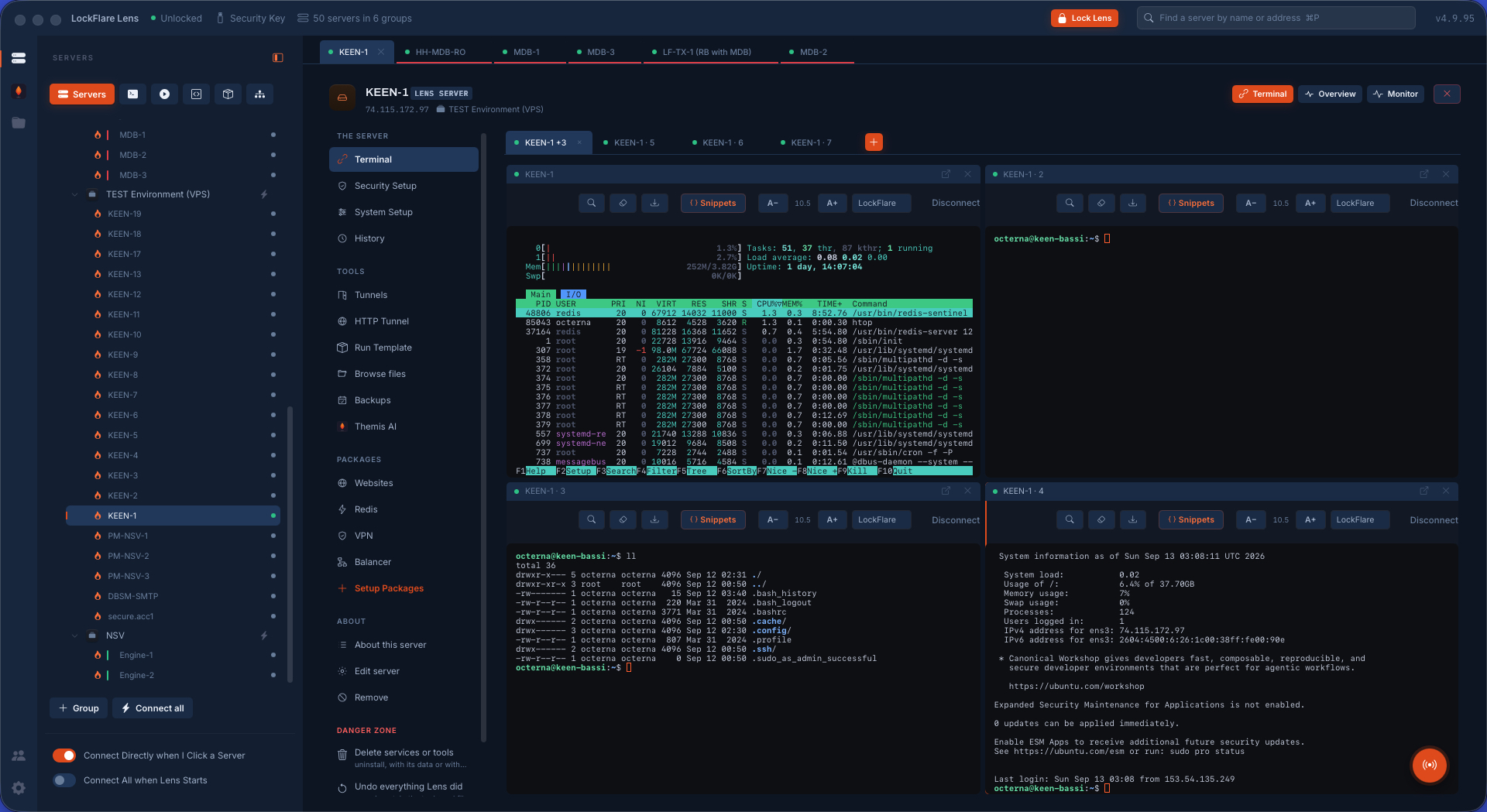
Four terminals split on one page, each with the server's colour band, the tree on the left

The map

Every group is a card and every server a row: the dot, the name and state, the address, what it runs, and what it is waiting on — pending updates, a restart. Search finds a server by name, address, note or group and opens it. A group has Connect all, Check for updates and Update all on its head.

  • Colour bands — five, and none — painted on the row, the tab, the head and the terminal's edge, so nobody types into the wrong box. Red is what people give production.
  • Bastions: a server reached through another one on the map, with the bastion's own saved login. One exposed box lets the rest close port 22 to the world.
  • Quick Connect: a session that saves nothing, in a group that exists while the shell does.
  • Import from your OpenSSH config and PuTTY sessions: eighty hosts land as consoles, in the groups the source named.
The Lens map: fifty servers in their groups, each with its state and what it is waiting on

The terminal

A real terminal in the window: your credentials, sshd decides, sshd logs. Pages of shells, up to four split on one page, and a shell on this computer beside them. Splitting or resizing a pane never reconnects the shell.

  • Logins by password, key file — your keys in ~/.ssh offered by name — or the SSH agent. Every login is saved, sealed under the key drive, because a server nothing unattended can open is a server automation cannot touch. Forget removes it by name.
  • Resume: a lid closed or a VPN that fell over does not end the pane. Lens redials up to twenty times and, on a server kept alive with tmux, lands in the same shell with the command still running.
  • Per server: keep alive in tmux, record every session as asciicast (output only, never what is typed), or a plain shell with no history hooks.
  • Host keys are never auto-accepted. Multi-line pastes wait for Return.
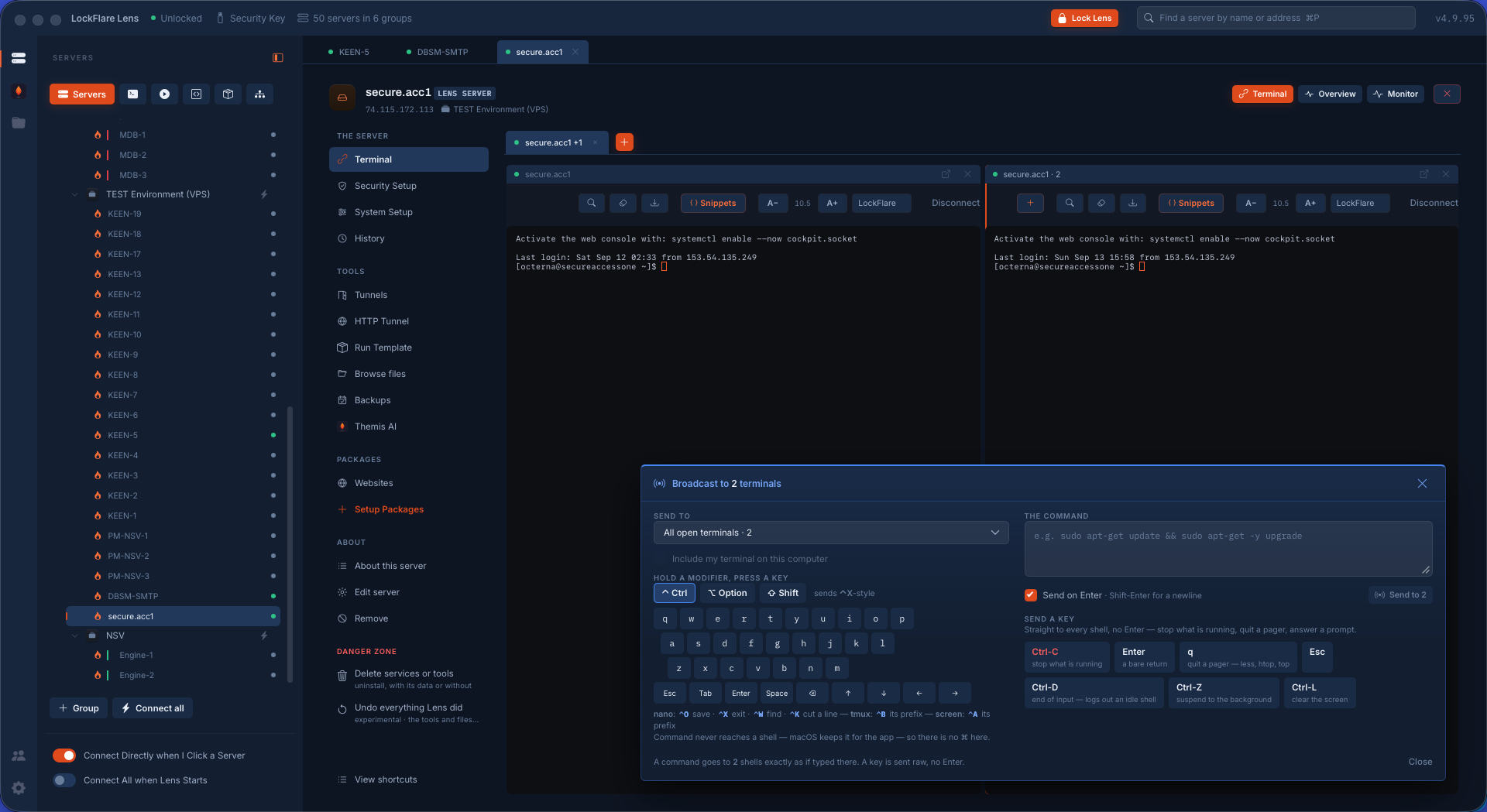
Terminals in Lens with the broadcast panel floating over them: one command typed once, sent into every open shell
Broadcast: typed once, sent into every open shell — a command, or a key like Ctrl-C, because htop on ten boxes needs quitting on ten.

History and recordings

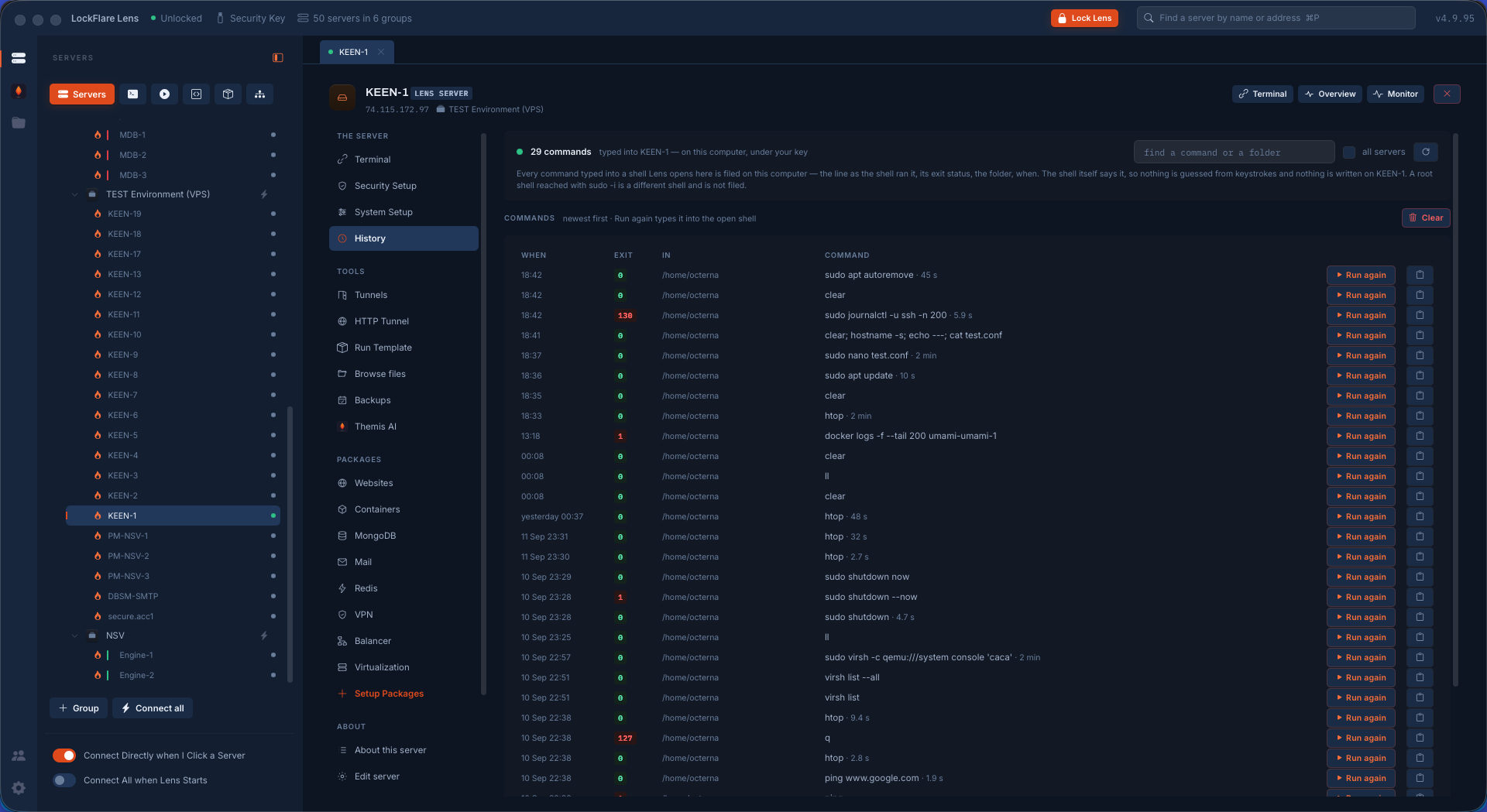
Every command typed into a Lens shell is filed on your computer per server: the whole line as the shell ran it, its exit status, the folder, when, and how long it took. Searchable across one server or all of them, with Run again to type it back into the open shell. Nothing is guessed from keystrokes — the shell itself reports it — and nothing is written on the box to make it work. A root shell reached with sudo -i is a different shell and is deliberately not filed.

Mark a server and every session to it is recorded as a timestamped asciicast — output only, so a password typed at a prompt is never in the file. Recordings play back inside Lens at 1×, 2× or 4×, with the terminal resizing exactly as it did at the time.

Command history in LockFlare Lens: every command typed into a shell for this server with its exit status, the folder, when it ran and how long it took, each with Run again
Every command with its exit status, its folder and how long it took — searchable, and one click to run it again in the open shell.

Tunnels, and browsing as the server

Local, remote and proxy forwards riding the login Lens already has, started when the shell is up or on connect. Lens lists what a tunnel could reach on the box — the database on loopback, the admin panel on 127.0.0.1, a docker port on localhost — and what people usually tunnel to, with their ports. A tunnel bound to the office Wi-Fi can announce itself by Bonjour so a coworker's Lens sees it under Shared on your network.

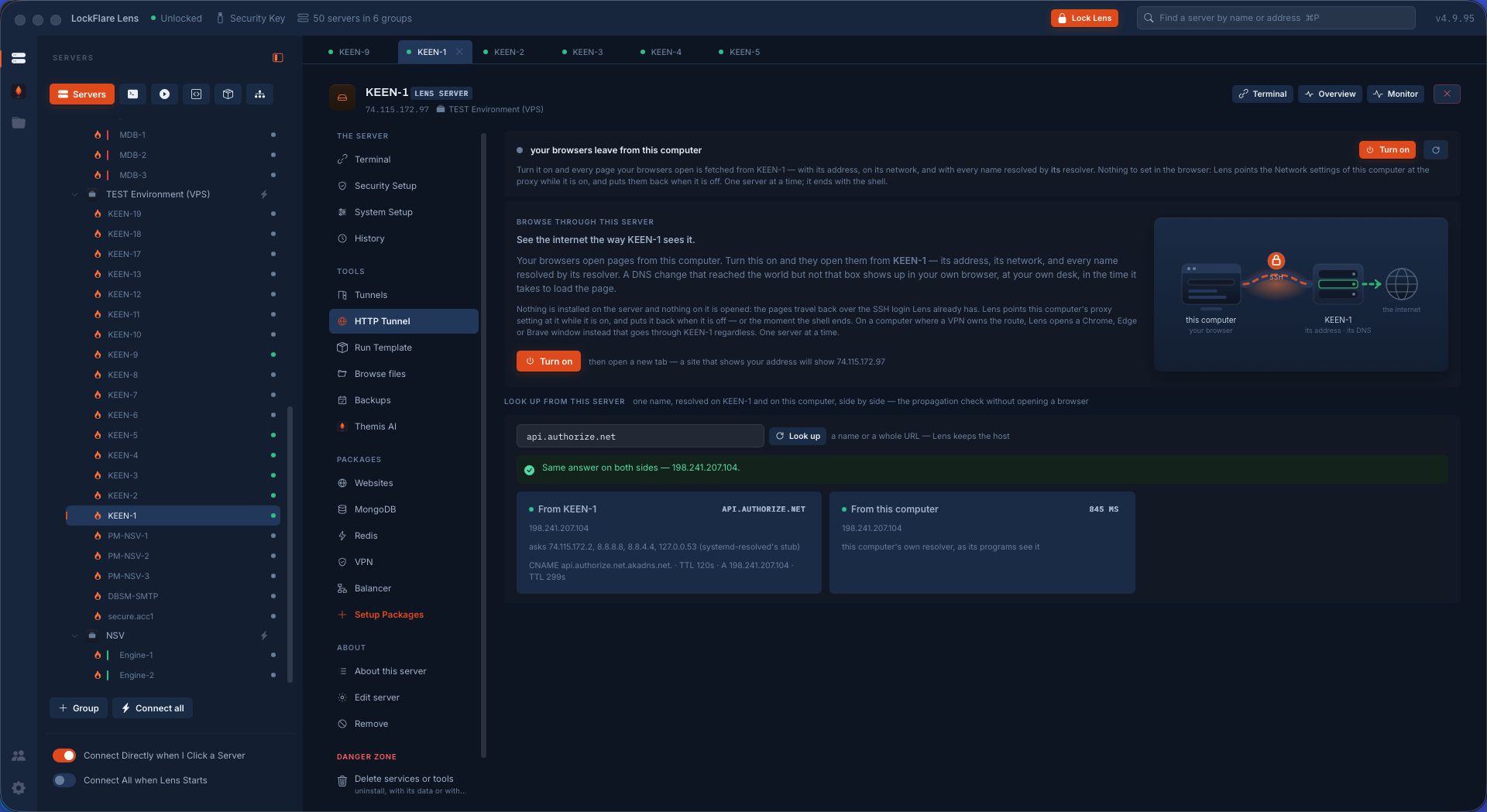
The HTTP tunnel is one switch: your browsers leave the internet from the server, its address, its network, its DNS. The one way to see a DNS change that landed everywhere but on that box. When a VPN owns your route, Lens opens a browser window through the tunnel instead.

The HTTP tunnel: browse through this server, and a name looked up on the server and on this computer side by side
The HTTP tunnel: one switch, and a name looked up on the box and on this computer, side by side — the propagation check without opening a browser.

Files

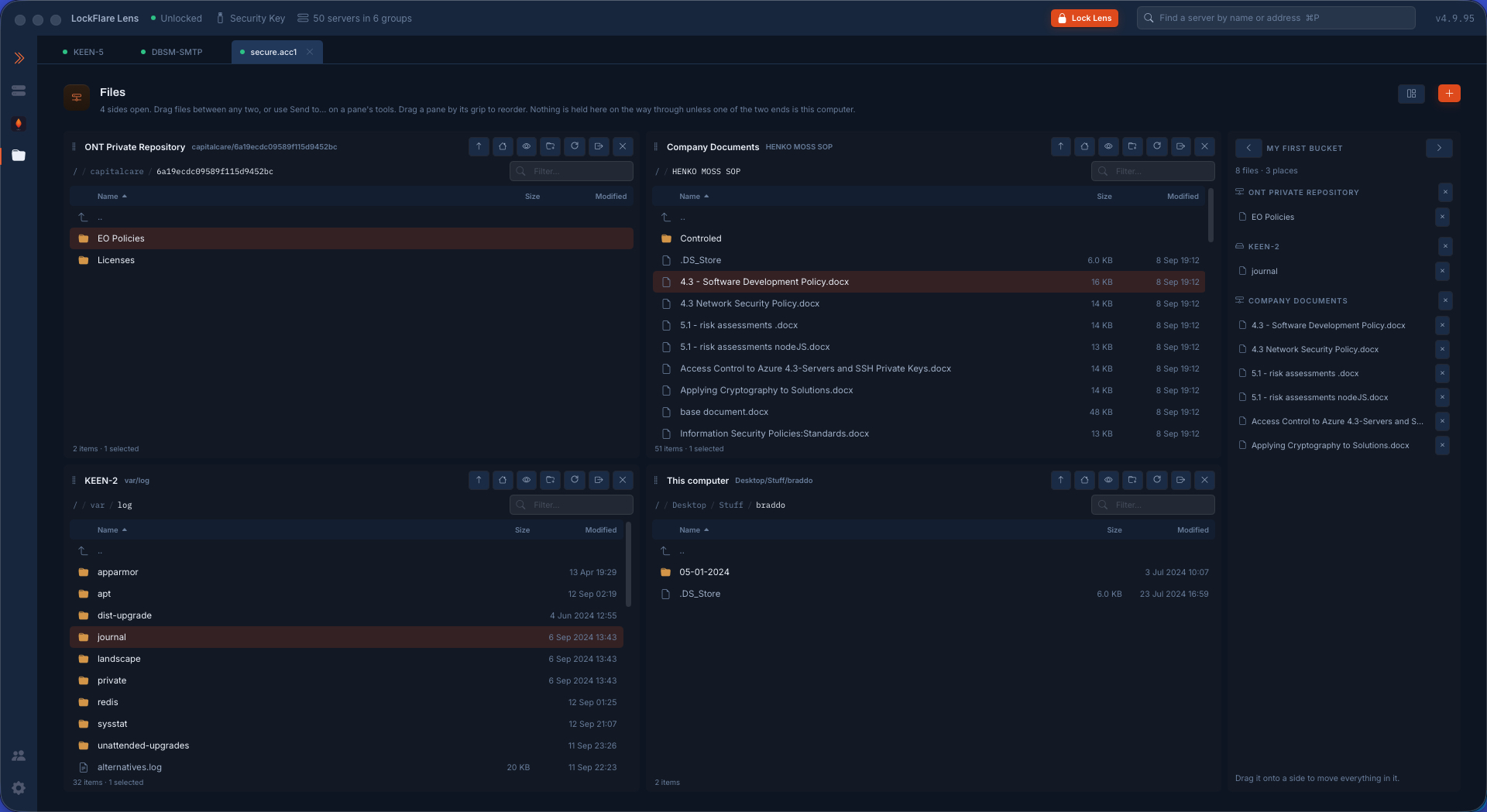
The server as one pane, over the same login, nothing installed. Upload and download through your system's own dialogs. Reads fall back to root on their own and say so; changes as root go through your saved password. Right-click a text file and it opens in a code editor beside the pane; saving writes the bytes back with the mode and owner the file had.

Permissions in the order a person asks: what can I do here, who else and what — the classic bits and the ACL as one list — and who owns it. The bucket collects references to files on any server and drops them on another; Lens relays box to box through your computer.

The Files chair in Lens: a Cloudflare R2 bucket, an Azure container, a server, this computer and the bucket, side by side as panes
Files: an R2 bucket, an Azure container, a server, this computer and the bucket, side by side. Any pane to any pane is one copy.

Broadcast: one keyboard, every shell

Everything below happened once, on six real servers, in the order you see it. A command goes to every shell exactly as if it had been typed there. A key goes raw, with no Enter after it — which is the part that makes interactive programs work.

Six shells, and two of them you cannot see

Four terminals split across one page and two more on another page — six open sessions to six machines. Broadcast reaches all of them, including the two on the page you are not looking at, which is a bigger claim than it sounds: the shells are live whether or not they are on screen, so a command lands on the ones you forgot about too. The panel says how many it is about to reach, and floats wherever you drag it.

Here they are all running htop. Six boxes, six load averages, six process lists, one keyboard.
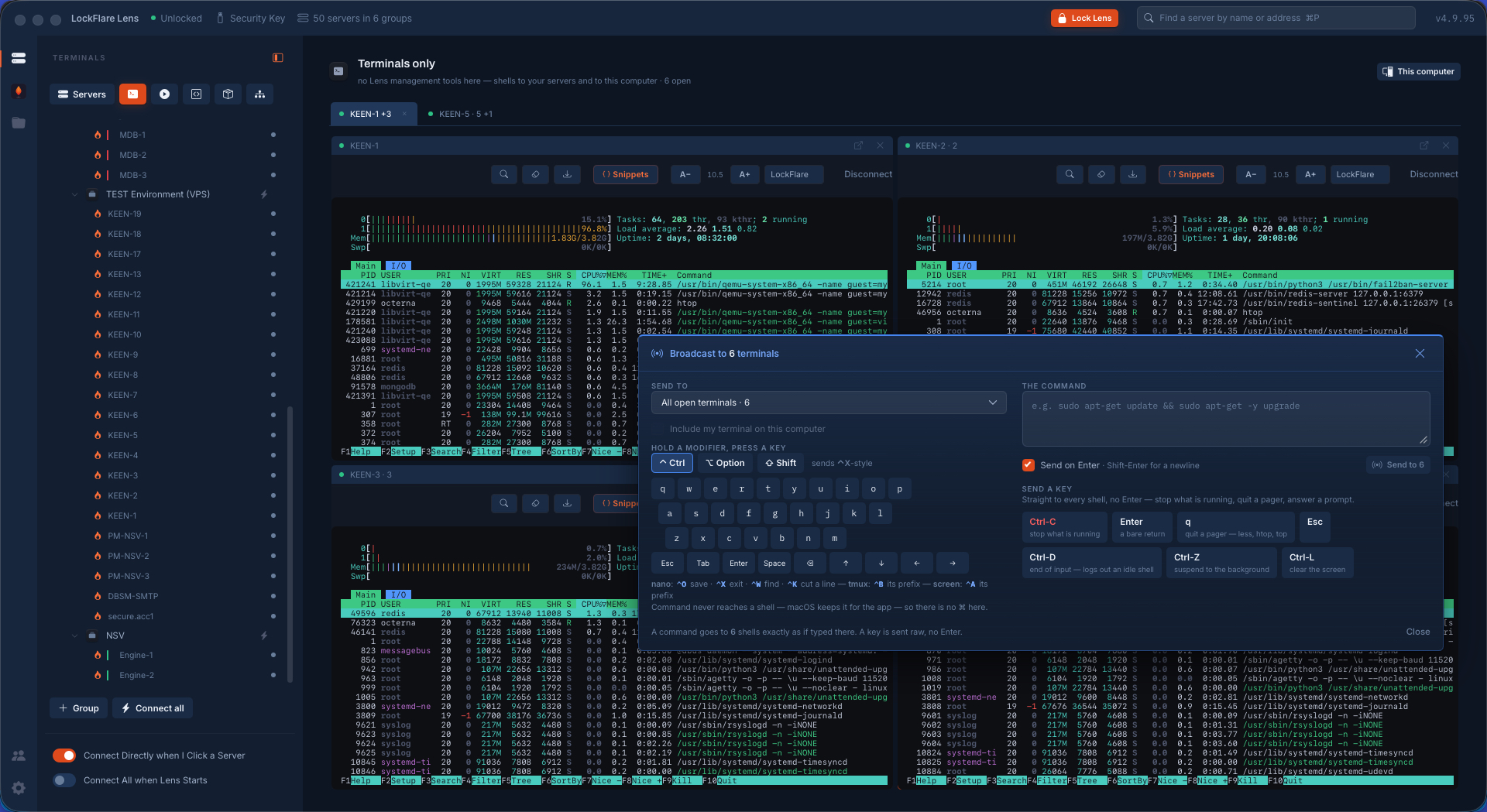
htop running in six terminals in LockFlare Lens — four split on one page and two on another — with the broadcast panel open
Six shells, four on this page and two on the next, all running htop.

A command, typed once

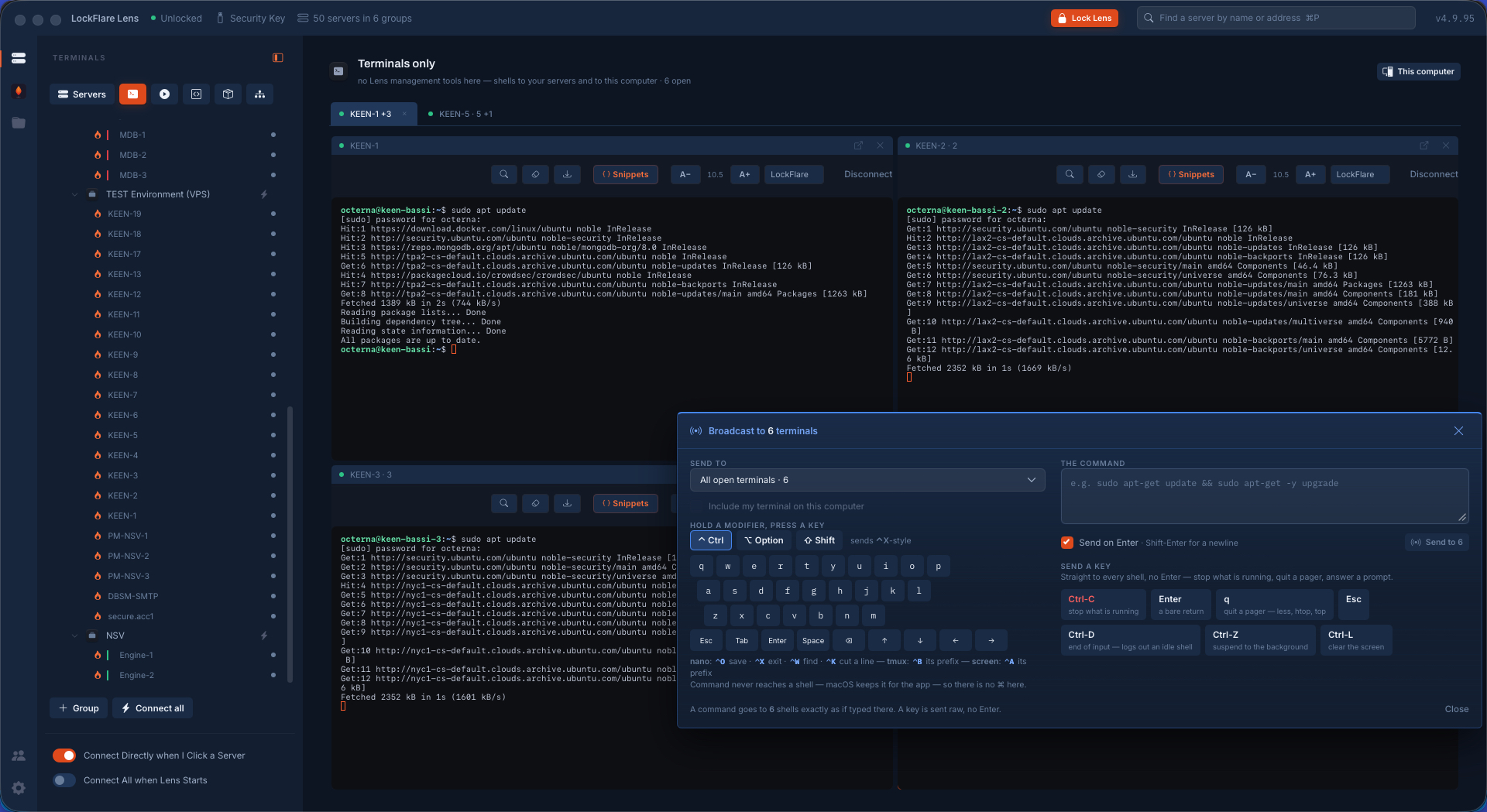
The command goes into every shell as if you had typed it there — not as a script pushed over SSH, not as a wrapper that swallows the output. Each box answers in its own pane, in its own time, with its own mirror list and its own timings. What one box says has nothing to do with what another says, and you read them side by side.

A package update running in six terminals at once in LockFlare Lens, each box answering with its own mirrors and timings
One line typed once; six boxes answering with their own mirrors, their own speeds.

Now the part a script cannot do

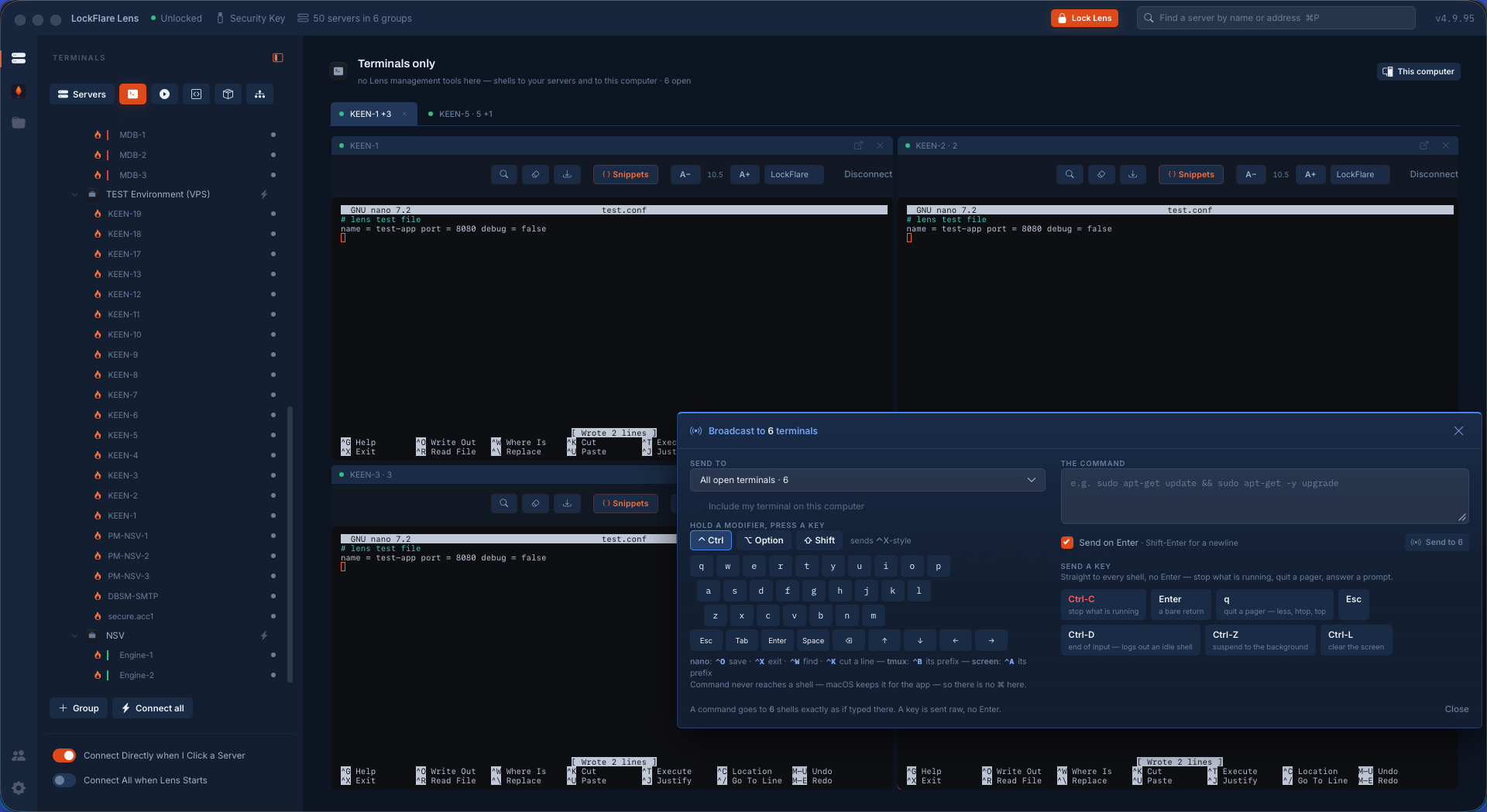
Open a full-screen editor on all six. You cannot pipe into nano and you cannot script your way through it — it is a program on a terminal, waiting for keys. So Lens sends it keys: the text into the buffer on all six, then write out, then exit, as raw keystrokes with no Enter appended, going to every shell at the same instant.

Six machines, one file, written and saved together. The panel even lists the keys the common programs expect — nano's save and exit, tmux's prefix, screen's — because the whole point is to drive the thing that is already running rather than to start something new.

nano open on six servers at once in LockFlare Lens, with the file's contents waiting in the broadcast box
nano open on all six, the file's contents waiting to be sent.
The write-out and exit keys sent to six nano sessions at once, each reporting the file written
Write out, then exit — as keys. Every pane reports the file written.

And the proof

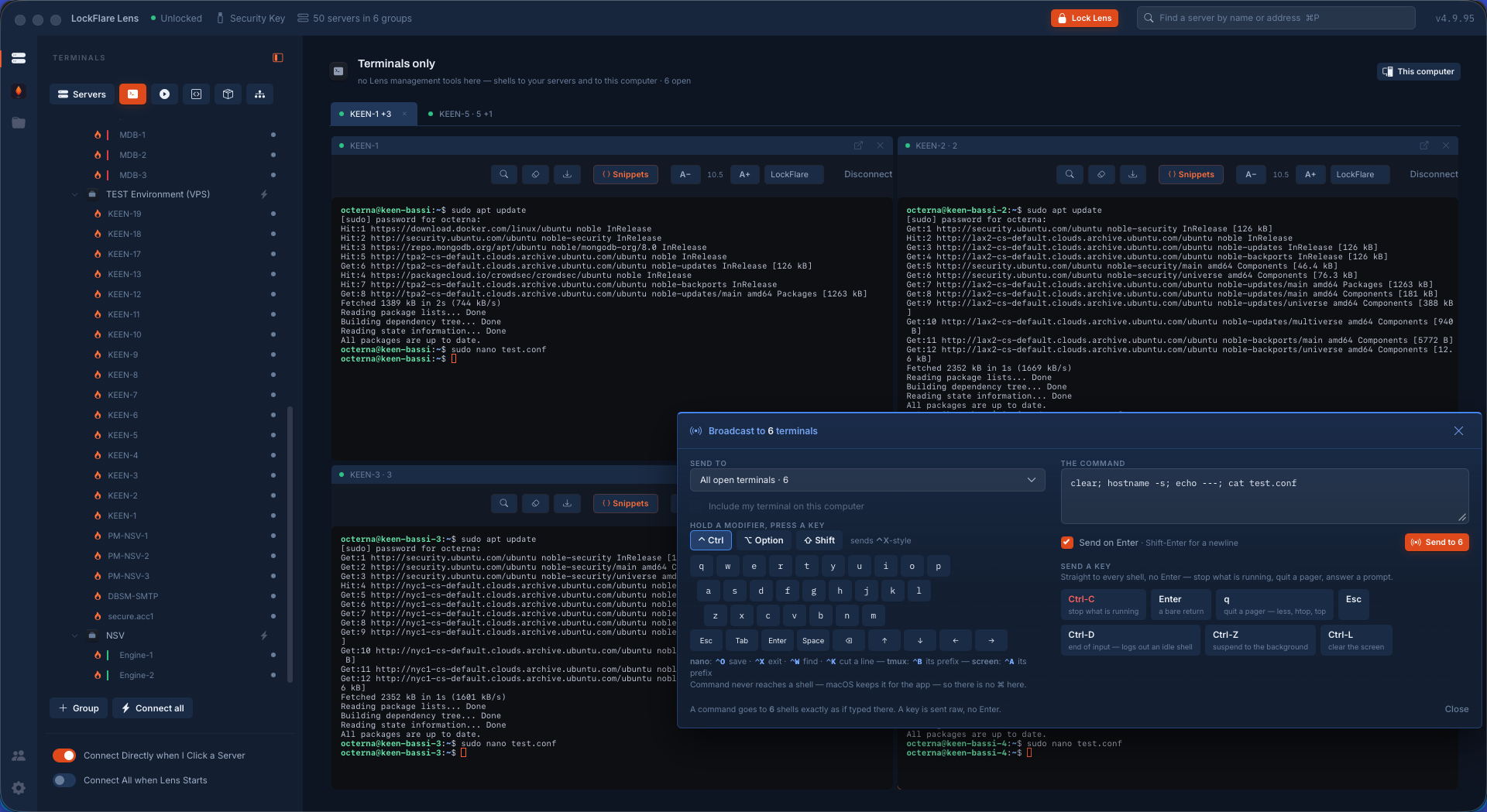
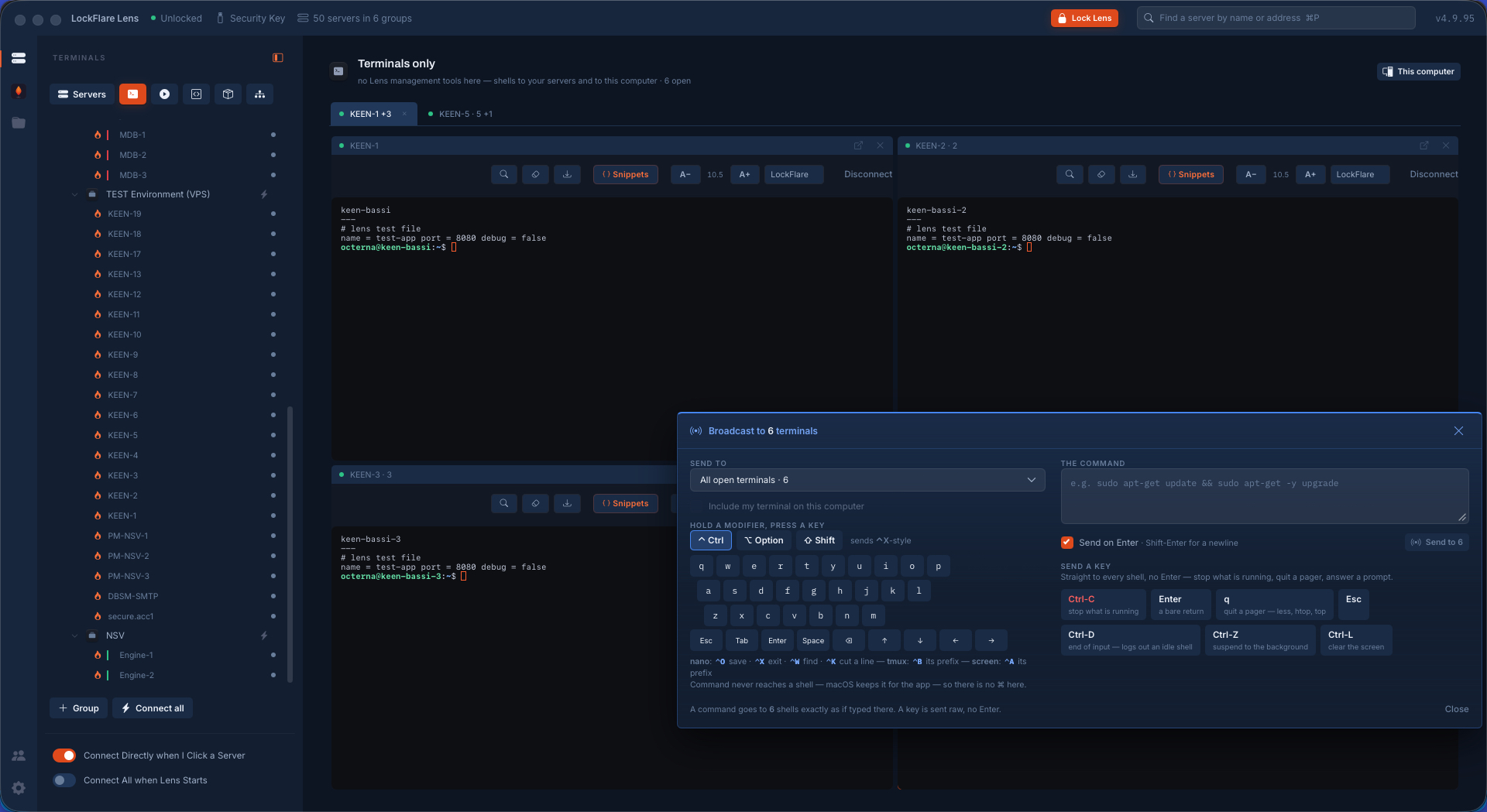
Anything above could be one server shown four times. So: clear the screen, print the hostname, print the file. Six different machine names, and under each one the file that was just written on it. That is six real servers, one keystroke apart.

A one-line command typed into the broadcast panel in LockFlare Lens to clear each screen, print the hostname and print the new file
One line: clear, hostname, then the file.
Six panes in LockFlare Lens each showing a different hostname and the same newly written configuration file
Six different hostnames. The same file under each.

Answering the same question on six machines

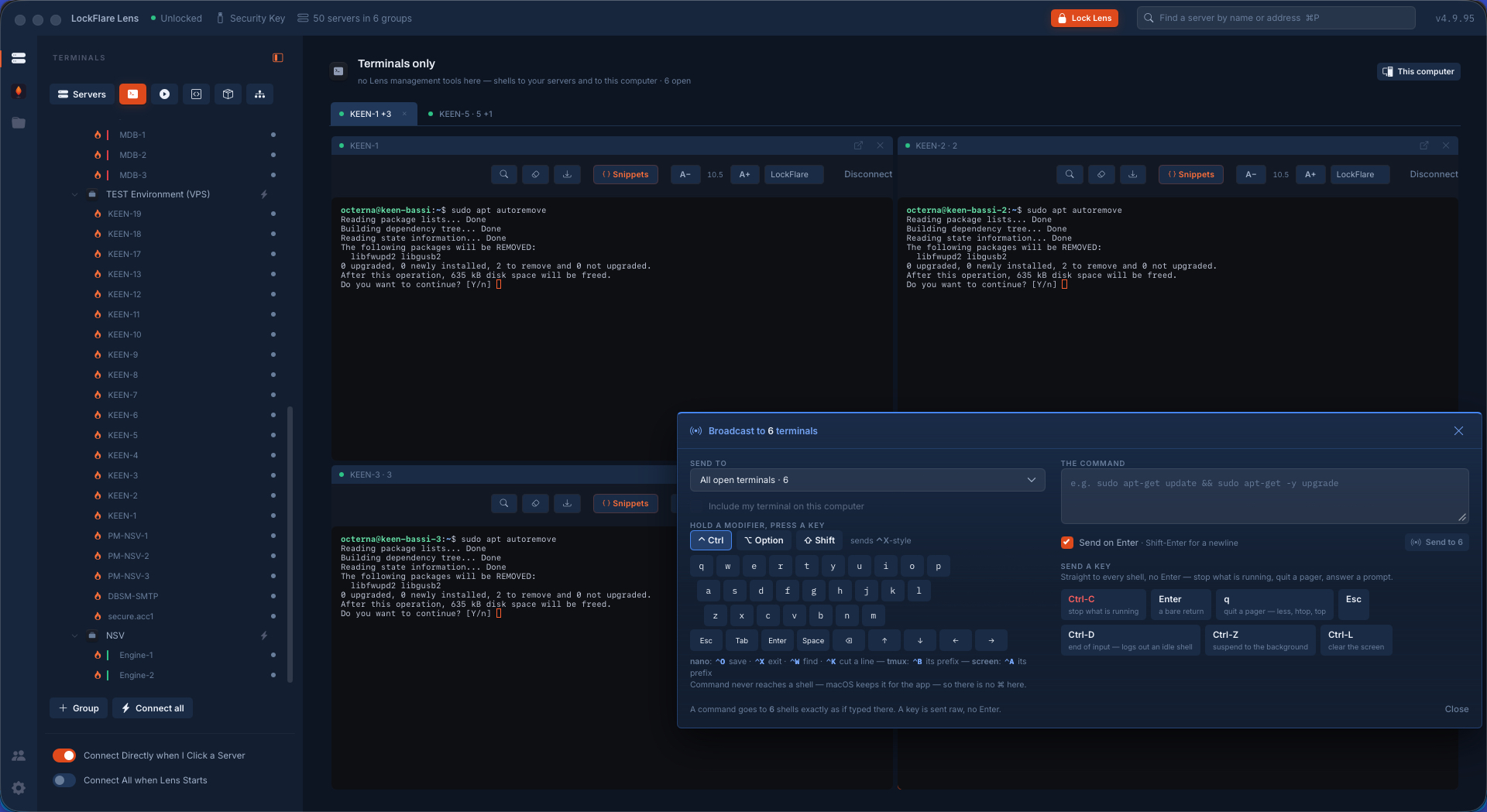
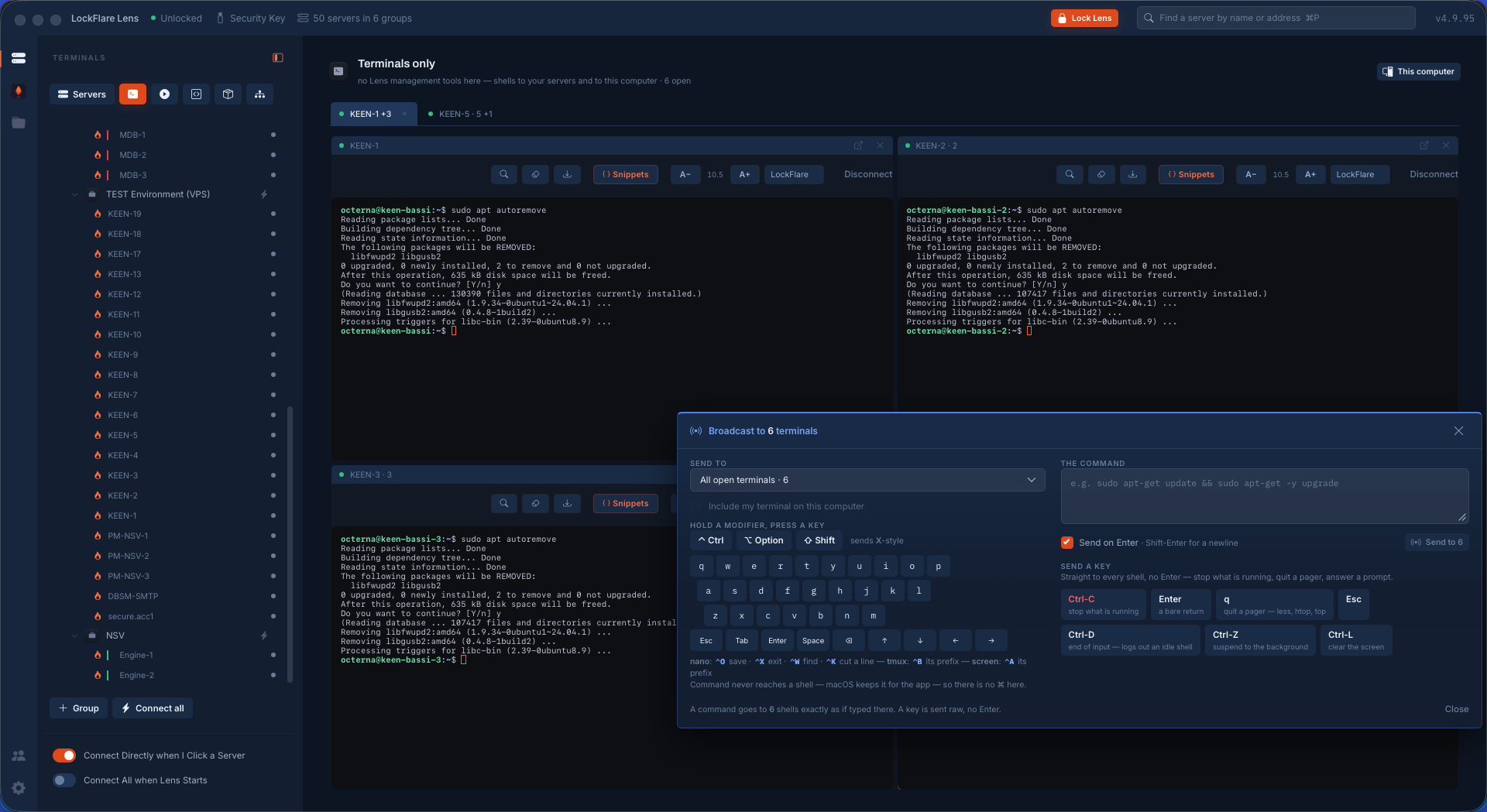
The last one is the case every operator knows. A command stops on a prompt — remove these packages, yes or no — and it stops on all six at the same time. Send y with its Enter, and all six carry on and finish together.

That is the difference between broadcast and a loop over SSH. A loop is fine until something asks a question; then it hangs, or you pass a flag that answers every future question blindly. Here the question is asked, you see it asked on every box, and you answer it once — as a person, with the prompt in front of you.

Six servers in LockFlare Lens all stopped at the same yes-or-no prompt from a package removal
Six boxes, the same question, all waiting.
One key sent to six terminals in LockFlare Lens, and all six completing the package removal
One key. All six carry on and finish.

Why this is not a loop over SSH

It writes into shells that already exist

Your sessions, with your login, your environment, your working directory, whatever you were in the middle of. Nothing new is opened and nothing is wrapped.

Keys go raw

Ctrl-C to stop what is running, q to leave a pager, Esc, Tab, the arrows, Ctrl-D, Ctrl-Z, Ctrl-L — sent as keystrokes with no Enter, which is the only way to drive a program that is already on the screen.

You choose the reach

Every open shell, one page's split, a group, or your own local shell included on purpose — and the panel says the number before you press anything.

Output stays separate

Six answers in six panes, not six answers interleaved in one stream. What one box says never has to be untangled from another.

Prompts are answered, not avoided

An interactive question is asked on every box and answered once by you, instead of pre-empted with a flag that says yes to everything forever.

Nothing is installed to make it work

No agent, no bus, no orchestration daemon. It is your SSH sessions and a keyboard.

Across the fleet

The tree is the palette. Drag a server, a group or the whole map onto a board, and the board is where work runs.

Actions

Cards go green when a shell is live, yellow while a saved login is tried, red when you will have to log in yourself. Boards are saved by name.

  • Execute: one line, every server, the answers side by side. A rail of the questions an admin asks a fleet most mornings — uptime, disk, memory, failed services, listening ports, who is on, restart needed — plus your own snippets, each filling the box so what goes out is always in front of you.
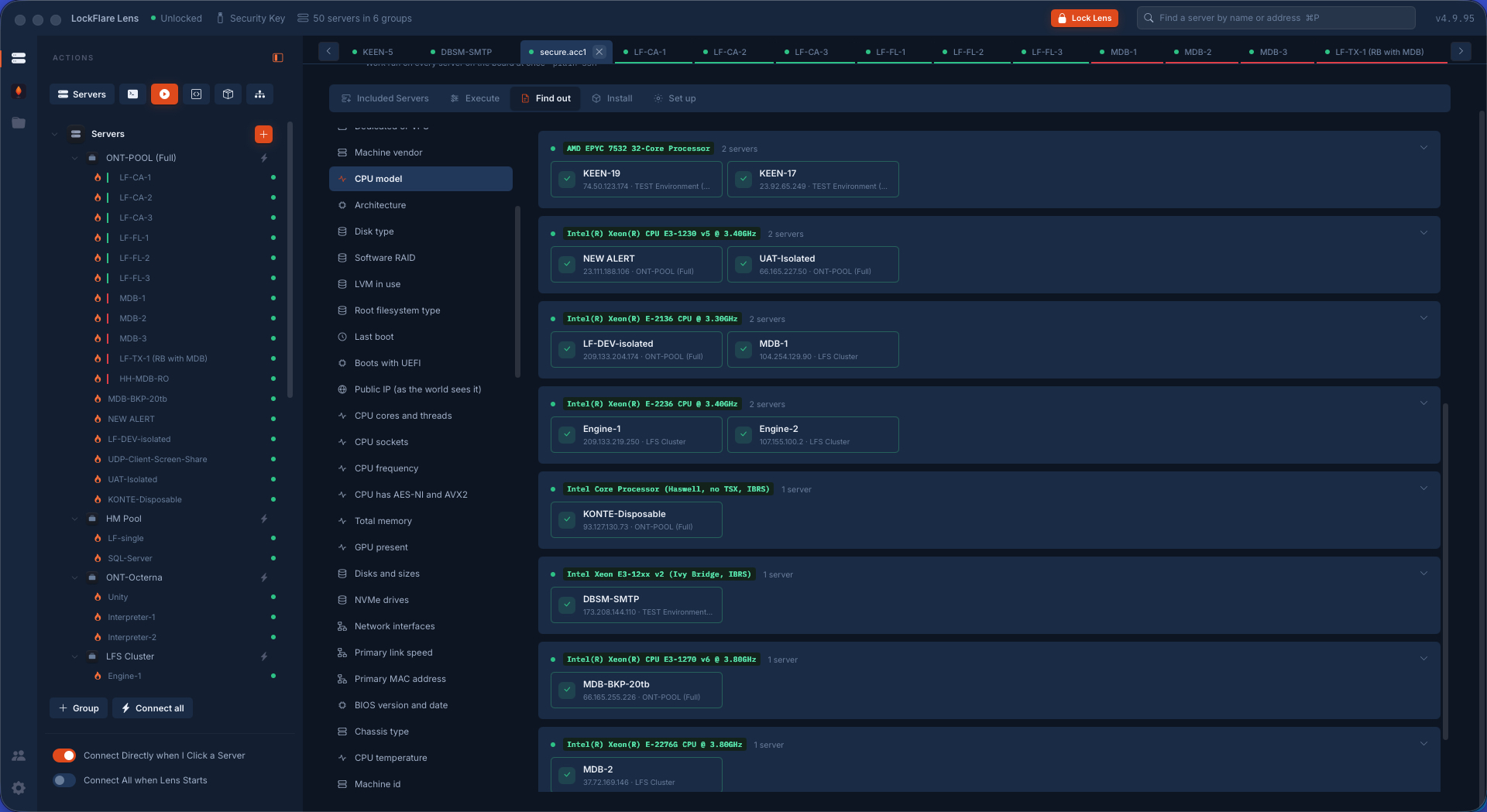
  • Find out: one of 209 curated questions, answered as one value per server through its own parser and grouped by answer, biggest group first. Six distinct CPUs is the finding, not thirty-six rows.
  • Install: Fail2Ban, ufw, firewalld, CrowdSec, ModSecurity, unattended-upgrades, auditd, AIDE, nginx, Apache, Caddy, PHP-FPM, certbot, ProFTPD, chrony and the rest, on the boxes that lack them.
  • Set up: add a user, sudo, keys, lock, delete, a group, a folder grant, open or close a port, the firewall on, Fail2Ban, sshd hardening, a service, automatic updates, timezone, NTP — the same door the server's own tab uses, on every box, a row per server saying what happened.
Actions → Find out: one question asked of a board of servers, one answer per box, grouped by answer
Find out: one question, one answer per server, grouped — the six distinct CPUs are the finding, not the thirty-six rows.

Server Templates

The hardening playbook as a flow you draw: update and upgrade, install packages, add the admin, keep my IP on SSH, harden SSH, the firewall baseline, Fail2Ban, kernel hardening, automatic updates, a custom script — and conditions that branch: is the package there, is the port answering, does the file exist.

The runner walks a real box top to bottom while you watch the flow light up, pausing to ask for values, to trust a host key, or when a step fails: retry, skip, stop. Run in fleet does the same on many boxes at once, one row per server, the questions asked once for all of them.

A server template drawn as a flow on the canvas, a run lighting up node by node

NOC

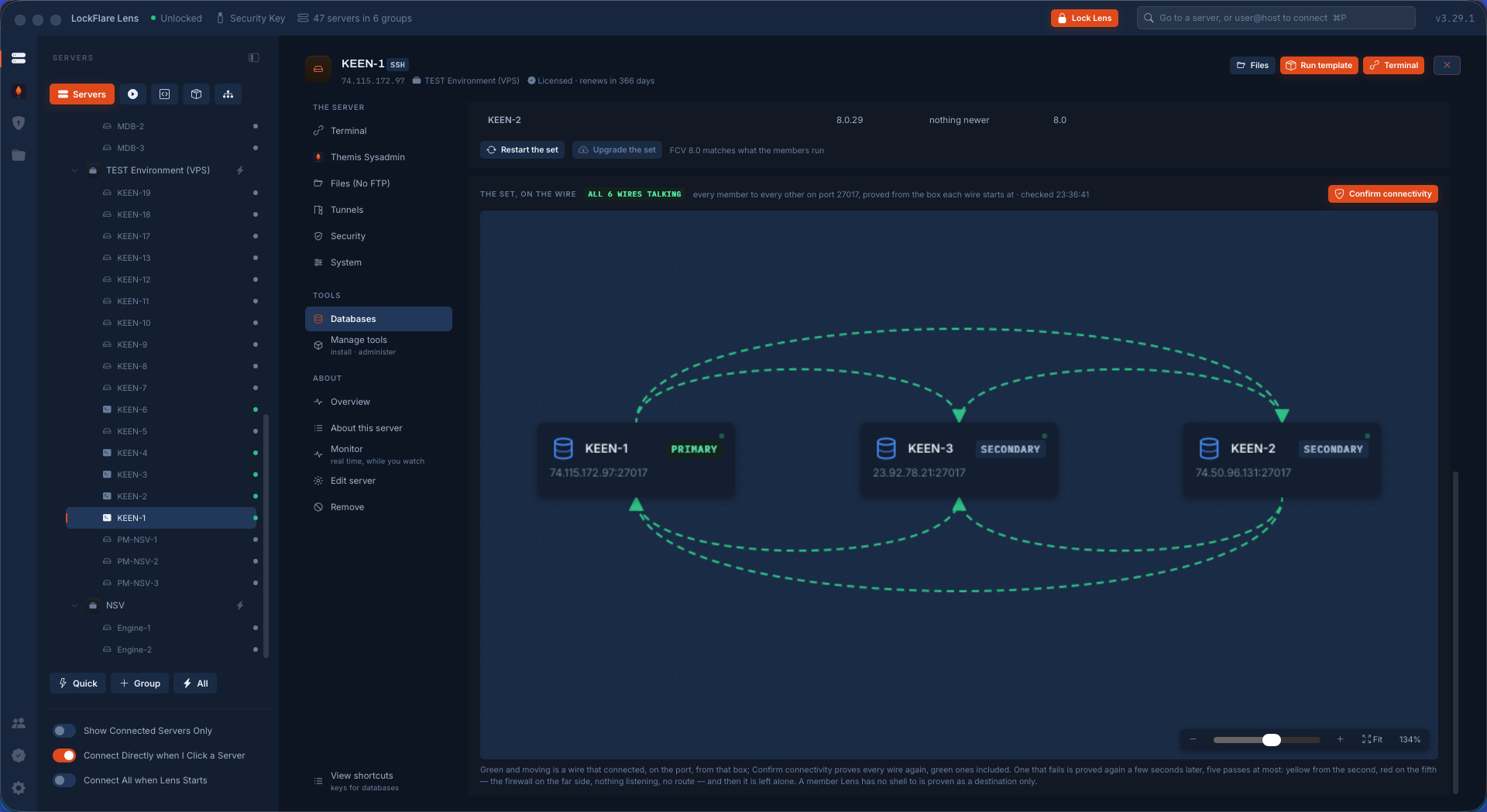
Your map drawn as boxes with the ports they talk on. A wire says MDB-1 talks to MDB-2 on 27017. That is a claim, and Check proves it from the box the traffic starts at: did the source open the connection, does something listen on the destination on an address the source dials, does the destination's firewall let the source in. Green, amber or red, with the failing fact in words. Nothing is checked from your computer, which knows nothing about whether two servers can reach each other.

A NOC diagram: servers as boxes, wires labelled with ports, every wire proved from the box the traffic starts at

Your servers, your logins, your keys

Lens holds no SSH key of its own. Import your hosts and start where you are.

Download Lens