LockFlare

MongoDB, from one server to a sharded cluster, without leaving Lens.

Every screen on this page is Lens doing the work on real servers — a test fleet of nineteen boxes across Rocky, Alma, Debian and Ubuntu. Nothing is a mockup, and the one failure you will see was put there on purpose to show what Lens does with it.

A real sharded MongoDB cluster over nineteen servers, every wire proved

A replica set in two minutes

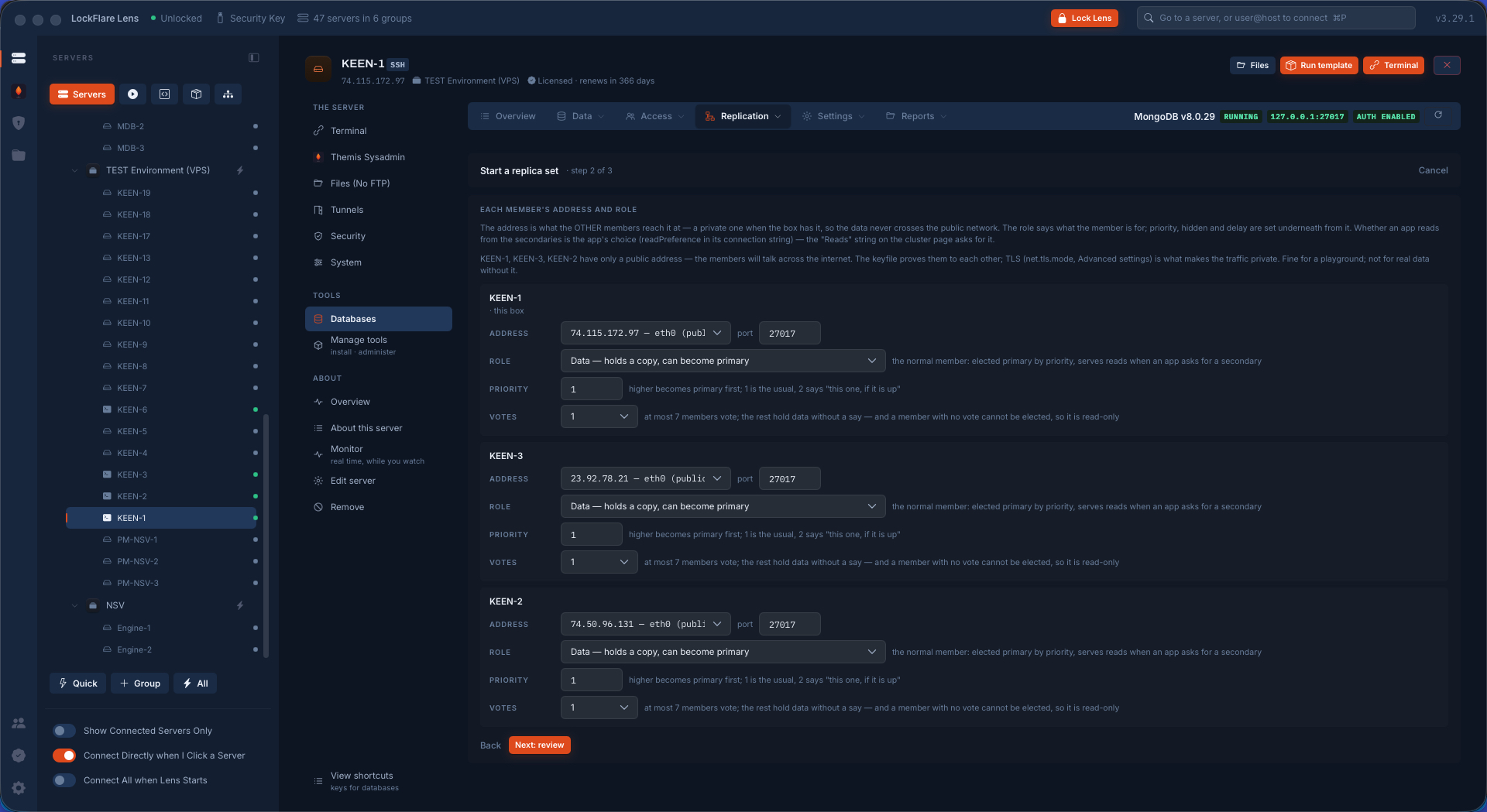
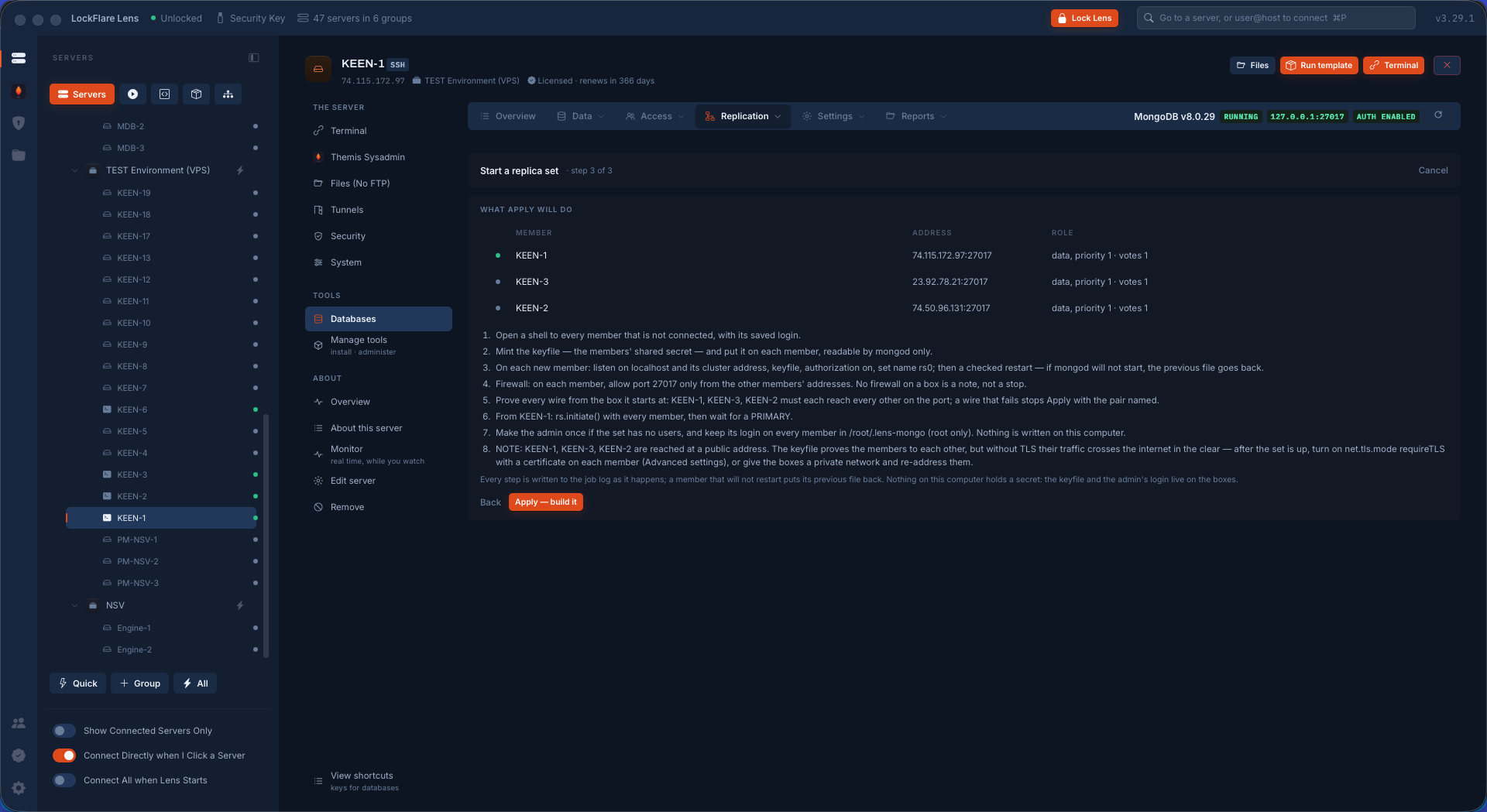
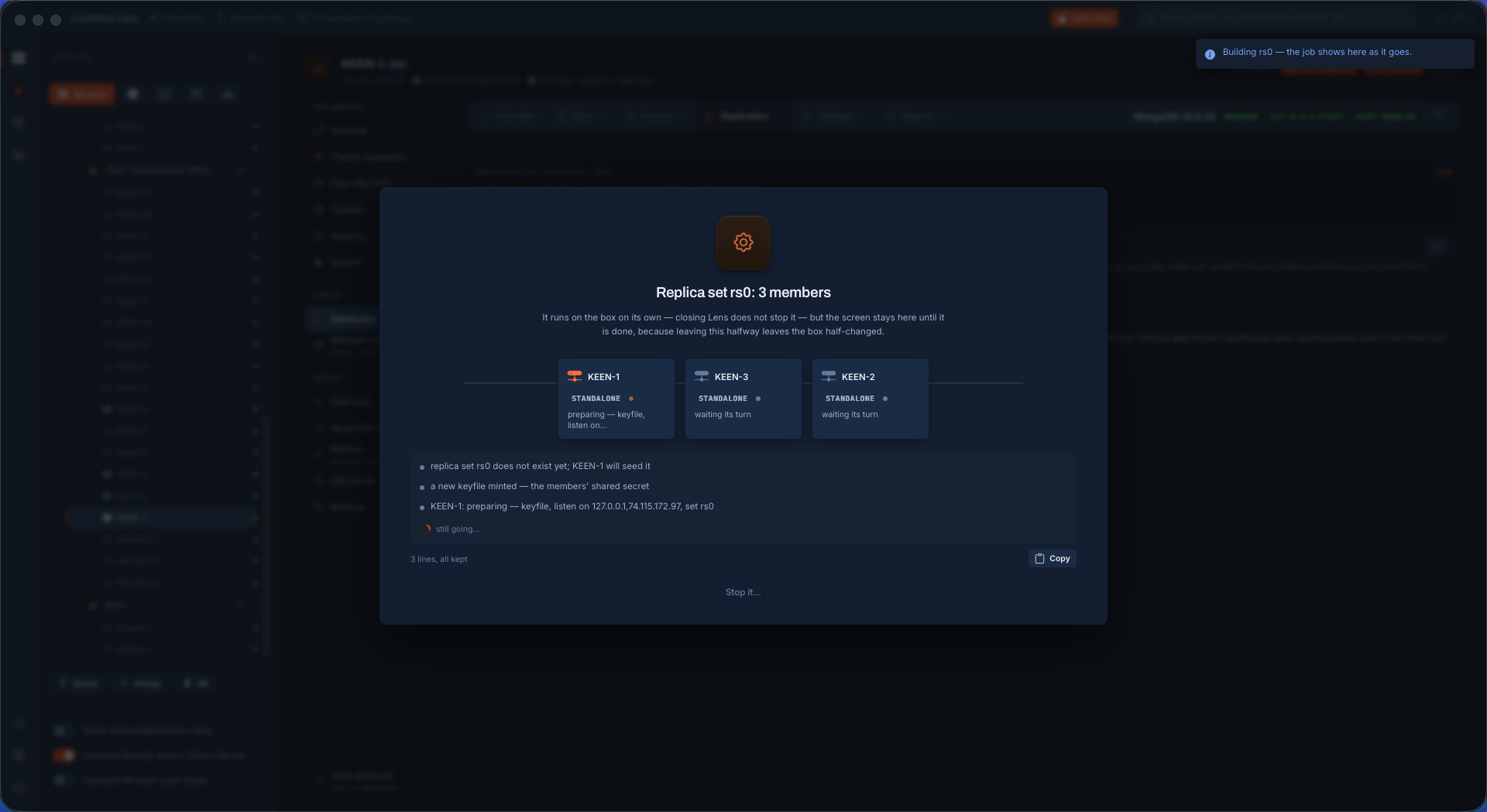
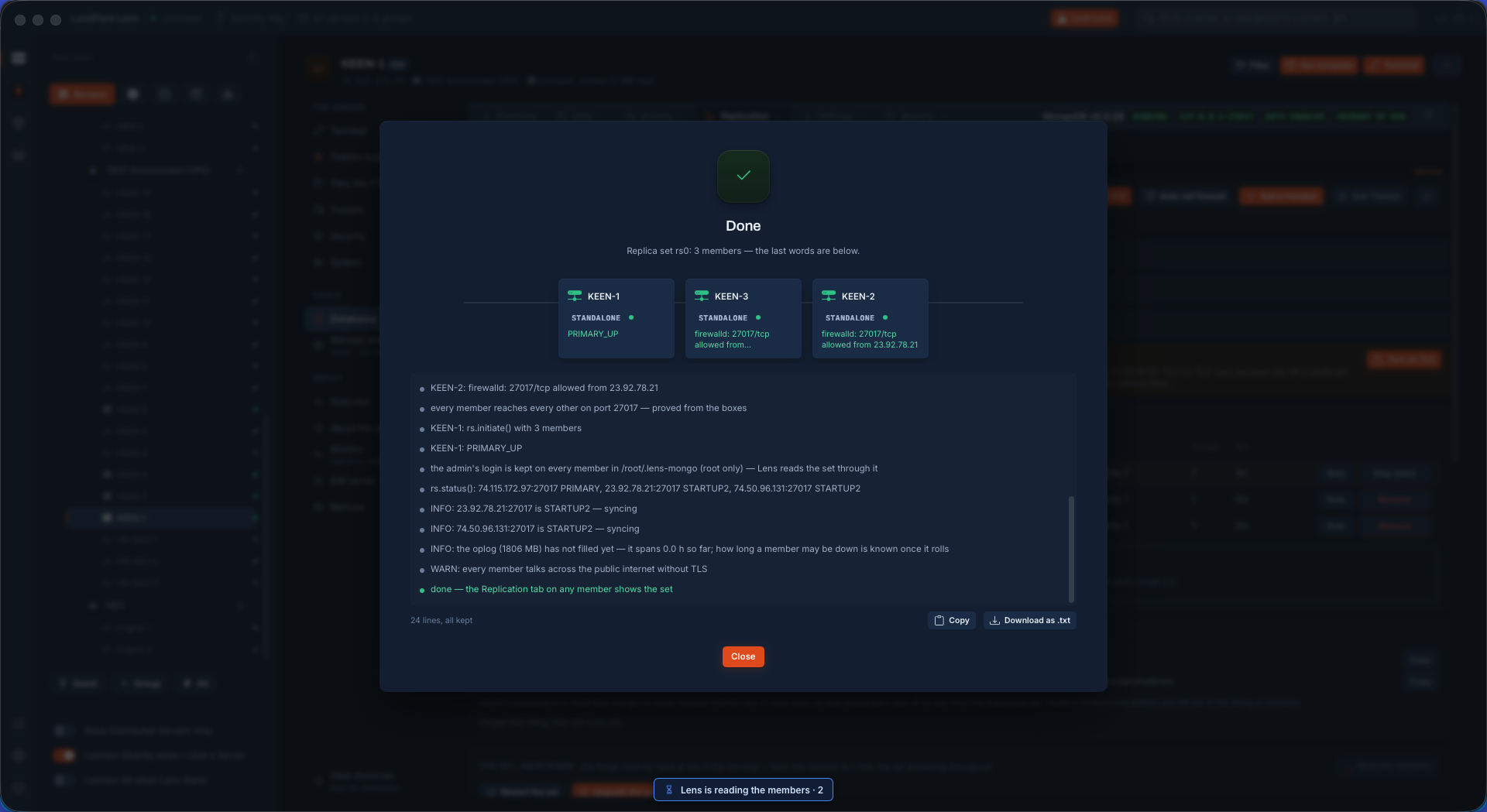
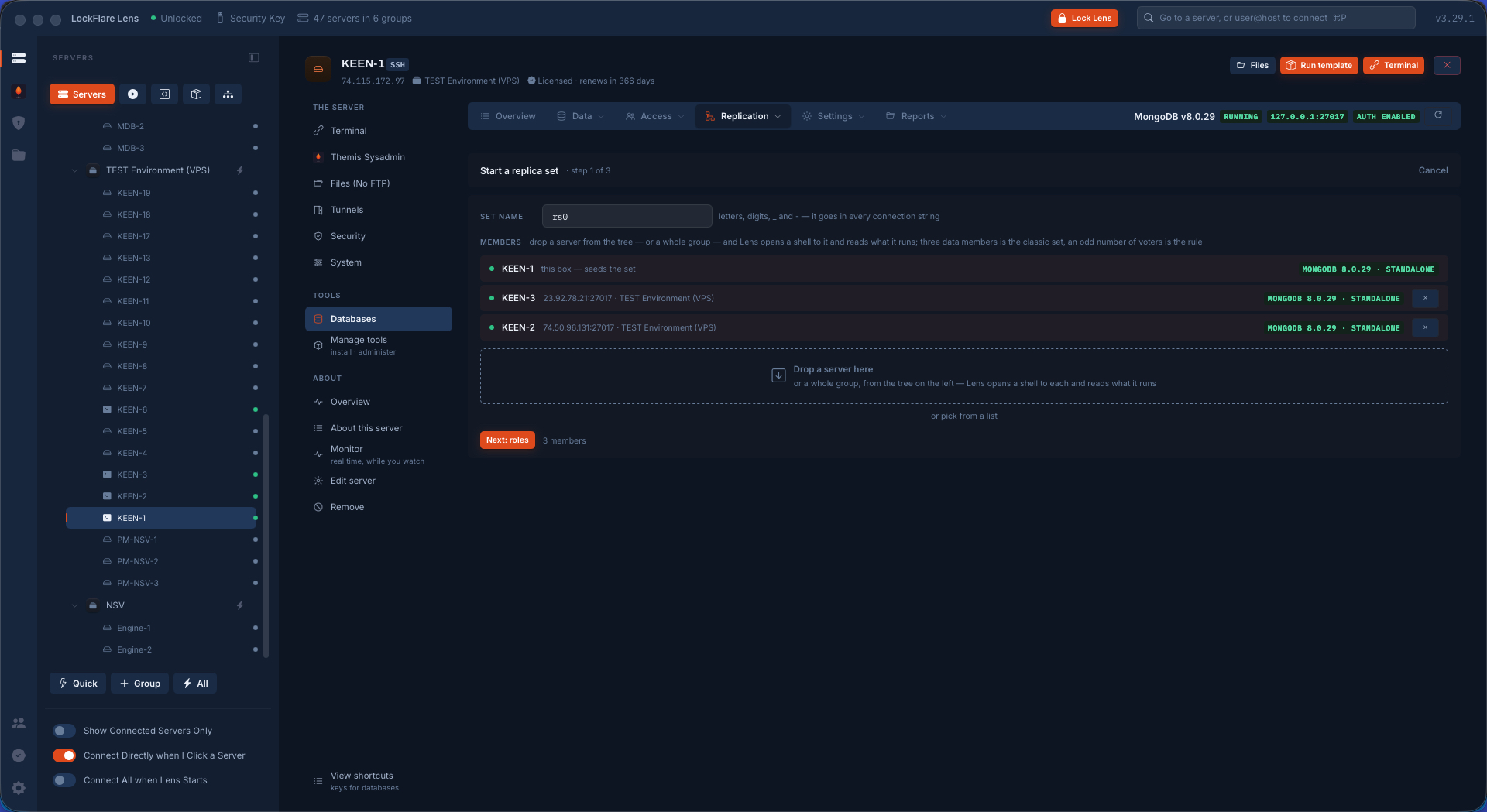
Name the set. Drag three servers from the tree onto the members table — each is read as it lands: a shell opened with its saved login, what it runs, whether MongoDB is there. Give each member its role. Review the filing and press Apply. One job on every box at once: keyfile, bind, port, checked restarts, every wire proved from the box it starts at, then the set initiated from the primary. Two minutes later it is live and syncing a gigabyte.
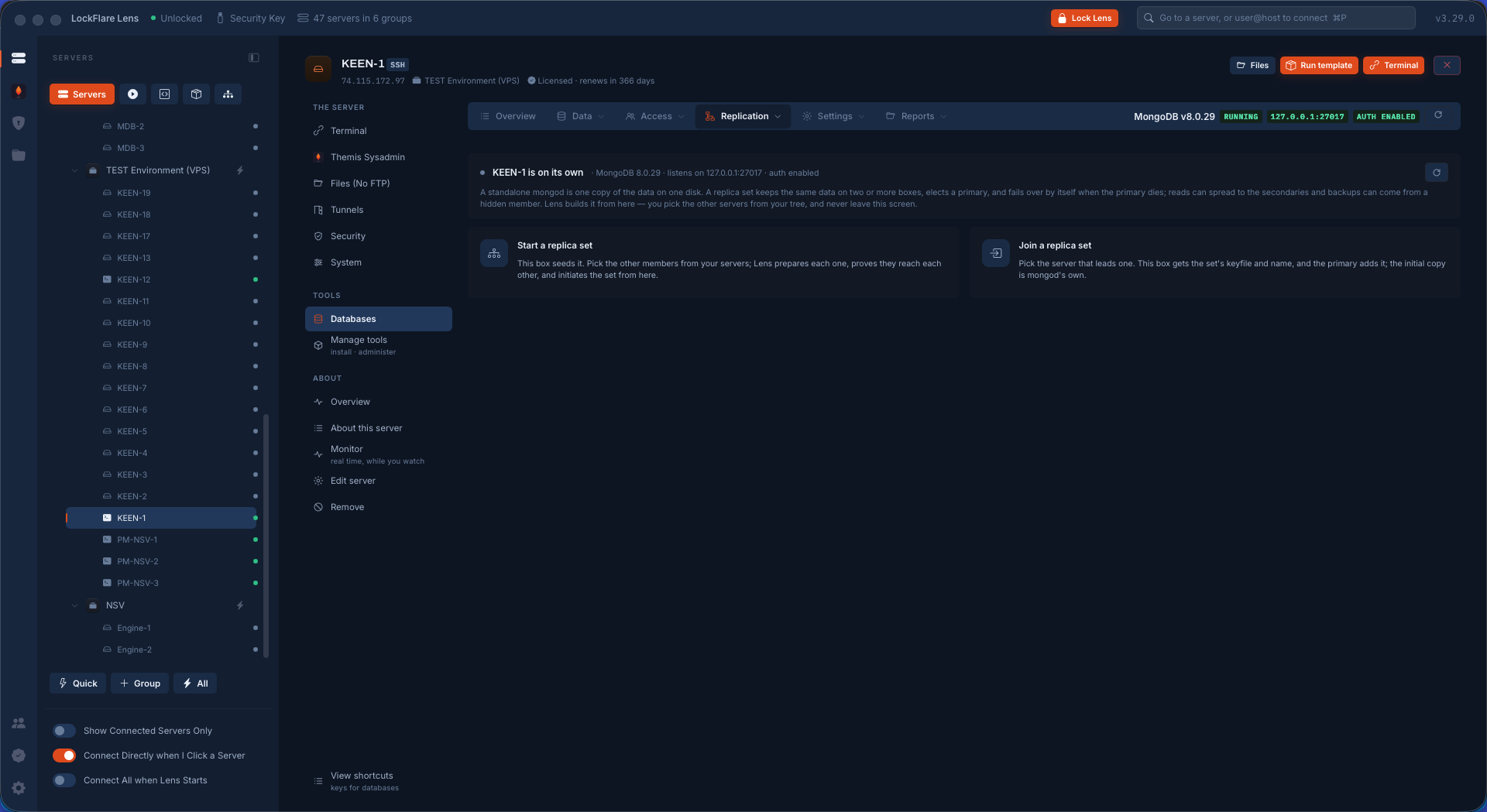
Creating the set: its name and the first member
Name it.
Three servers dropped from the tree, each read as it lands
Drop three servers from the tree.
A role picked for each member
A role per member.
The filing reviewed before Apply
Review, then Apply.
The job card while Lens builds the set on every box at once
One job, every box at once, each step in its own words.
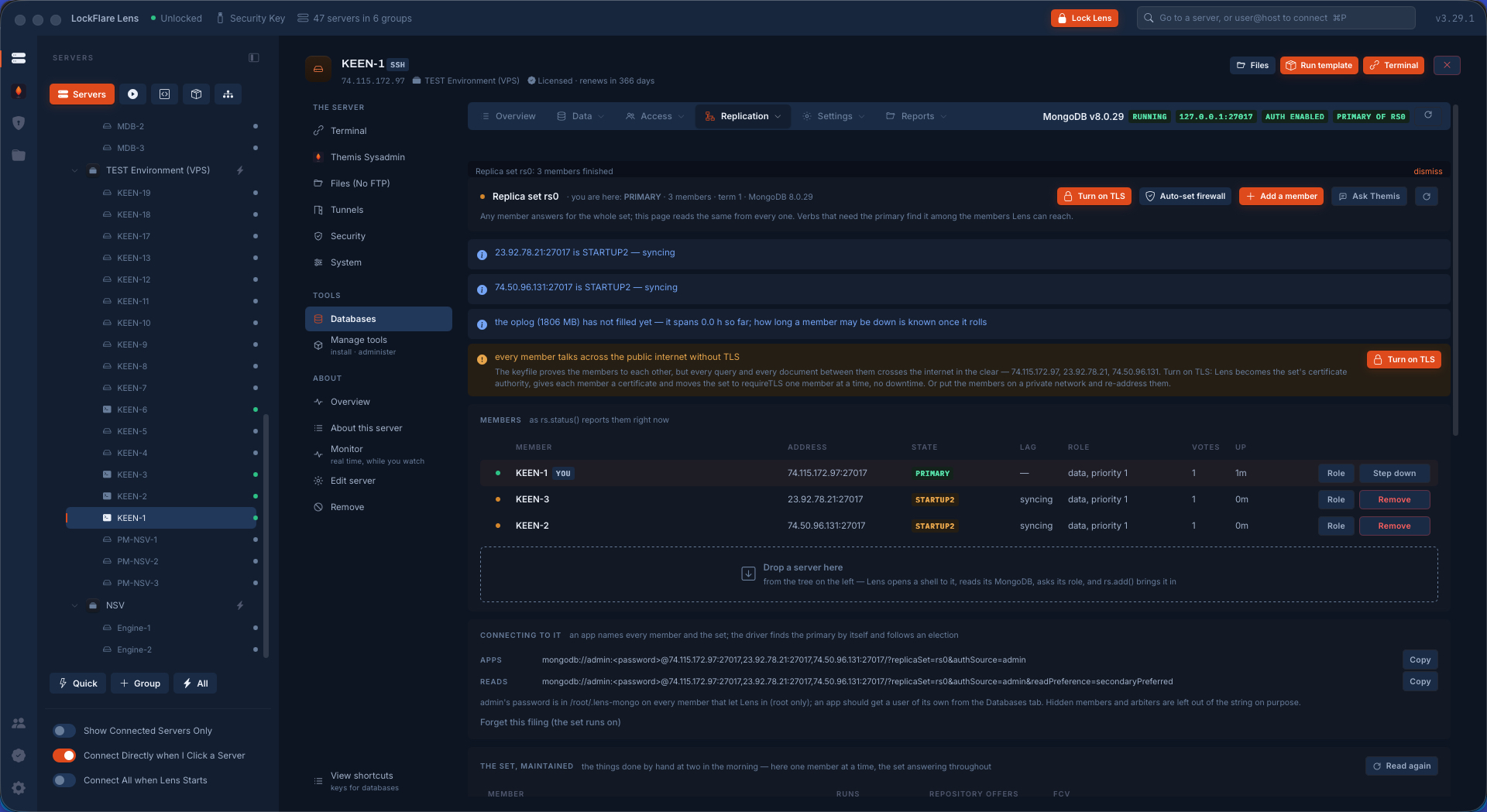
The set finished and running, two minutes after Apply
Finished and running, two minutes later.
The new members syncing a one-gigabyte database from the primary
Syncing a 1 GB database to the new members.

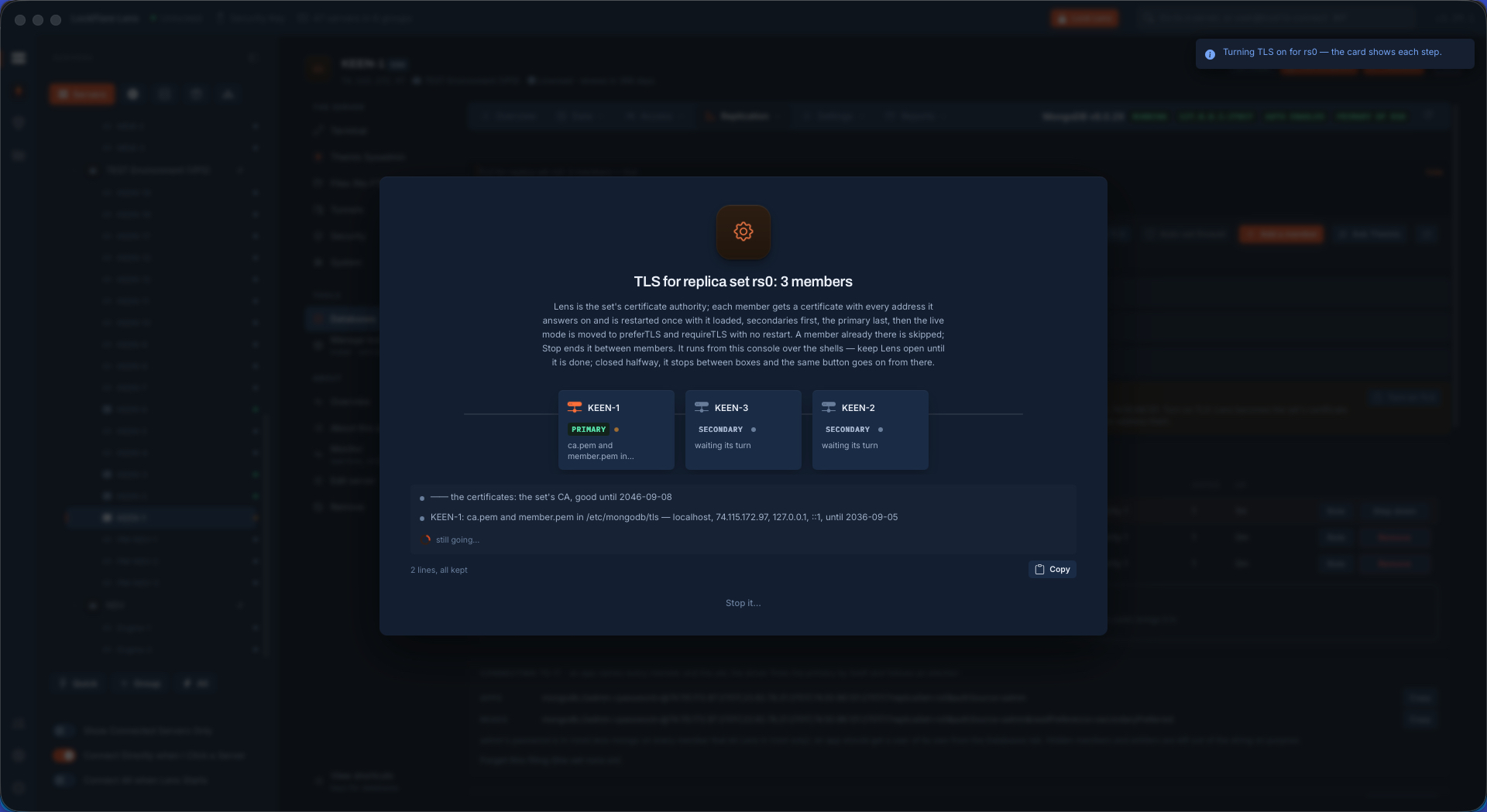
TLS between the members, with Lens as the authority

Encryption between members is a must, so it is one button. Lens is the set's certificate authority — the keys never leave your computer — and it walks the mode up on every member, allow to prefer to require, with no downtime. Renewal needs no restart. Apps are untouched; only the members' own stream is bound.

Turning TLS on for the set
Turn it on.
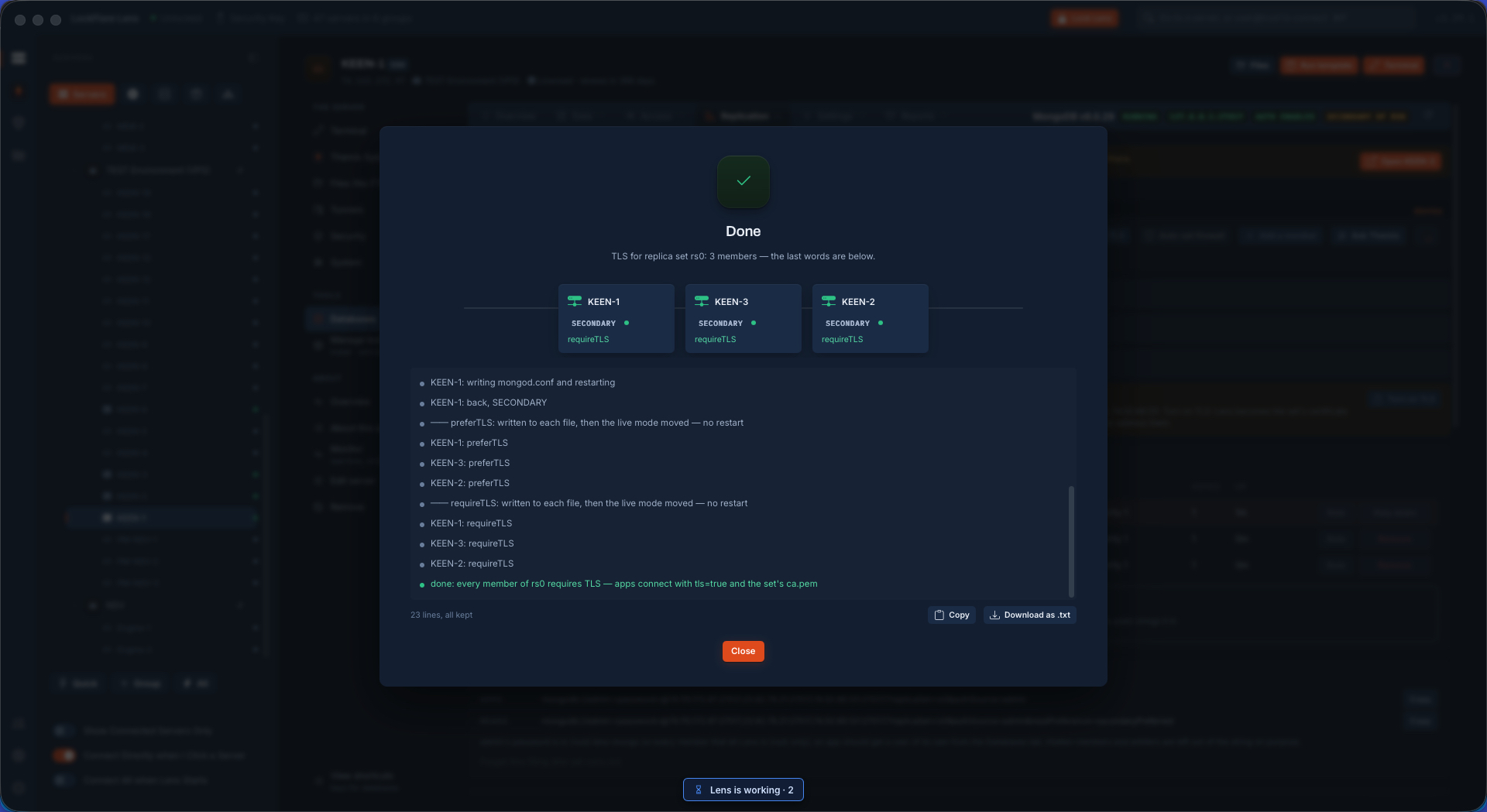
TLS installed on every member
Installed on every member.
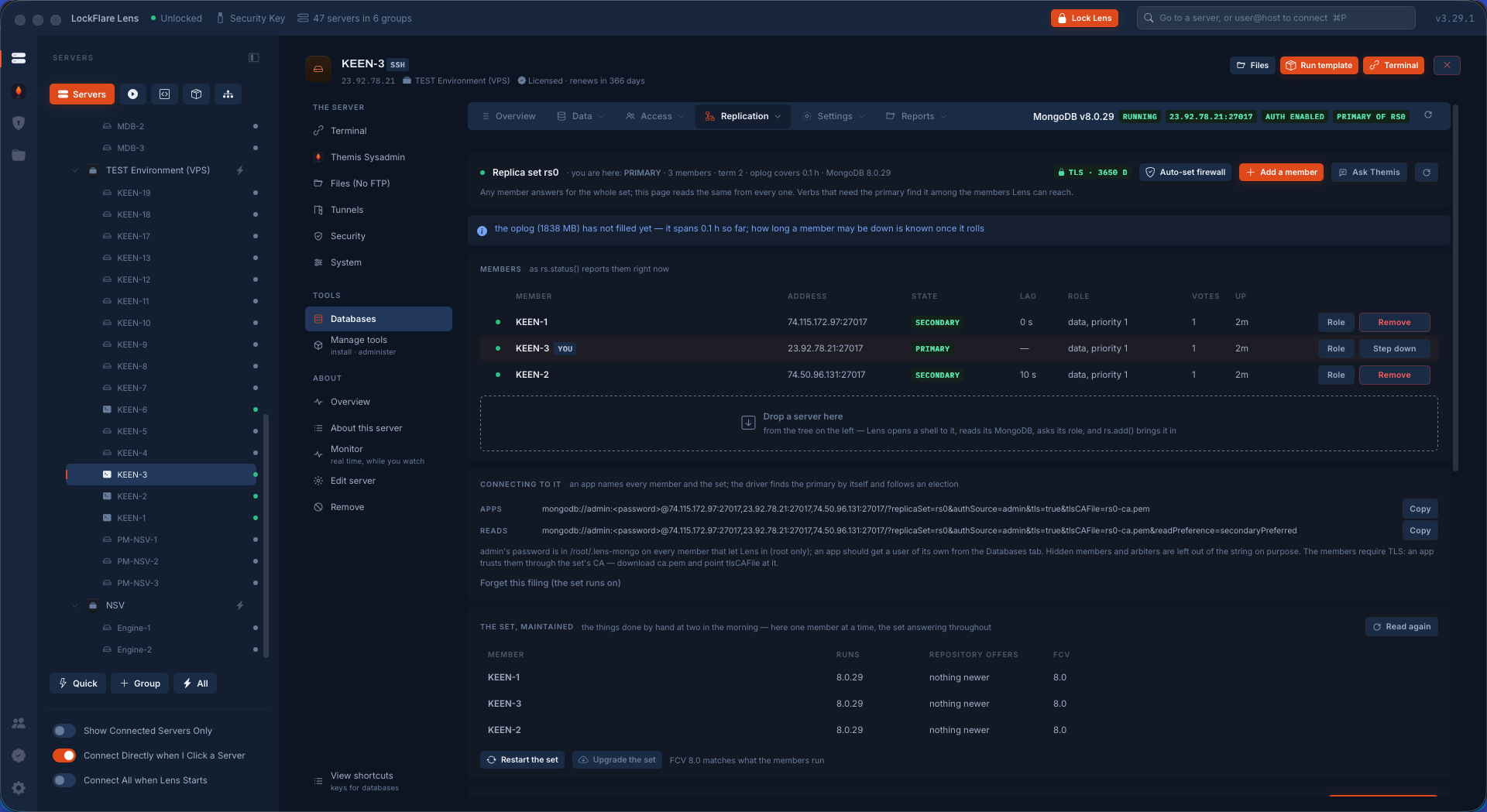
The set live with TLS required
Live, with TLS required.

Linux updates on a live set, with no downtime

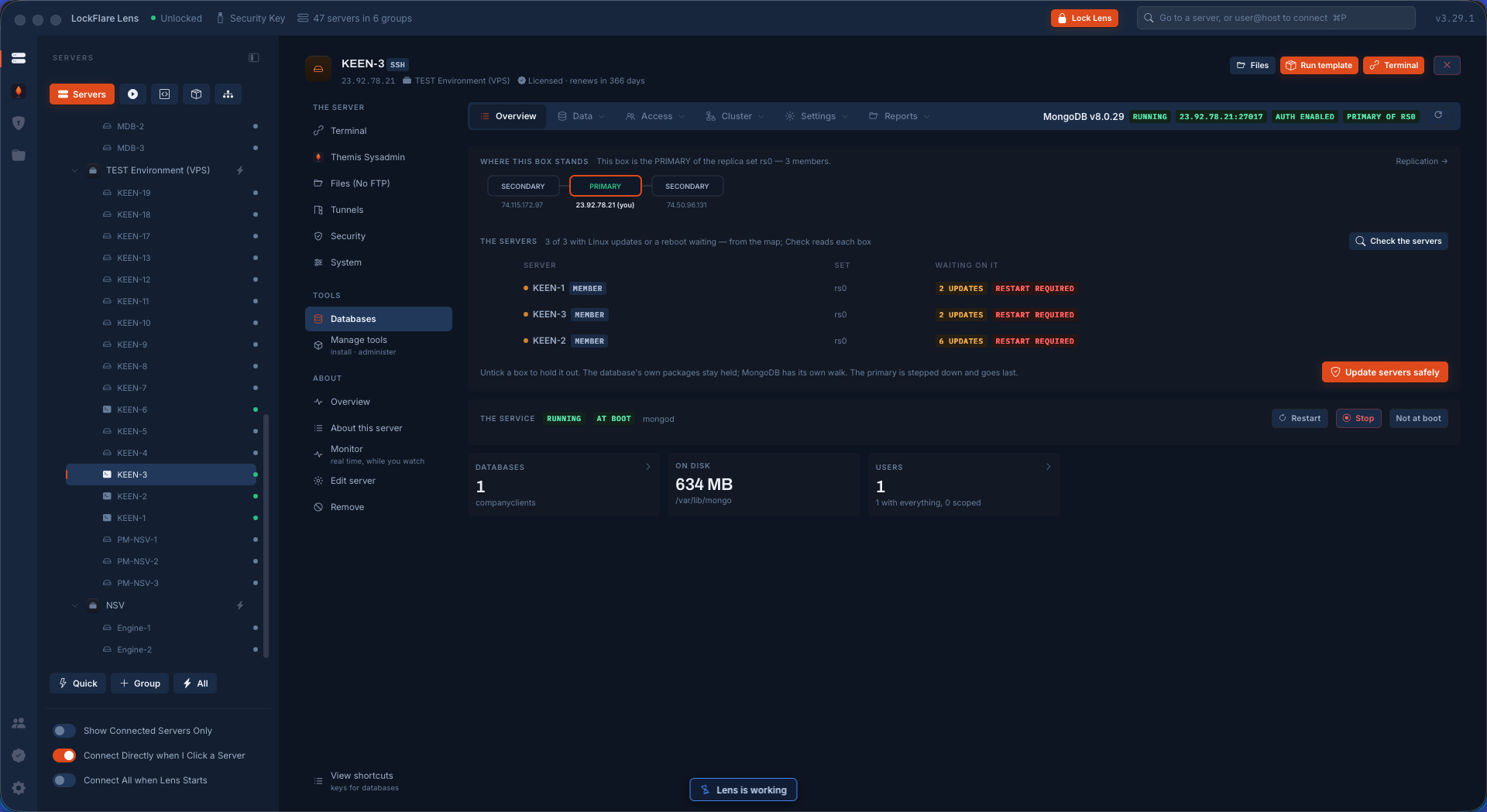
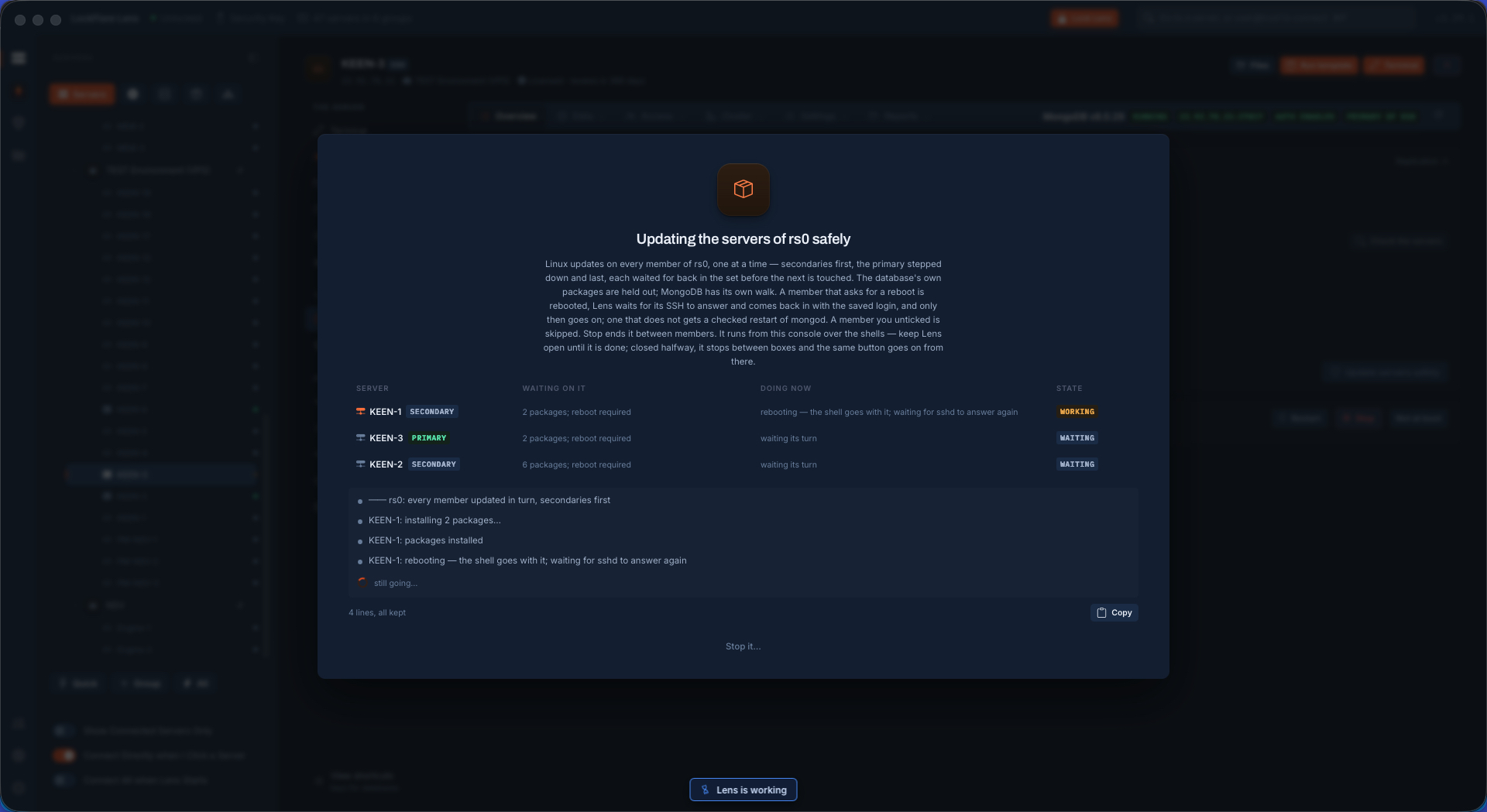
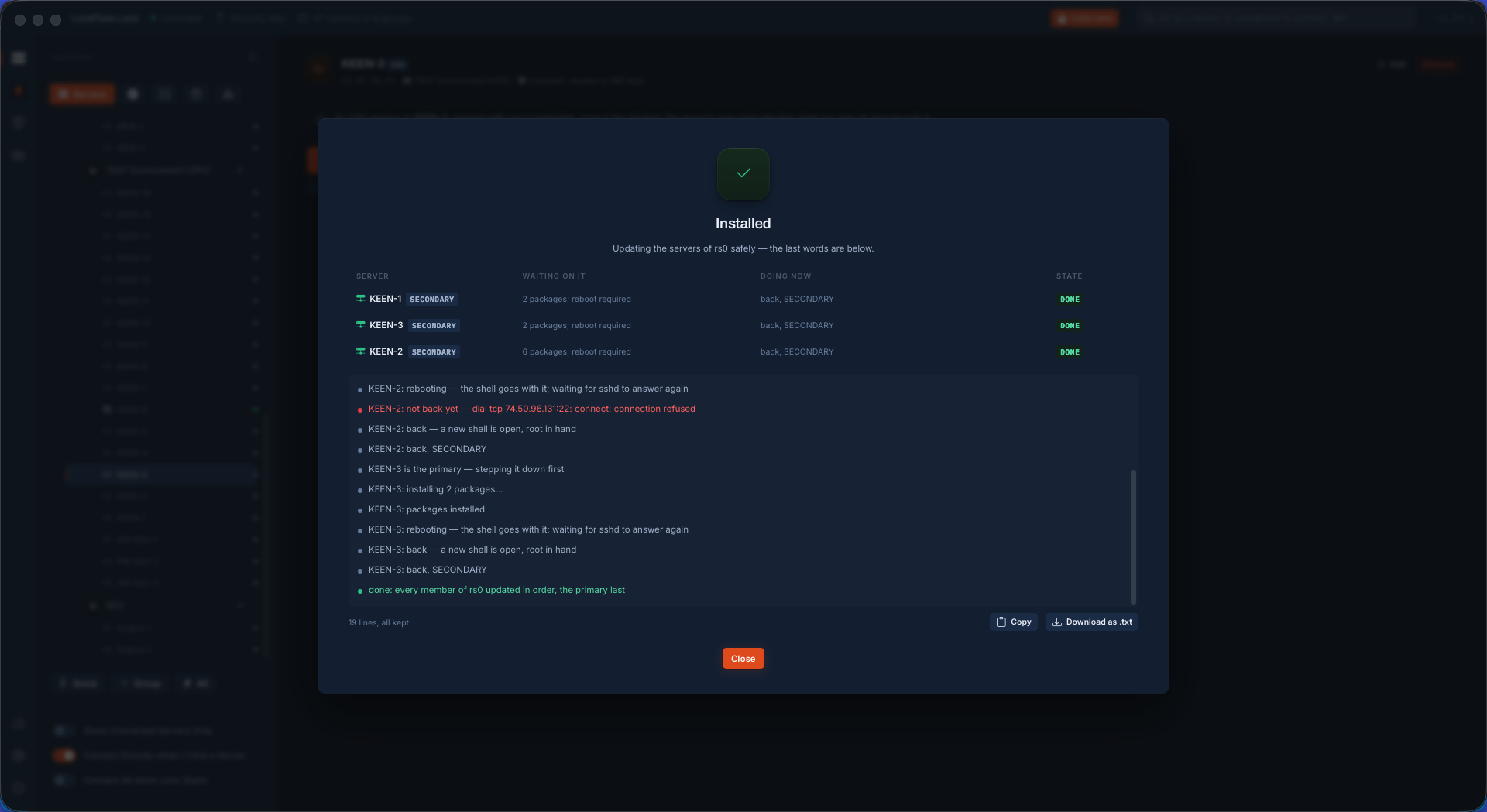
A member of a set never gets Update or Restart on the map — an upgrade restarts mongod, and restarting a member out of order is a failover nobody planned. The set's own page walks it safely: secondaries first, each rebooted and reconnected before the next, the primary stepped down last. The apps on a replica-set connection string never notice.

Updates waiting on the members and the safe walk about to start
What each member is waiting on, and the walk.
A secondary being updated and rebooted while the set keeps serving
One member at a time, the set still serving.
The whole set updated, the primary last
Done, the primary last.

The set on the wire, and on paper

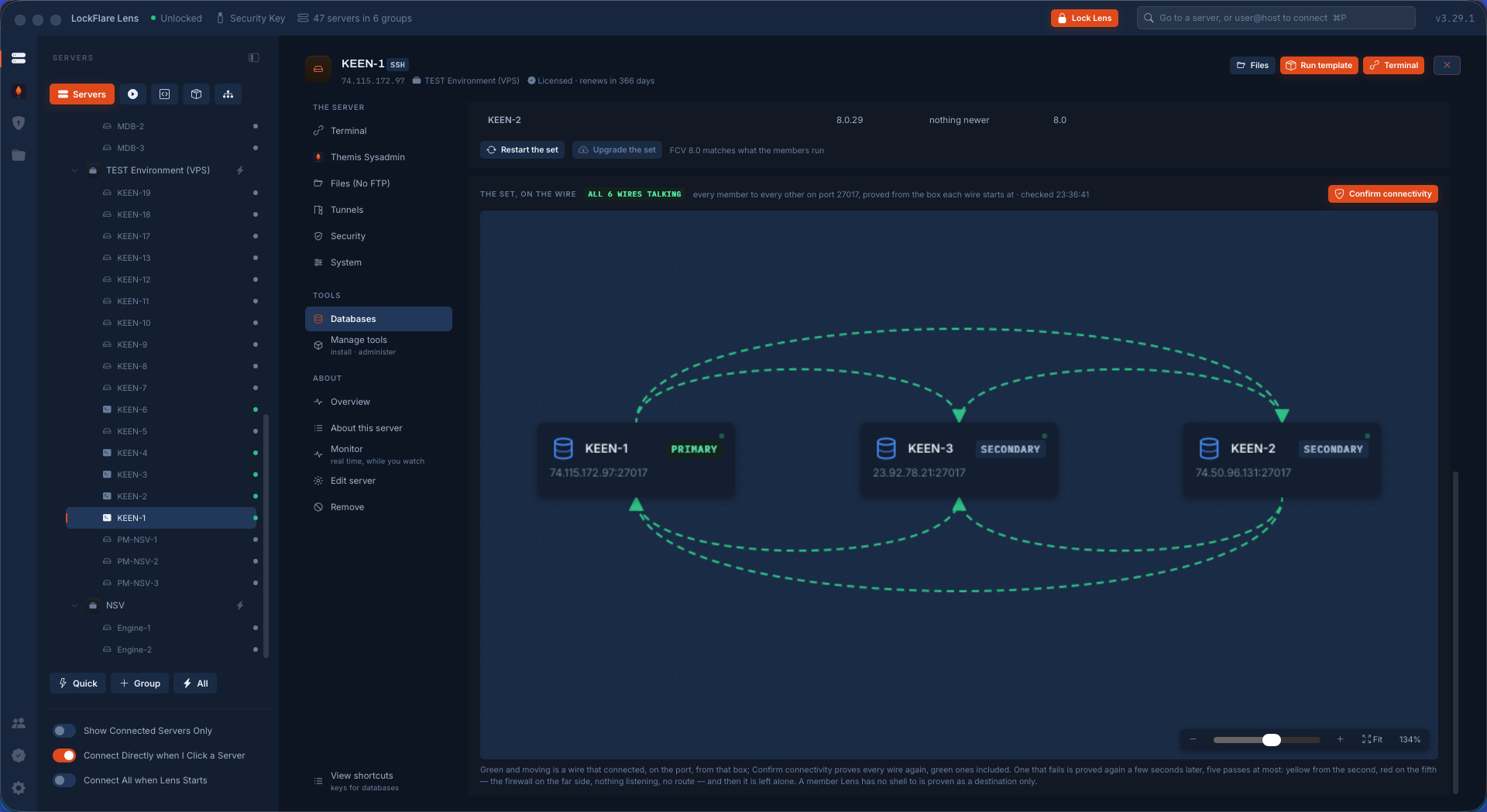
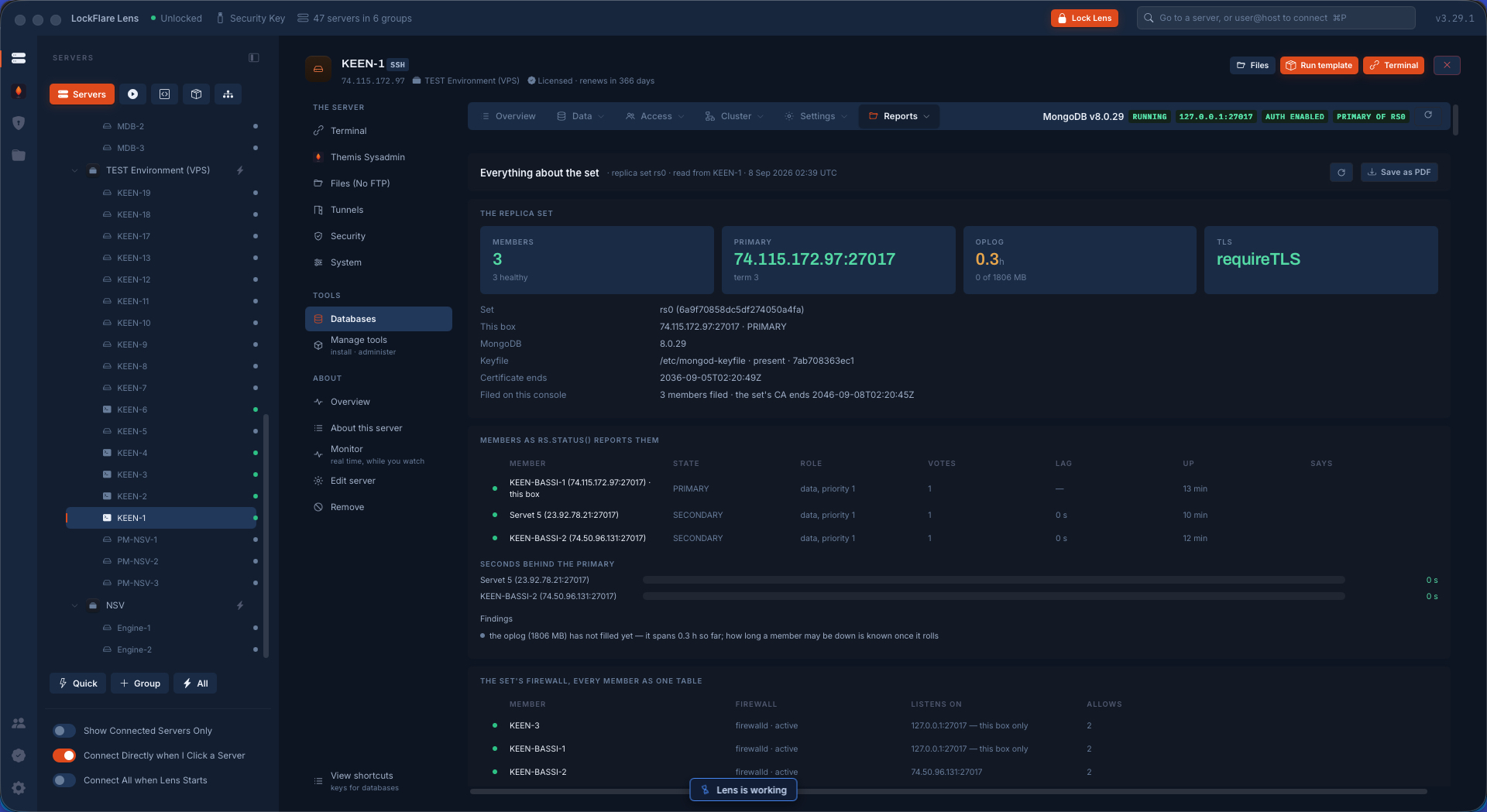
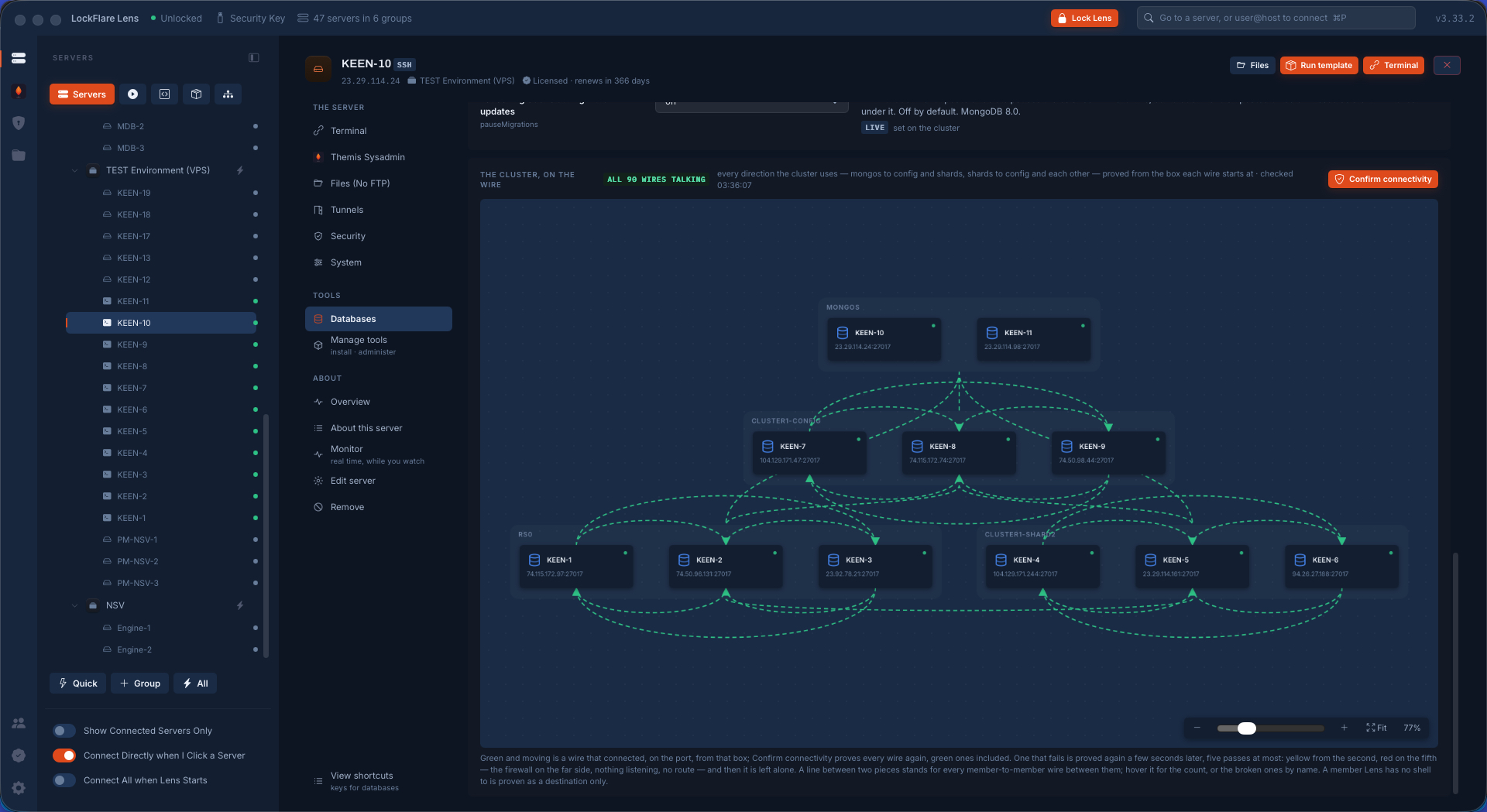
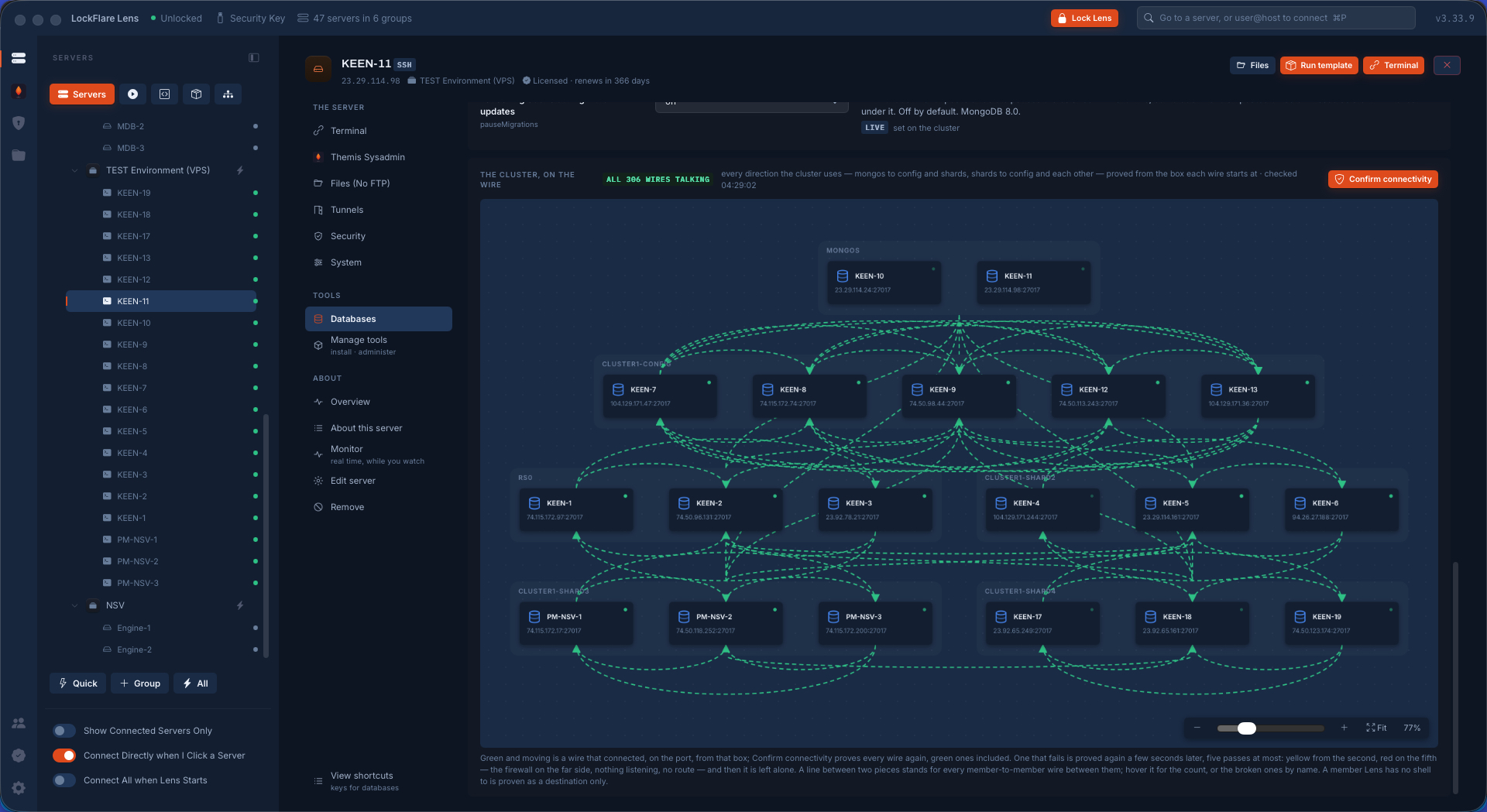
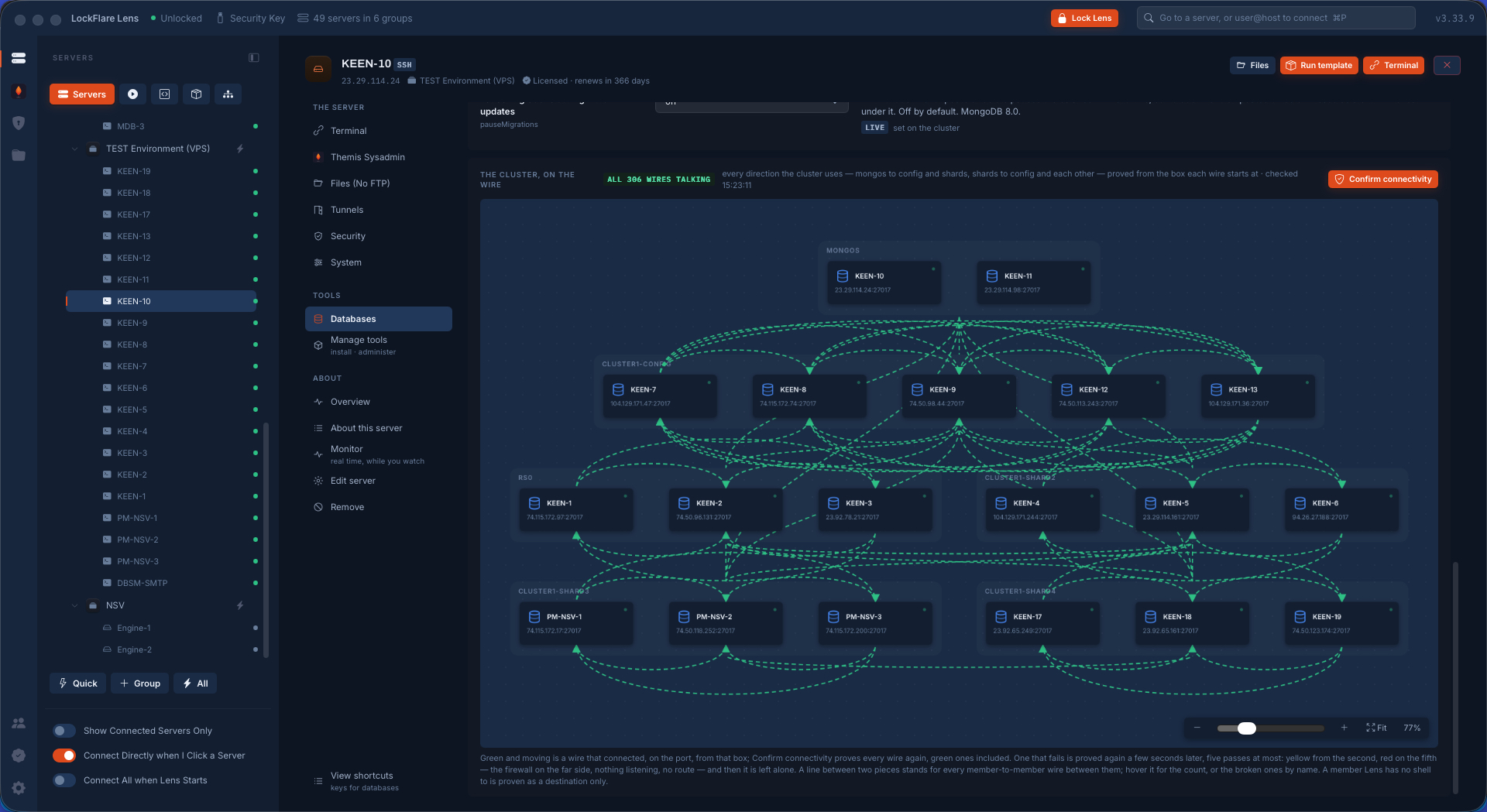
The canvas draws every member and every wire between them on the engine's port, in both directions, and proves each one from the box it starts at — reach measured on the source, listen and allow read on the destination. Red is broken, with the reason on the wire. The same reading goes on paper: a report of the set as every member sees it, the firewall of every member as one table, the versions, the wires proved — drawn on screen and, for the person without Lens, one PDF.

The set drawn as boxes with every wire proved green
Every wire tried from the box the traffic starts at.
The report, page one: the set and its members
The report: the set and its members.
The report, the firewall of every member as one table
The firewall of every member, one table.
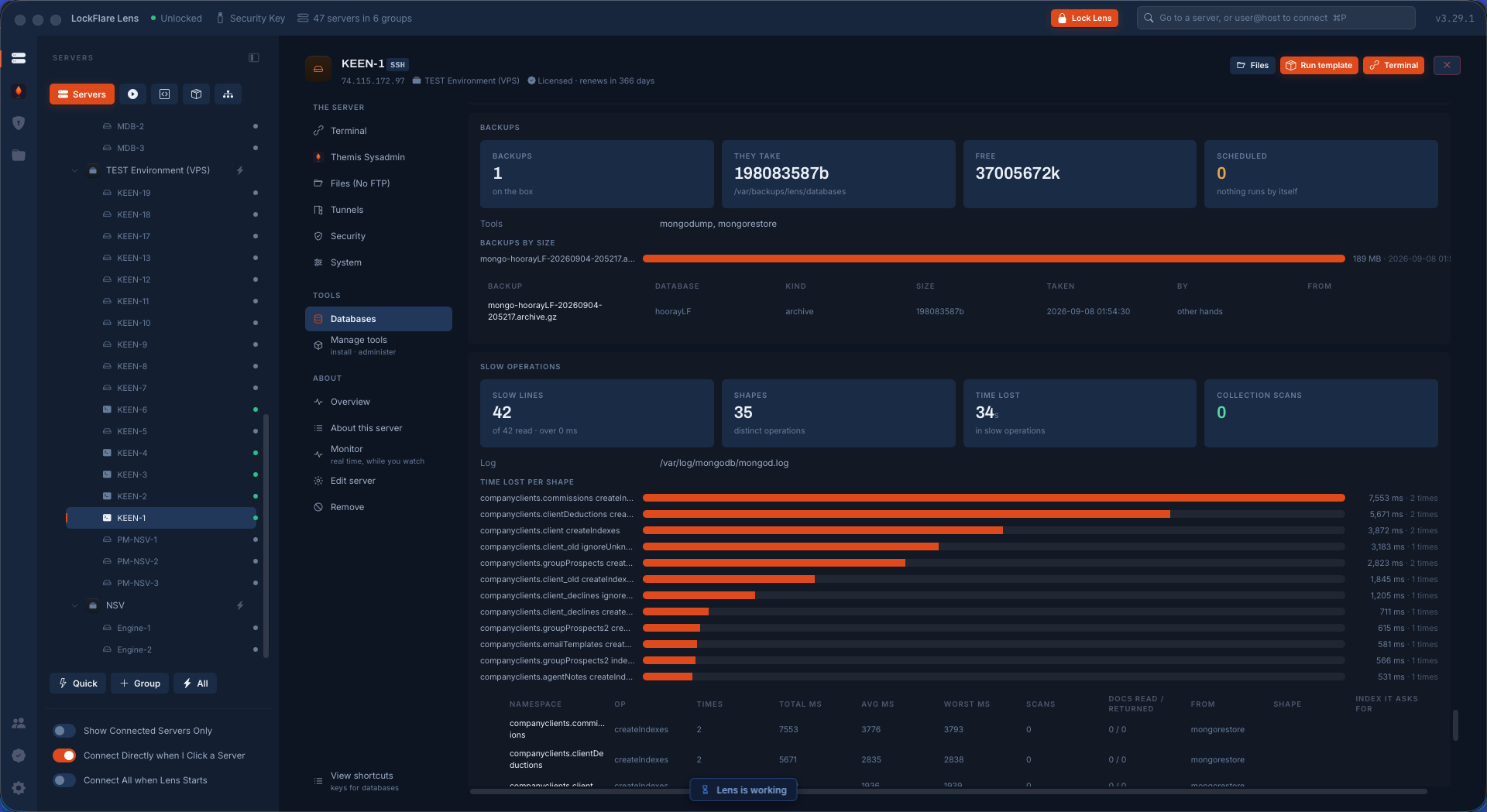
The report, the wires proved and the verdict
The wires proved. Five pages in all, PDF on a button.

Day to day: the numbers, the data, the set

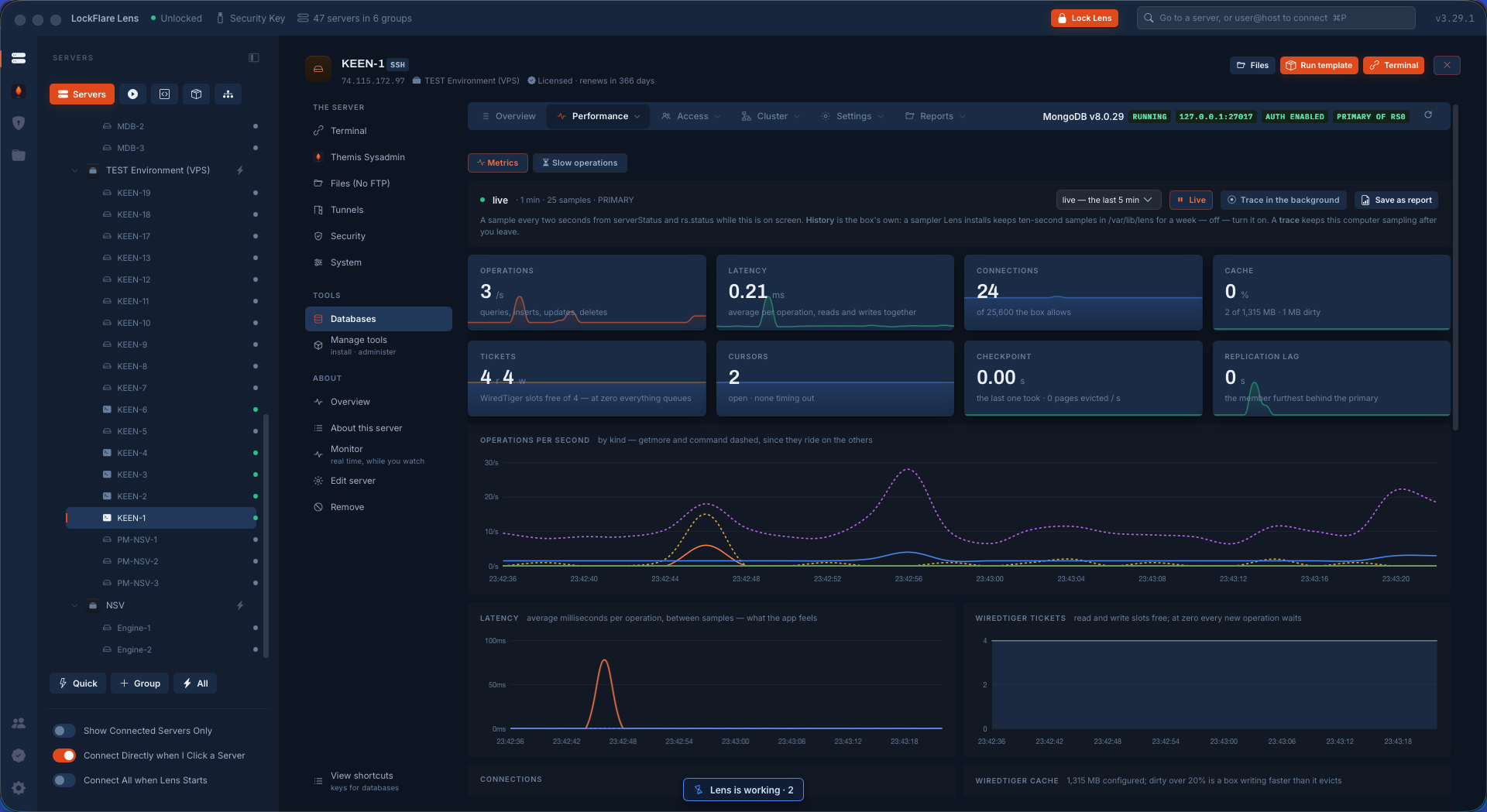
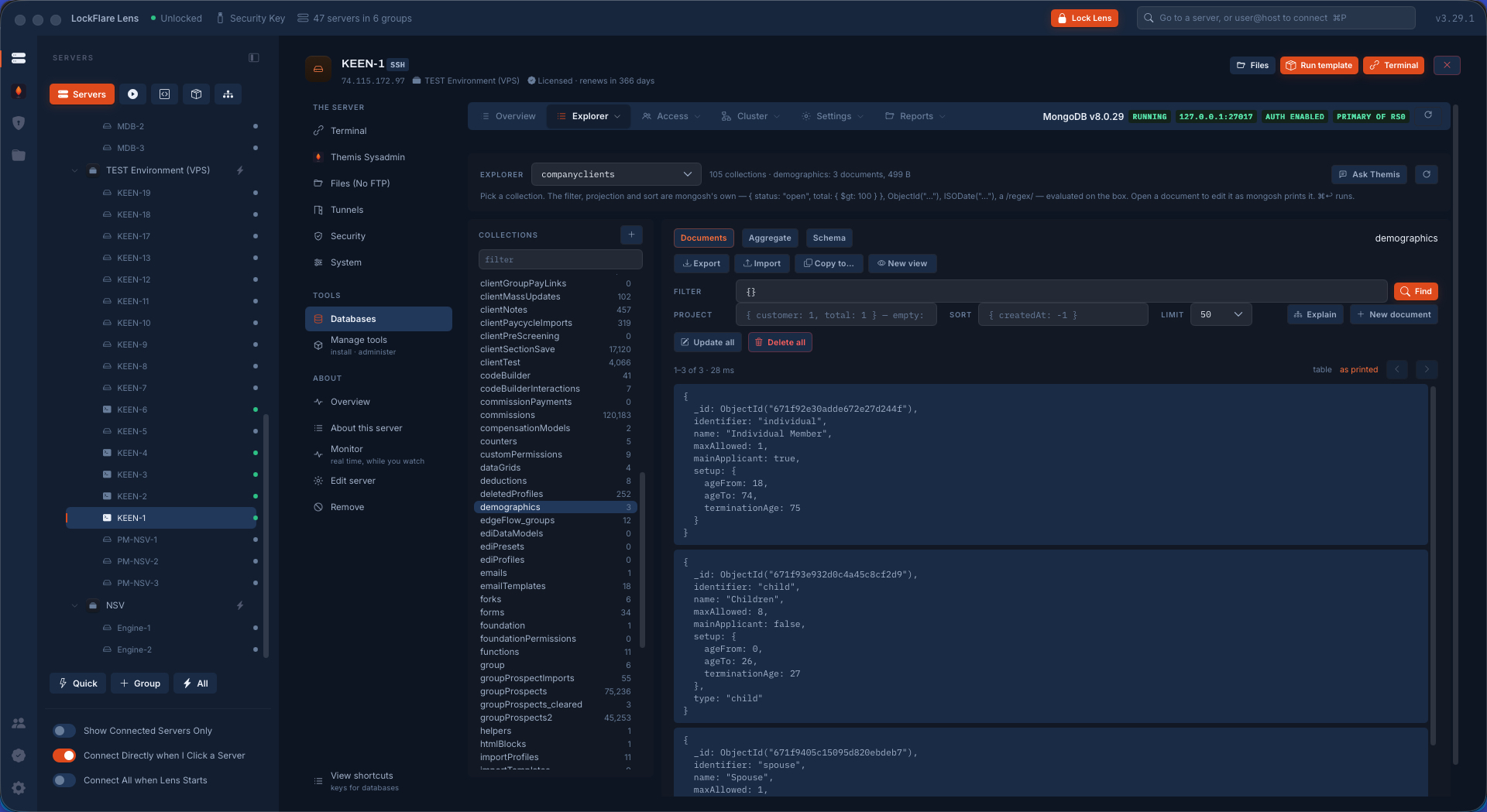
Operations per second by kind, connections, the cache, what is queued, the lag of every member — sampled every two seconds while you look, with a trace that keeps sampling after you leave. The Explorer is Compass without leaving the console: a filter in mongosh's own syntax, documents edited as text, a pipeline, the schema sampled, the planner asked. And the set's own verbs on its page: step down, rolling restart, rolling upgrade, the oplog resized on every member, compact walked member by member.

Real-time metrics of the set
Metrics, live, with the lag of every member.
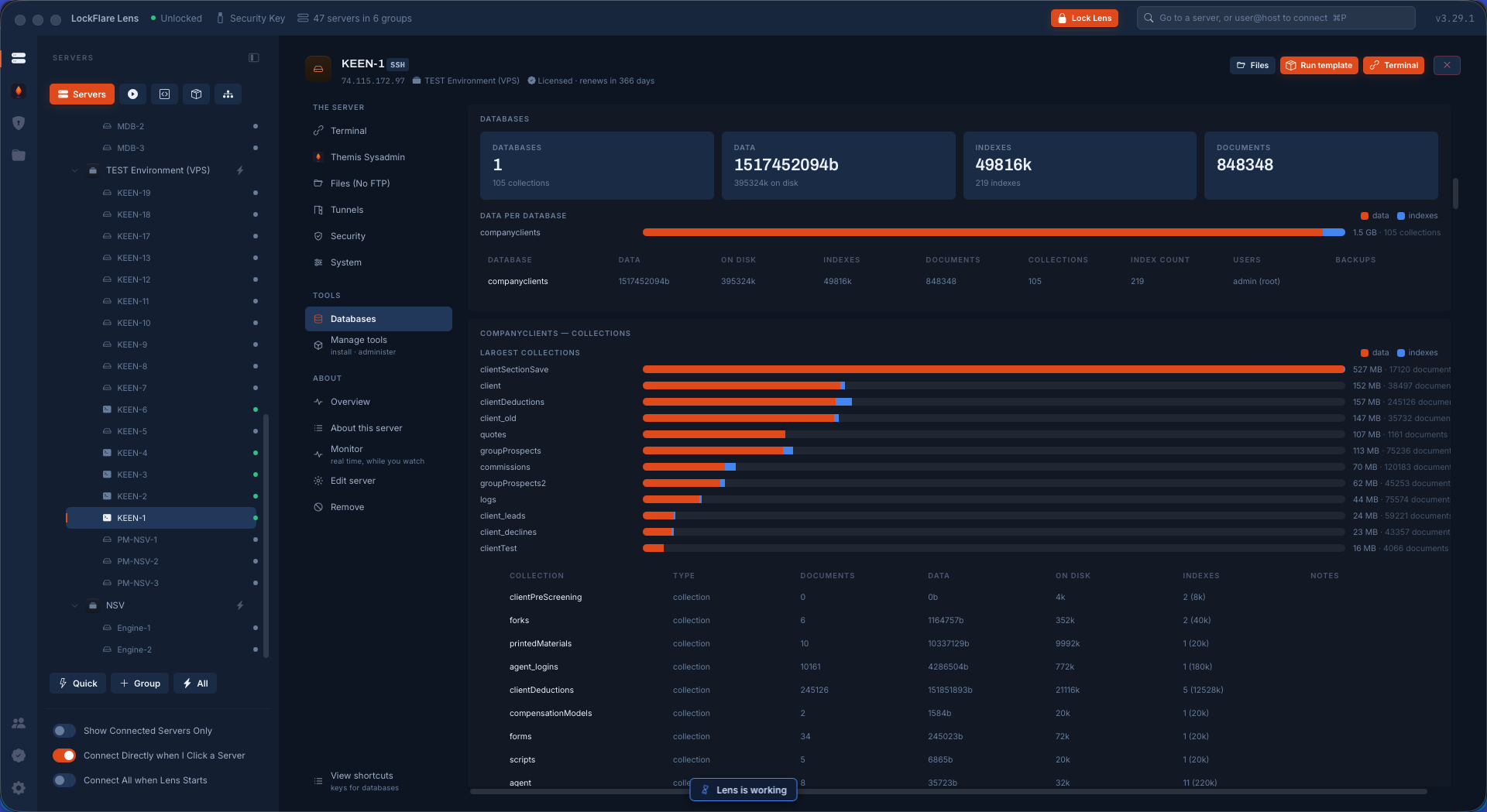
The database explorer on a collection
The Explorer on a collection.
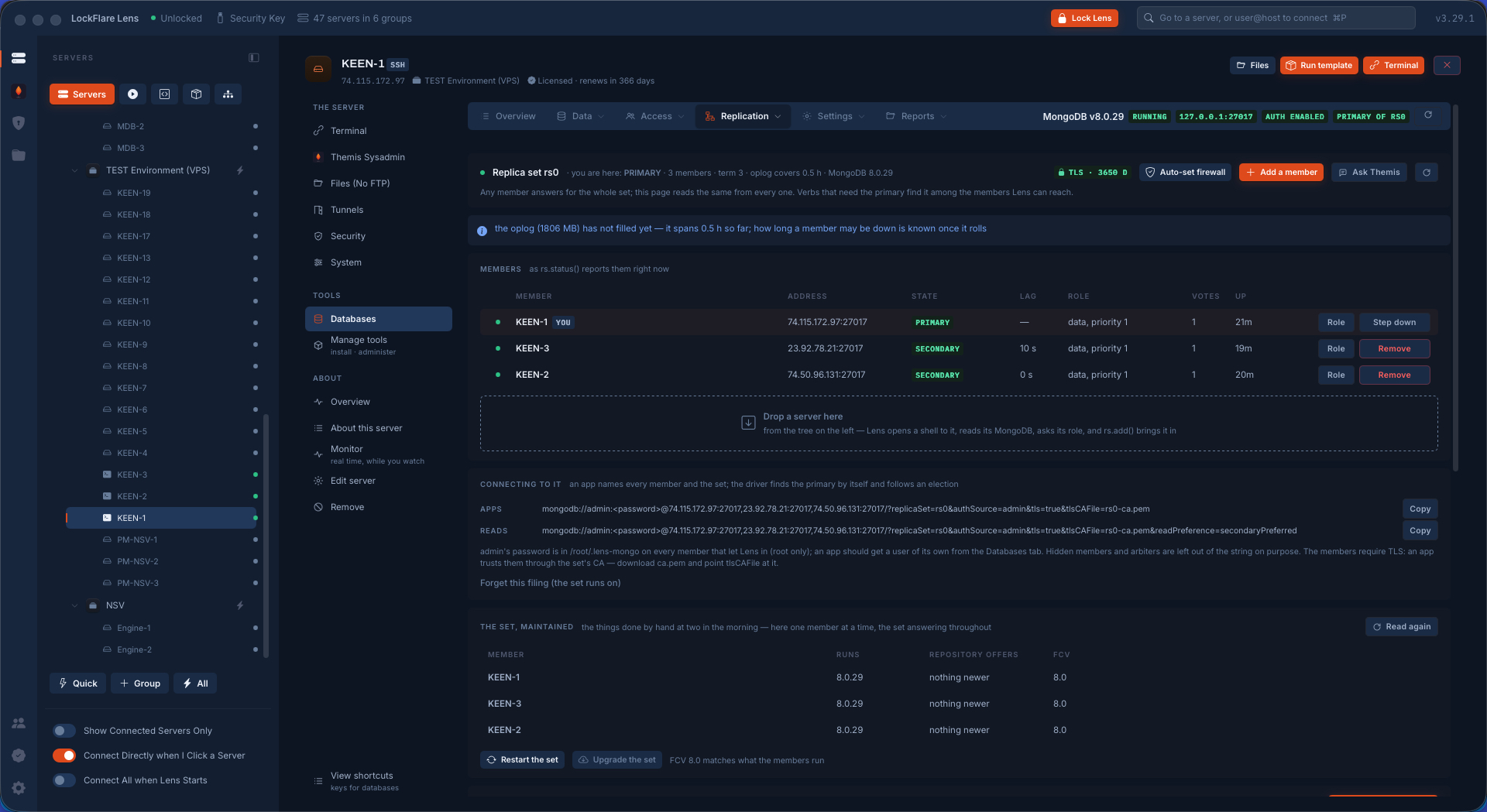
The replication page with the set's verbs
The set's verbs, on the set's page.

Sharding: the set becomes a cluster

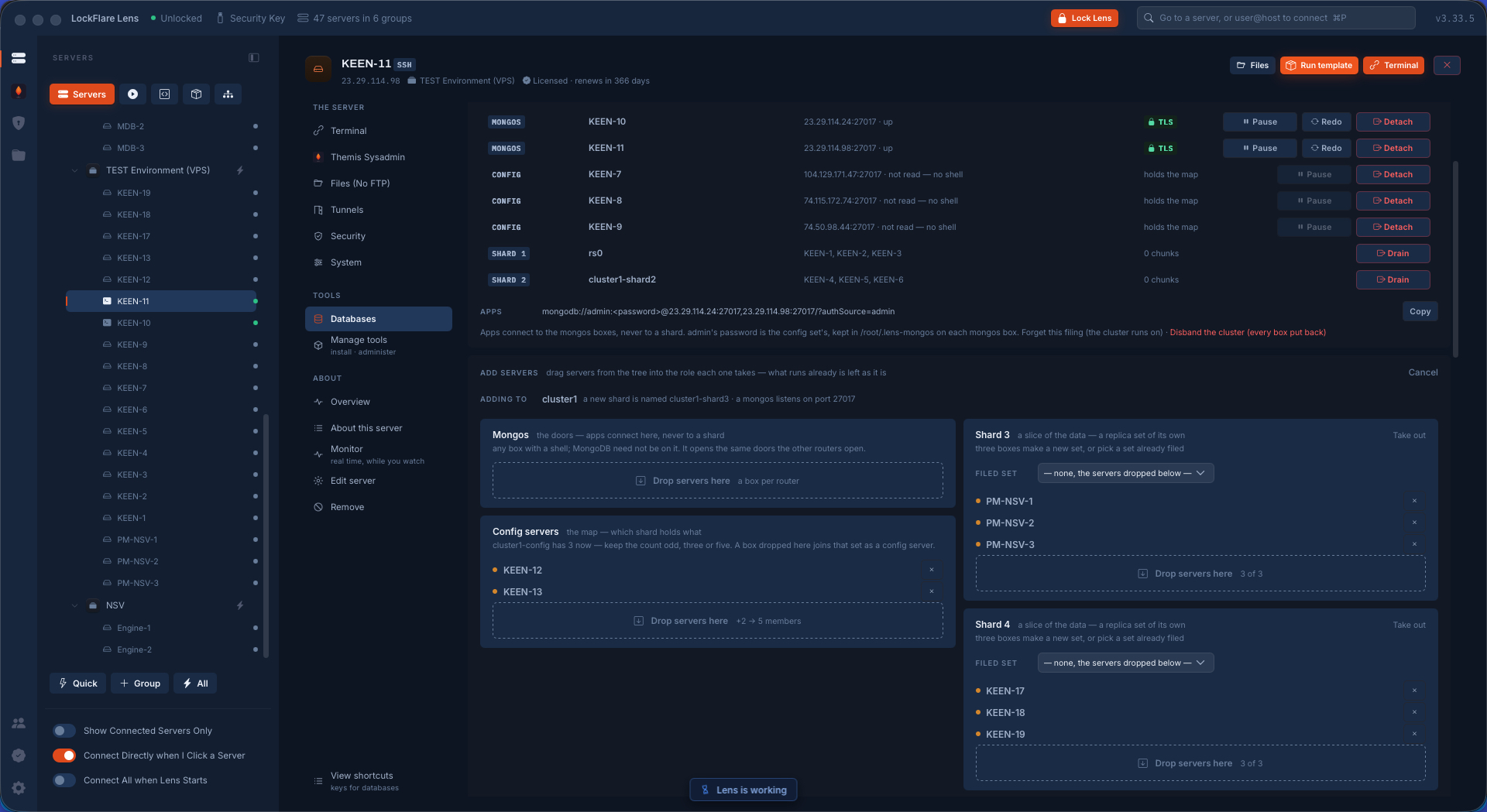
A sharded cluster is replica sets stacked. The builder is drop boxes — config servers, shards, the app boxes that get a router — and one job puts it together. This is the whole conversion, including the part that went wrong.

New boxes are read before anything starts

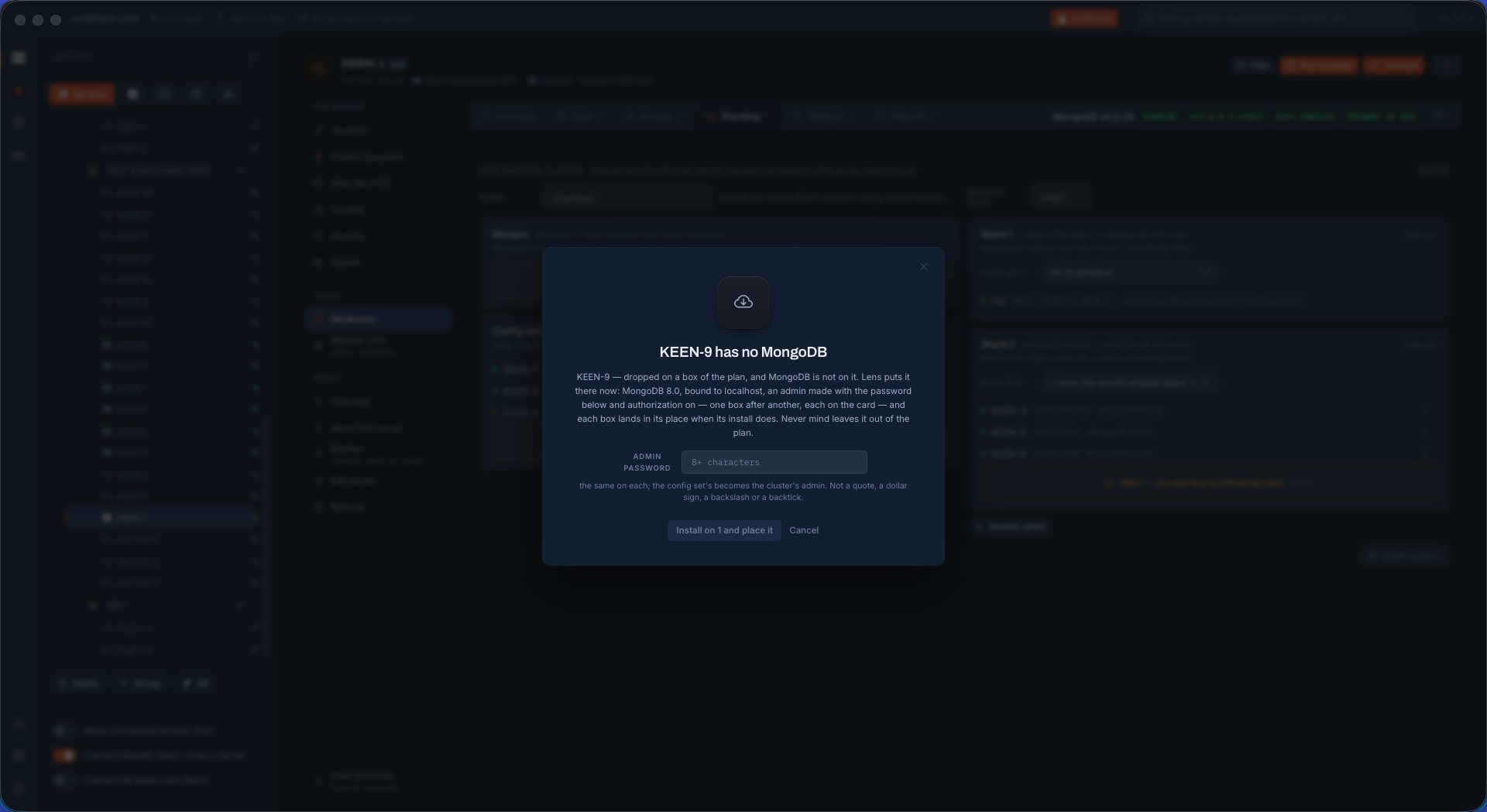
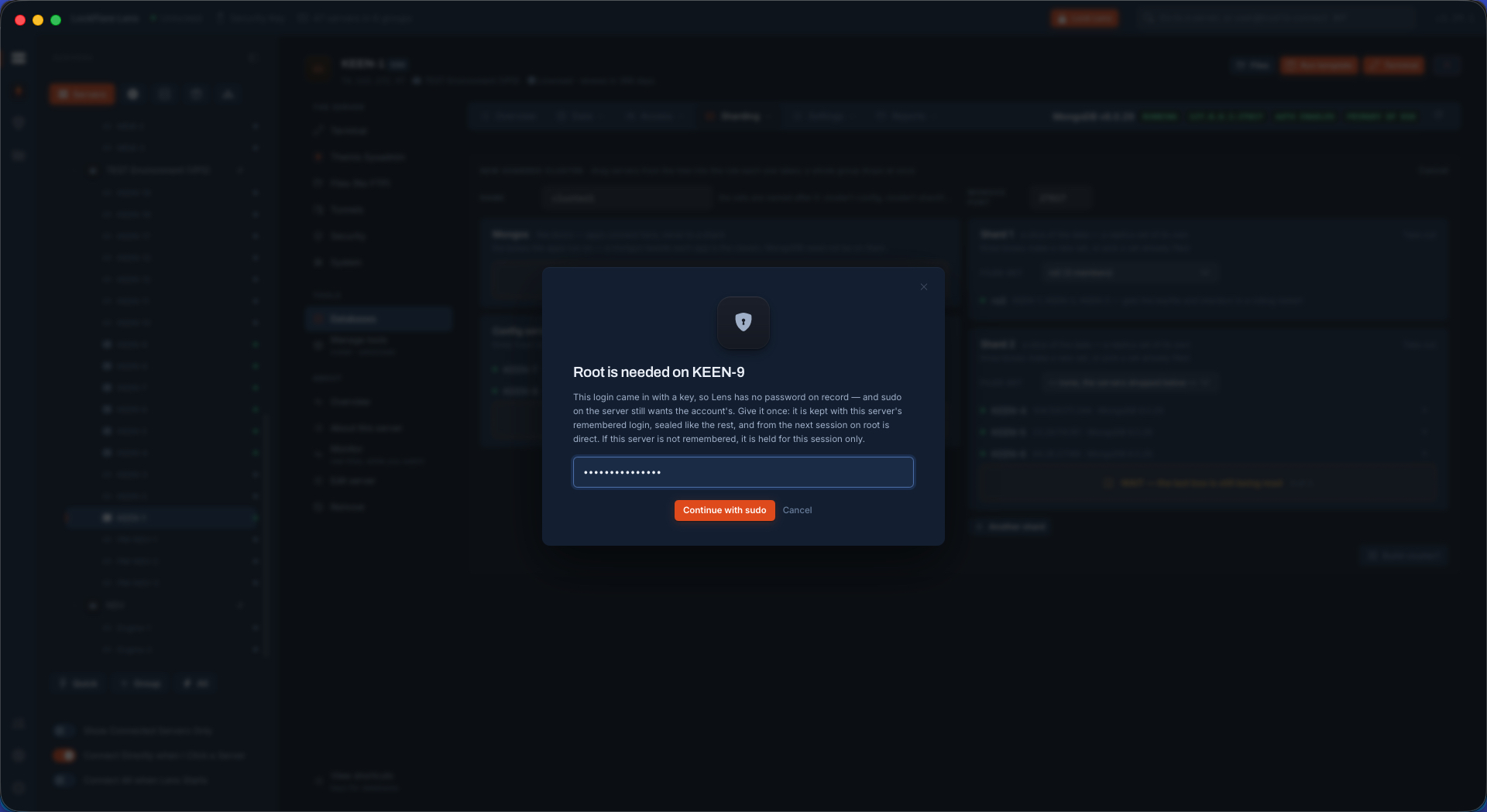
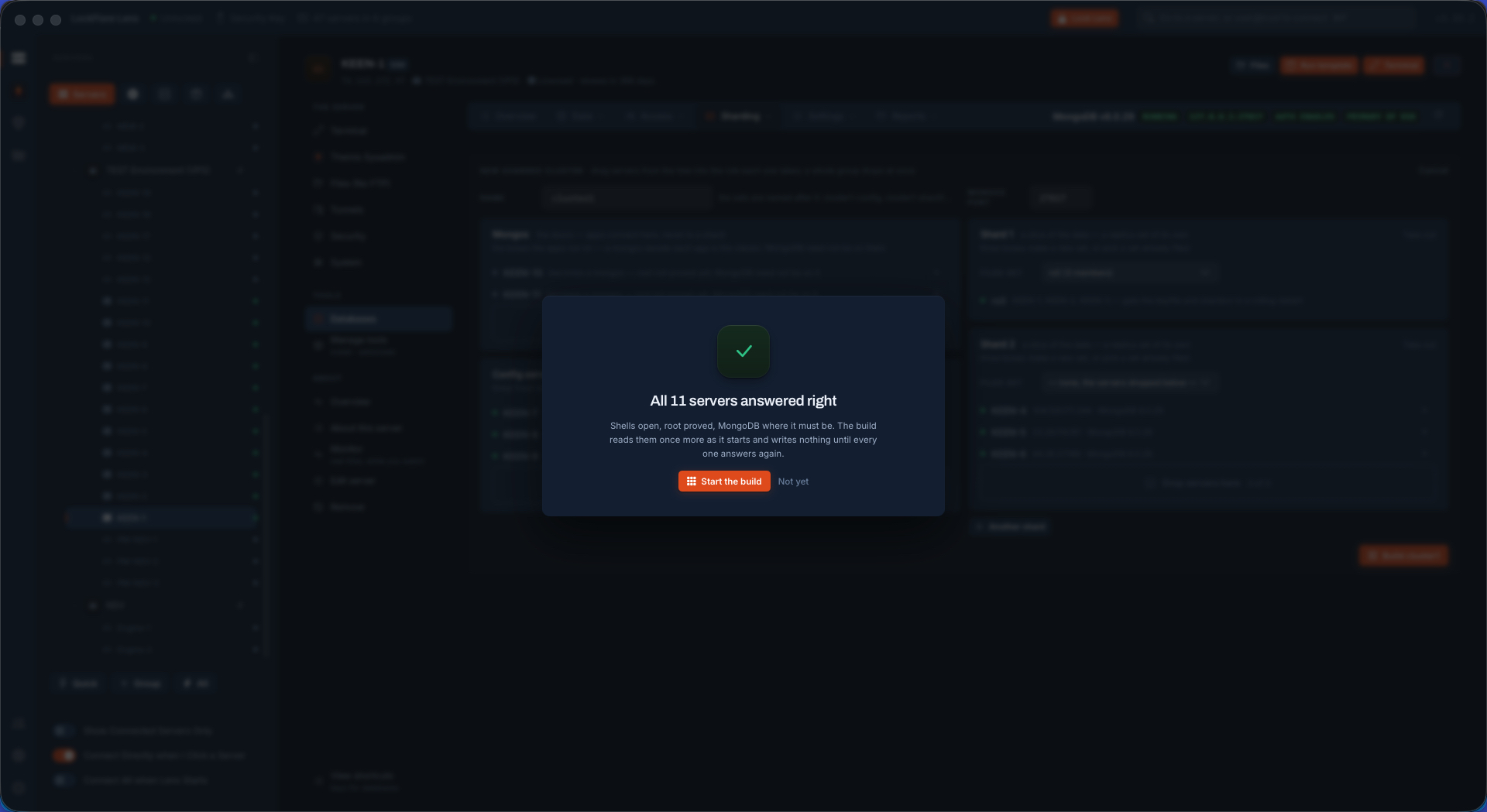
Drop a server that has no MongoDB and Lens says so and offers the install at the cluster's version. A box whose login came in with a key asks for its sudo password once, on its own row. Nothing is written until every box has answered.

A dropped server without MongoDB, the install offered
No MongoDB here: the install is offered.
A box asking for its sudo password on its row
Sudo asked once, on the row.
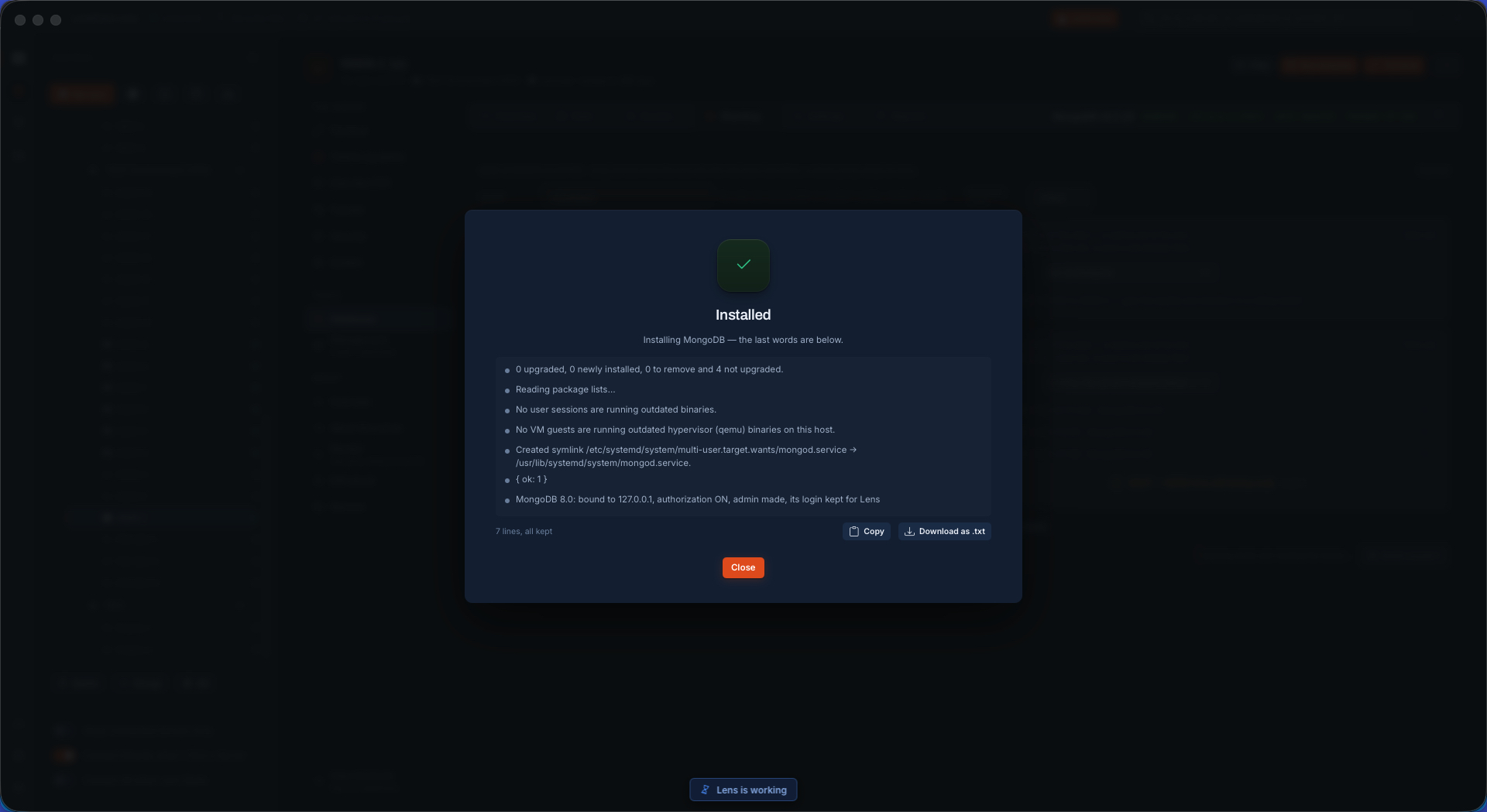
MongoDB installed on the new member
Installed, at the cluster's version.

Build — and what a failure looks like

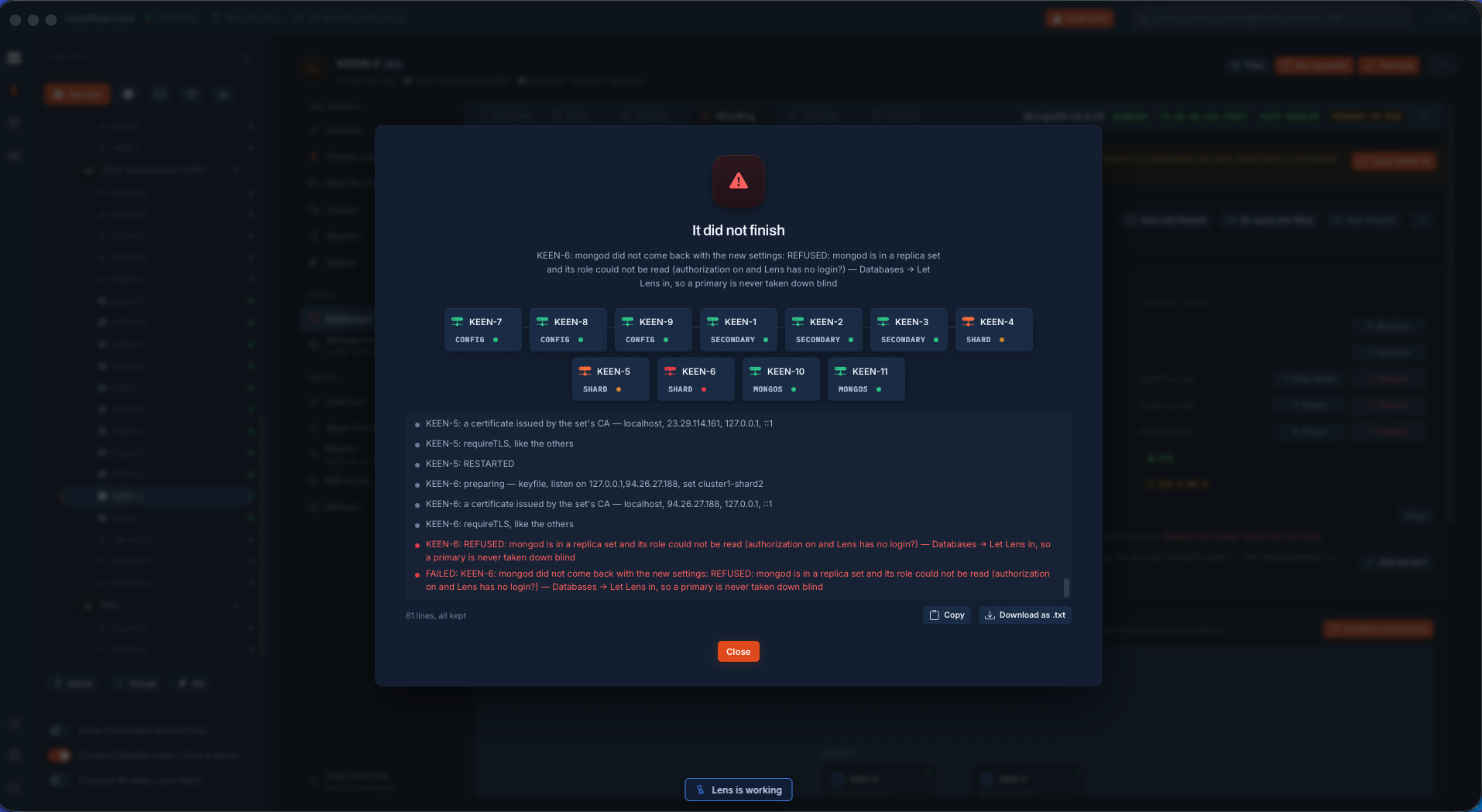
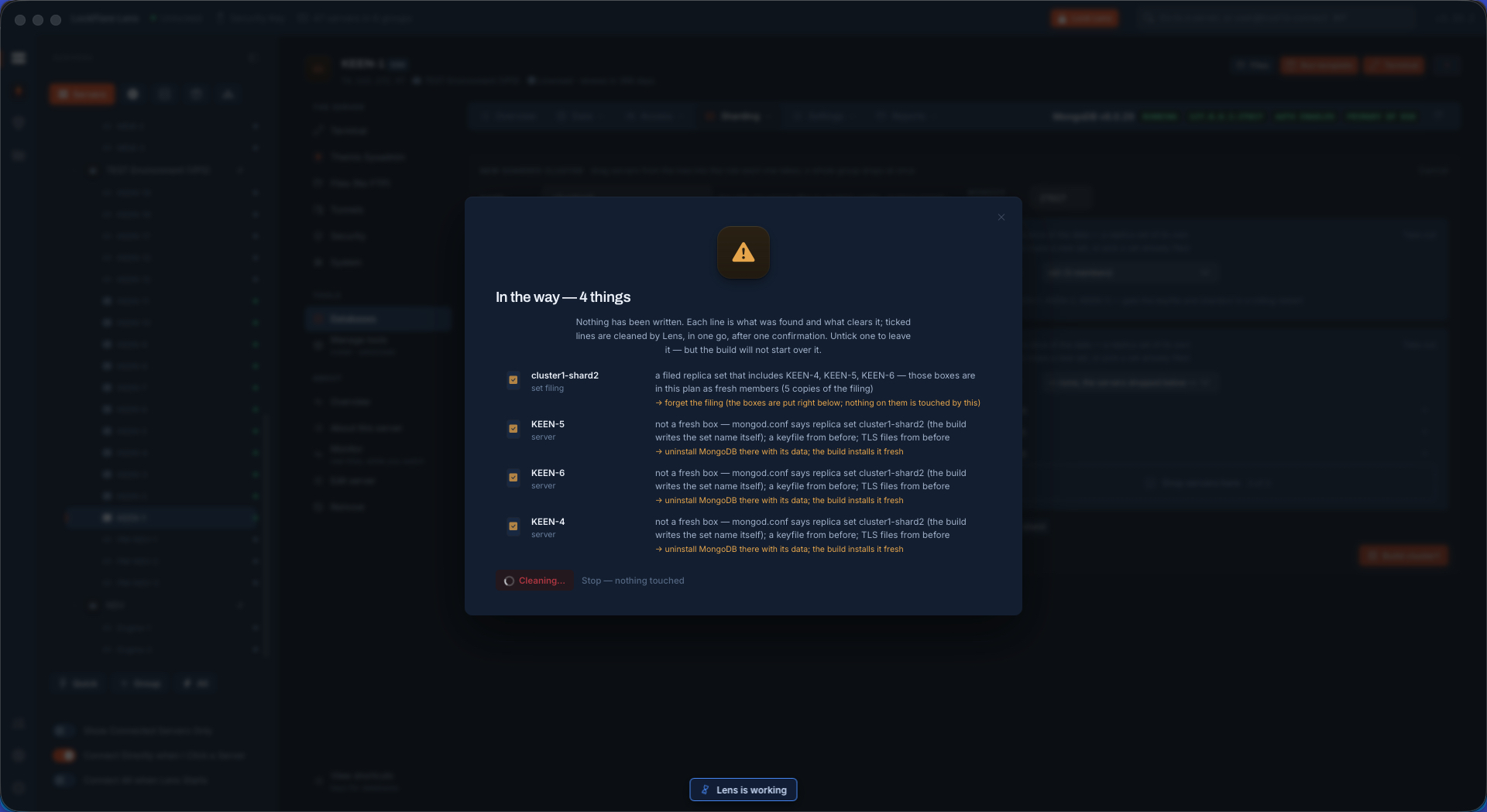
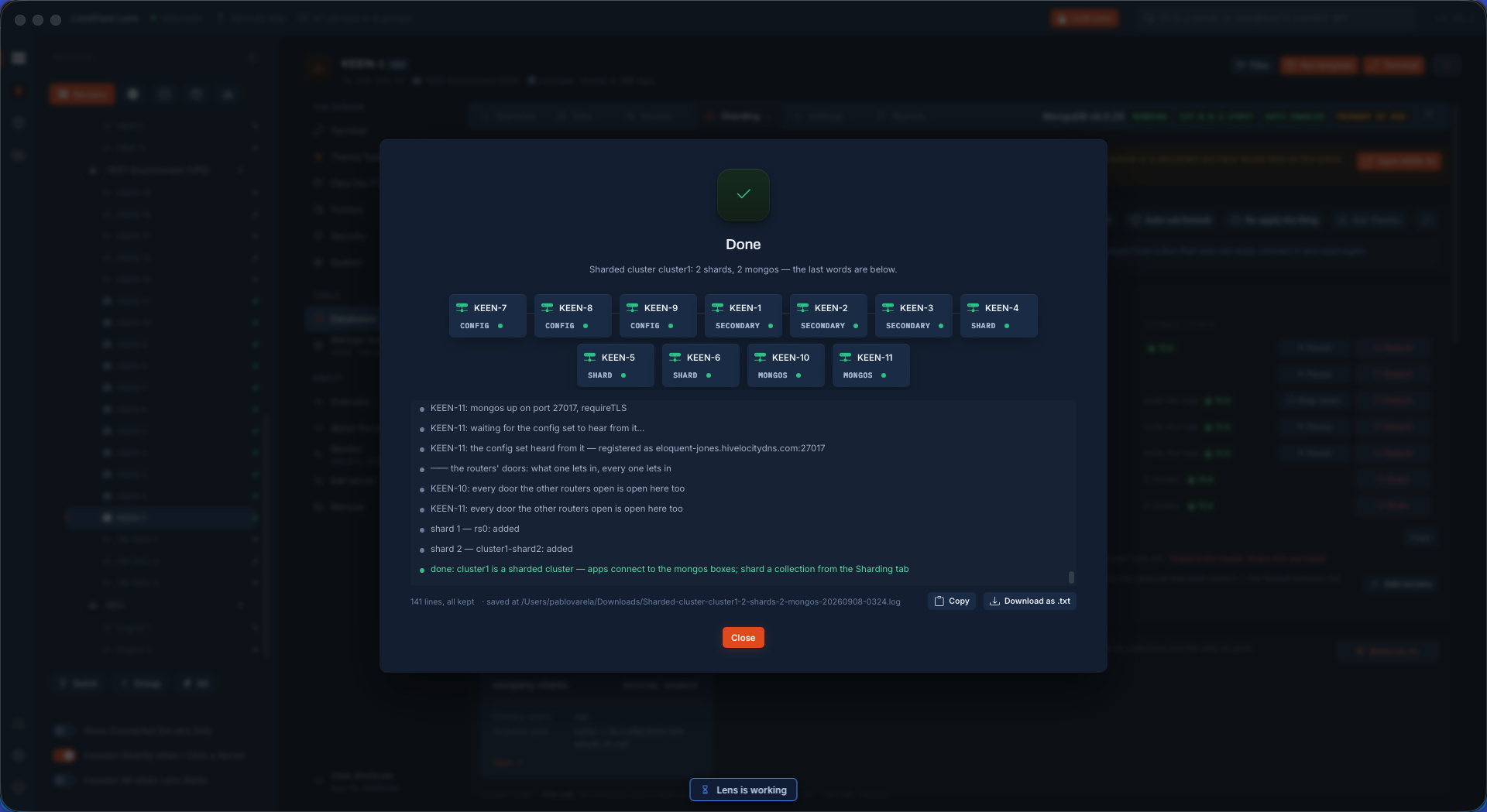
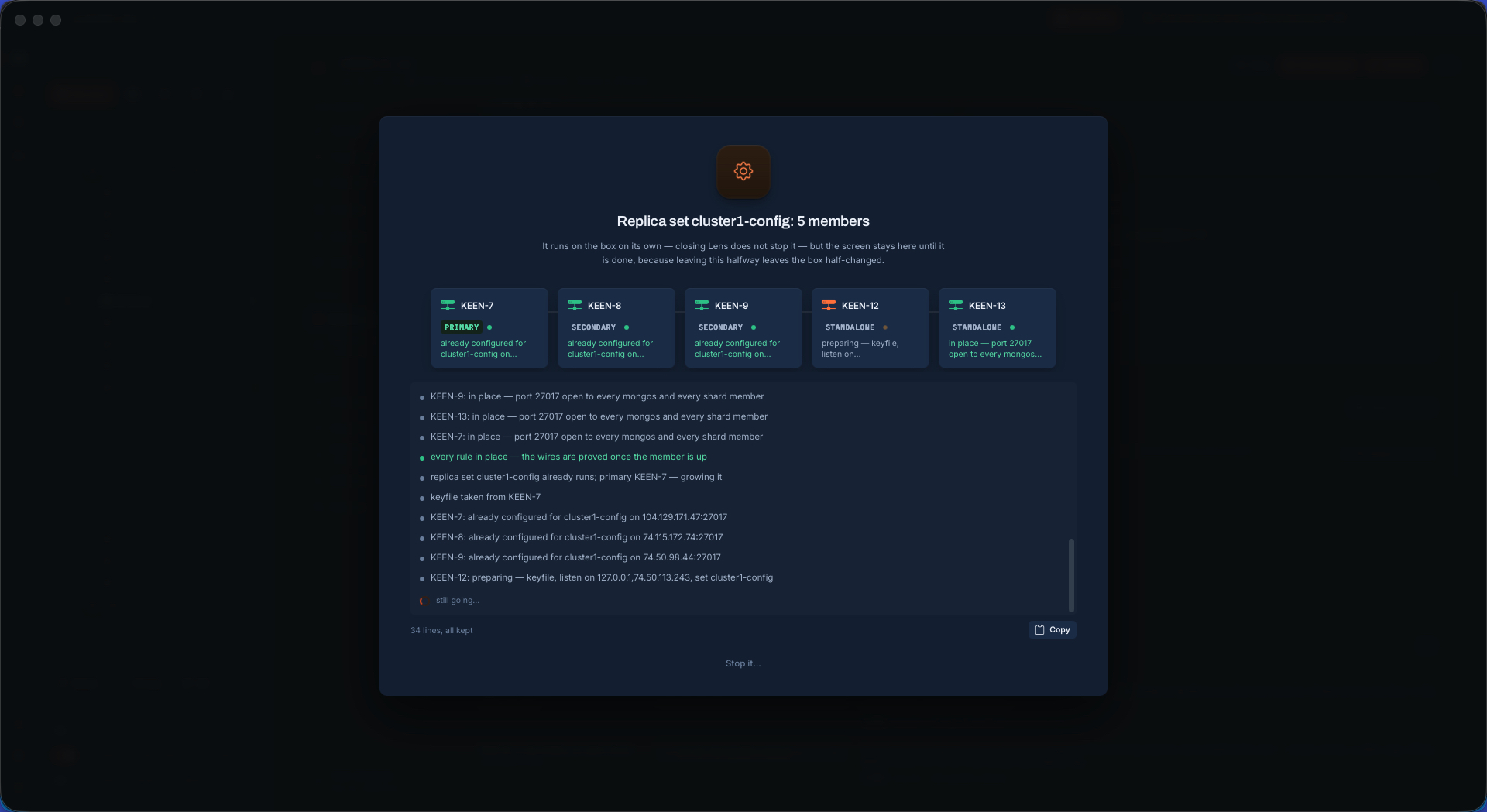
The servers picked, the summary confirmed, the build starts on every box at once. One box was broken on purpose. The job does not pretend: it names the box, says what it found, and Repair runs the fixes it knows — then the build finishes and every wire is proved again.

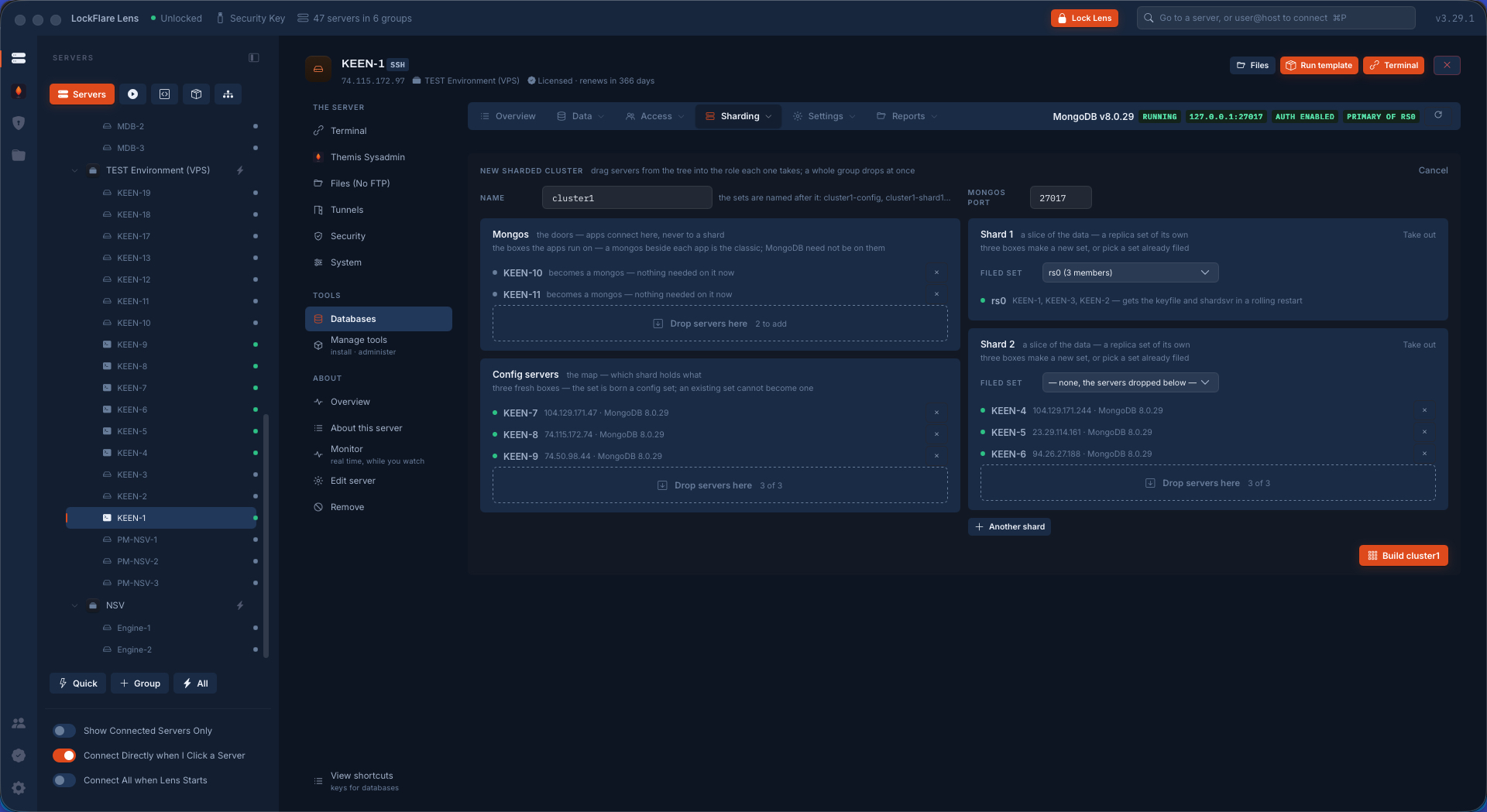
The servers selected for the conversion
The servers, in their boxes.
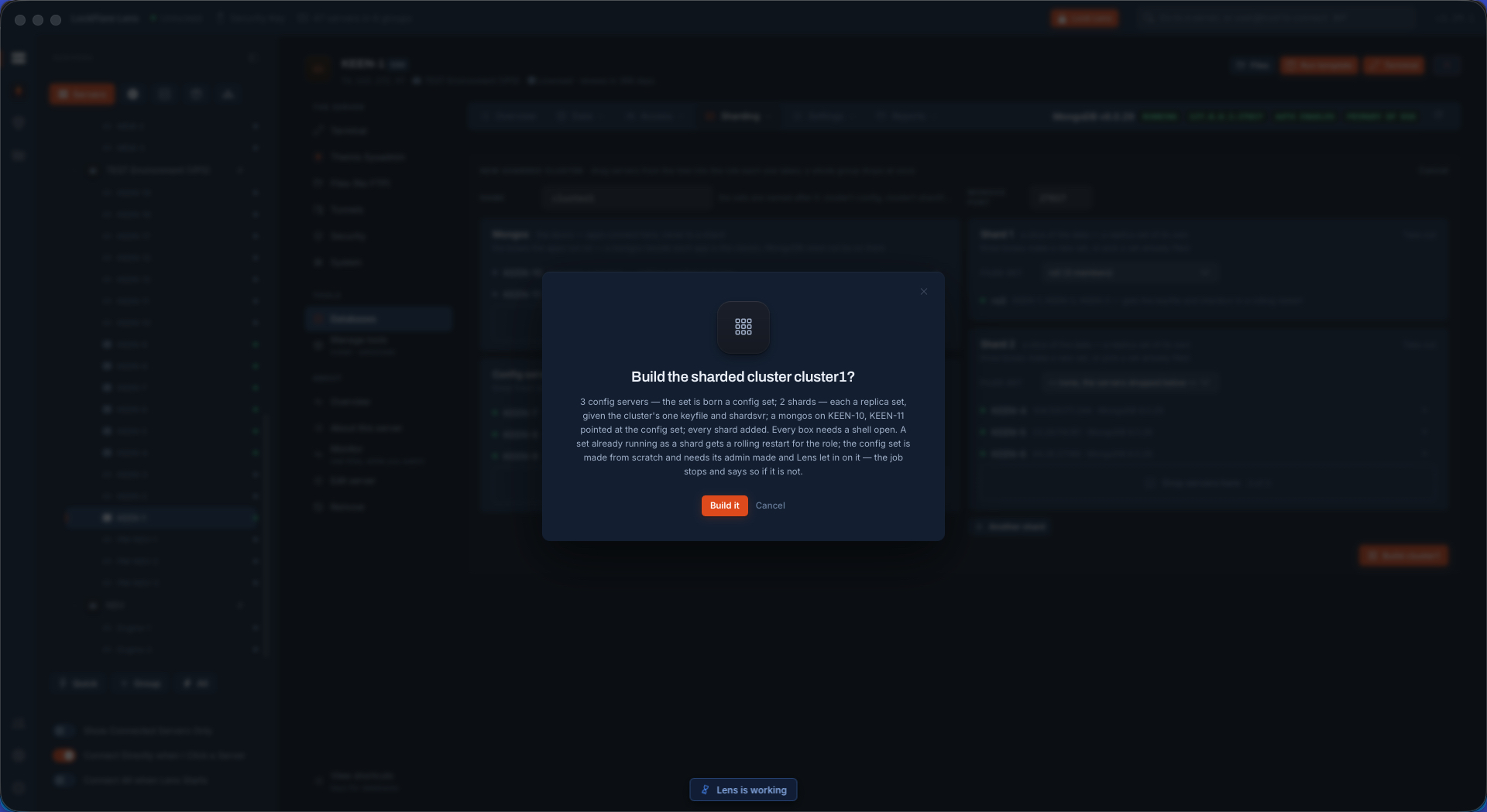
The confirmation and summary before the build
The summary, before anything runs.
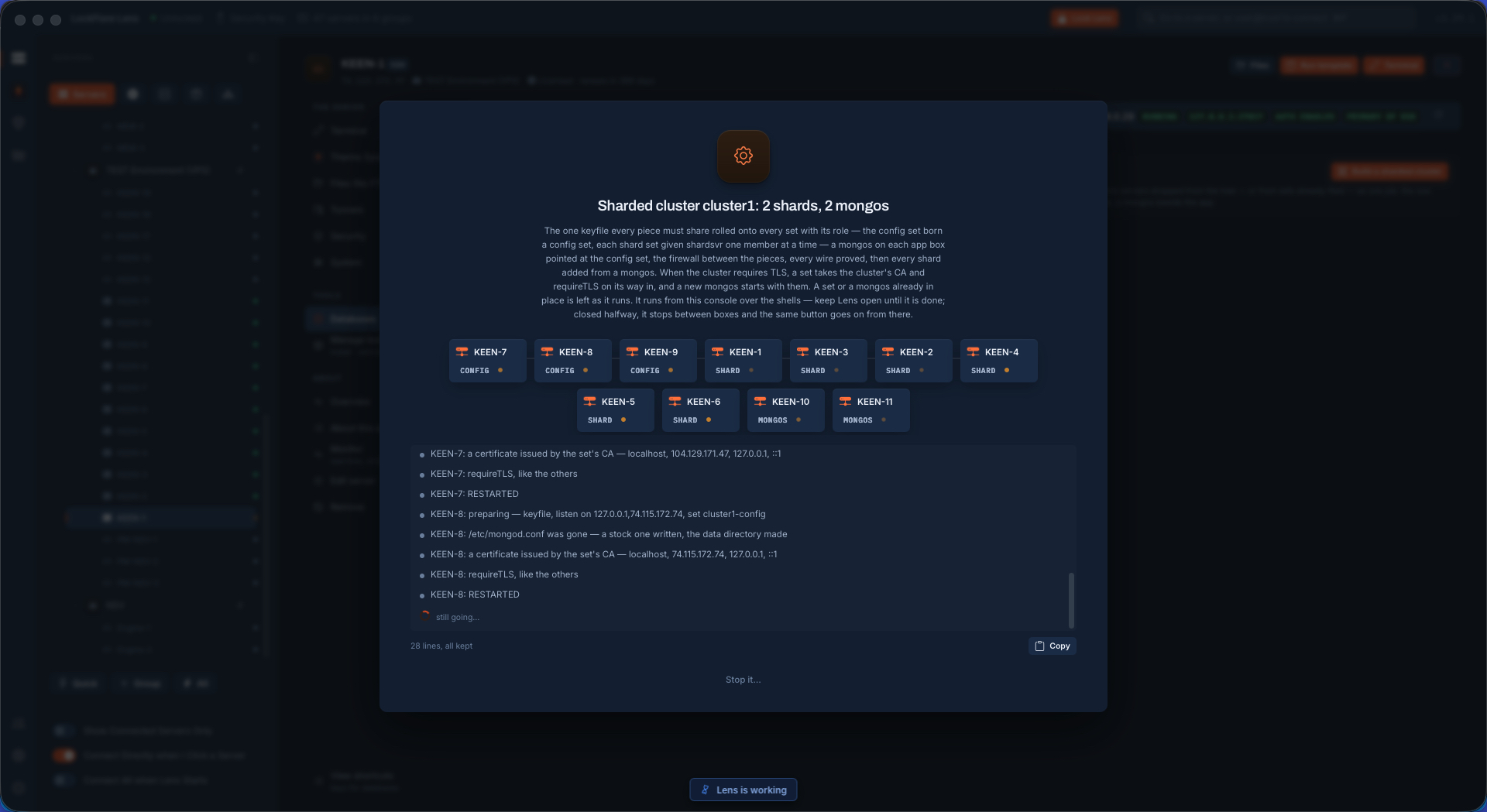
The build started on every box
Started, every box at once.
A failure on one box, named, put there on purpose
A failure, named. Intentional, for this demo.
Repairing the failure
Repair, with the fixes it knows.
The fixes finished
Fixed.
The sharded cluster fully set up
The cluster, fully set up.
Every wire of the new cluster proved
Every wire proved.

Grow it to nineteen servers, shard the collections, update the OS

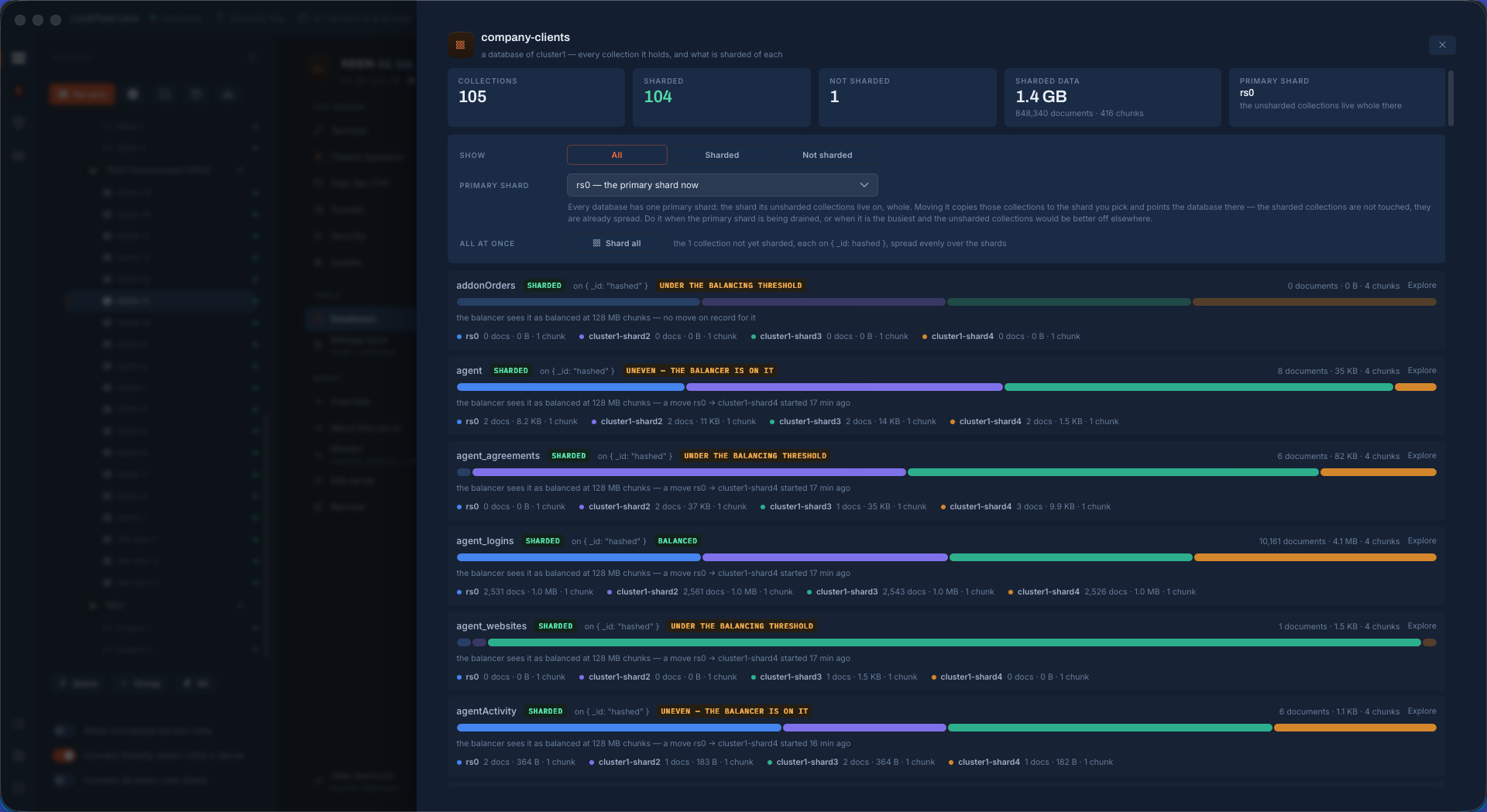
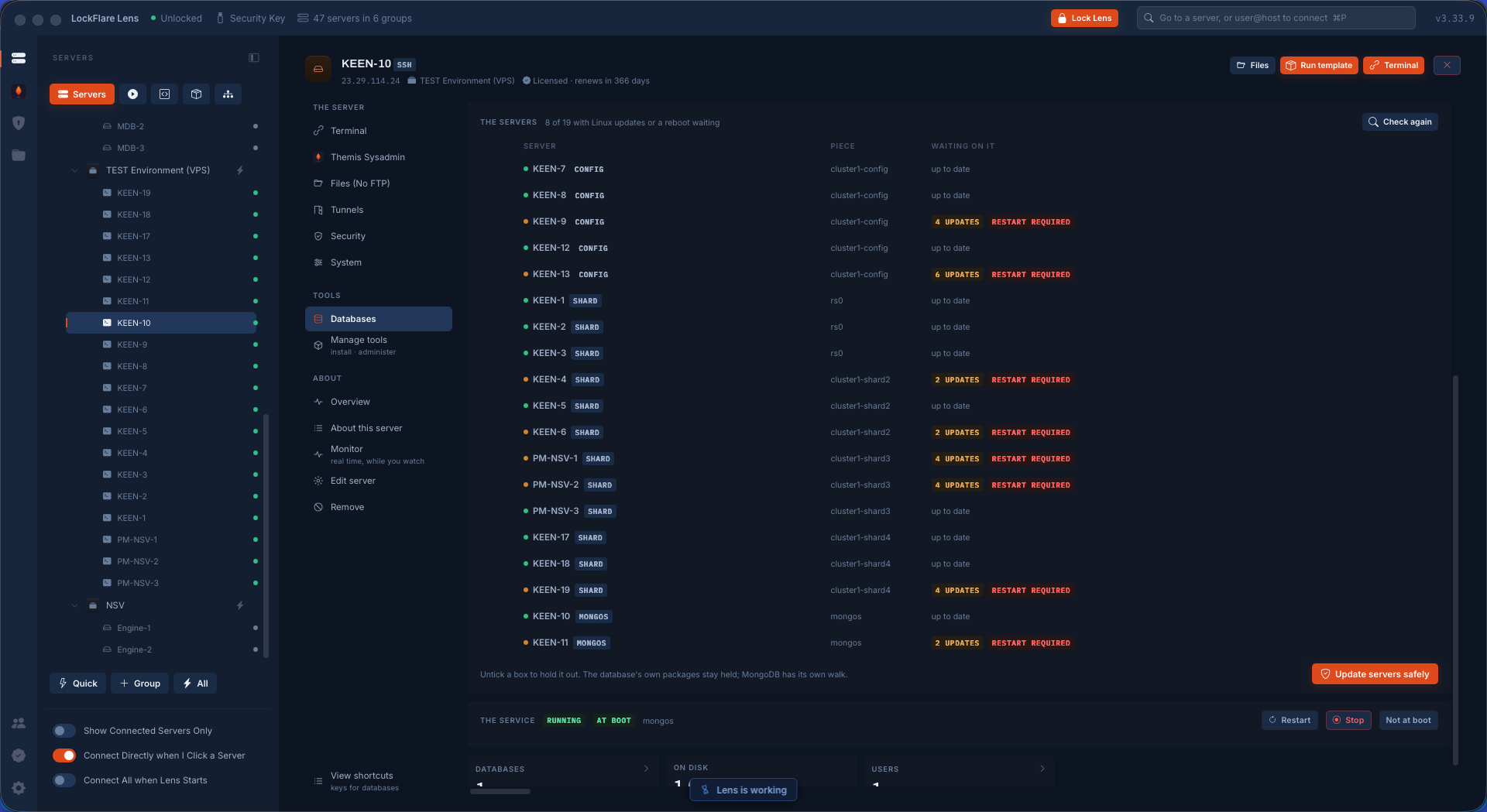
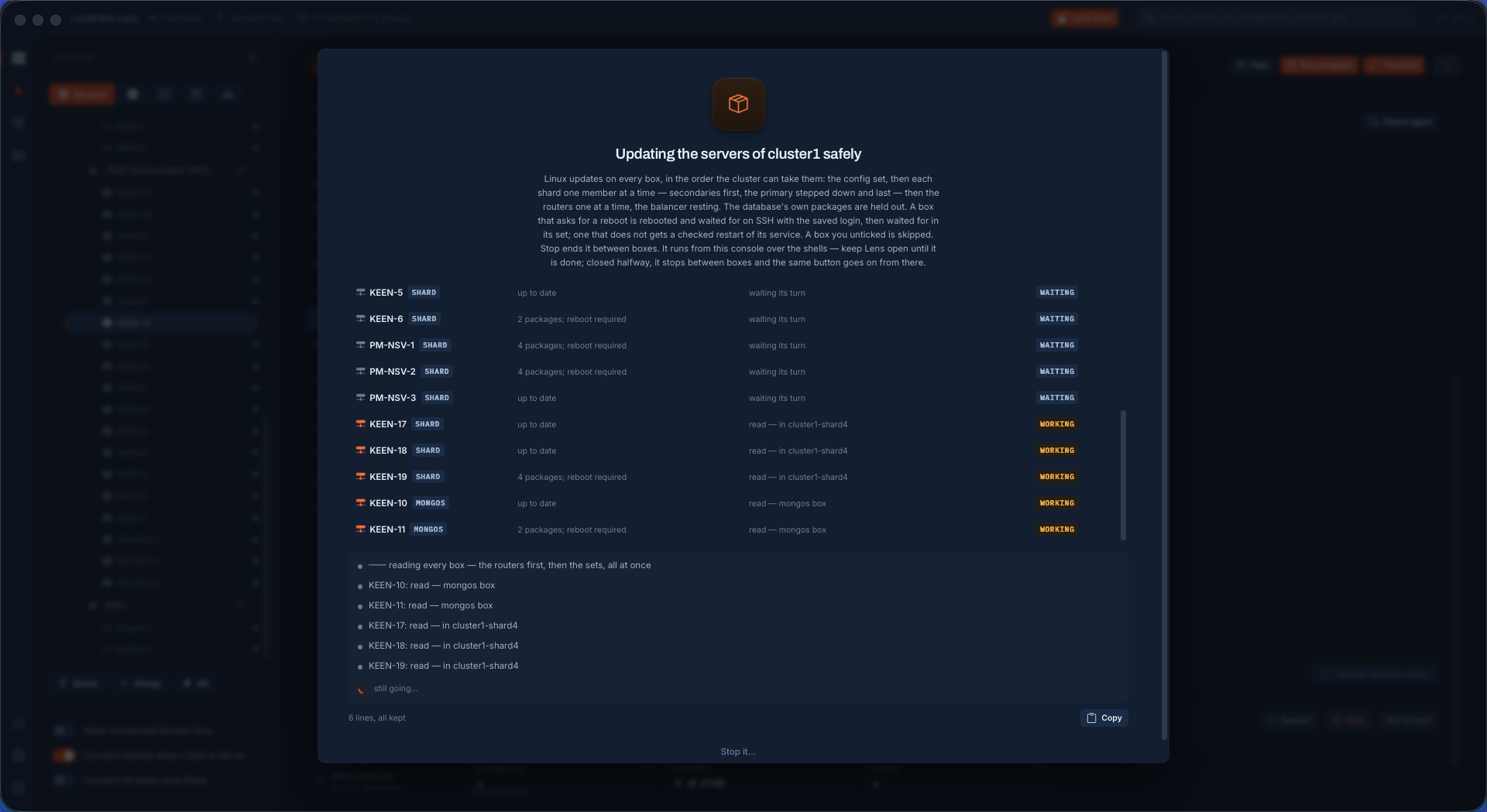
Two more shards and two more config servers dropped in; Apply puts them in place and the sets already there are left as they run. Then a collection sharded on a key, with per-shard bars and the balancer's verdict. Then the Linux updates of the whole cluster walked from a router — config set, shards rolling, routers one at a time — while the apps keep writing.

Two shards and two config servers added
Two more shards, two more config servers.
The new shards being installed
Installing the new pieces.
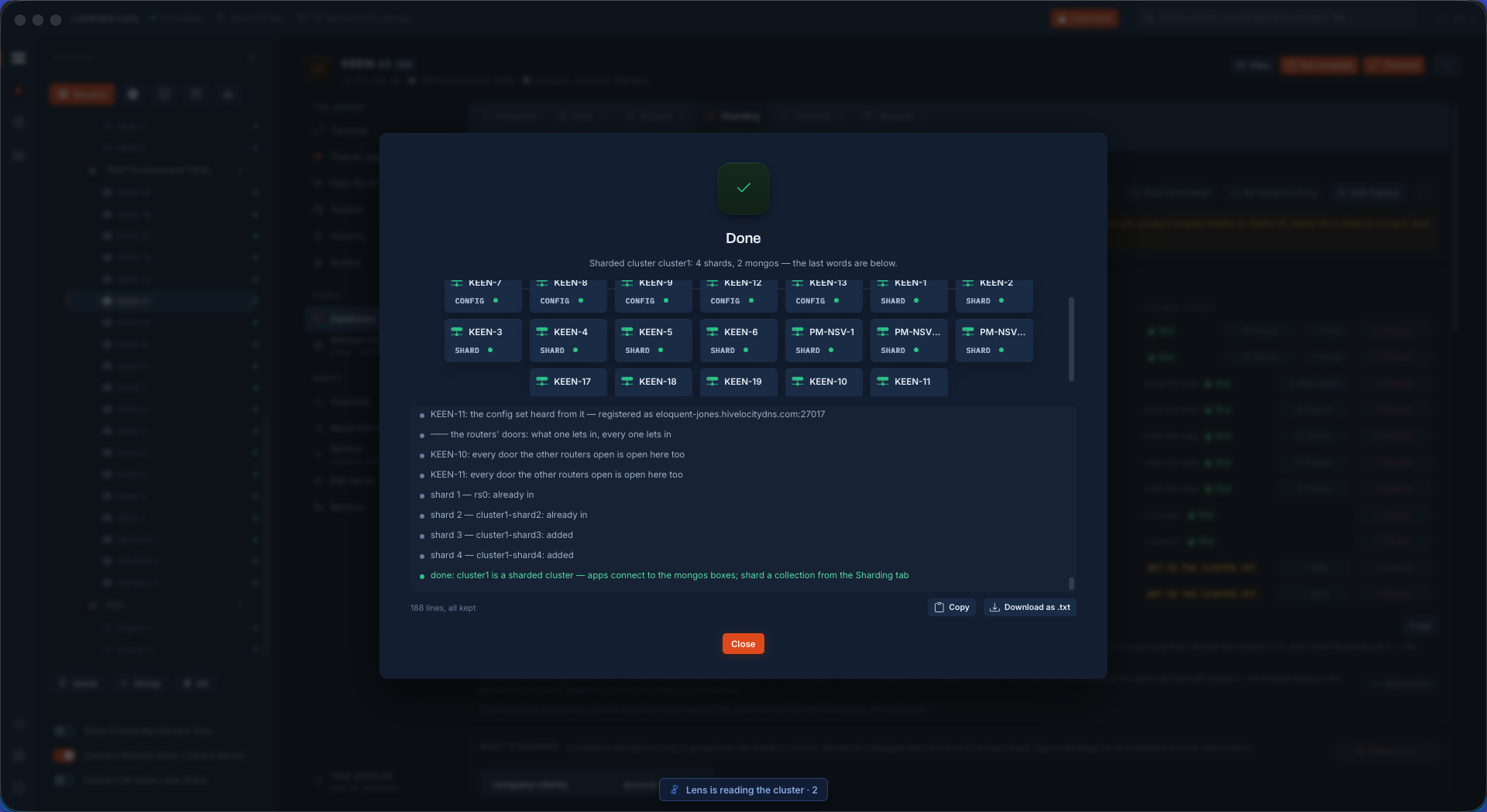
Nineteen servers in one cluster, finished
Nineteen servers, one cluster.
The nineteen-server cluster on the canvas
The same cluster on the canvas.
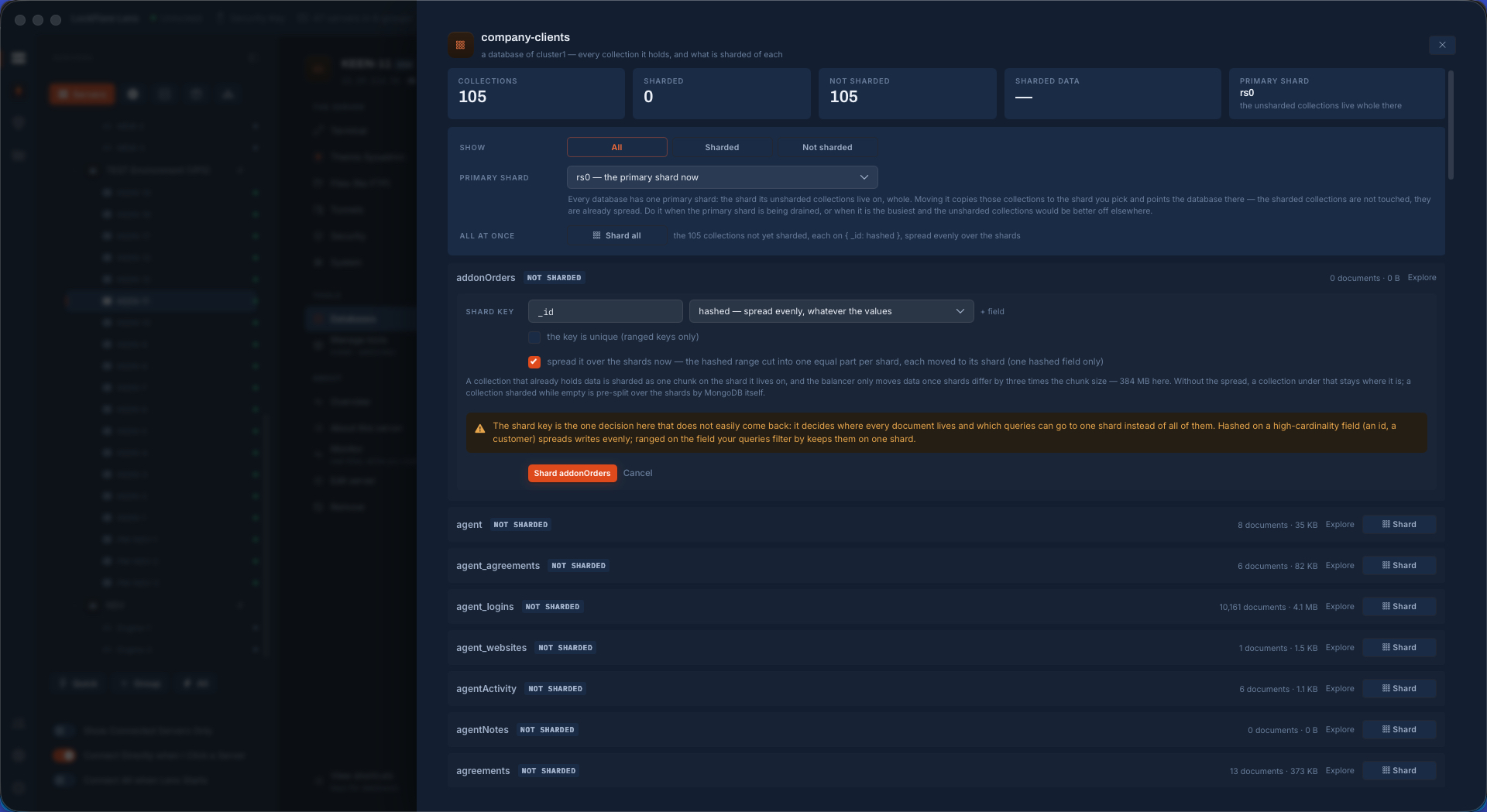
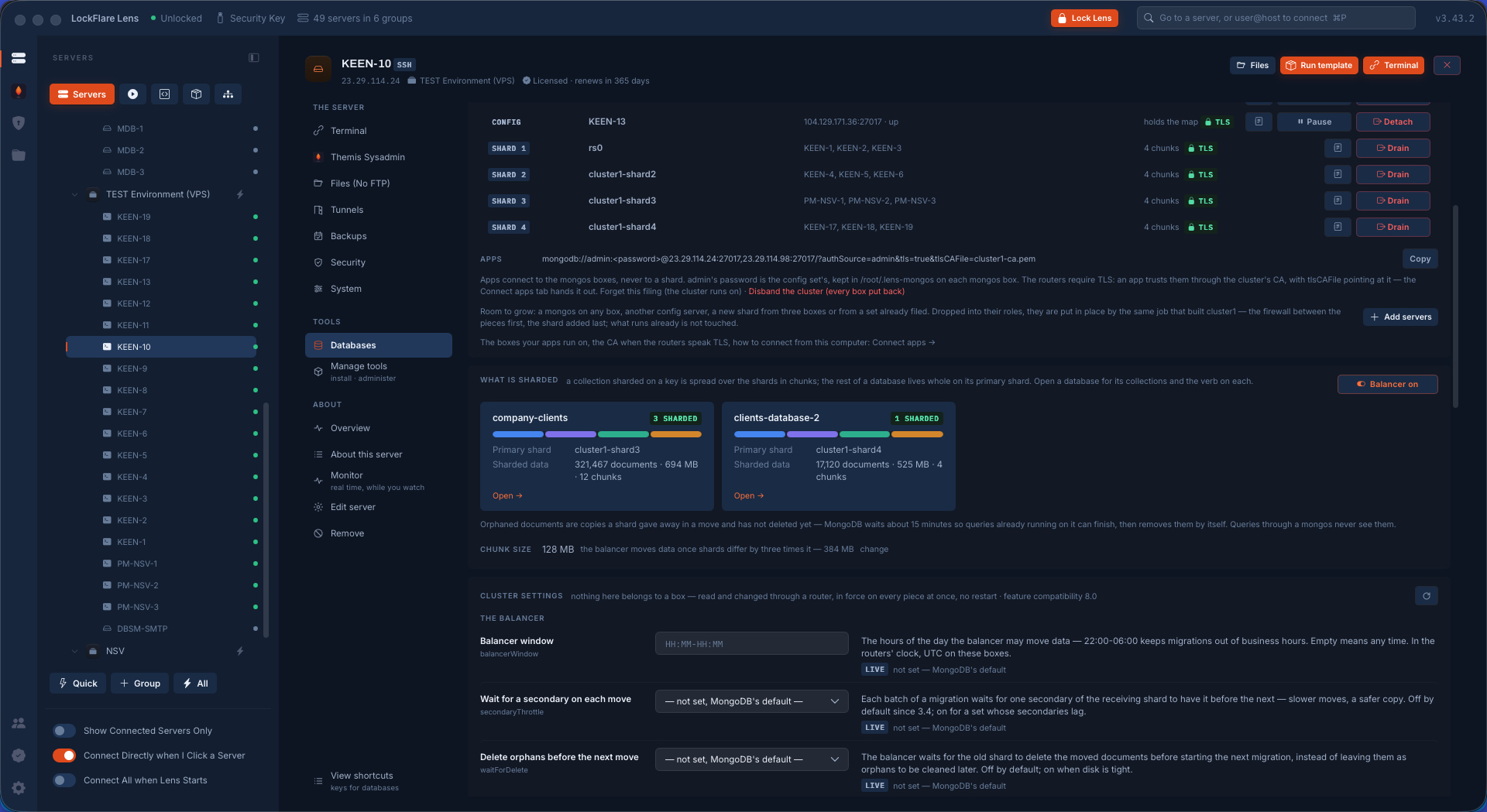
Sharding a collection on a key
A collection sharded on a key.
Sharded collections with per-shard bars
Per-shard bars and the balancer's verdict.
The cluster's servers waiting on OS updates
OS updates waiting on the cluster.
The cluster updated safely, without downtime
Walked safely, no downtime.
The final cluster: five config servers, four shards, two routers
Where it ends: five config servers, four shards, two routers.

The cluster backed up as one thing, and put back whole

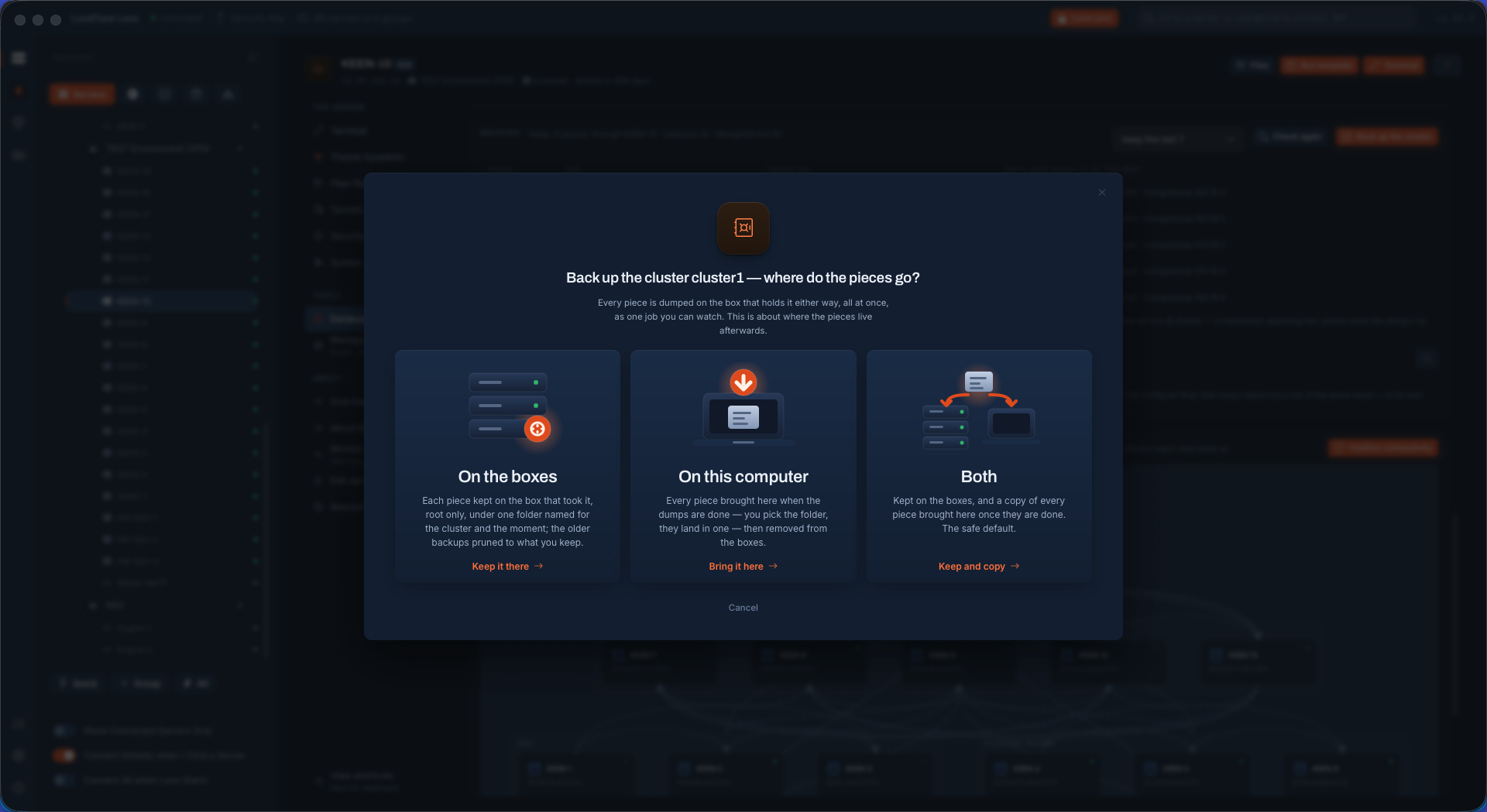
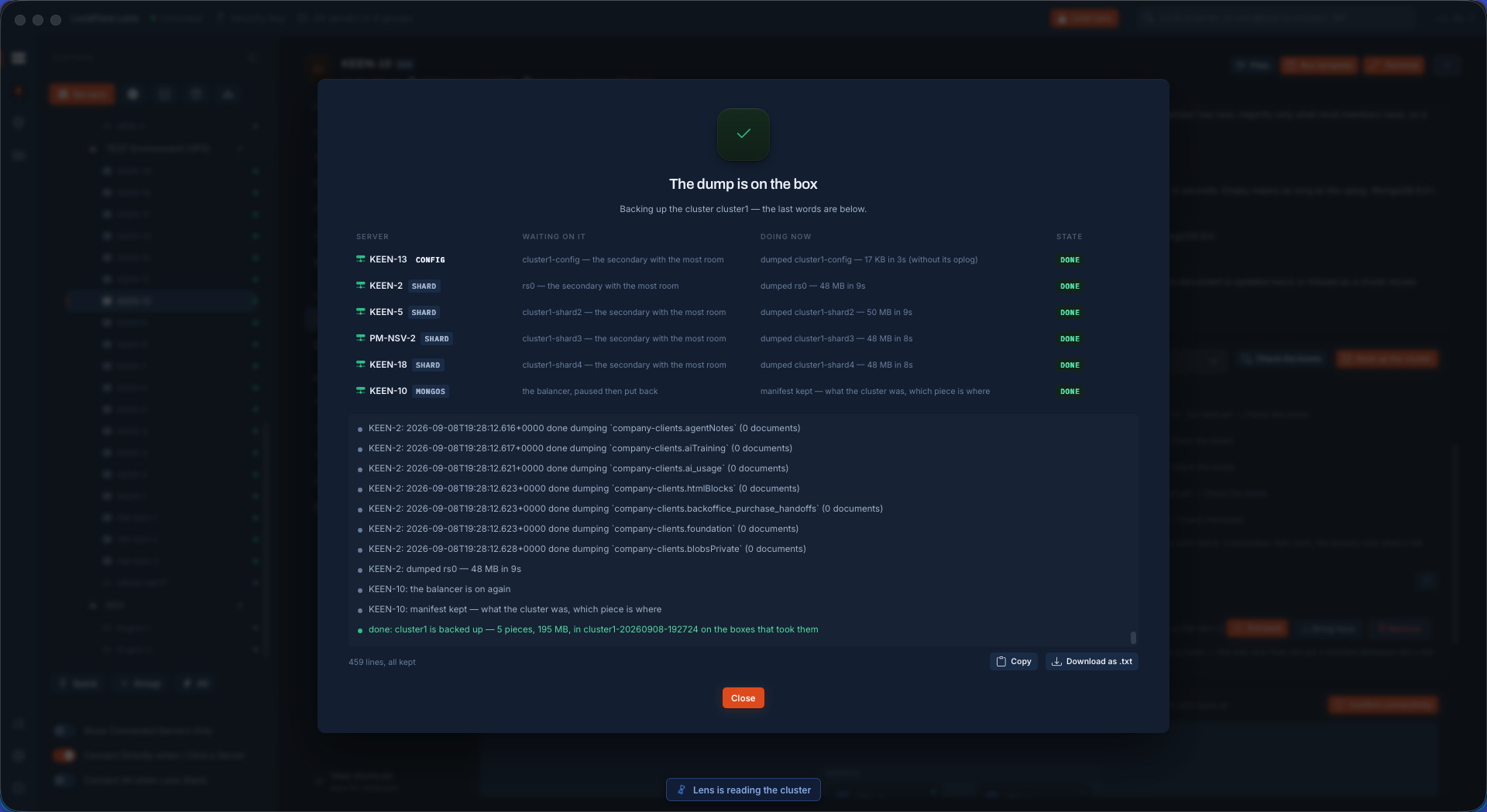
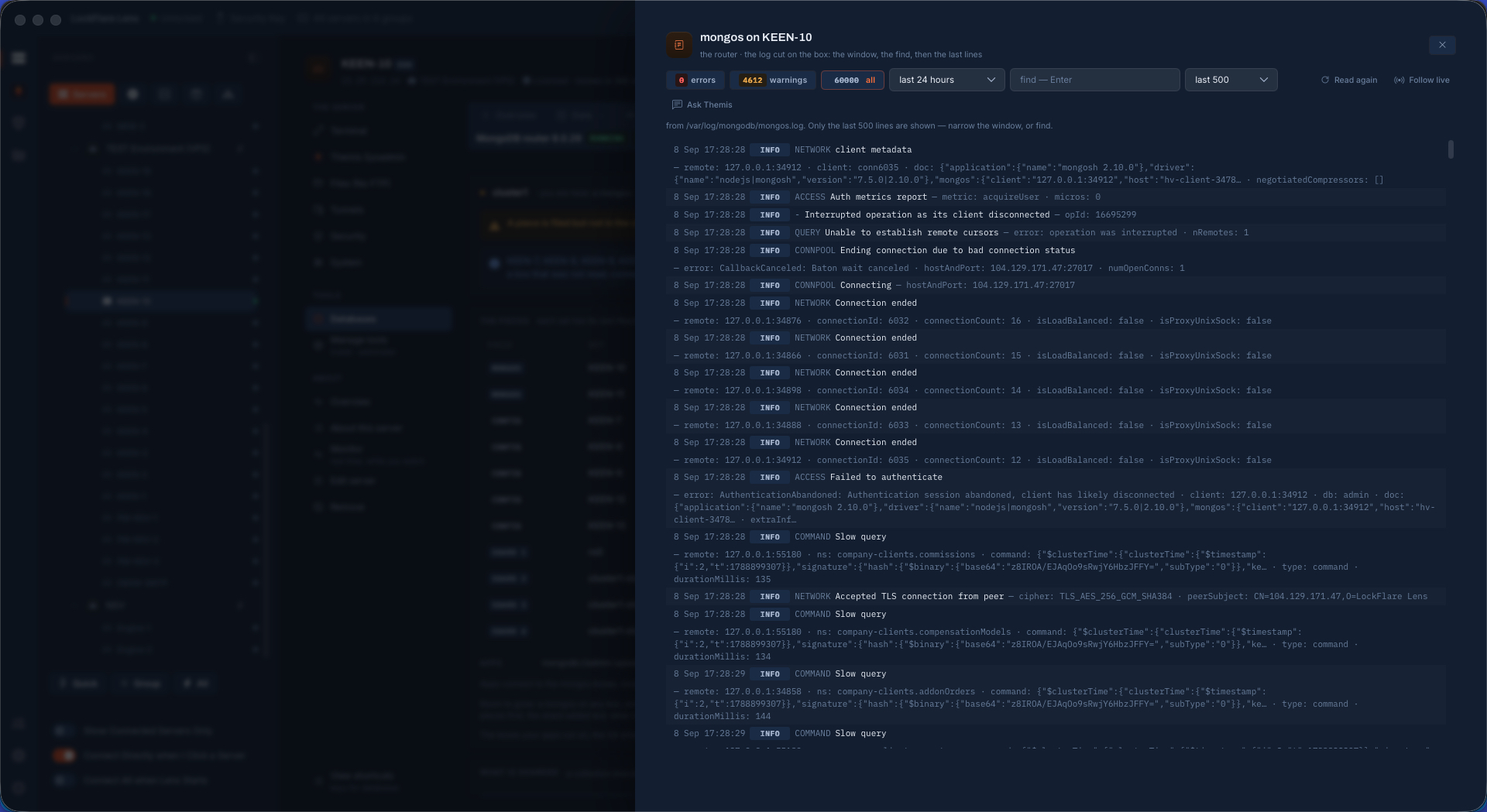
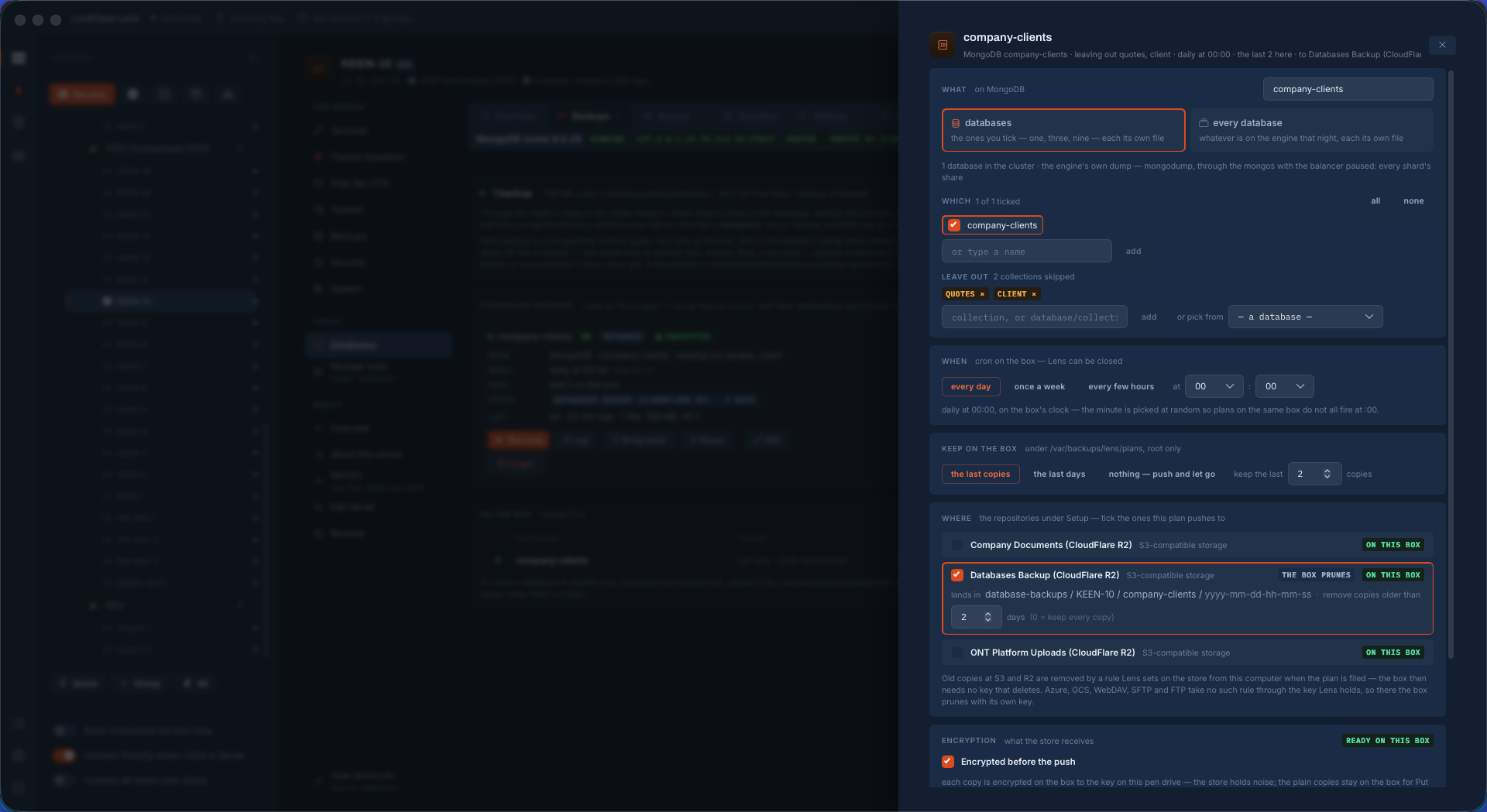
A shard holds one slice of every sharded collection, so a dump of one piece is meaningless alone. Lens pauses the balancer through a router, dumps the config set and every shard with the oplog at the same moment — each on a secondary of its own — into one folder with a manifest beside every piece, and puts the balancer back the moment it ends. On a schedule, the same thing goes to a repository: here, Cloudflare R2. The log of every box, or of every box in one role, is one window.

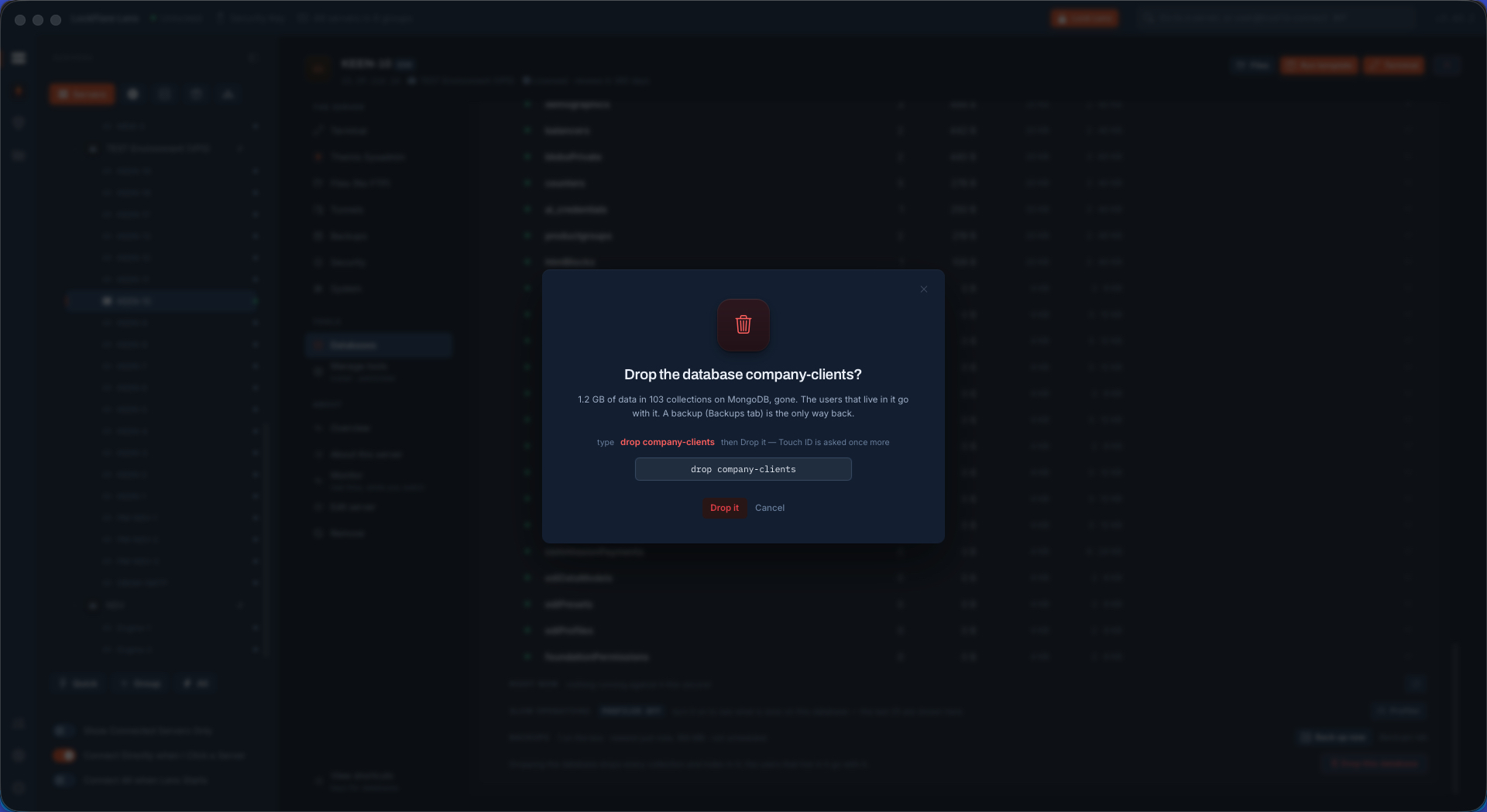
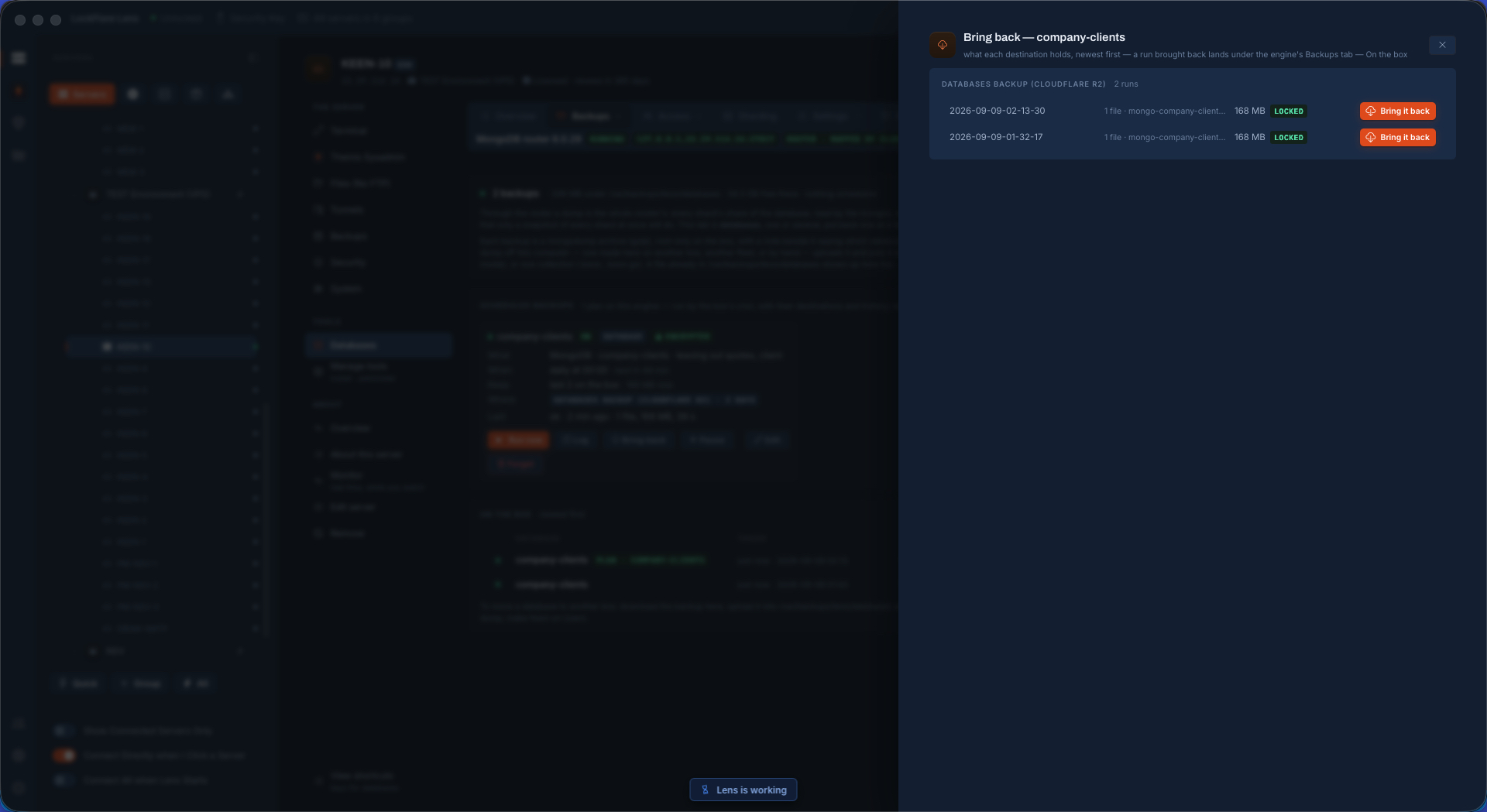
Then the test that matters: the database dropped, brought back from R2 through a router, its collections sharded again on the keys the manifest kept, every shard's slice loaded from the box that holds it. Restored under a different name, too. And "shard as before" replicates the original's sharding onto the copy, with the collections you leave out left out.

Backing up the whole cluster
Every piece, at the same moment.
The cluster backup finished
Finished, a manifest per piece.
The database logs, per server or per role
The logs, per server or per role.
Scheduling the cluster backup to Cloudflare R2
On a schedule, to Cloudflare R2.
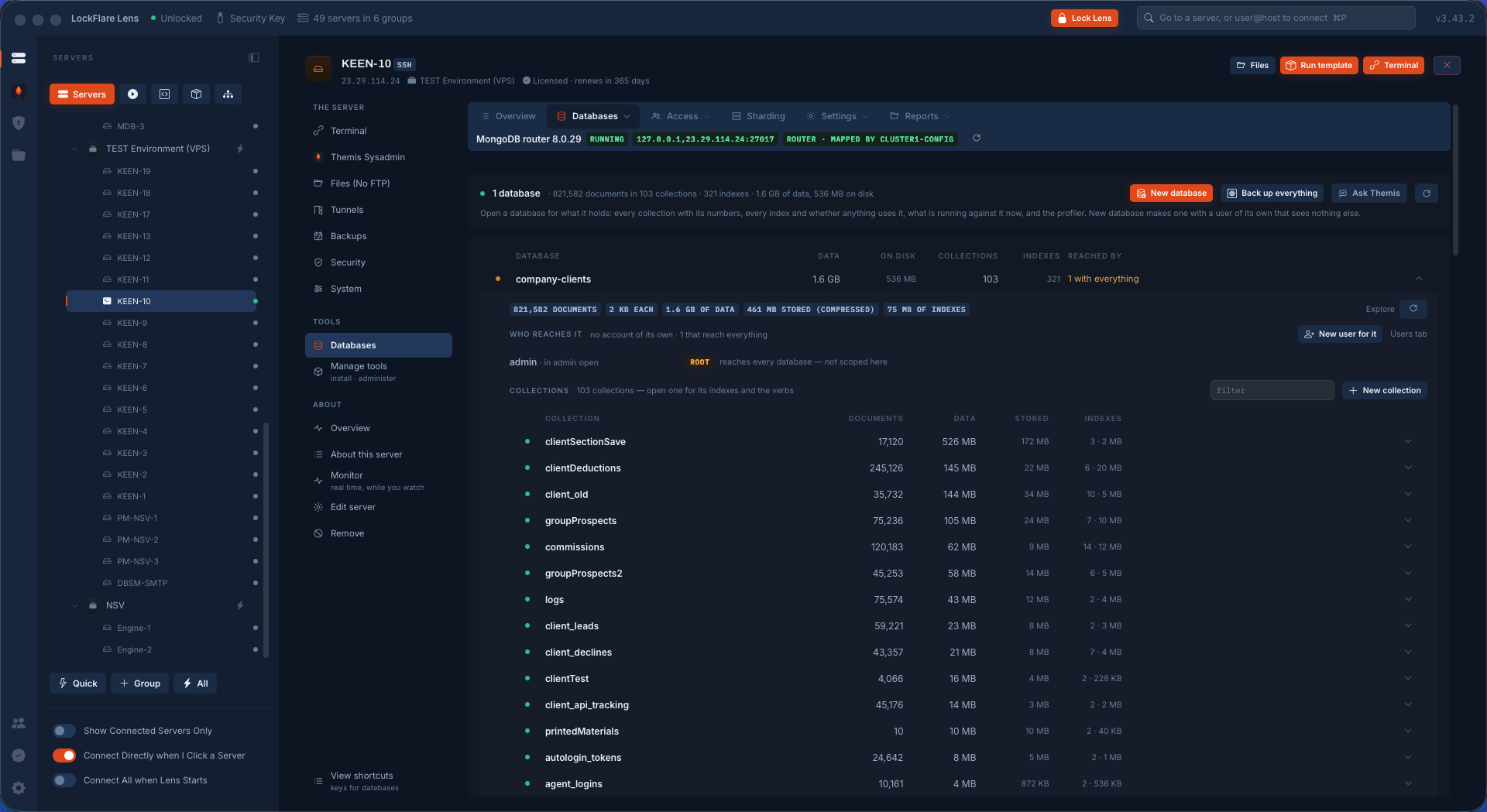
Dropping the sharded database
The database dropped.
Bringing a backup back from the repository
Brought back from R2, through a router.
The sharded database fully restored
Restored whole, sharded again on its keys.
A copy of the database, sharded as the original, with chosen collections left out
A copy under another name, sharded as before.

Themis reads the cluster

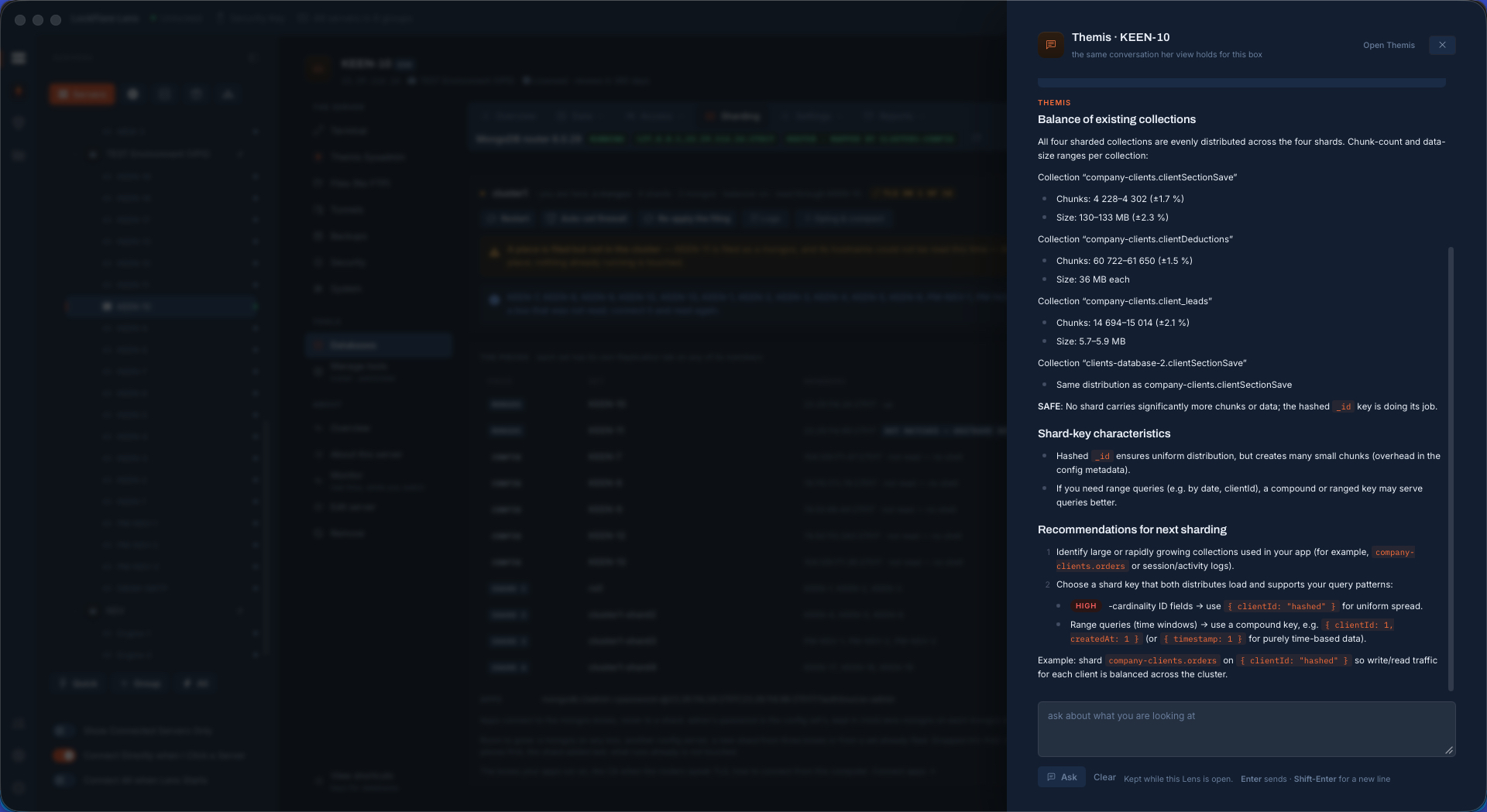
With the cluster built, Themis reads it through the probes and says what she would change — each recommendation a row with Run, Show me and No. She never changes anything on her own; the exact script is a click away.

Themis AI recommendations for the cluster
Recommendations, one at a time, each with its script.

Everything above is in the free tier

Replication, sharding, TLS, cluster backups: every Lens server gets all of it. What is licensed is the server, not the feature.

Download Lens