LockFlare

Docker on a box, run from one place. Every screen of it.

The runtime from docker.com with compose, enabled at boot, its daemon seeded so no box fills a disk with logs, and the firewall fix nobody remembers until it bites. Then everything Docker does as a screen: stacks, containers, logs, images, volumes, networks, disk. This page is all of it, on a real server.

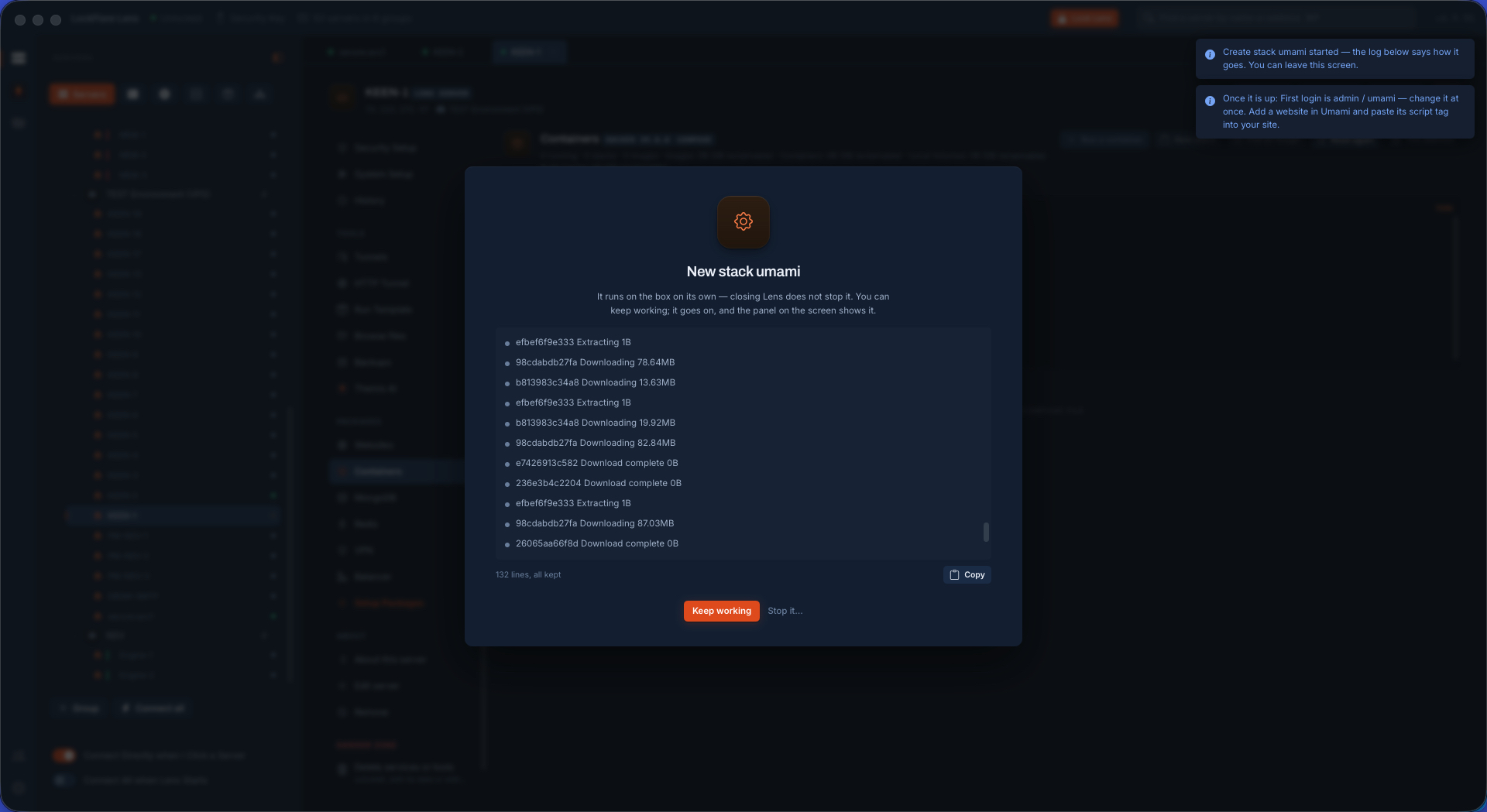
A stack being brought up in Lens: the job card with each compose step in its own words
A stack coming up, one job, each step in its own words.

The runtime, put there properly

Docker from docker.com — the distribution's docker.io lags a year and ships no compose plugin — with compose and buildx, enabled at boot. Before the first start Lens seeds daemon.json with log rotation and live-restore, so a box set up here never fills a disk with container logs and never drops its containers when the daemon restarts. The service and the docker group (offered, not assumed: it is root in all but name), and the daemon's keys that decide whether the box is still standing in six months, are read and set on one screen.
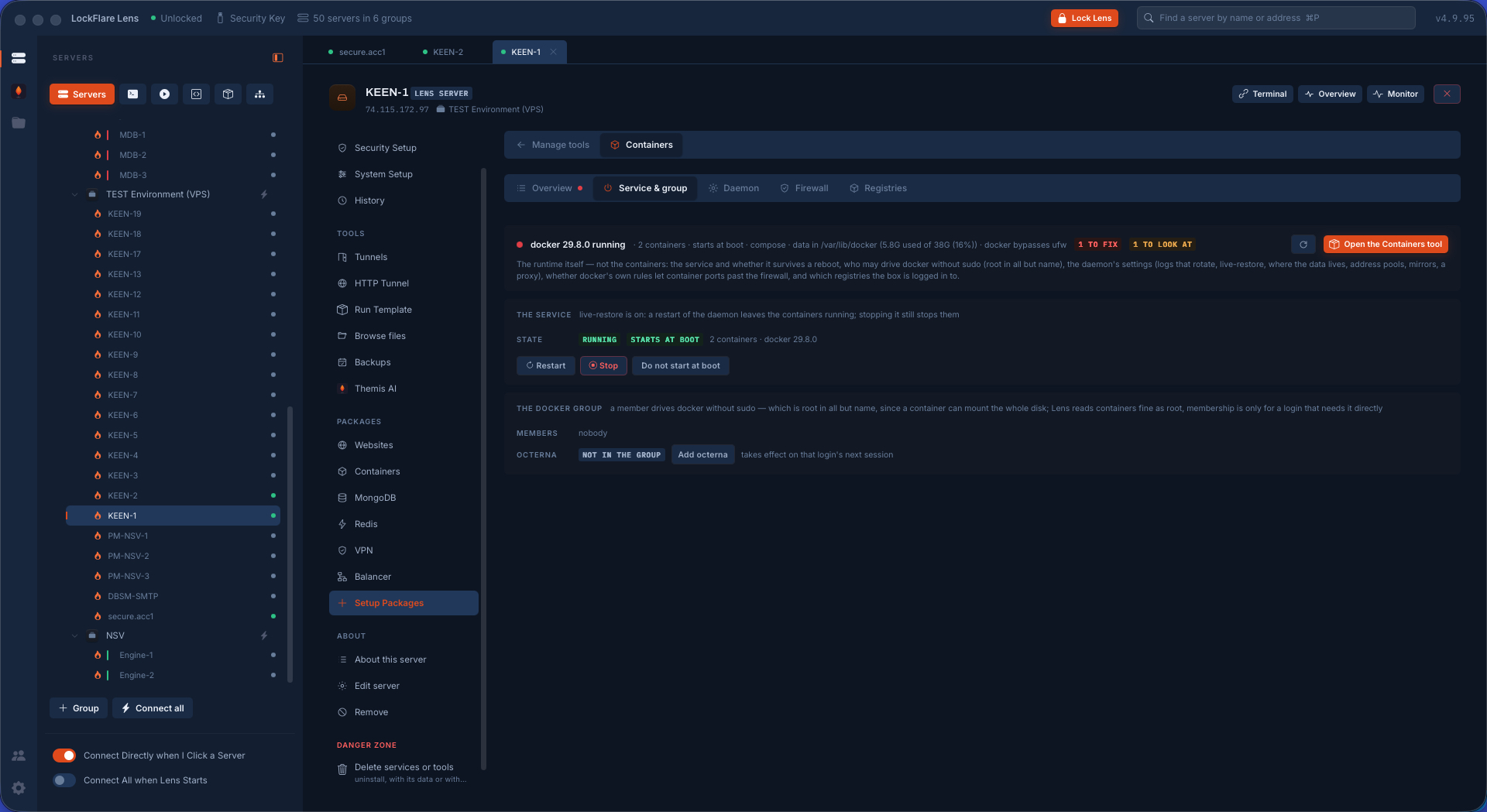
The Docker service in Lens: running, at boot, start, stop, restart, and the docker group
The service: running, at boot, the docker group offered.
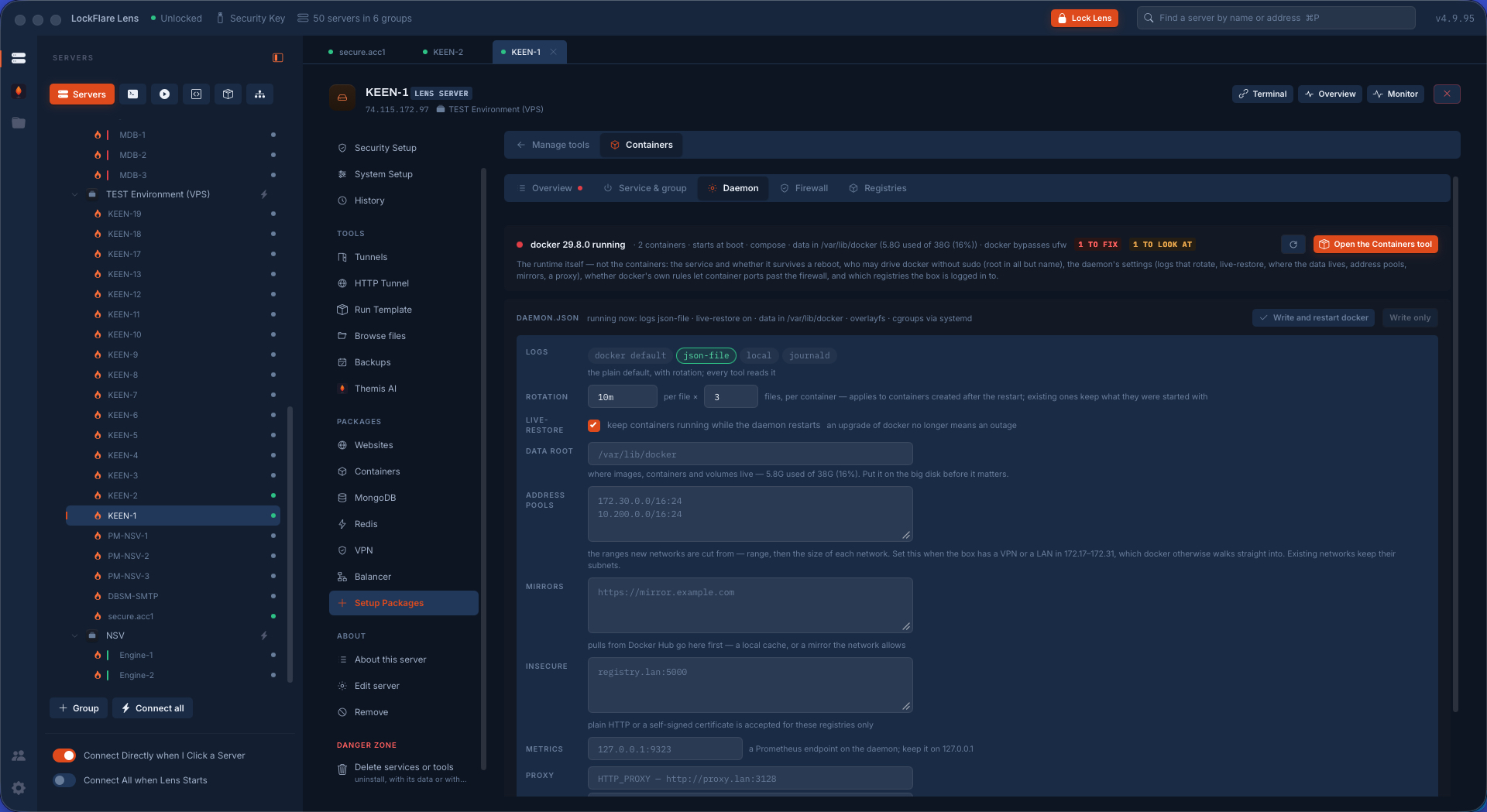
The daemon's configuration in Lens: log rotation, live-restore, data root, each said in words
The daemon's keys, in words: log rotation, live-restore, where the data lives.

The firewall fix nobody remembers

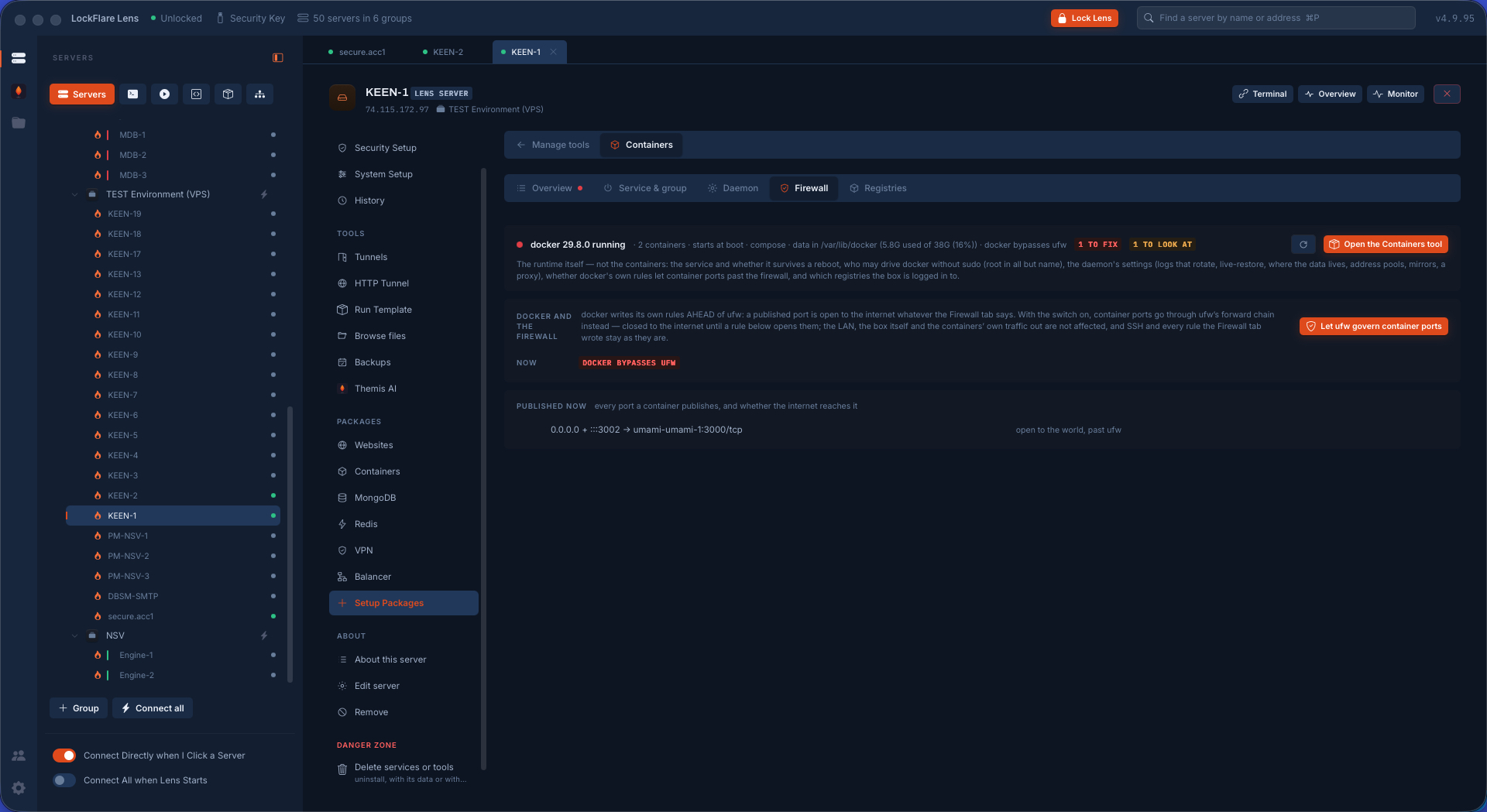
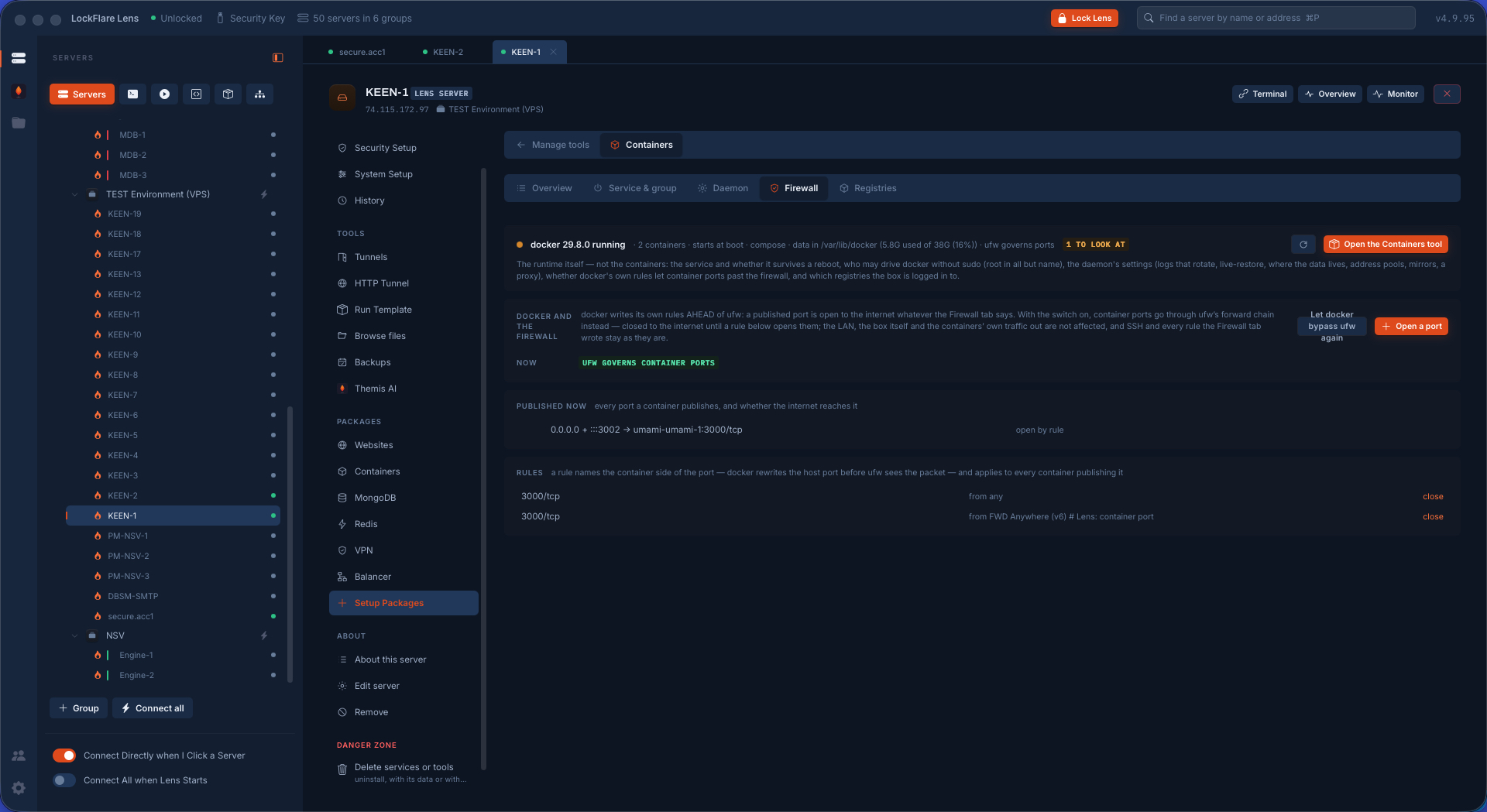
Docker publishes ports past ufw unless it is told not to: a container on port 3306 with a "closed" firewall is open to the internet, and most people find out the hard way. Lens writes the ufw-docker block into after.rules once, and from then on every published port is a ufw route rule — added and removed here, "to whom" asked first, the operator's own address never stripped. The second screen is the same box after: the ports Docker publishes, governed by ufw like everything else.

The Docker firewall screen in Lens: let ufw govern Docker's ports, with what that writes explained
Let ufw govern Docker's ports — one switch, and what it writes said before it does.
Docker's published ports now managed by ufw: each port as a route rule with who may reach it
In action: every published port a ufw rule, with who may reach it.

A stack in three answers

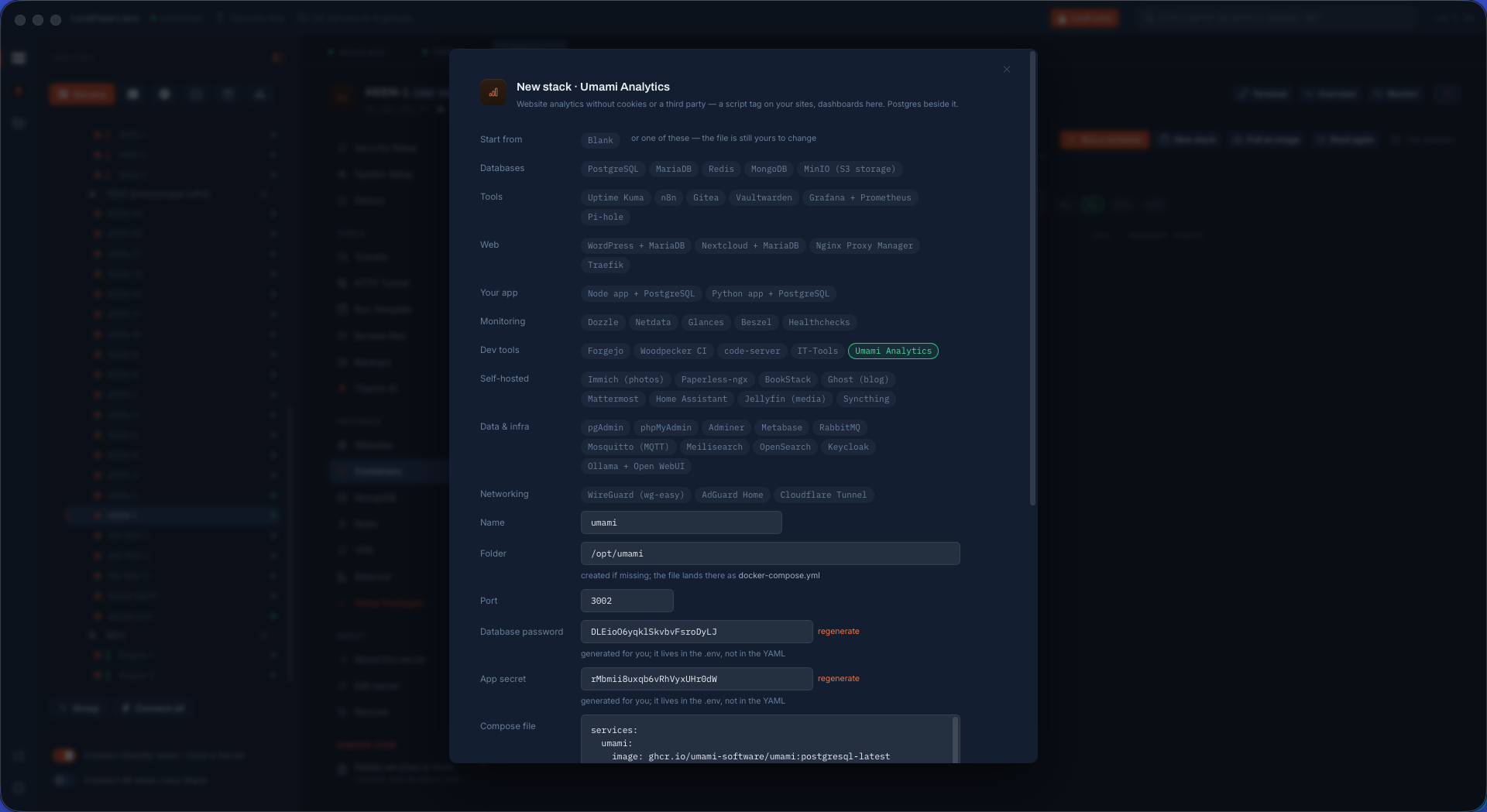
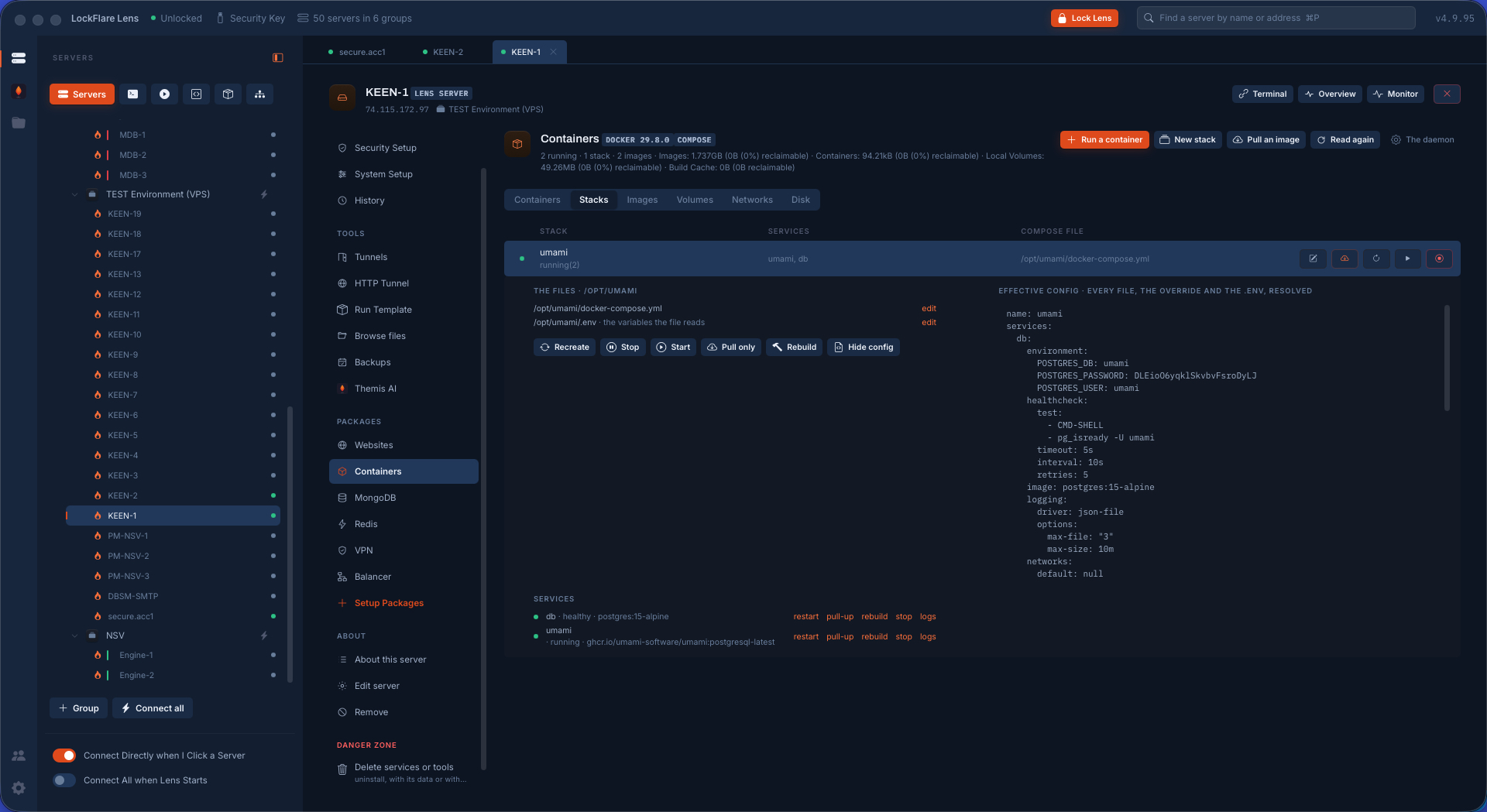
Ready compose files for a small developer: pick the app, answer the three things that matter, running. Every choice is a ${VAR} written into a mode-600 .env, so no password ever sits in the YAML; databases are bound to 127.0.0.1, admin passwords are generated, logs are rotated, and the note on the card says which ports face the world. A stack already on the box is a compose project like any other: pull-and-up, the update check, the effective config read back, the editor for the file itself.

Adding a stack from a template in Lens: the app picked, the three values asked
Pick the app, answer the three things that matter.
The stack being brought up as one job
One job brings it up, each step in its own words.
A stack's configuration in Lens: the compose file, its .env with secrets masked, the effective config
The stack's config: the file, the .env with secrets masked, what compose actually resolves.

Containers, watched

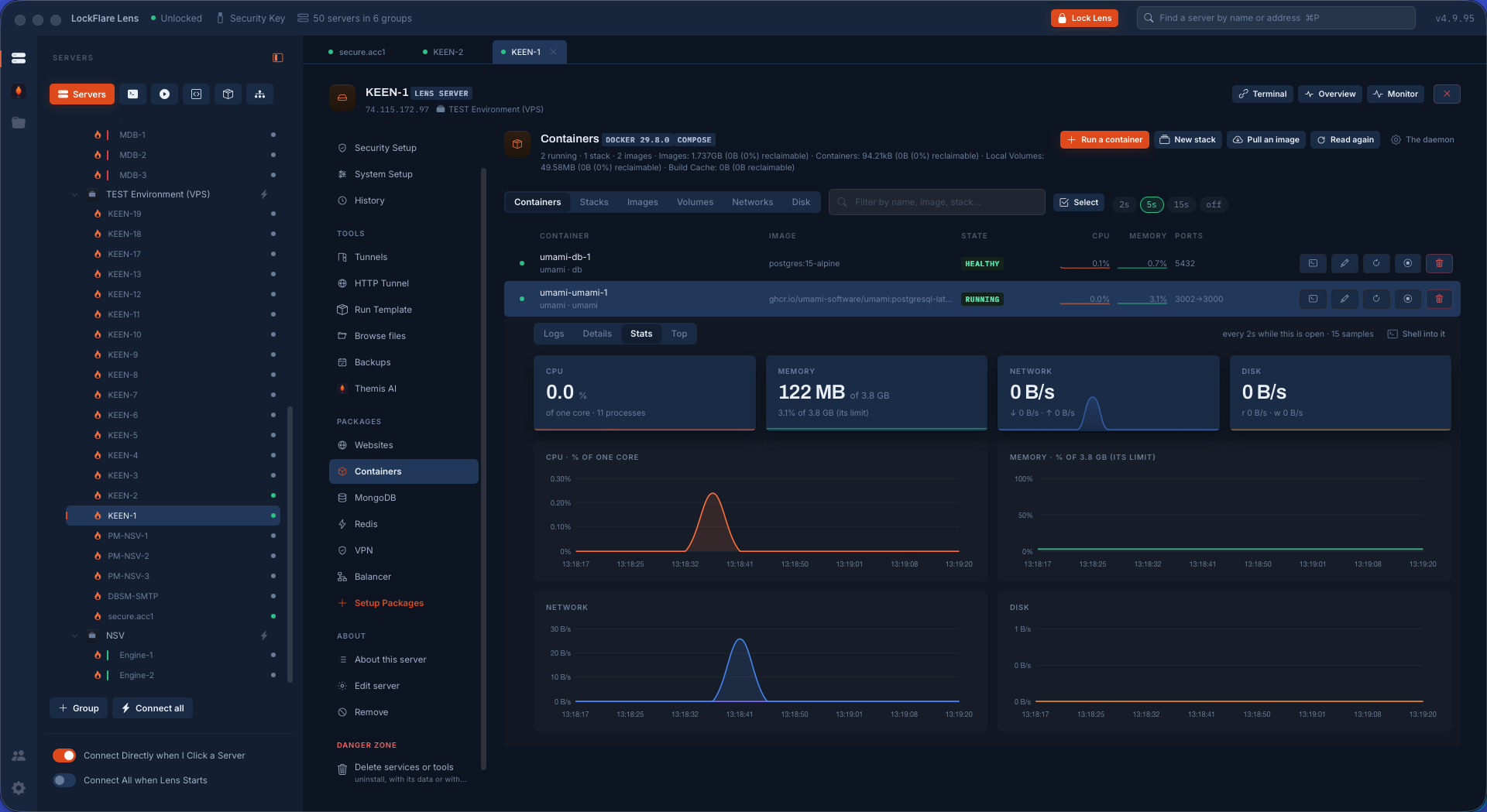
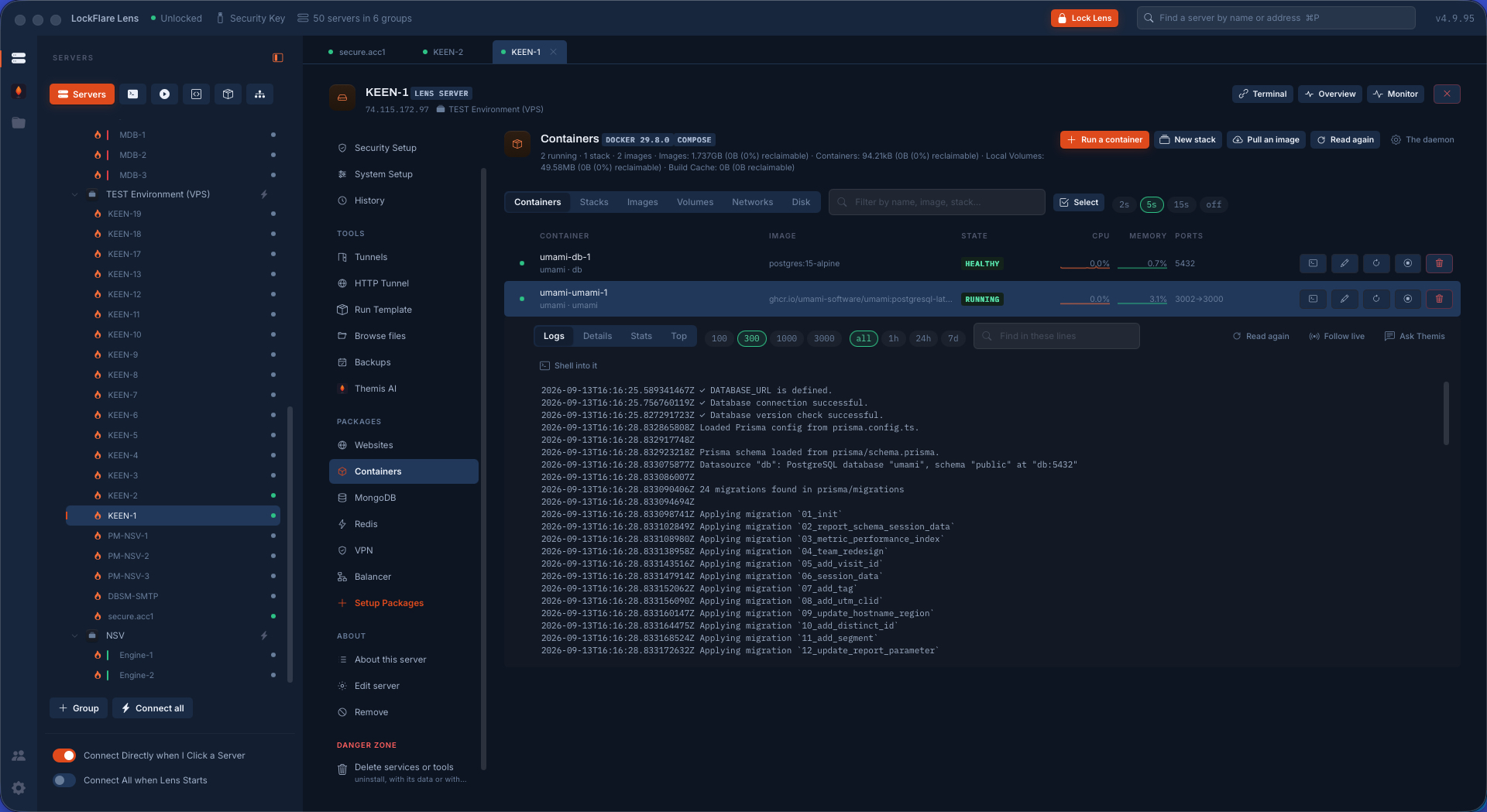
Running first, then the trouble. A row opens to its details, its stats — Monitor's charts for one process tree, every number a rate between two samples — and its top. Logs follow live, with the lines in hand for Themis when something in them needs explaining. A shell into a container is a real terminal tab with docker exec typed in. The run form carries the long tail of docker run, one control a row; any container reads back into it, and Recreate steps the old one aside under a temporary name until the new one is up.

A container's statistics: CPU, memory, network, disk, drawn over time
Stats for one container, drawn like Monitor.
A container's logs in Lens, following live, with Ask Themis beside them
Its logs, following live, Themis a click away with the lines in hand.

Volumes: the part that is actually your data

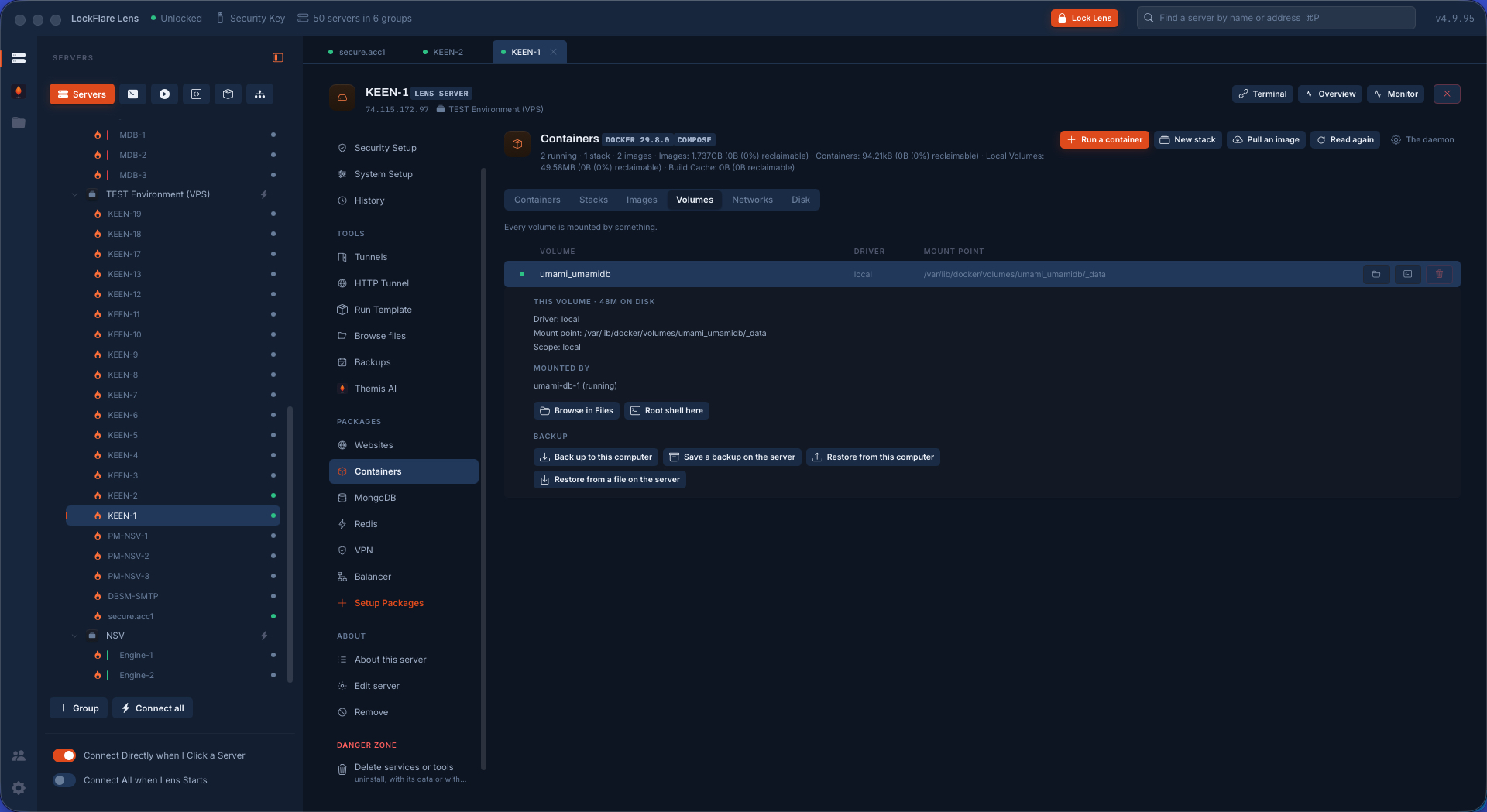
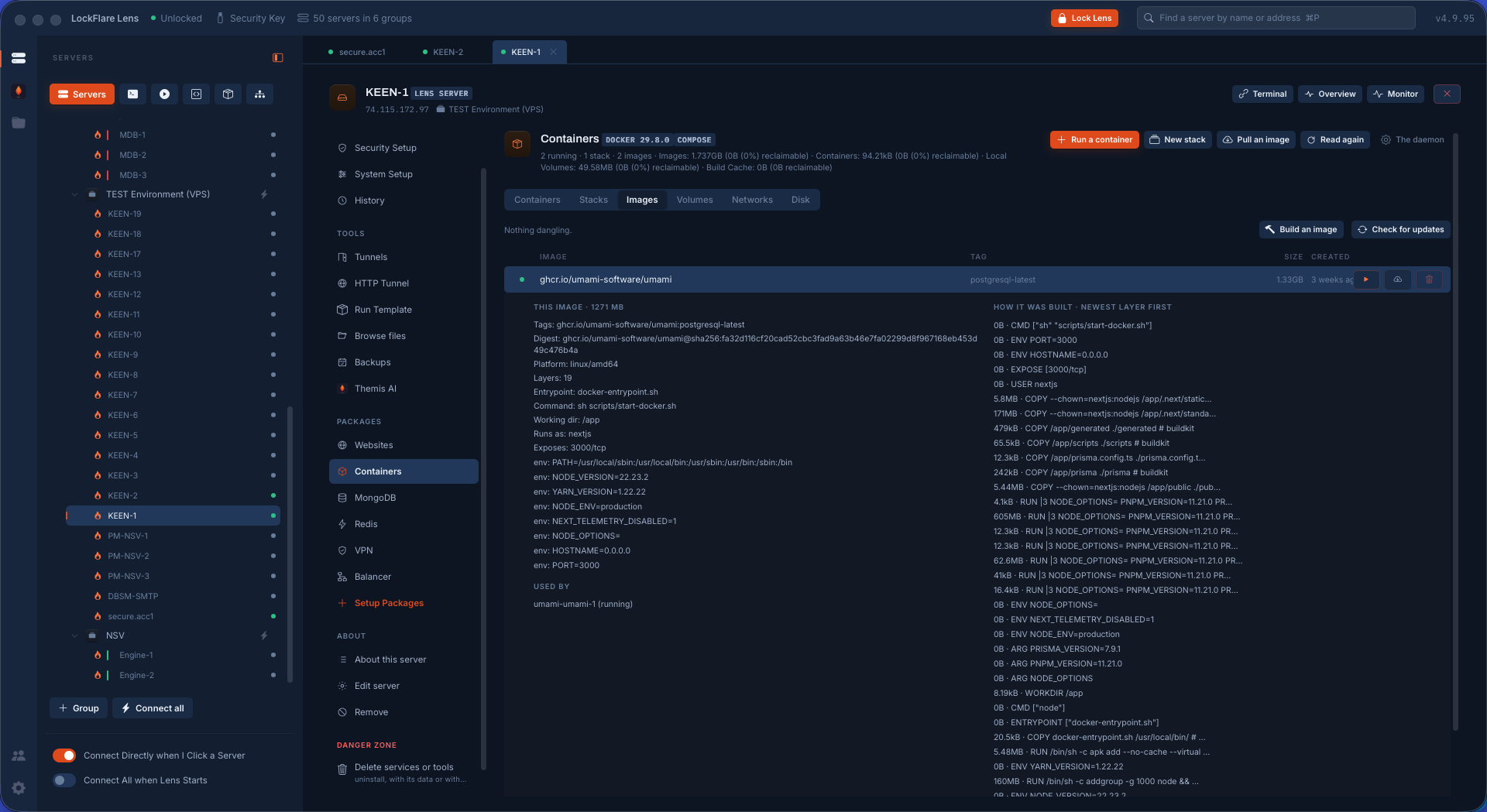
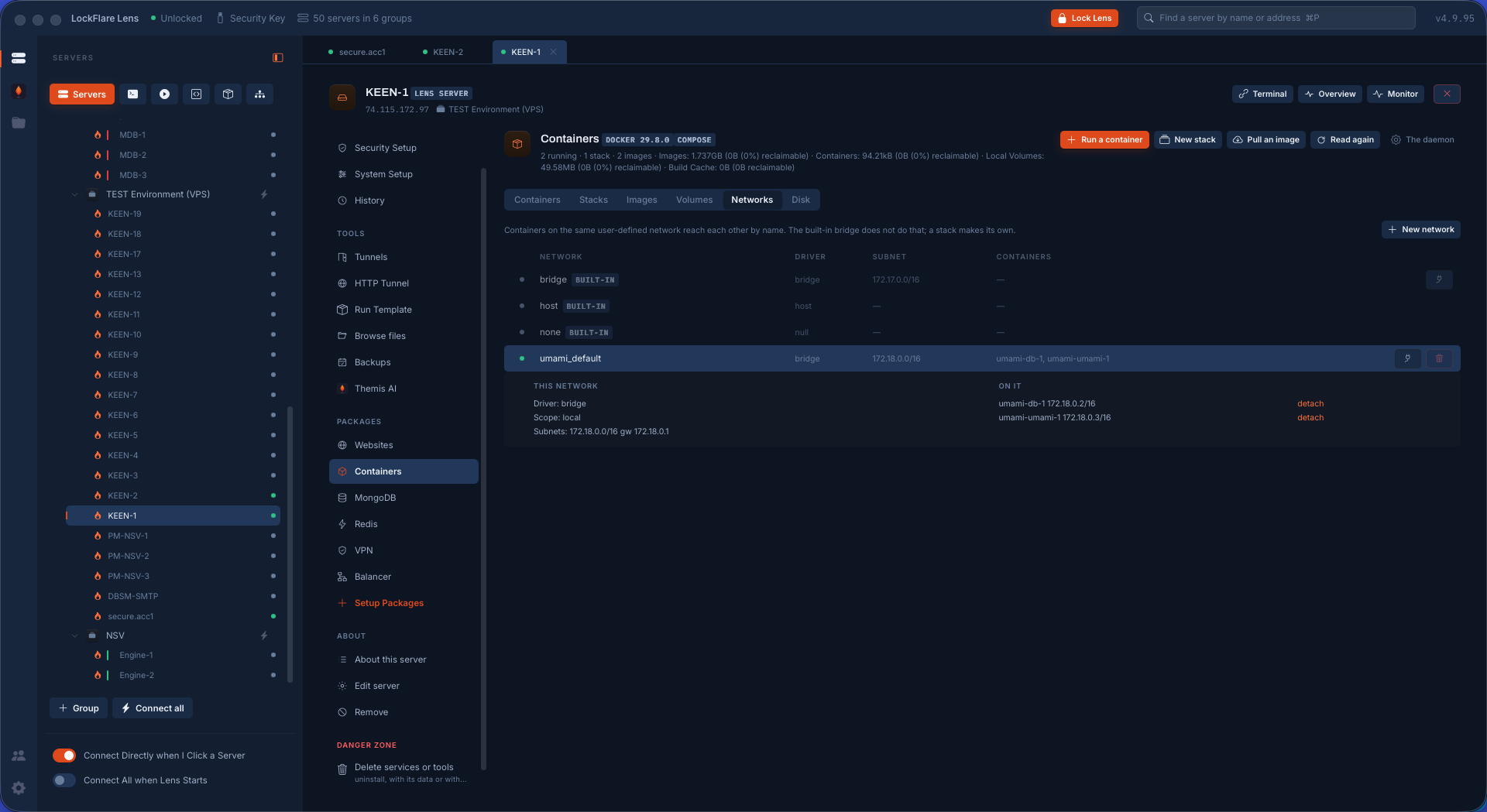
A container is disposable; its volume is not. Every volume on the box is listed with what uses it and what it weighs, and a volume opens to the three verbs that matter: back it up — to the box, to this computer, or to any repository described under Setup, encrypted to your key; restore it, into the same name or another; and browse the files inside it, right there, without starting a container to look. Images and networks sit beside them: pull, build and prune; new, attach, and what each network reaches.

Volumes in Lens: every volume with what uses it, and one opened to Back up, Restore and Browse files
A volume opened: back it up to a repository, restore it, or browse the files inside without starting anything.
Images on the box in Lens: tags, sizes, what is in use, pull and build
Images: tags, sizes, in use or dangling, pull and build.
Networks in Lens: each network with the containers attached, new and attach
Networks: what is attached to what; new, attach.

Disk, and what can be given back

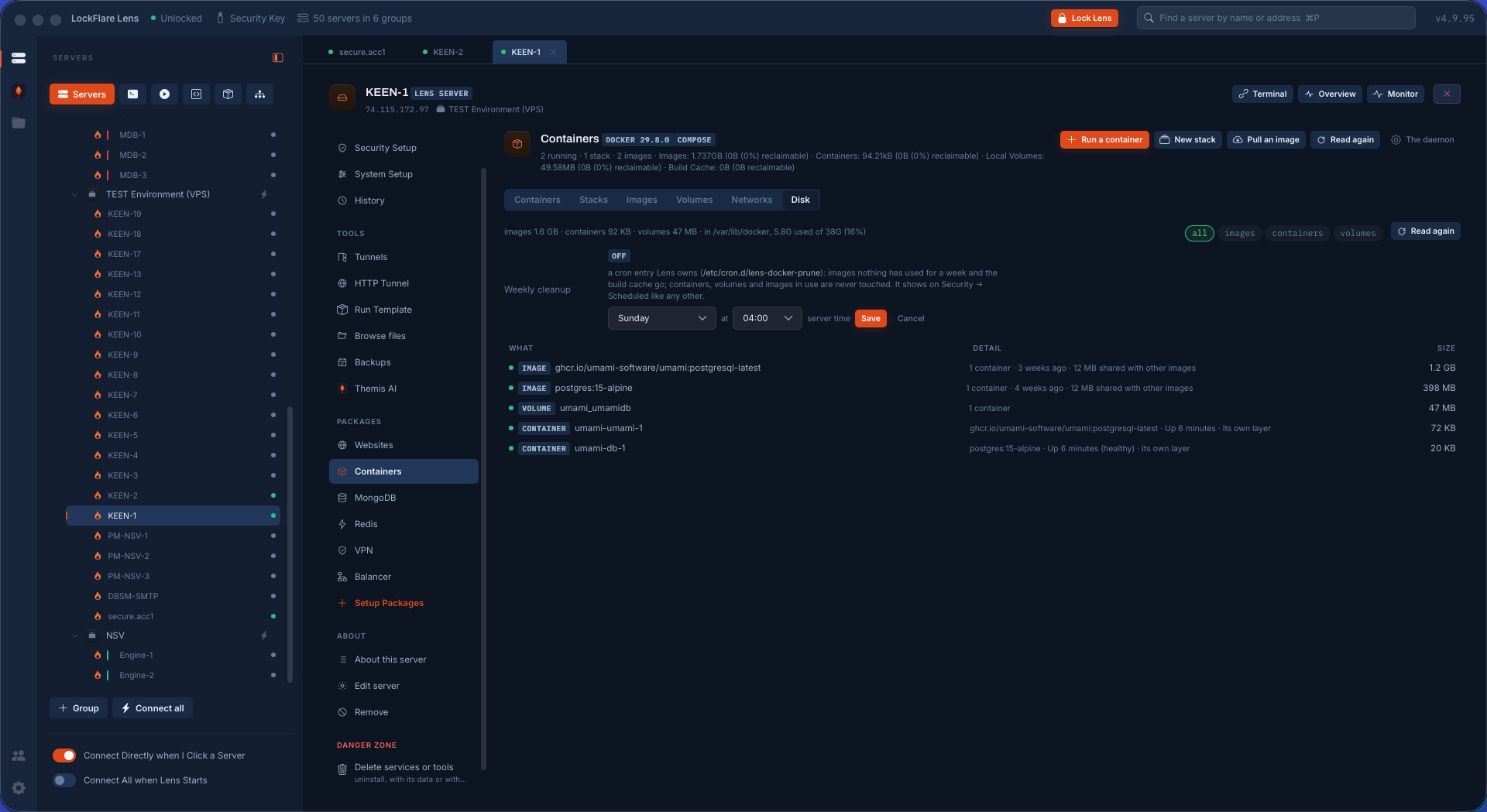
A full disk is how most Docker boxes die: dangling images, stopped containers, build cache, logs nobody rotated. Lens shows what takes the room by kind and offers the cleanups one at a time, each saying afterwards what the disk looks like now — and a prune schedule the box runs on its own, so the same box does not fill up again in a month.

Docker disk usage in Lens by kind — images, containers, volumes, build cache — with the cleanups and a prune schedule
What takes the room, by kind, and the cleanups that give it back — with a schedule so it stays that way.

The runtime is one card on the hub

Install it, and the Containers tool appears in the rail the moment the daemon runs. Nothing on the hub is a promise.

Web, mail, containers, VPN and more