Environments
An environment is a deployment target with servers behind it. Development, Staging, Live — or whatever your process calls them.
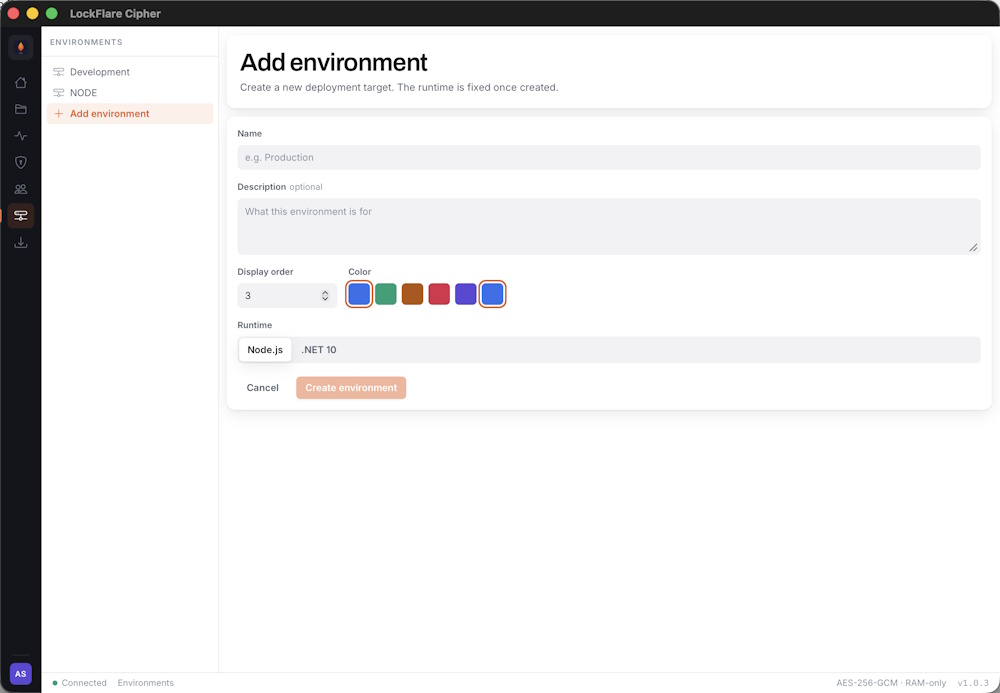
An environment is a name, a colour and a set of servers. The colour is how you tell them apart at a glance everywhere else in the app.
Creating one
Open Environments and add one. At this point it is just a label — servers come next, and projects attach to it after that.
Environments are metered against your plan, so each one consumes an environment licence. Cipher tells you before you run out.
Servers behind an environment
An environment can hold one server or many. A push fans out to every server in the environment, so adding a second machine is how you get redundancy — there is nothing else to configure.
See Servers and licences for registering machines.
Resetting an environment
A reset tells every server in the environment to reload — drop what it is running and fetch its assigned build again. It is the first thing to try when a server is serving something unexpected.
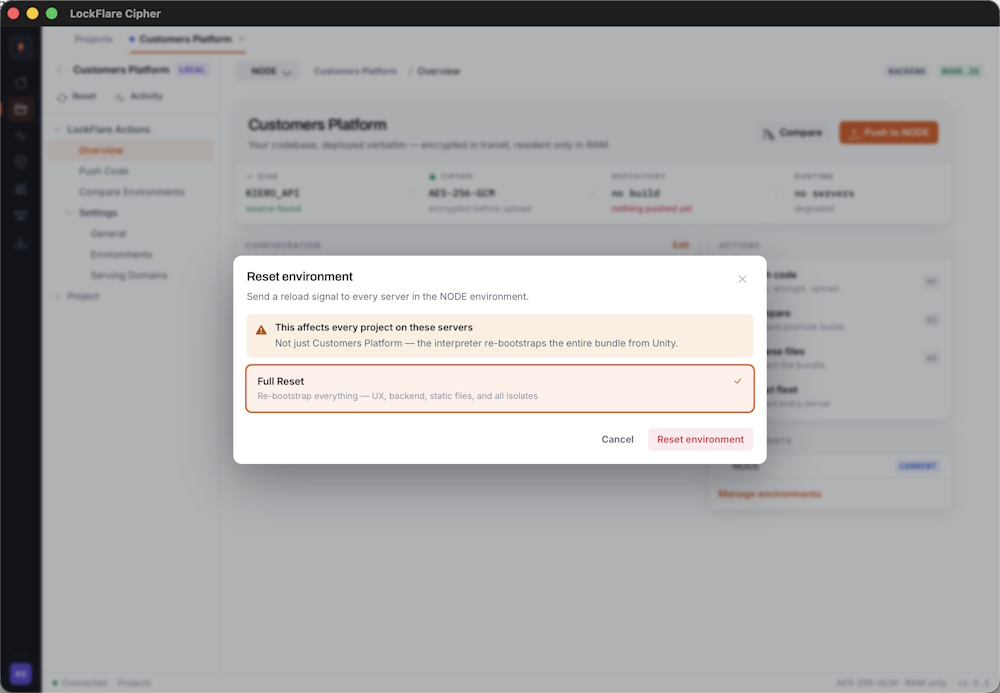
The reset is sent to every server in the environment at once.
Each server confirms independently, so you see the result per machine rather than a single success or failure for the whole operation.
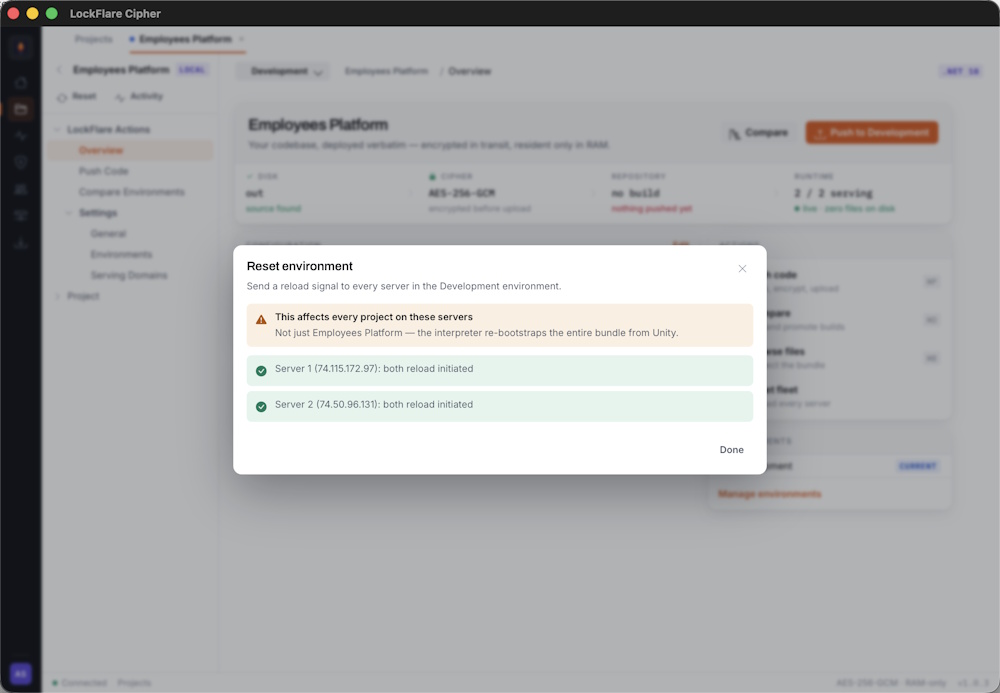
All three confirmed — every server reloaded and is serving again.
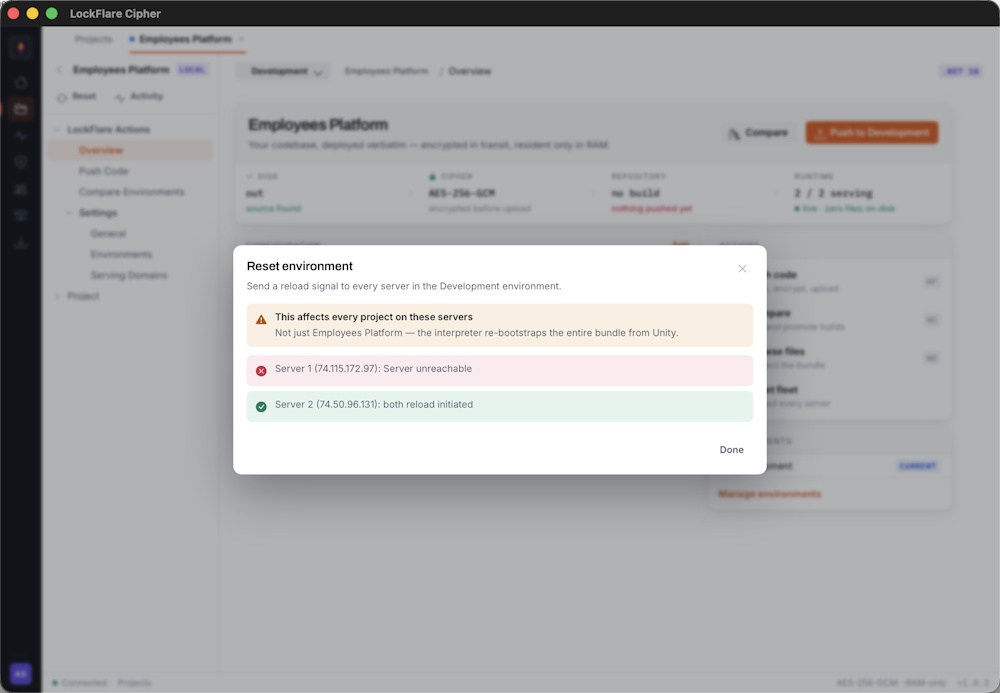
Two confirmed, one failed. The environment is now in a mixed state — two machines reloaded, one did not.
Attaching projects
A project attaches to one or more environments from its Environments pane. Only attached environments appear as push targets, and detaching one does not remove what is already deployed — it stops future pushes reaching it.