LockFlare

Twenty-one servers, one thing, once.

Drag servers from the tree onto a board and the board is the working set. Run a line on all of them and read the answers side by side. Ask a question and get one value per box, grouped. Install what is missing only where it is missing. Or make the same change on every one — through the same door the server's own screen uses.

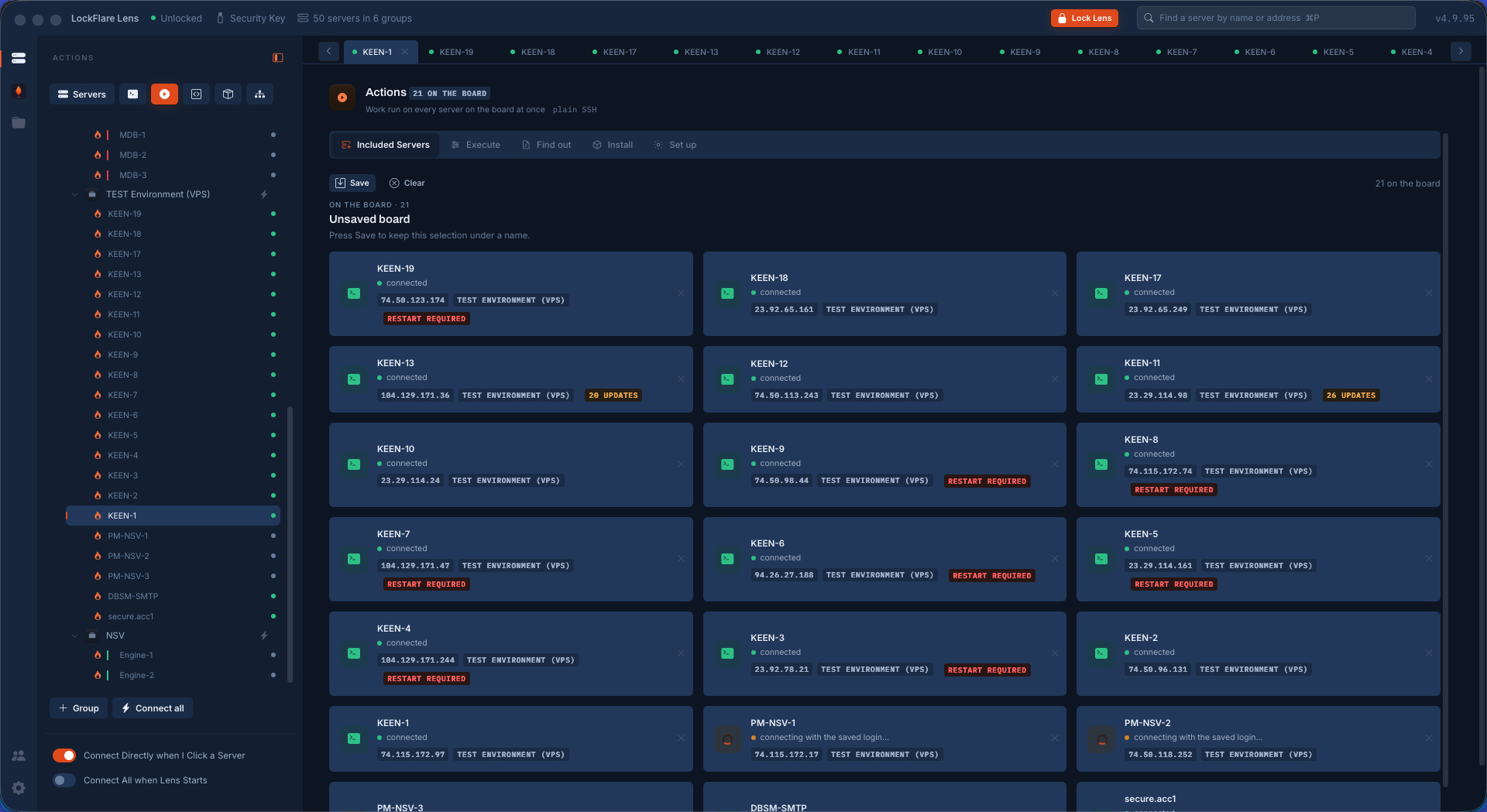
The Actions board in LockFlare Lens: twenty-one servers as cards, each showing whether it is connected, its address, its group and what it is waiting on
The board: every server a card, coloured by one thing — can Lens reach it right now.

The board is the working set

The tree is the palette and the board is the canvas. Drag one server, a whole group, or the entire map; each becomes a card. A card is coloured by the only thing that matters before you press anything: can Lens reach that box right now. Green is a live shell. Amber is a saved login being tried. Anything that will need you to log in by hand says so, and every screen that runs work says how many boxes it skipped rather than quietly leaving them out.

The cards carry what the map knows, too — the address, the group, pending updates, a restart owed — so the board doubles as a status board before it is a work board. Save it under a name and it is there tomorrow.
Execute: one line, every answer side by side

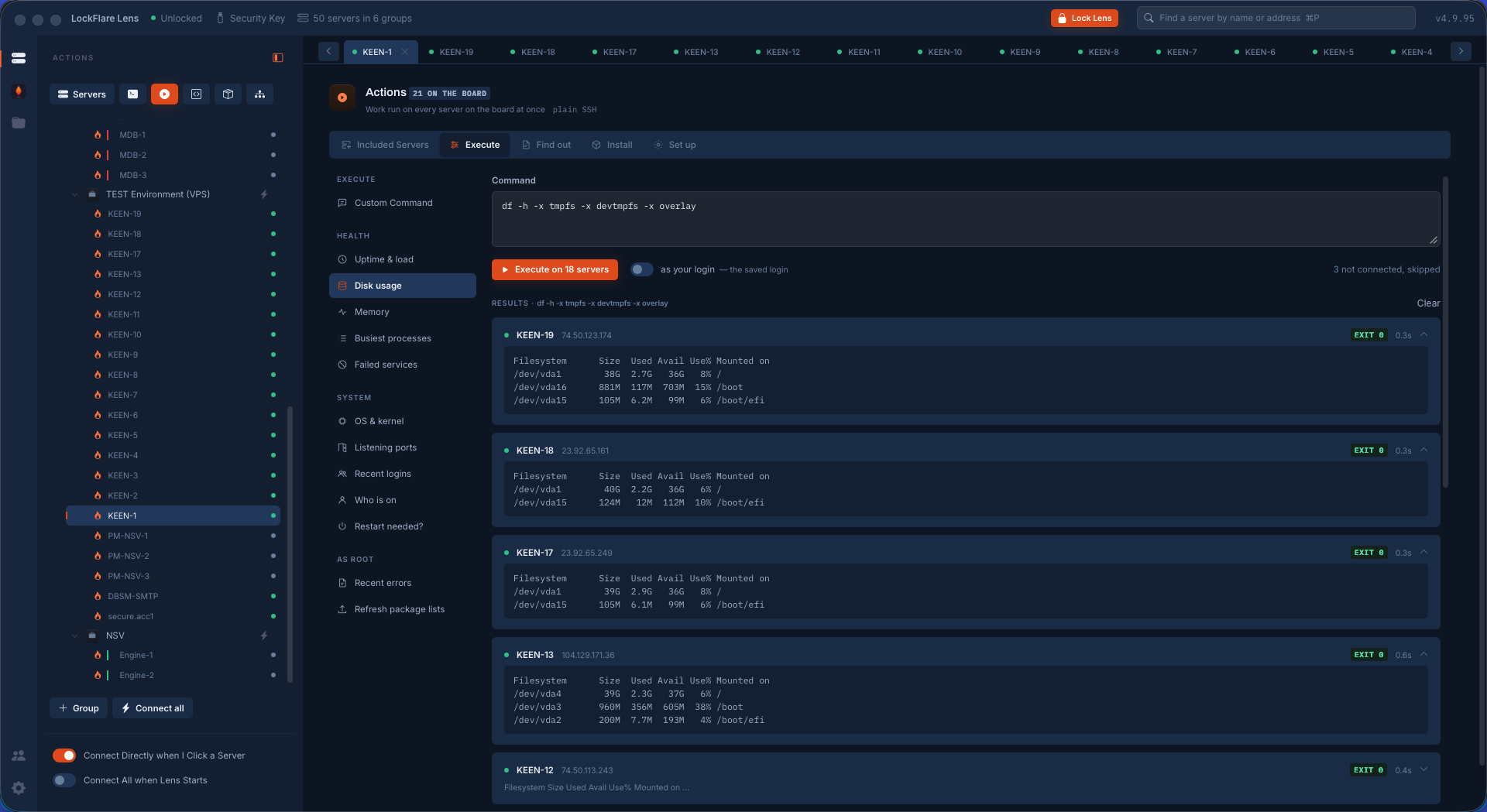
Type a command, or pick one of the questions an operator asks a fleet most mornings — uptime and load, disk usage, memory, the busiest processes, failed services, the OS and kernel, listening ports, recent logins, who is on, whether a restart is needed, and as root, recent errors or a package-list refresh. Picking one fills the box; it never runs on its own. What goes out is always in front of you before you press.

Answers land as they finish, one card per server, each with the exit code and how long it took. Rows that failed open by default, because those are the ones you came for. Nothing is merged into a single stream you would then have to untangle — eighteen boxes, eighteen answers, read as eighteen answers. And there is a switch for whether it runs as your login or as root, so a read stays a read.

Execute in LockFlare Lens: one disk-usage command run on eighteen servers, each answering in its own card with its exit code and timing
One command, eighteen answers, each with its exit code and how long it took.
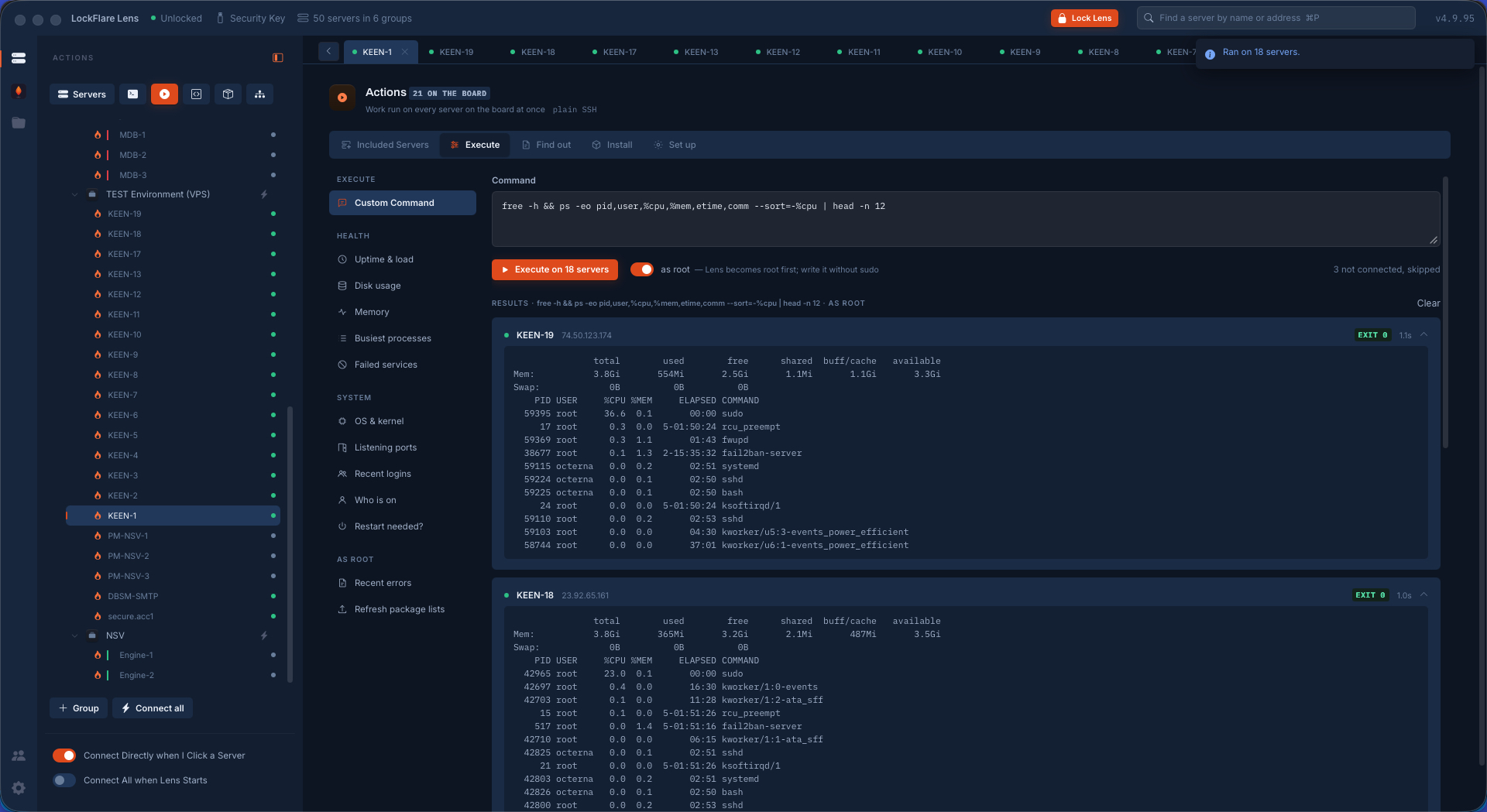
Execute in LockFlare Lens showing memory and the busiest processes across eighteen servers
Memory and the busiest processes, the same way.

Find out: the finding, not the output

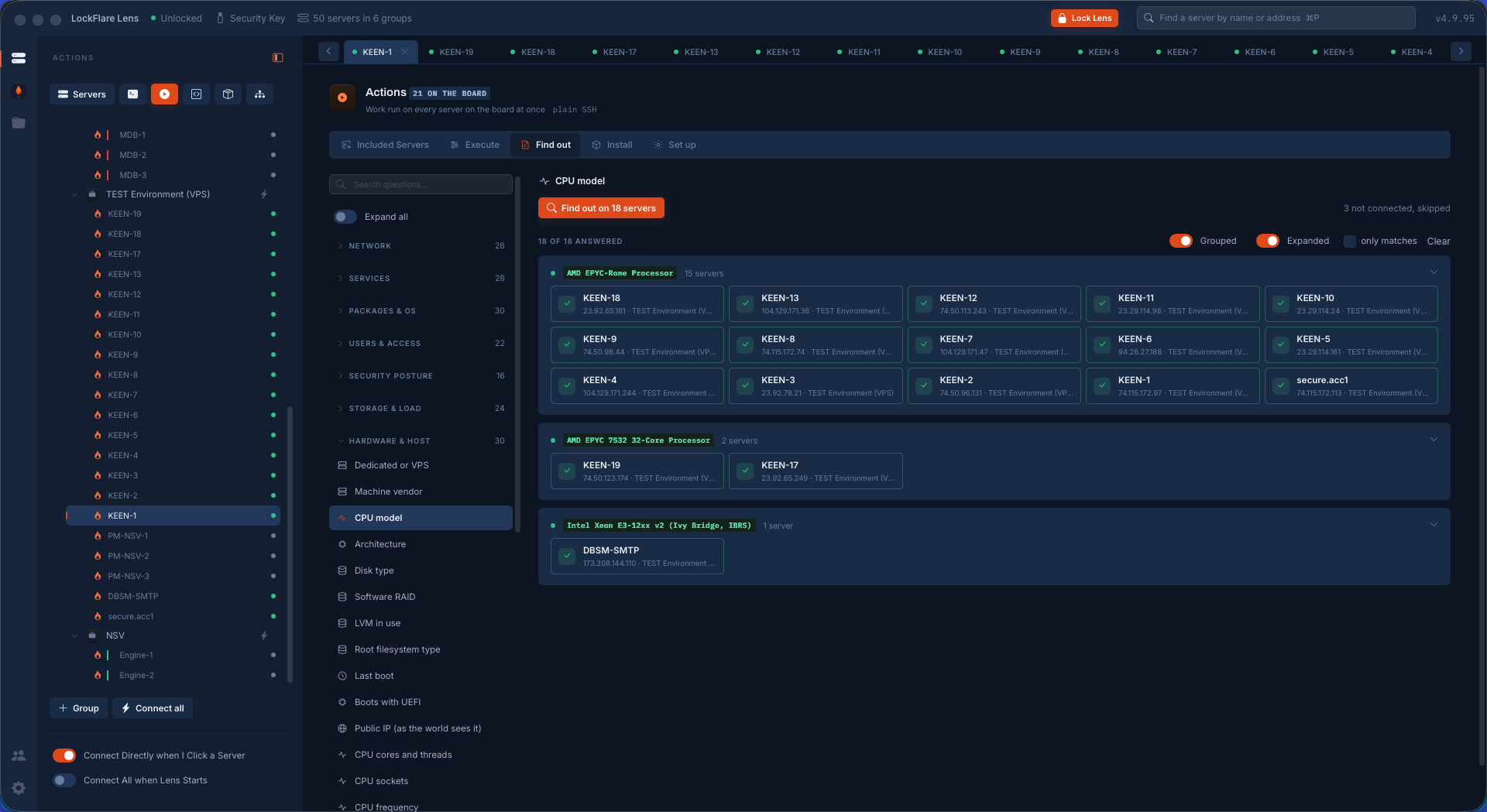
Execute gives you text. Find out gives you an answer. Each of its questions has its own parser, so what comes back is one value per server — and then those values are grouped. Ask which CPU the fleet runs and you do not get eighteen paragraphs of lscpu: you get three groups, fifteen boxes on one processor, two on another, one on something else entirely. That is the finding. The odd one out is visible in a second instead of being scrolled past.

The catalog runs to a couple of hundred curated questions, folded into network, services, packages and OS, users and access, security posture, storage and load, hardware and host, and the ones that need root — with a search box, because nobody scrolls a list that long. Anything a question needs, a port, a package name, a threshold, is asked above the button, and the raw output is always one click away for the box you want to look at properly.

Find out in LockFlare Lens: the CPU model of eighteen servers answered as three groups rather than eighteen outputs
Eighteen servers, three processors. The grouping is the answer.
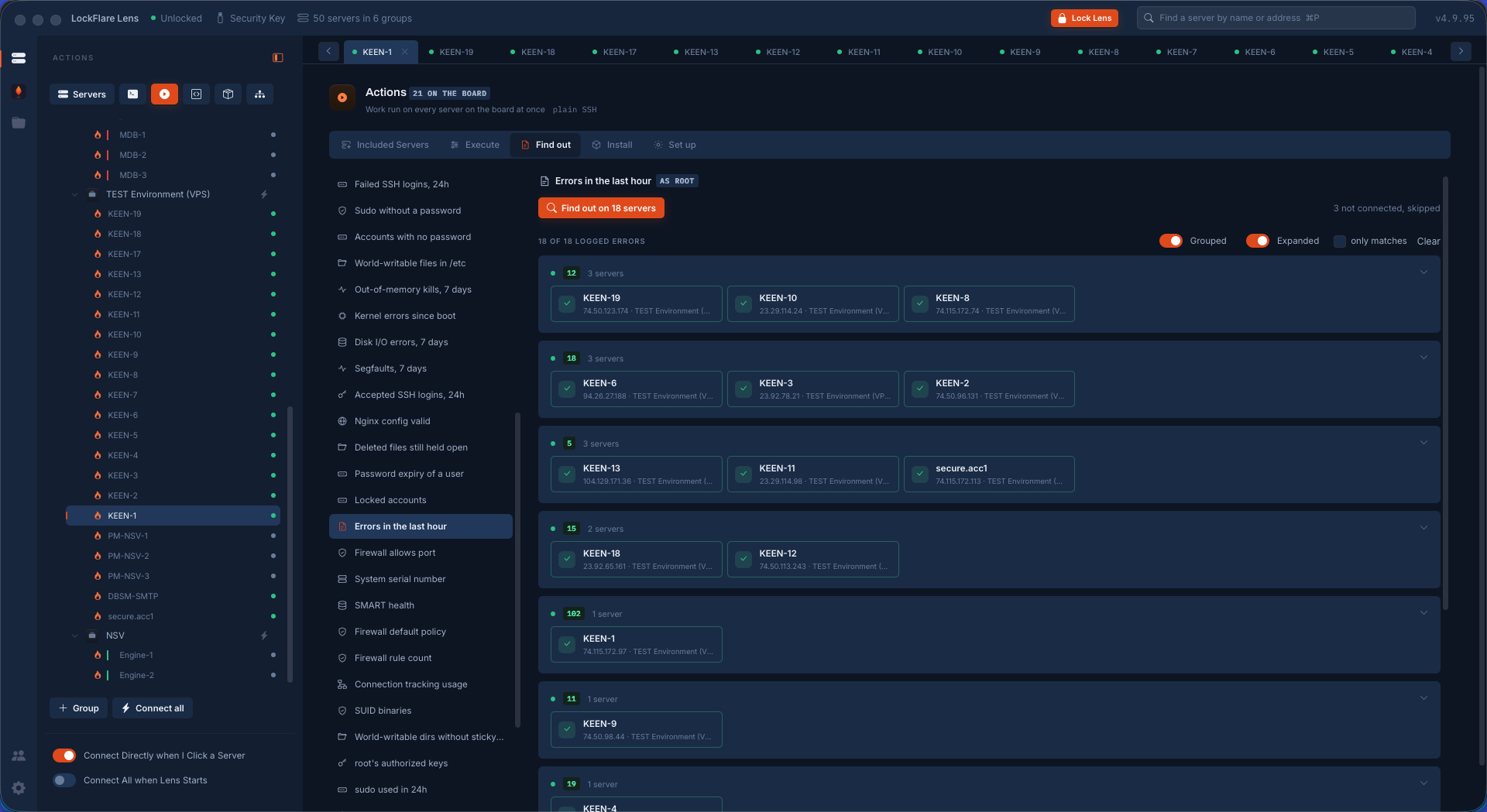
Find out in LockFlare Lens: errors in the last hour on eighteen servers, grouped by count
Errors in the last hour, grouped by how many — the noisy boxes name themselves.

Install: only where it is missing

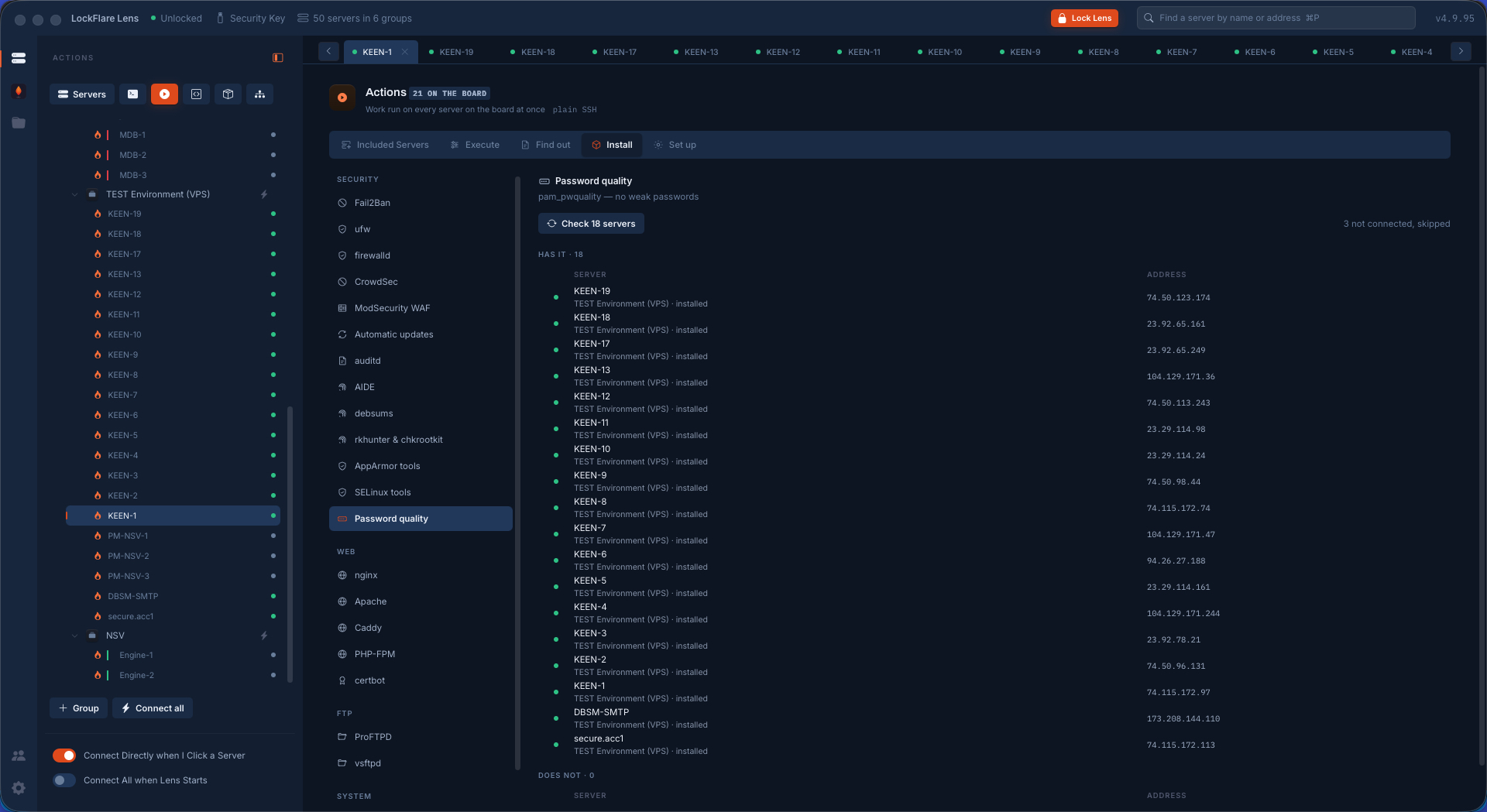
Pick the thing a server ought to have — Fail2Ban, ufw or firewalld, CrowdSec, ModSecurity, unattended upgrades, auditd, AIDE, debsums, the rootkit hunters, the AppArmor or SELinux tools, password quality, nginx, Apache, Caddy, PHP-FPM, certbot, ProFTPD, vsftpd, chrony and the rest — and Lens asks every board member whether it already has it. Two columns come back: has it, and does not.

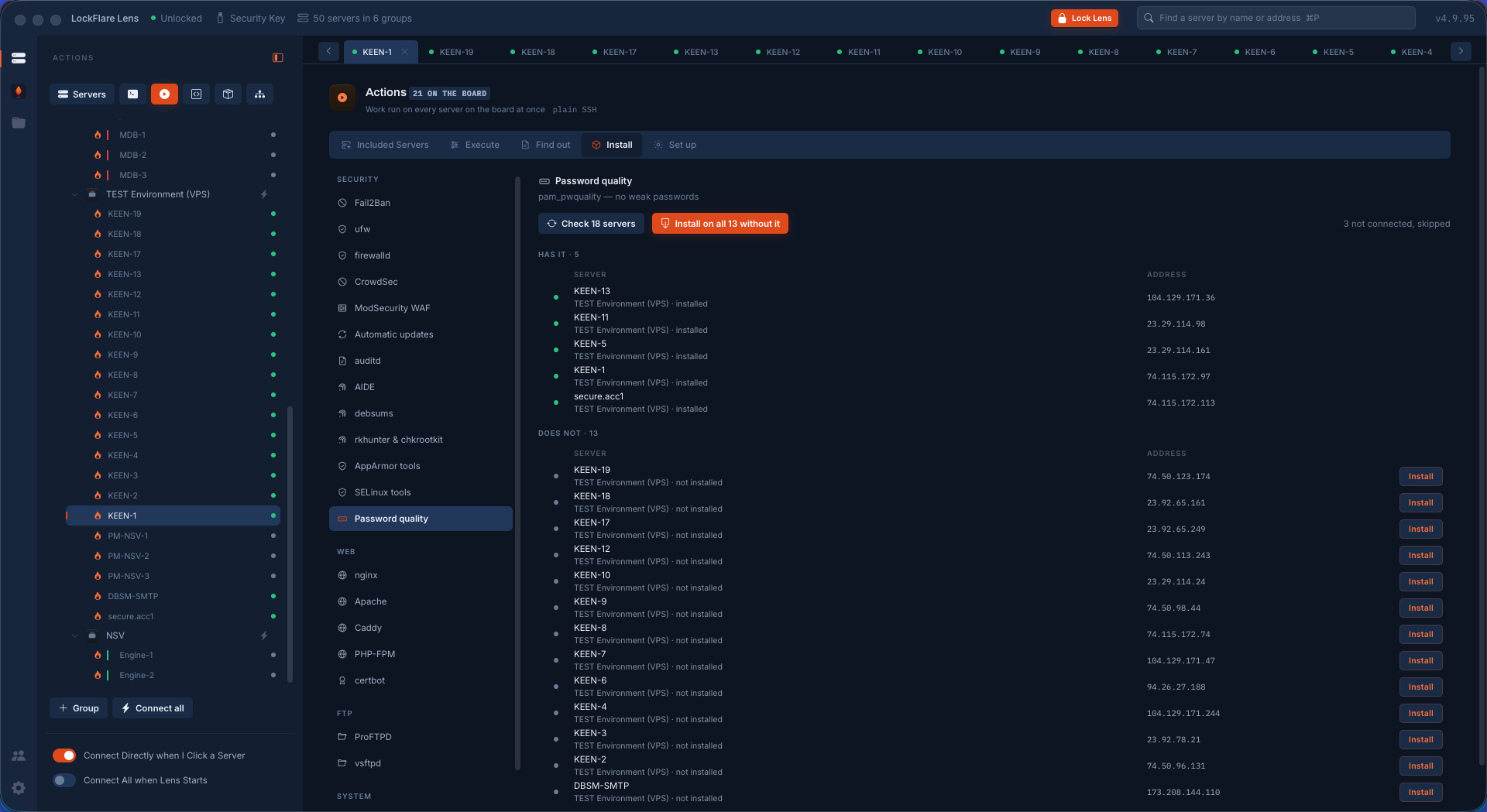
Then one button installs on all thirteen that lack it, or you install a single row. Each one is the same root job the server's own tab would run, watched here, and the box is asked again afterwards — so the row does not say "installed" because Lens assumes it worked; it says it because the box said so.

Install in LockFlare Lens: five servers already have the package and thirteen do not, with a button to install on the thirteen
Five have it, thirteen do not. Nothing is reinstalled on the five.
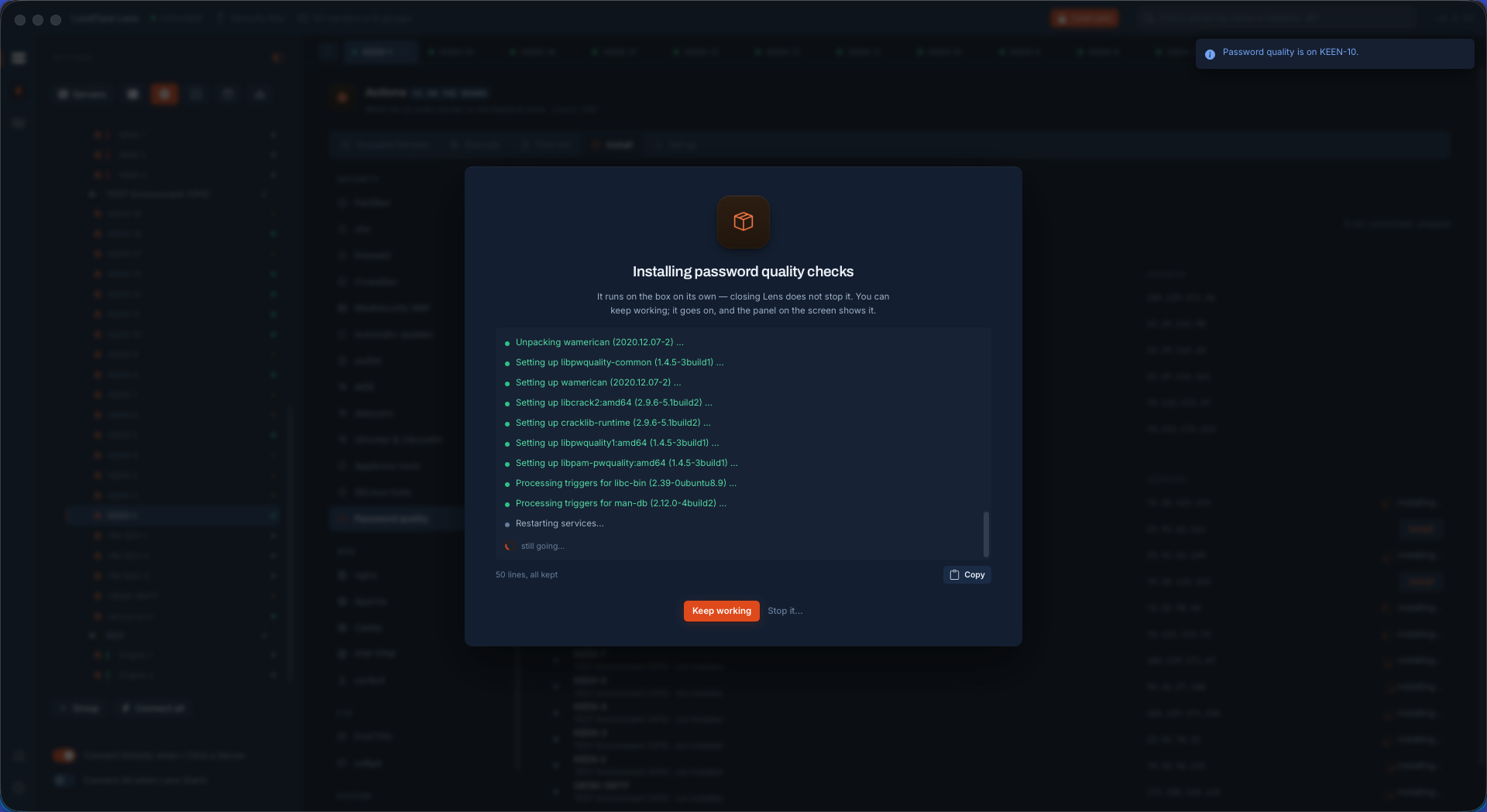
The install running on thirteen servers at once in LockFlare Lens
Thirteen jobs, watched from here.
All eighteen servers reporting the package installed in LockFlare Lens
Asked again afterwards: every box says it for itself.

Set up: the same change, everywhere, through the same door

This is the one that saves a morning. Add a user on every server, give or take sudo, add an SSH key, lock or unlock, delete, add a group, put someone in one, grant a folder, open or close a firewall port, turn the firewall on, set up Fail2Ban, harden sshd, run something as a service, turn on automatic updates, set the timezone, turn NTP on.

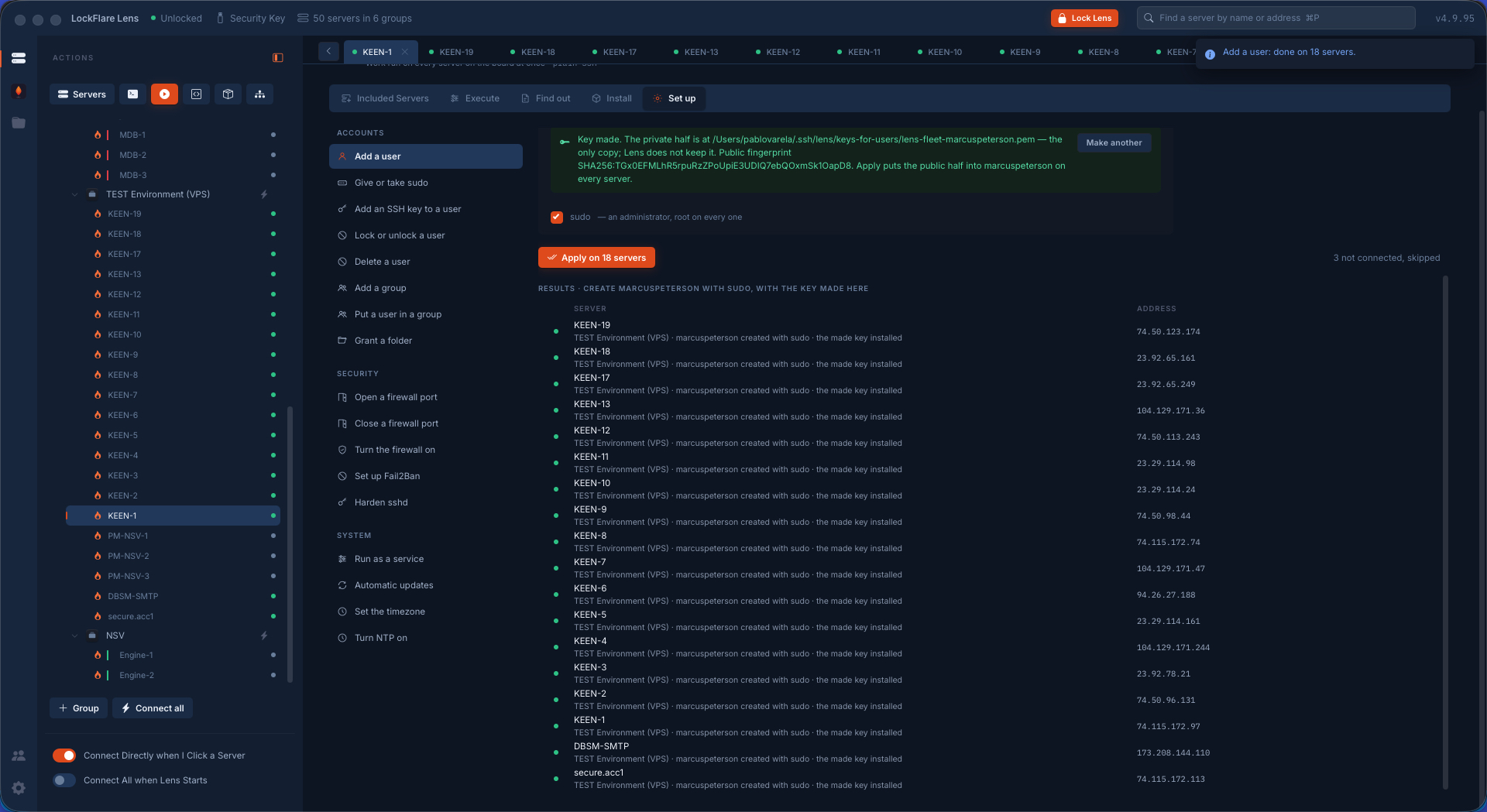
None of it is a second implementation. Each verb goes through the same code path the server's own screen uses, with the same refusals — the firewall never strips your SSH cover, sshd hardening is still proven by a fresh login. Twelve boxes are worked at a time, and a row per server says what happened on it, including the ones that asked for a sudo password.

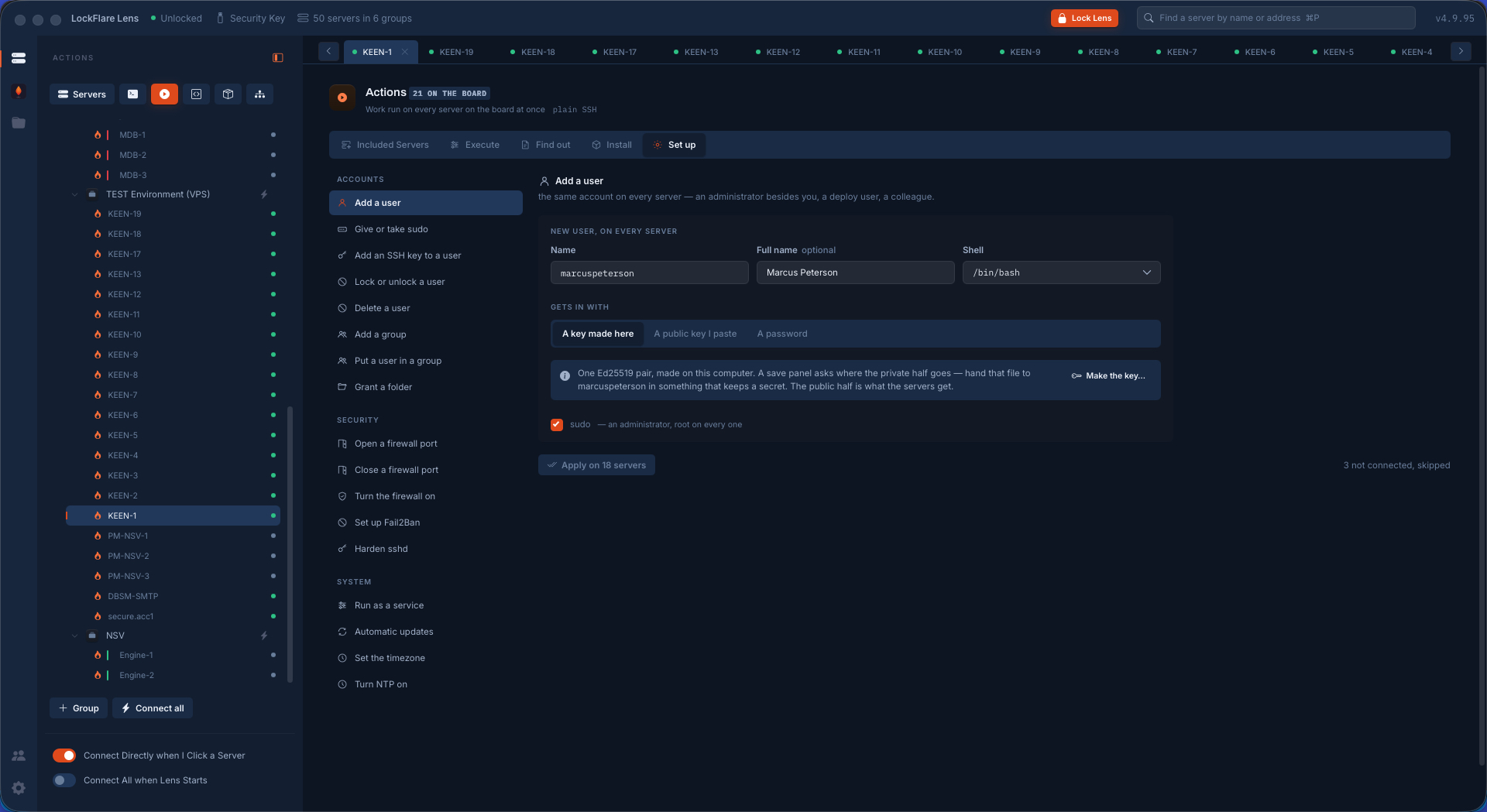
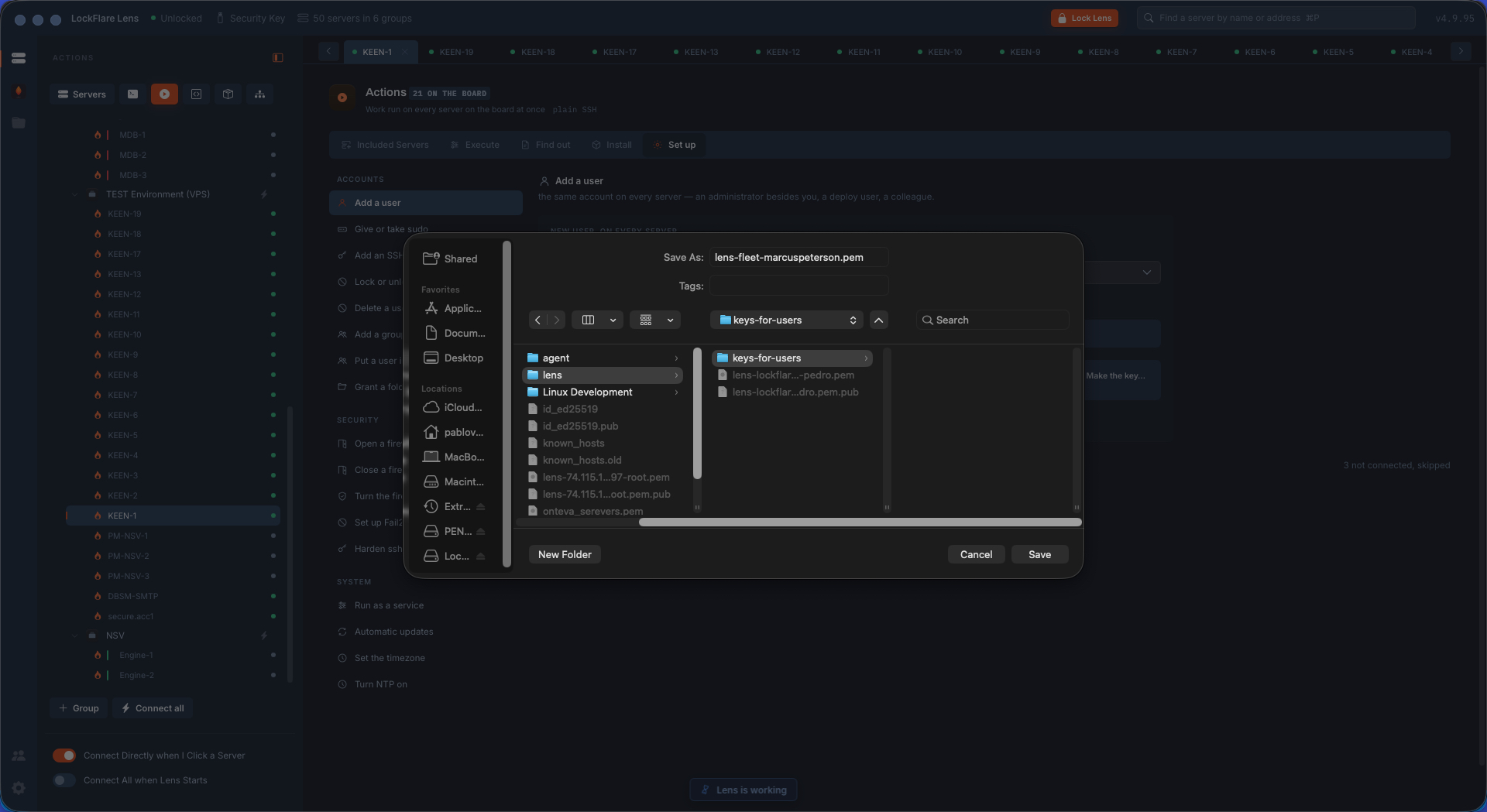
The onboarding case is the whole point. One card creates the same account on eighteen machines with a shell, sudo, and a key — and if you choose "a key made here", Lens generates the pair on your computer, gives the servers the public half, and asks you where to save the private one. That file is handed to the person and Lens keeps no copy of it.

Add a user in LockFlare Lens: the same account on every server on the board, with a shell, sudo and a key
One card: the same account, the same shell, the same sudo, on eighteen boxes.
LockFlare Lens making an Ed25519 key pair on this computer and asking where to save the private half
The key pair made here; you choose where the private half goes. Lens keeps no copy.
Eighteen rows in LockFlare Lens, one per server, reporting the account created
A row per server, saying what happened on it.
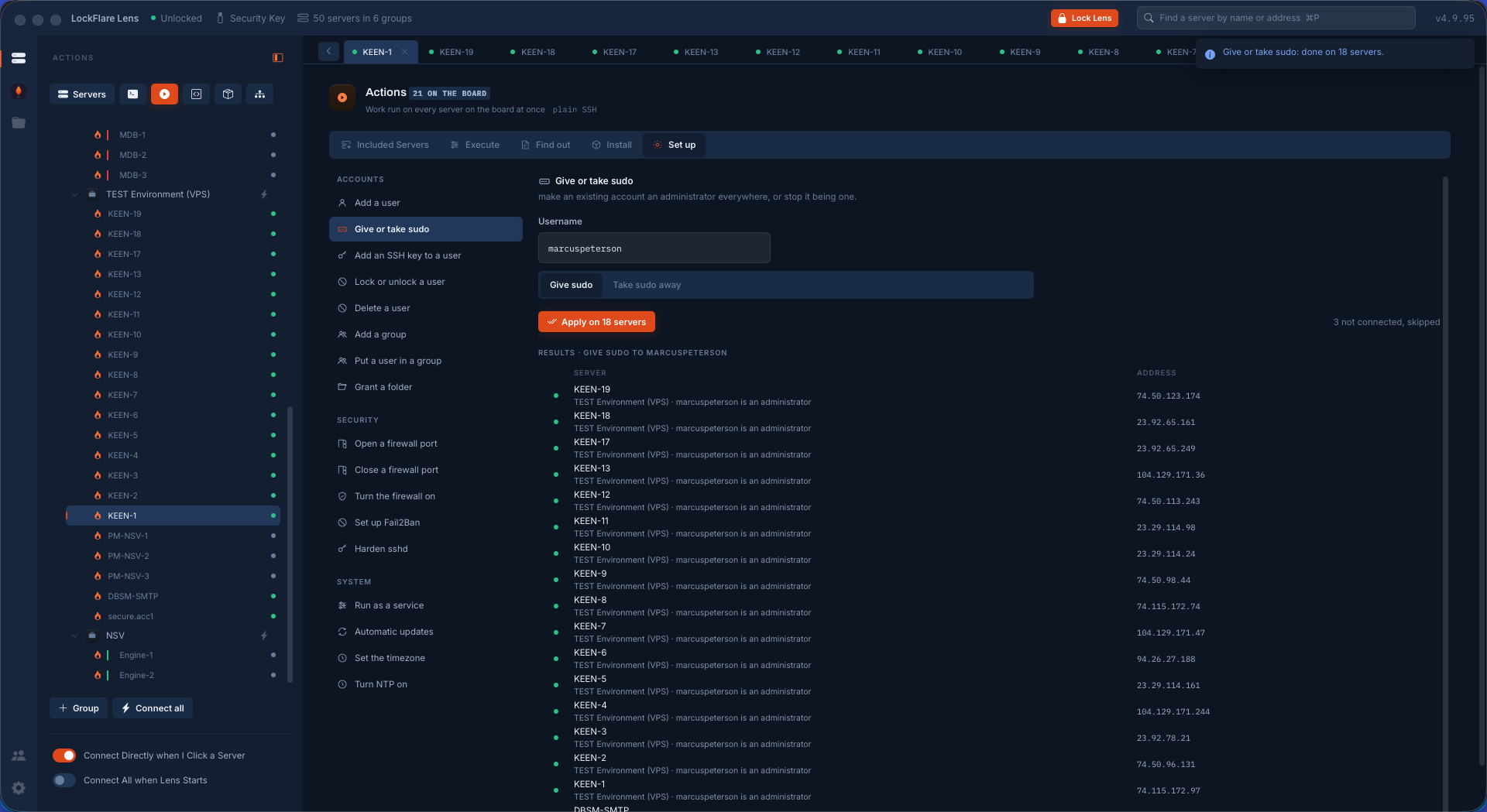
Granting sudo to an account across the whole board in LockFlare Lens
Sudo given across the board — by a Lens-owned allowlist rule, not an edit to sudoers.
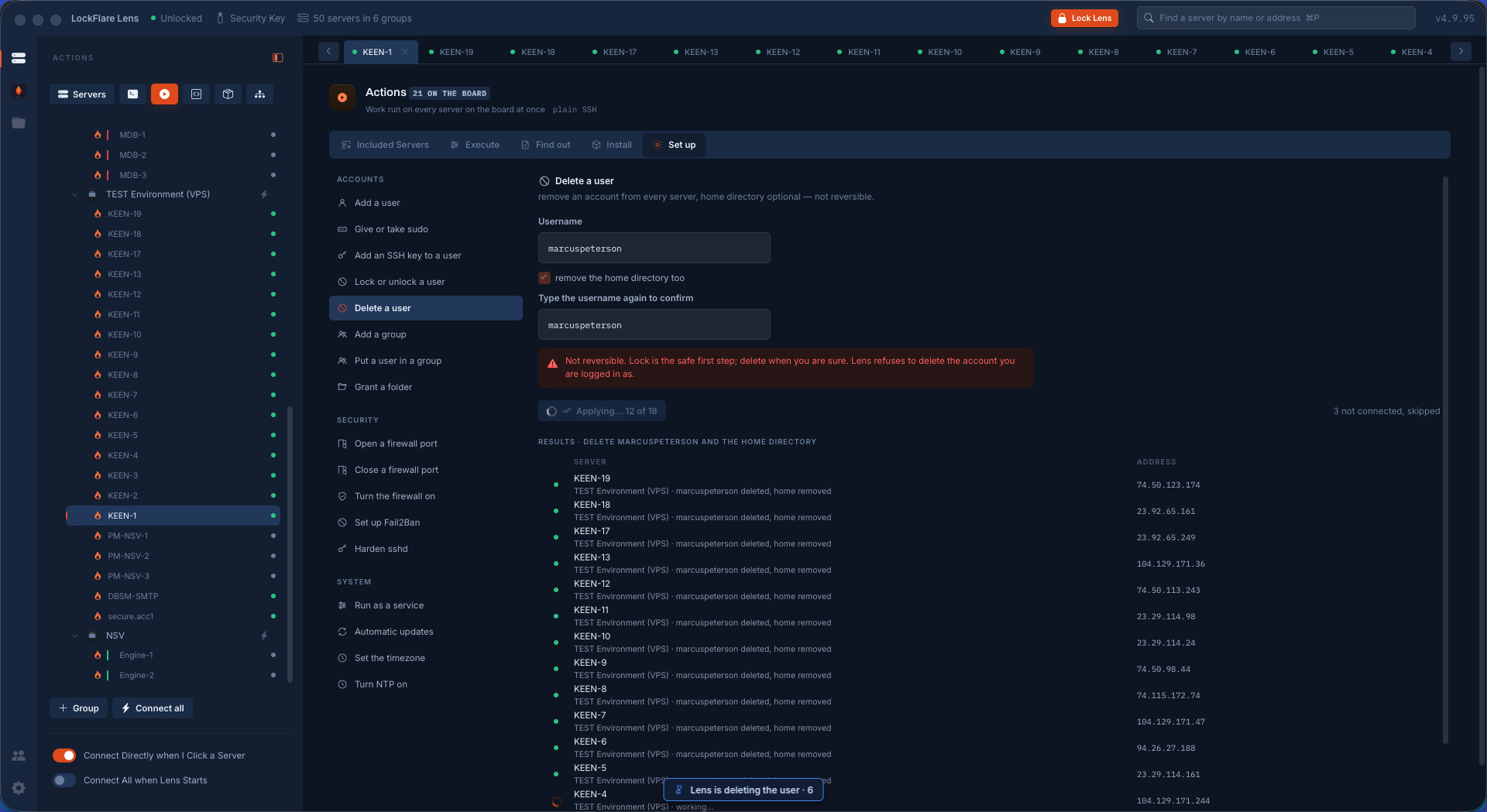
Deleting an account from every server on the board in LockFlare Lens
And taken away again — off-boarding on eighteen machines in one pass.

Security changes count as "the same change"

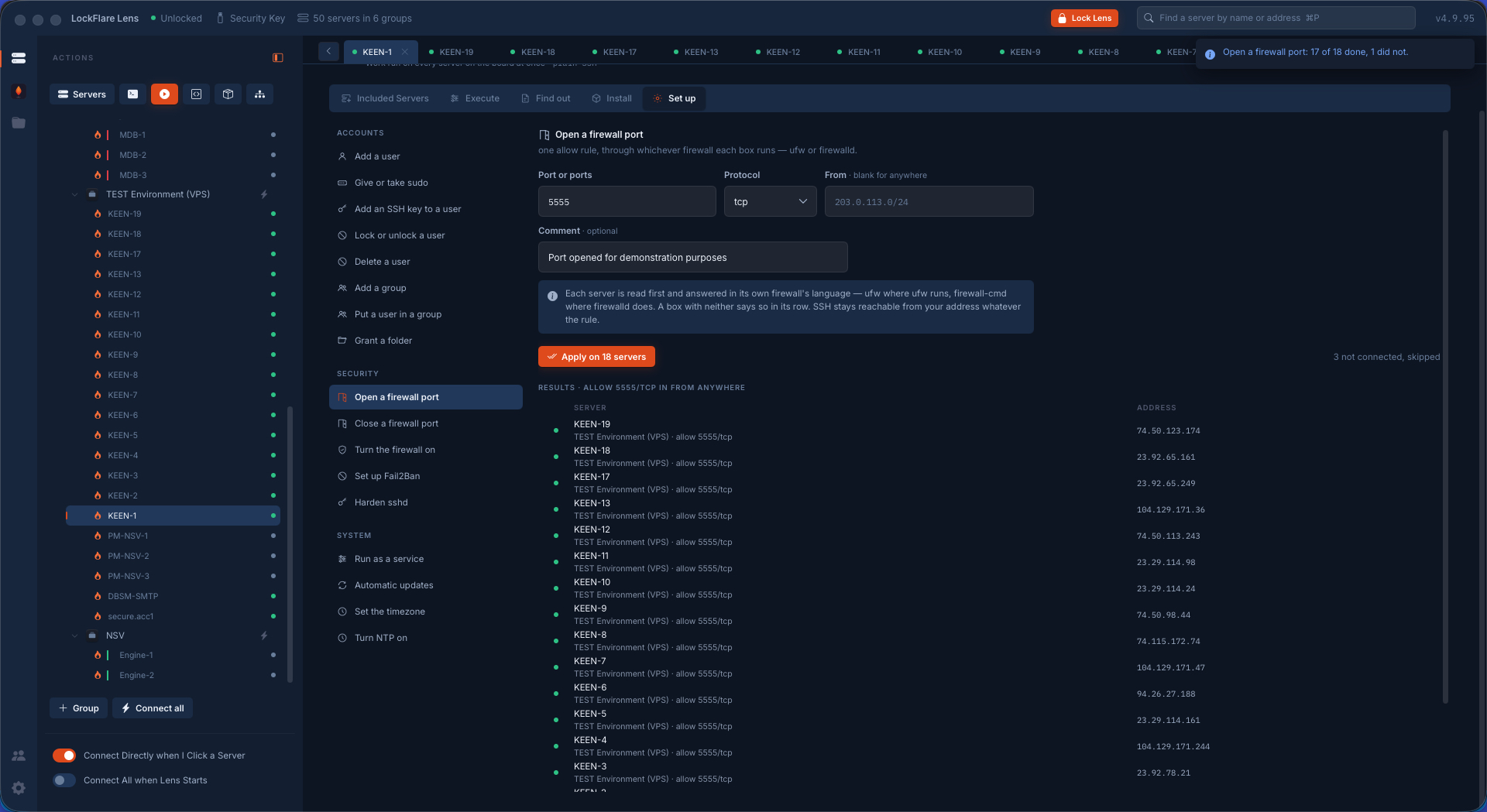
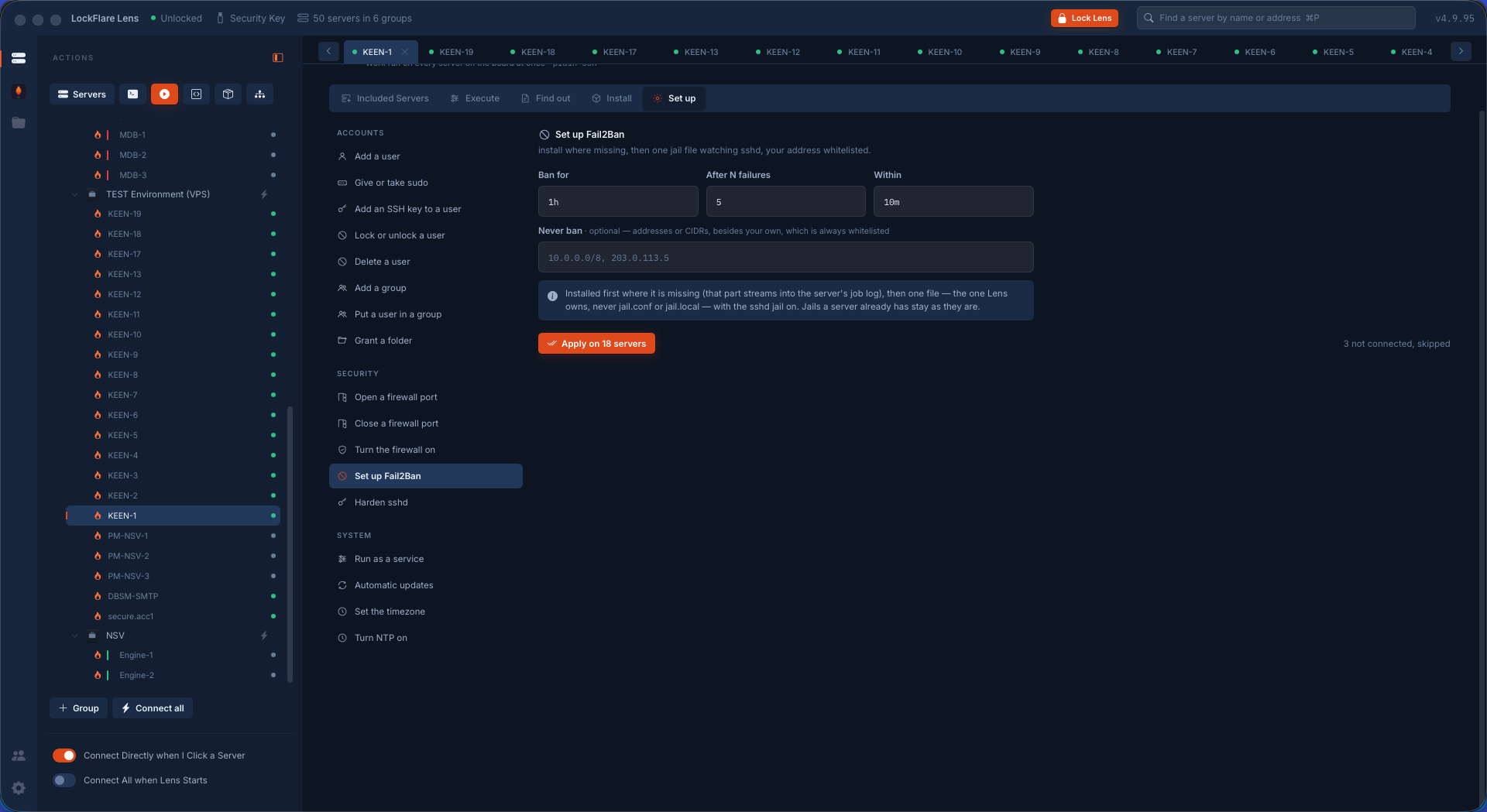
Opening a port on a fleet is where hand-rolled scripts go wrong, because the boxes do not agree: some run ufw, some firewalld, some have neither. Lens reads each box first and speaks whatever it found — and refuses, on every one of them, to write a rule that would remove your own way in. Setting up Fail2Ban across a board is the same story: one file per box, the package installed where it is missing, and each row reporting for itself.

Opening a firewall port across a board of servers in LockFlare Lens, reading each box's firewall first
One port, every box — ufw here, firewalld there, read before it is written.
Setting up Fail2Ban across a fleet of selected servers in LockFlare Lens
Fail2Ban set up across the fleet, one Lens-owned file per box.

What makes this safe to point at twenty boxes

It says what it skipped

Every screen names the count it could not reach rather than quietly working on fewer servers than you think.

One implementation, not two

Every verb here runs the same code as the server's own screen, with the same refusals. There is no "fleet version" that forgot a check.

Picking never runs

A preset fills the command box. What is about to be sent is on screen before anything happens, and the button says how many servers it covers.

Read or root, deliberately

A switch decides whether a command runs as your login or through sudo, so a read stays a read.

The box has the last word

After an install or a change, the server is asked again. The row reports what the box says, not what Lens hoped.

Boards are saved, not rebuilt

Name a selection and it is there next week. The tree stays the palette; a server can sit on as many boards as you have jobs.

When the same work happens every time

Draw it as a Server Template and run it on a fresh box, or on a whole fleet in parallel.

Templates and the NOC