Projects
A project is a folder on your disk plus the settings that describe how to run it. LockFlare serves the build you give it — it does not compile, transpile or bundle your code.
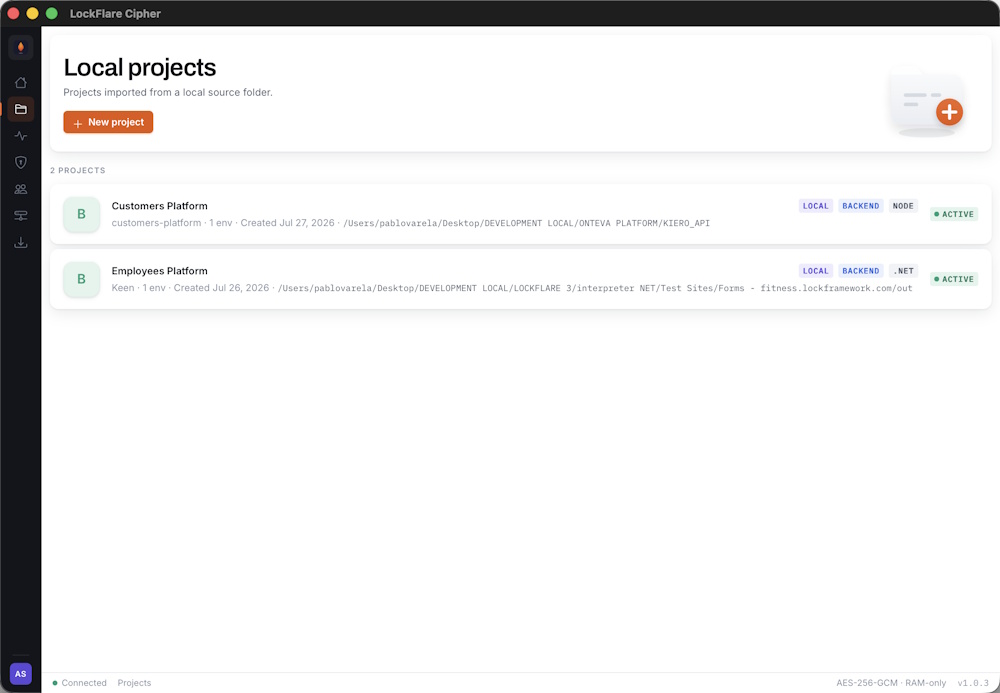
Every project on the account, with its runtime, type, environment count and status.
Creating a project
Press New project. The first screen asks what you are deploying and where it lives on disk.
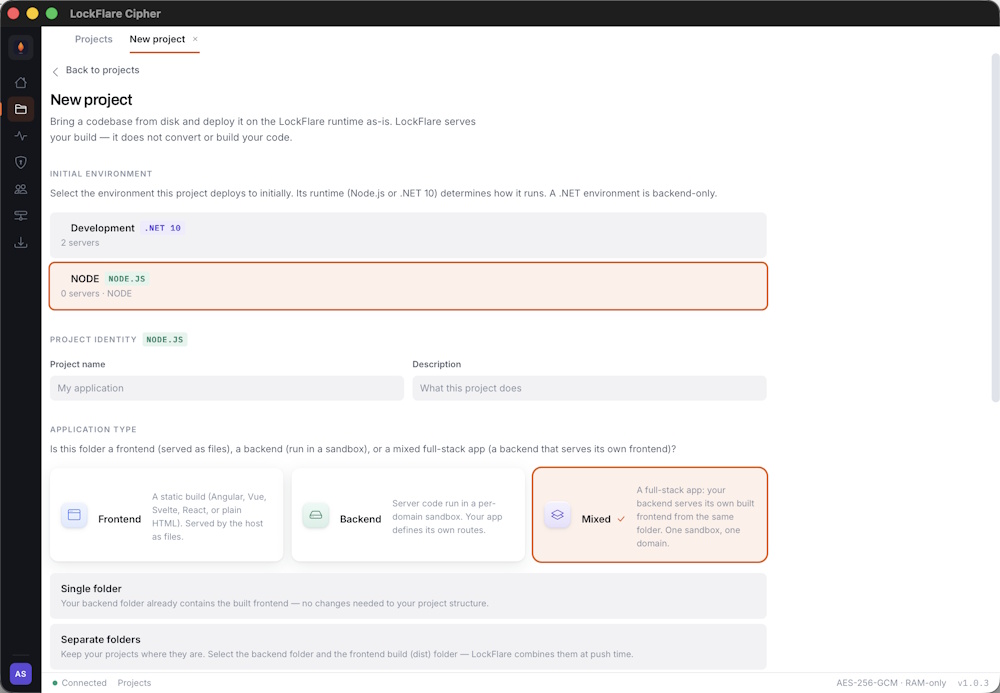
Name, runtime and source folder. The folder is the one you develop in — there is no export or copy step.
| Field | What it is |
|---|---|
| Name | What you call it. Shown everywhere in the app. |
| Slug | Derived from the name. Used internally to identify the project. |
| Type | Backend, frontend, or a backend with a frontend attached. |
| Runtime | Node or .NET. Must match the Engine installed on the target servers. |
| Source folder | The directory on your machine. Read at push time, never copied. |
| Starting file | The file the interpreter loads and runs — typically server.js. |
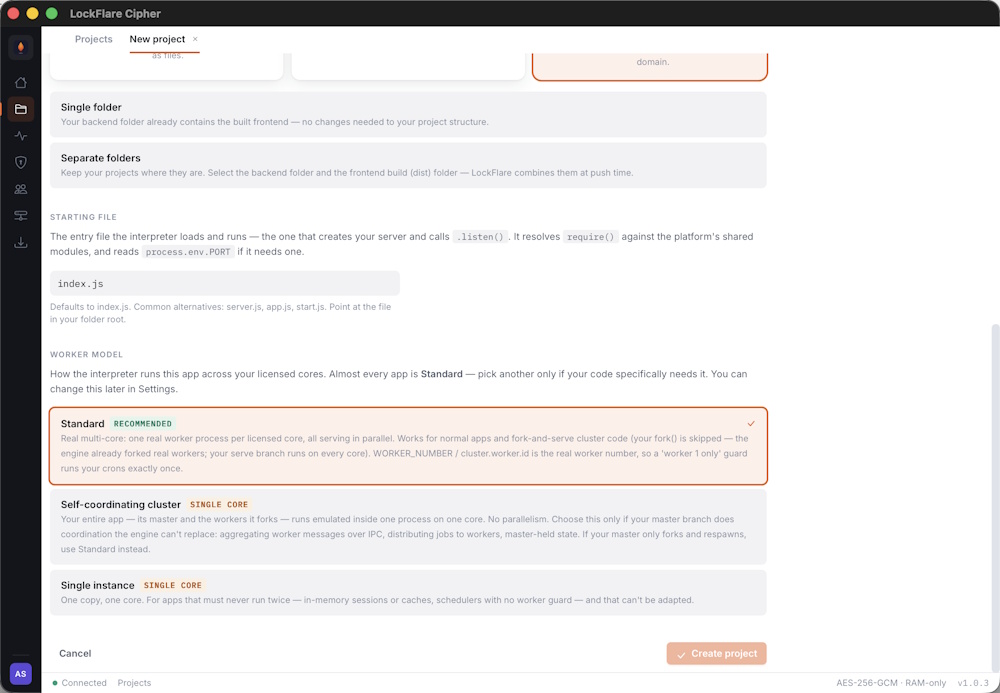
The second screen attaches environments and sets the worker model.
The starting file
This is the one people get wrong. It is the entry point the interpreter executes — the file that creates your
server and starts listening. For an Express app that is usually
server.js or app.js. If your framework has a different
entry point, name that instead.
node <file> on your own machine, would start the server.
Build first, then push
If your project needs a build step, run it as you always have. LockFlare deploys what is in the folder at the
moment you push. It will not run npm run build for you, and a stale
dist/ will deploy exactly as stale as it is.
Backend with a frontend
A backend project can carry a frontend build alongside it — a Vue, React, Angular, Svelte or plain static bundle. Point the frontend folder at your build output and choose the path it serves from. Both are packed and encrypted together, and a push deploys them as one artifact.
Editing later
Everything above is changeable from the project’s General pane — source folder, starting file, worker model, attached frontend. Changes take effect on the next push.