Enclave
Sealing a server disables every login on it — SSH, console, direct access. After that only LockFlare reaches the machine, and the only way back in is unsealing from Cipher.
What it is for
RAM-only execution stops your source being readable on disk. It does not stop someone with root on a running machine from inspecting that machine’s memory — we say so plainly in How it works.
Enclave closes that gap by removing interactive access entirely. There is no shell to get root in, because there is no login. The Engine keeps serving; nothing else can happen on the box.
Before you seal
- The Engine must run under a managed service — systemd or PM2, as root.
strace,gdbandltracemust not be installed.- The server must be online and reachable.
Sealing
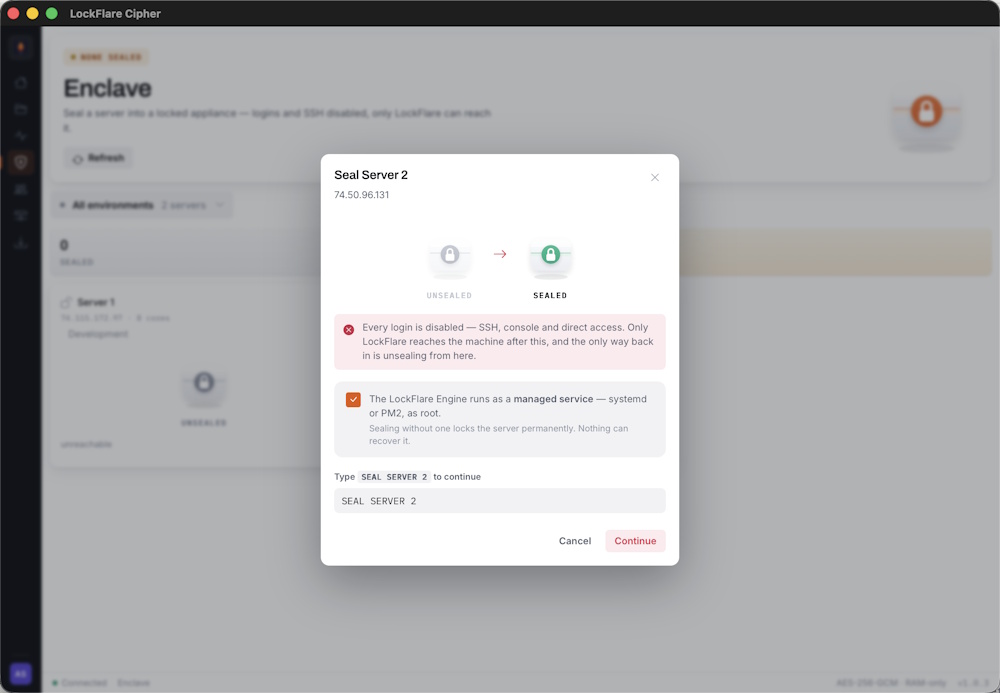
The state change is shown before you commit: unsealed on the left, sealed on the right. Below it, the acknowledgement and the typed confirmation.
You confirm the managed service, then type the server’s name to continue. Both are deliberate friction on an action that cannot be undone from the machine itself.
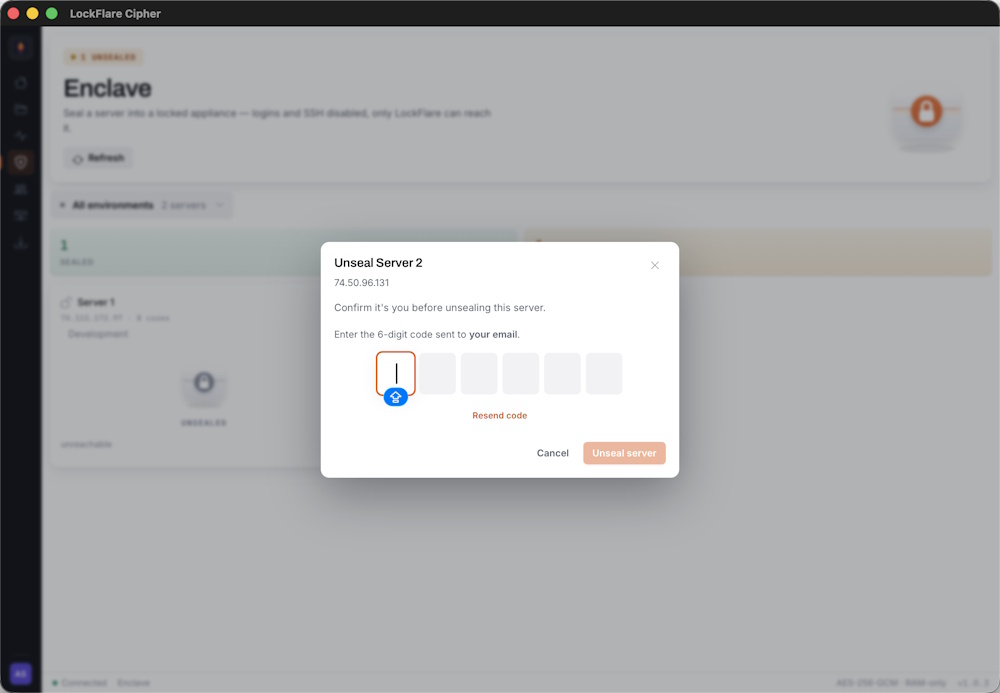
A second factor is required. Email or authenticator only — Touch ID is not offered.
What changes on the machine
| Before | After sealing | |
|---|---|---|
| SSH | Available | Disabled |
| Console login | Available | Disabled |
| Serving traffic | Yes | Yes — unchanged |
| Push and reload | Yes | Yes — unchanged |
| Health reporting | Yes | Yes — unchanged |
Deployment is unaffected. You still push, still reload, still see it in Monitoring. What you lose is the ability to log in and do anything else.
Unsealing
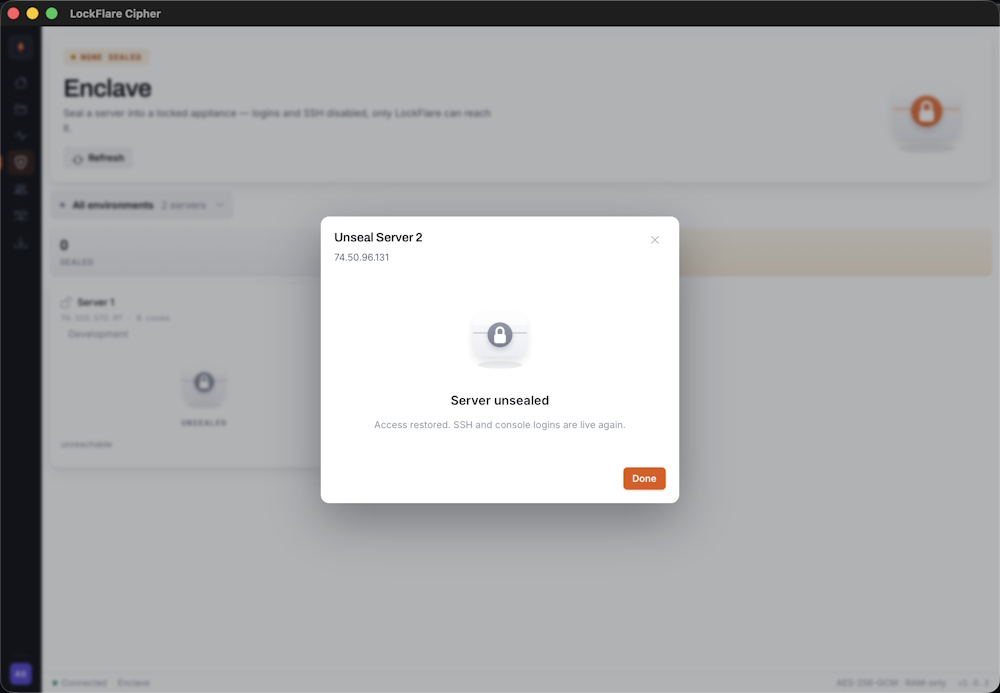
Unsealing restores normal access. Same verification, opposite direction.
SSH and console logins are re-enabled and the machine behaves as it did before. Unsealing is done from Cipher — it is the only channel that still reaches a sealed box.
If you seal without a service manager
The server keeps serving until the Engine stops. When it does — a reboot, a crash — nothing restarts it, and there is no login to do it by hand. That machine is finished.
The recovery is the same as any lost server: install the Engine on a fresh box, register it, push. Minutes, because a LockFlare server holds nothing but the Engine. That is the appliance model doing its job.