A server, seen whole.
Open a box in Lens and every question you would ask it is a screen: who is on it, what is listening, what the firewall lets in, what the certificates say, what the database is doing, what runs on its own at night. Every answer read from the box itself, over your login, and every change made through the same door.
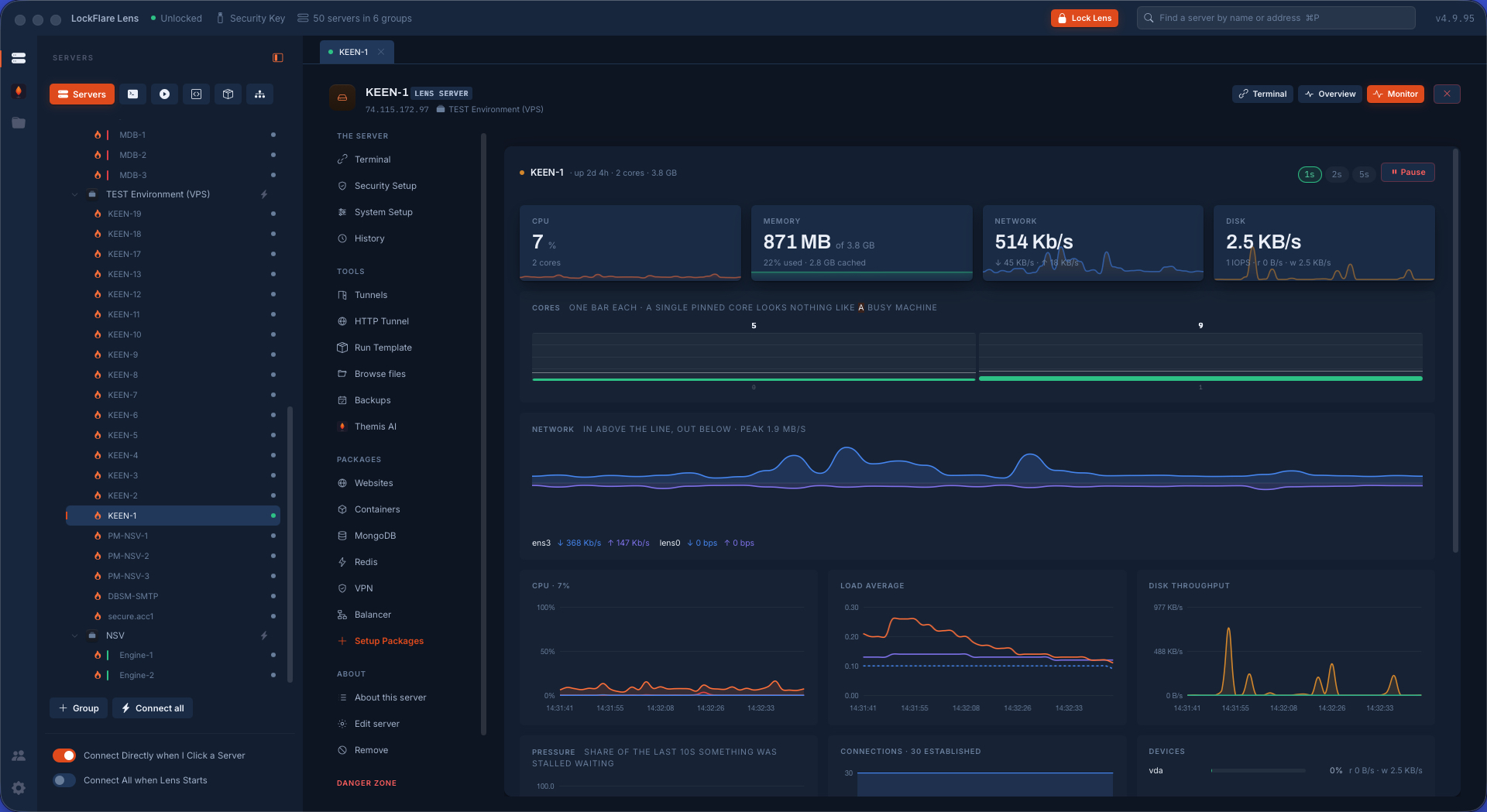
How Lens works
Three rules, kept everywhere, are why Lens can be trusted with root on a production box.
Everything over SSH, nothing installed
Lens connects with the login you already use. A reading is a command; a change is a script run as root through sudo. There is no daemon, no listening port, no agent to keep patched. What must run while Lens is closed is a file Lens writes on the box — a cron line, a systemd unit — never a Lens process.
Long work runs on the box, not in the app
An install, a restore, a cluster build starts detached on the server and survives Lens closing. The screen shows the job's own steps with Stop; jobs that must not be left halfway keep a lightbox up. A job across several boxes reads the whole board first and shows what is in the way, with the fix, before anything writes.
Being logged in is the authentication
No Touch ID per action. Root is your saved password through sudo, sealed under the key drive and asked once if missing. The destructive ceremonies — uninstall, wipe — ask Touch ID twice, the second time from inside Lens so no screen can skip it.
On every server
Terminal
Tabs, up to four split panes per page, a shell on this computer, snippets on the bar, find in scrollback, session logs. A dropped link resumes by itself; on a server kept alive with tmux the reconnect lands in the same shell. Host keys are never auto-accepted.
Servers and terminalsSecurity Setup
Firewall, Fail2Ban, SSH, passwords, WAF, integrity, AppArmor and SELinux, kernel, scheduled tasks, time: each area a state band, tabs, findings worst first with the fix on the row.
Security setupServer management
Users and groups with what each really means, certificates with a vault, automatic updates that actually stay applied, audit of who became root and what was touched, services, storage, network.
Server managementHistory
Every command typed into a Lens shell, with its exit status and folder, kept on your computer and searchable. Sessions recorded as asciicast on servers you mark, output only. Nothing written on the box.
Tunnels and the HTTP tunnel
Local, remote and SOCKS forwards riding your login, started on connect, shared with coworkers on the office network by Bonjour. One switch and your browsers leave the internet from the server, resolving names the way that box does.
Files and the bucket
A file manager over the same login with an editor that keeps mode and owner on save, permissions and ACLs in one list, and a bucket that relays files from any server to any other through your computer.
Backups
Plans that live on the box — what, when, keep, where — running from cron to named repositories: S3 and its houses, Azure, Google Cloud, SFTP, WebDAV, SMB, NFS, another server, a folder on your computer. Encrypted before the push to a key only your pen drive holds.
Themis AI
An AI sysadmin that reads through curated probes, writes the report, and proposes changes one at a time for you to run, inspect or refuse.
Themis AIThe software a server runs, installed from one hub
Each package is installed from its own repository as one job you can watch, secured on the way in, and then administered on a screen of its own that appears in the rail the moment the daemon runs.
Web
nginx or Apache. Sites as things: folder, owner, PHP pool, certificate, redirect, protection, traffic, files, logs. Let's Encrypt or your own certificates.
Postfix that earns a reputation: DKIM, SPF, DMARC with the records to copy and the reports read for you; Dovecot mailboxes, rspamd, jails.
Containers
Docker from docker.com with compose. Stacks, images, volumes, networks, the full run form, recreate, ready templates, and the ufw fix nobody remembers.
Virtualization
KVM guests from cloud images or ISOs, snapshots, consoles, a port published to the outside, readiness checked before a byte downloads.
Databases
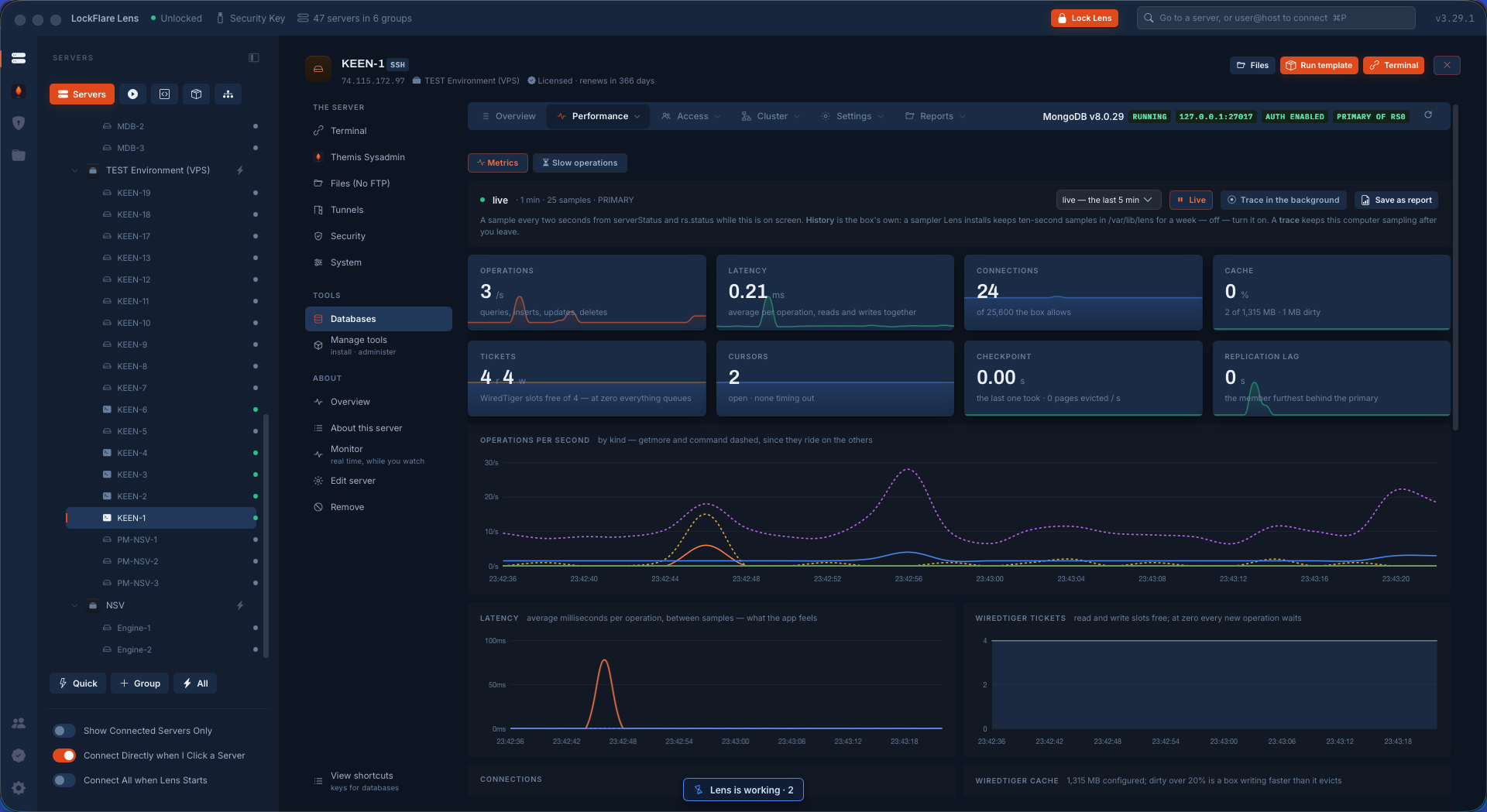
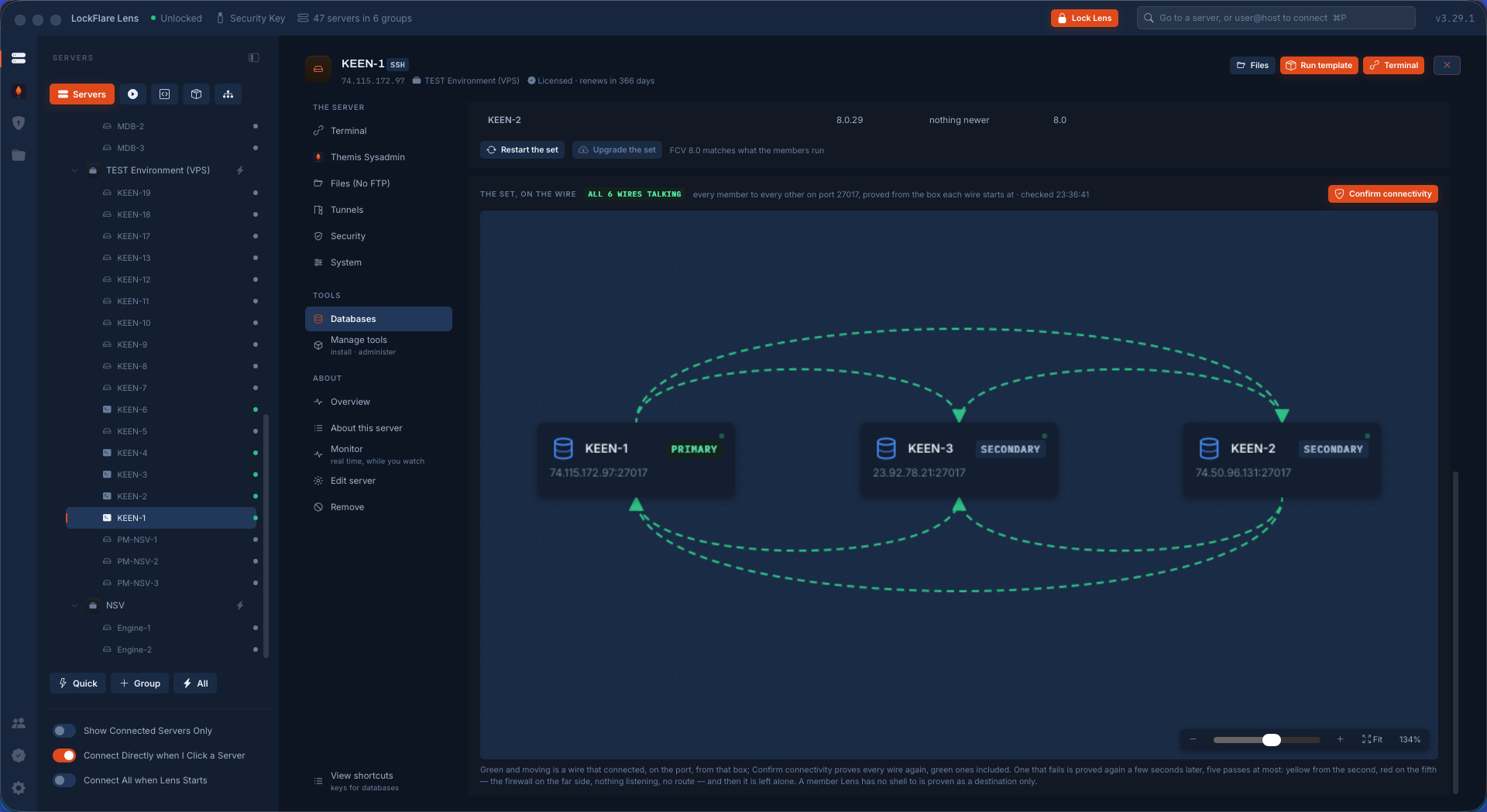
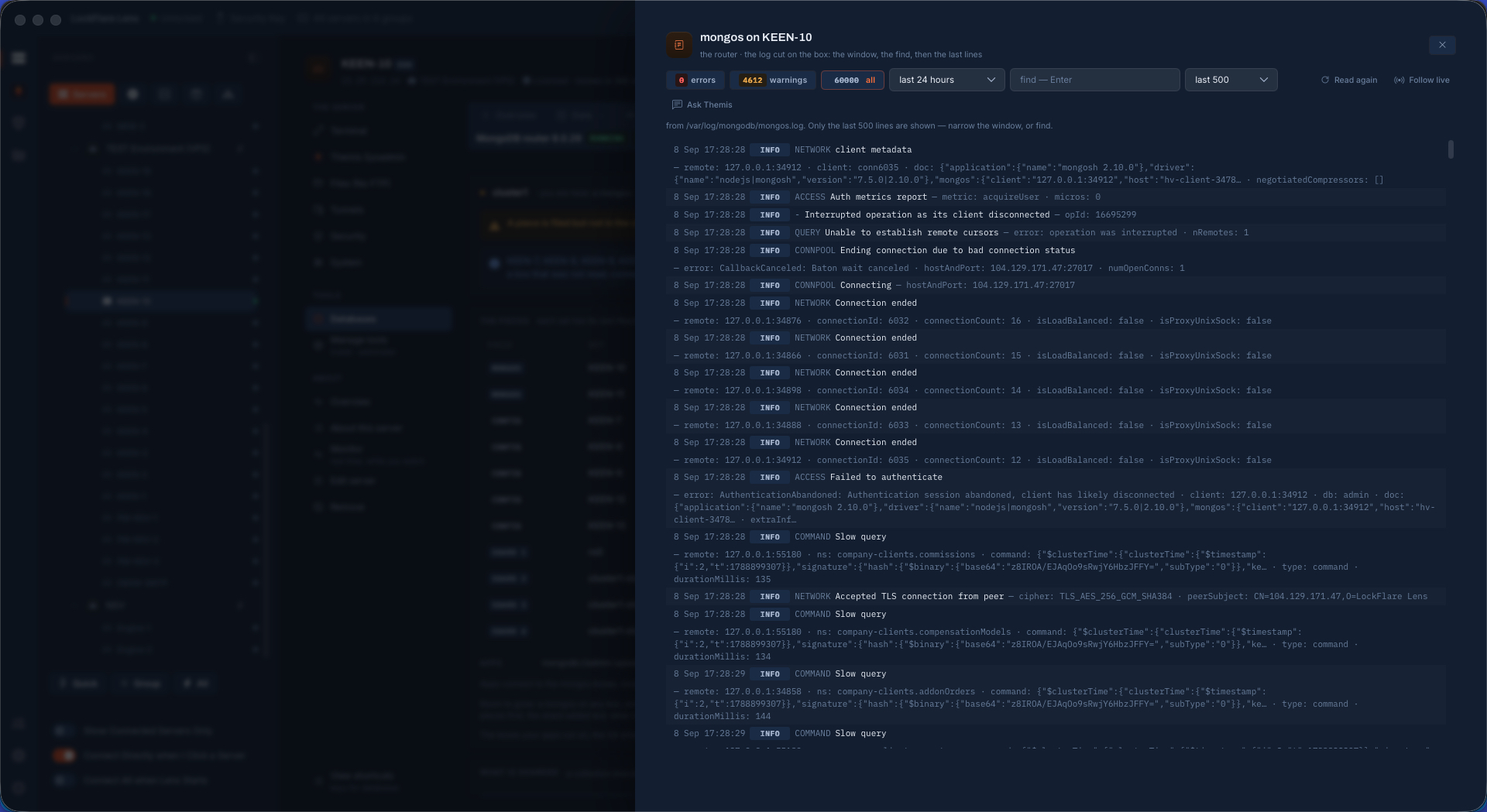
MariaDB, PostgreSQL, MongoDB: explorer, users, backups, performance, security, settings, replication, sharding, cluster backups, Mirror, reports.
Cache
Redis or Valkey bound and passworded from the first minute, a keys explorer, ACL users, TLS, and Sentinel sets built by dropping servers.
VPN
A WireGuard mesh between your boxes: private addresses the replication and the backups ride, one UDP port, your own machine as a peer.
Load balancer
HAProxy with fronts drawn from a database pair or set, repointed by the same job that moves the primary; pools of web boxes behind one address.
FTP
For the one client that insists — and SFTP already works, said first. vsftpd or ProFTPD, who may log in and where each lands, TLS, the passive range, and the firewall warning that saves the afternoon.
Across the fleet
Actions
Drag servers onto a board. Execute one line everywhere; Find out asks a curated question and groups the answers; Install puts the plumbing on the boxes that lack it; Set up runs the same change through the same door on every box.
Actions, end to endServer Templates
A hardening playbook drawn as a flow — actions and yes/no conditions — and run on a fresh box or on a fleet in parallel, one row per server, pausing where it needs you.
NOC
Your servers as boxes and the ports they talk on. Every wire is a claim, and Check proves it from the box the traffic starts at: reach, listen, allow.
Team
Roles as the exact sudoers policy they write; members with a role per server; key-only logins and NOPASSWD sudo scoped by an allowlist.
Read it at the feature level
Every screen documented: what it reads, what it writes, what it refuses to do.