The console frame
Activity bar and chairs. A slim strip on the far left, Visual Studio style: Servers, Themis and Files at the top; Team and Setup at the foot. Inside Servers, six chairs at the head of the tree: Servers (the map), Terminals (just shells), Actions (work run on the servers you are connected to), Snippets, Server Templates and NOC. Clicking the active icon folds the tree away (⌘B); the bar keeps the one control to bring it back. Lens always opens on the map; the chair is session-only.
The map. The landing is the map itself: every group as a card with its servers as rows — the dot, the name and state, the address, what it runs, what it is waiting on (updates, a restart). Named groups, orphans under a per-key "My Servers", and a search box that finds a server by name, address, note or group and opens it. A whole group has Connect all, Check for updates and Update all on its head.
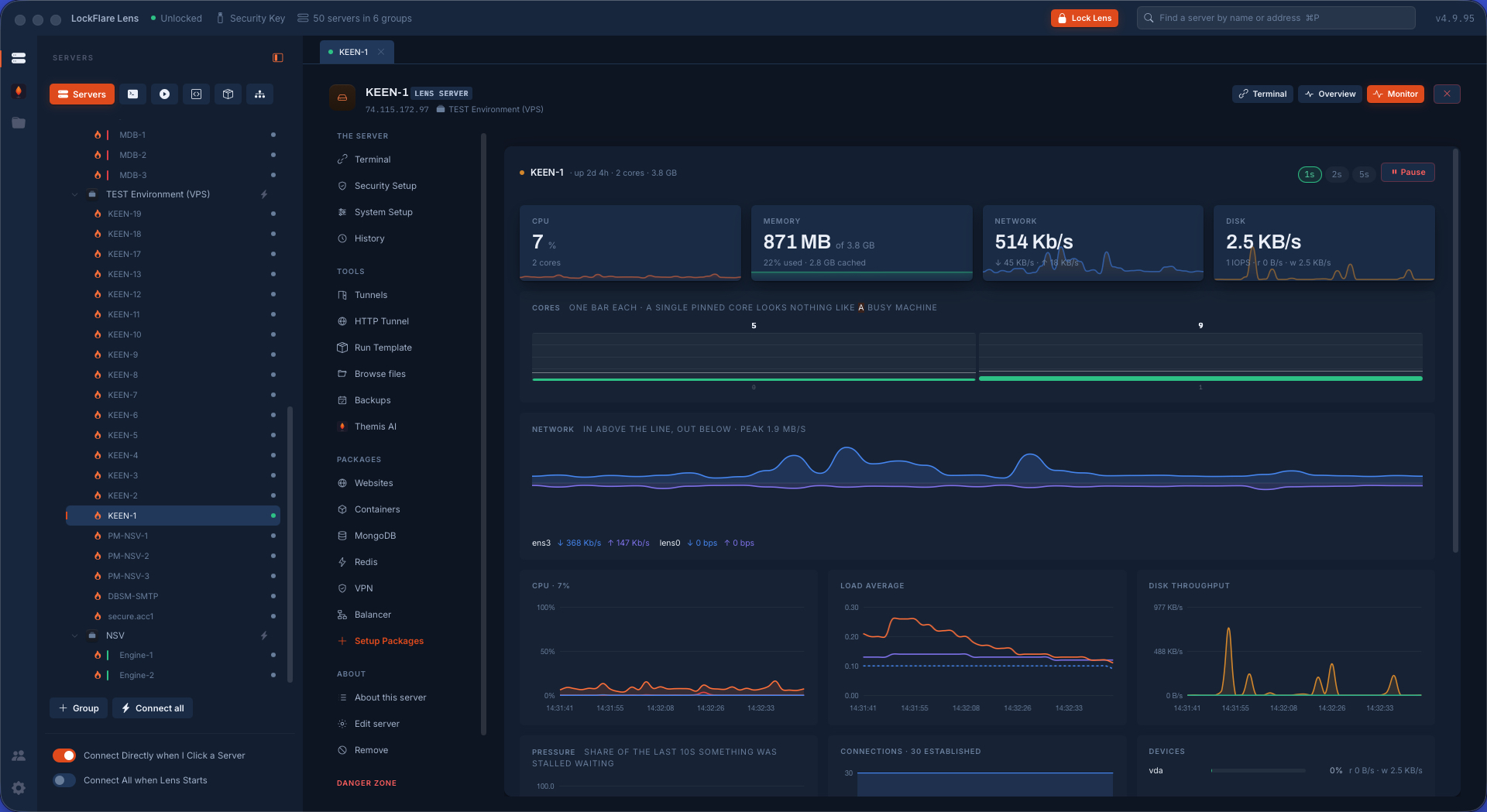
The tree. Groups and servers with drag to reorder within a group and to refile between groups; right-click menus with the verbs (connect, open, edit, disconnect, remove, colour); the whole map or a group draggable onto the Actions board, a NOC diagram or a fleet. Servers added under another drive's key are listed as such and cannot be opened without that drive. The foot of the tree carries "Connect Directly when I Click a Server" (a saved login goes straight in, no form) and "On unlock, open a shell to every server on this map".
Colour bands. Five swatches and none, set on the row or on Edit: a band painted on everything that shows this server — the row, the tab, the head, the terminal's edge — so nobody types the wrong command into the wrong box. Red is what people give production.
Bastion / jump hosts. A server can be reached THROUGH another server on the map. Lens opens the bastion with its own saved login and carries the target's connection over it; the target's host key and login stay its own. One exposed box lets the rest close port 22 to the world.
Quick Connect. A session that leaves nothing behind: nothing saved, nothing looked up, nothing written. The server exists in a group that lives while the shell does; the store never sees it and a backup does not know it.
Import from ~/.ssh and PuTTY. Nobody with eighty hosts types eighty addresses: the OpenSSH config and PuTTY's sessions are read, listed with a tick each, and land as consoles into one group or into the groups the source named. Addresses already on the map are said and left alone. A key path is noted for the shell to suggest; the key itself is never read.
Adding several Lens servers at once. Paste a key and the server it names lands in a list above the box — address from the key, a name and a port typed on the row — and the box empties for the next key. One button adds them all into the group this was opened from.
Connect all / Connect on start. One button opens a shell to every server on the map (or in a group), the shells dialling in parallel. Per server, "Connect automatically when I open Lens" dials it at unlock without asking; a server whose login is gone, or which has two logins, is simply not in the unattended list — an unattended open that stops to ask is not one.
Sessions, tabs and split panes. A server's sessions are pages in a strip; a page is one shell or up to four split across the pane (1 2 / 3 4), dragged there from the strip or opened straight into a split with a key. Splitting, moving or resizing a pane never reconnects the shell underneath — the session is the same one, only its place on screen changes. Tabs scroll, close, and remember where the operator was per server for the session — the screen you left is the screen you return to.
Per-server state. Every rail tool stays mounted, one instance per server: A→B→C→A lands exactly where it was left. Only Monitor is not kept.
Keyboard shortcuts. One table shared by the terminal and the console, so a shortcut is never announced in one place and swallowed in another. ⌘ on the Mac, Ctrl+Shift elsewhere because plain Control letters are the shell's. New/close session, next/previous, session 1–9, add pane / split below, find, clear, read again, hide sidebar. A help card shows the list for the section on screen.
Jobs lightbox and the working card. A job that must not be left halfway (restore, upgrade, engine install, data folder on the move) stands in front of the whole chair while it runs, with the job's own steps, its log following the last line, copy-to-clipboard, and Stop. A synchronous change over ~1.5 s shows an unstoppable "working" card only for a guarded list of operator-pressed verbs, never for anything Lens does by itself. Past eight boxes the job's member cards go compact.
The ledger. Every verb on a box writes its line to the box's ledger (one signed file a day under /var/lib/lens), read back on System Setup › Audit. When Lens says "there is none" it says what it checked.
Notifications from boxes. One SMTP server described once in Setup › Notifications, sealed like a login; any box gets /usr/local/lib/lens/notify.sh and a root-only /etc/lens/notify.env so a cron backup at 3 am or an integrity change can mail the operator with curl (TLS, a login) and fall back to the box's own sendmail. A test mail from the box says what happened.
Toasts, the working badge and traces. A status strip says what Lens is doing ("Lens is …") and pulses only for work on a server, never at a login form. A background MongoDB metrics trace keeps sampling after the operator leaves the tab and blinks a pill at the foot of the window until they are back.
Window. Native title bar hidden; the gate opens door-sized and centred, and the window becomes the console the moment the workspace draws. Minimise, maximise/restore, close and a resizable sidebar (double-click to reset).