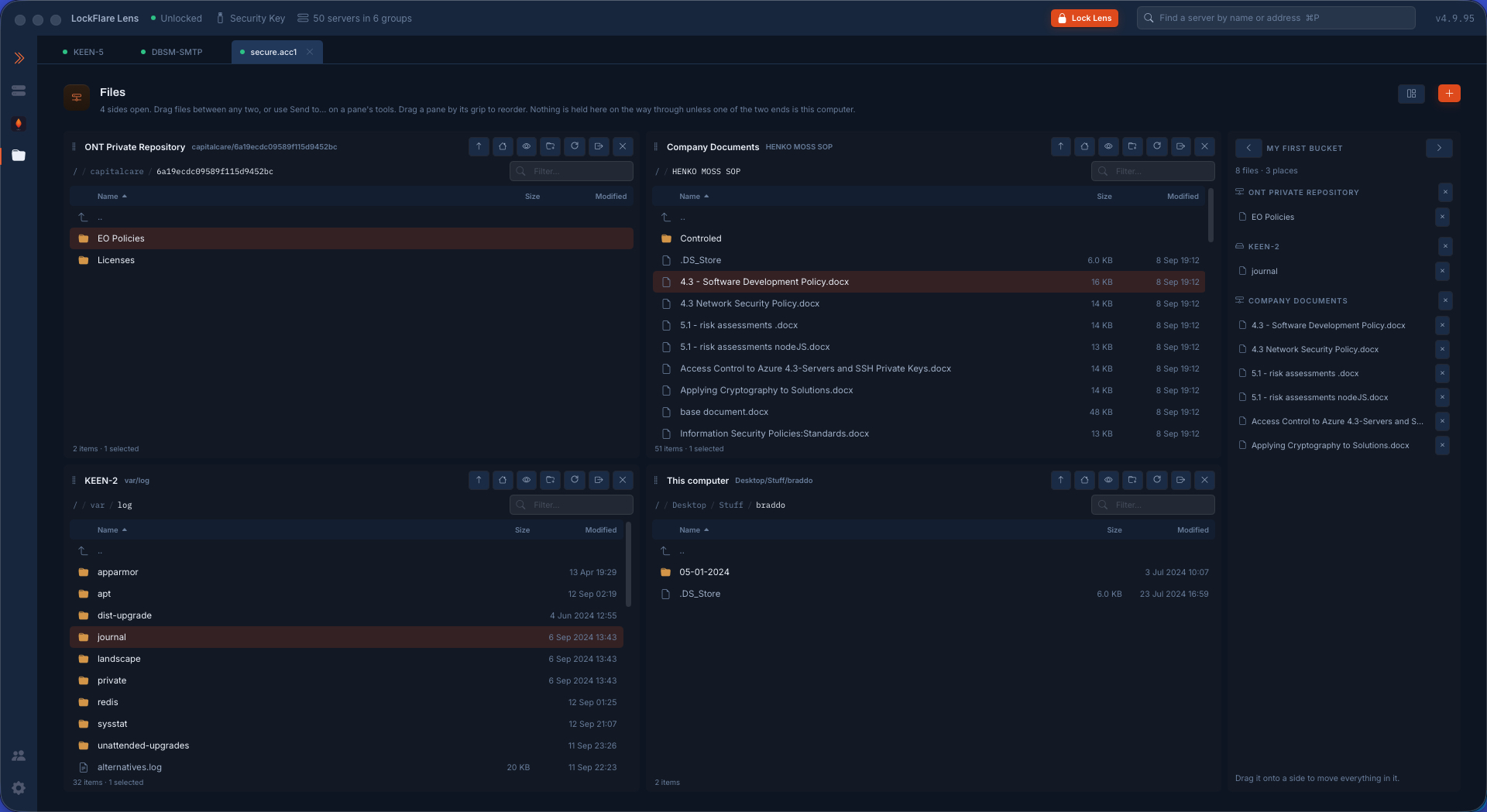
Files (the activity)
One screen, six panes. This computer, any server on the map, and every repository described in Setup, each a pane with the same shape — selection, sorting, crumbs, renaming, filter, context menu, a drag handle at the leading edge. Any pane to any pane is one copy call (upload, download and repository-to-repository are the same feature); layouts of up to six panes offered as every shape that leaves no column empty; Send to… names the destination instead of pointing at it. A copy runs as a job on the head's line, never blocking the panes, with its output kept on failure and Stop asking first (what it costs is one part-written file on the far side).
Repositories, browsed. A repository (S3-compatible and its houses, Azure Blob, GCS, SFTP, FTP/FTPS, WebDAV, SMB, NFS, a server on the map, a folder on this computer) is described once and named in Setup, then browsed here — Lens speaks each protocol itself; a kind Lens cannot open yet is left off the picker rather than refused at the click.